

Zona
About Zona
Zona is a hybrid application that sits between a BitTorrent client and a streaming catalog browser. The interface looks like Netflix, with tabbed sections for movies, TV series, anime, games, live TV, music, radio, and sports, but the content underneath isn’t hosted on any server Zona controls. Each entry maps to a torrent, and clicking play kicks off a sequential download that lets you start watching within seconds of the first chunks arriving from peers.
This is a different model from a pure torrent client like qBittorrent or BitTorrent, which expect you to find your own torrents elsewhere and just handle the download. Zona combines the engine with a built-in catalog that aggregates content from open torrent trackers, indexes it by title and metadata, and presents the result in a browsing interface organized by genre, year, popularity, and language. The closest functional twin in the catalog is Popcorn Time, which takes essentially the same approach with a sleeker interface and a narrower content scope.
Before going further, the legal context matters. Zona as software is just a torrent client with a metadata layer on top. The legality of what you do with it depends entirely on whether the content you access is freely distributable or copyrighted material the rights holders haven’t authorized for free distribution.
Most of the appealing catalog (recent blockbusters, current TV episodes, mainstream music) falls into the second category, which is why services like this exist in a legal gray zone that varies by jurisdiction. The application doesn’t moderate or filter the catalog, so the responsibility for what you download sits with you.
The catalog browser concept
The left sidebar holds the tabs that organize the catalog. Movies is the largest section, with tens of thousands of entries spanning recent releases to older catalog titles. Each movie entry shows a poster, a synopsis, ratings (typically IMDb and Kinopoisk scores), runtime, genre tags, and language options. Click into an entry and you see a list of available quality variants ranging from low-bitrate mobile resolutions through 720p, 1080p, and 4K where seeders make those resolutions available.
Series and Anime are organized by season and episode, with episode lists that show air dates and seeders per episode. Recently aired episodes typically have many seeders and download fast. Episodes from older seasons may have fewer peers and take longer to start streaming.
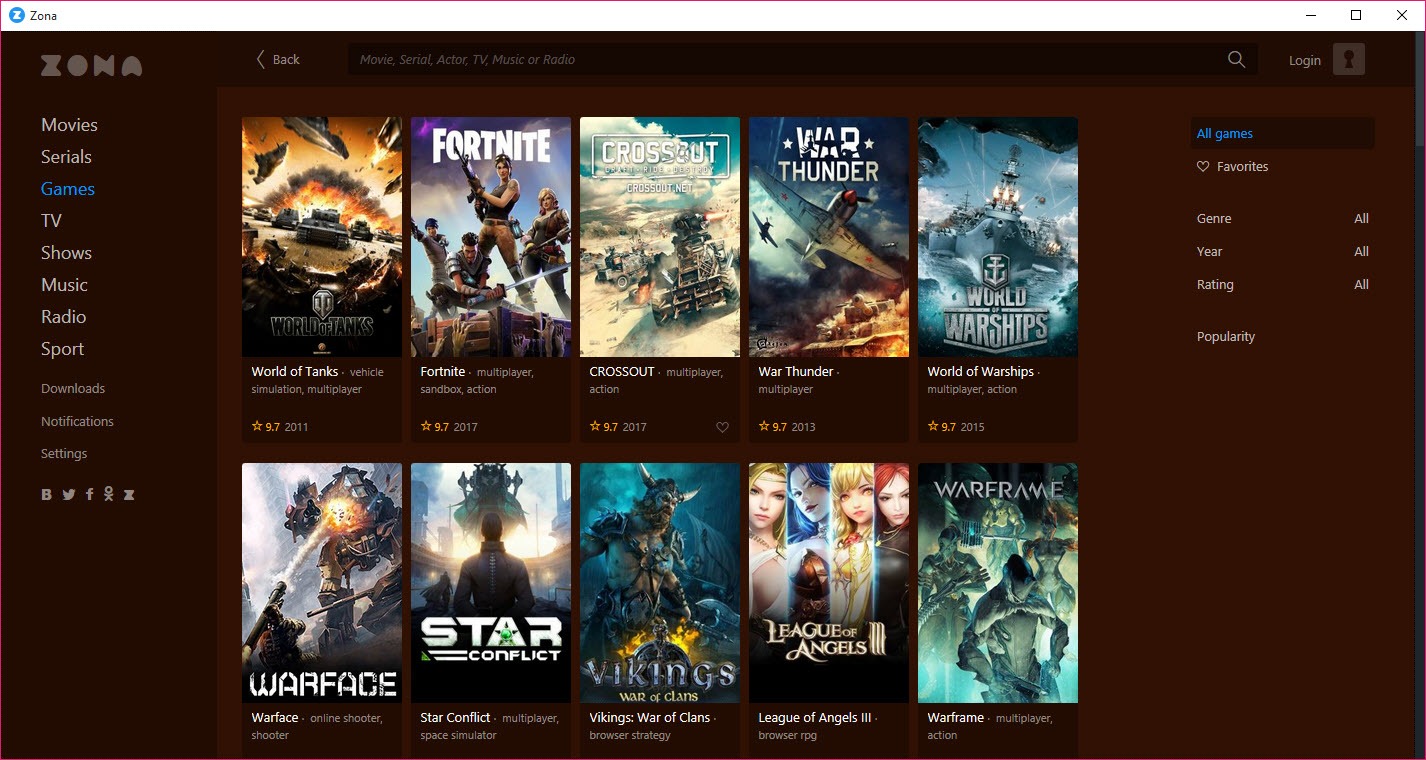
Games is more of a launcher and downloader for older or less mainstream PC games sourced from torrent distributions. Live TV streams a few hundred channels (the channel mix is heavily weighted toward Russian and Eastern European markets but includes major international networks). Music aggregates albums and tracks. Radio plays internet radio stations. Sports has live and archived broadcasts.
The breadth is what differentiates Zona from narrower competitors. Popcorn Time focuses on movies and TV. Stremio relies on add-ons that you install separately. Zona bundles a wide content scope into one application out of the box, which is convenient if you want one app for everything and limiting if you’d rather curate sources yourself.
Sequential streaming
The technical trick that makes Zona feel like a streaming service rather than a download manager is sequential streaming. Standard BitTorrent downloads pieces in whatever order maximizes swarm efficiency, which usually means rare pieces first. That’s optimal for completing downloads quickly but useless for playback, because the first 30 seconds of the video file might be the last piece to arrive.
Zona overrides this by prioritizing pieces in order from the start of the file, with a small buffer ahead of the current playback position. The built-in player starts playing once enough of the early file is downloaded, and the rest streams in the background as you watch. On a fast connection with a well-seeded torrent, playback starts within a few seconds of clicking play. On slower connections or undersourced torrents, you get a longer buffering period and possibly stuttering if download speed falls below playback bitrate.
This approach has trade-offs. Sequential downloading is less efficient for the swarm overall (it’s friendlier to the user, less friendly to other downloaders), and torrents downloaded sequentially typically complete slower than those downloaded in standard piece order. Most pure torrent clients offer this mode as an option but default to standard order. Zona treats sequential as the default because streaming is the primary use case.
The built-in player handles common video formats (MP4, MKV, AVI, MOV) and embedded subtitle tracks. For files with external subtitle URLs, Zona auto-fetches subtitles from open databases when available, matching by file hash. The matching isn’t perfect (occasionally you’ll get subtitles for the wrong cut of a film) but it works for most well-known titles.
Search, filtering, and metadata browsing
The unified search bar at the top searches across all categories simultaneously. Type “matrix” and you’ll get movies (the trilogy plus the newer films), TV series that have Matrix in the title, soundtracks, and games related to the franchise. Search by year, by director, by actor, or by genre, and the filter system narrows results live.
Browsing without searching uses the standard discovery interface: by popularity, by release date, by IMDb rating, by language, by quality. Filter combinations let you do things like “movies released this year, rated above 7 on IMDb, with subtitles available in English, in 1080p or higher.” The filtering is one of the better-built parts of the application and makes the catalog actually navigable despite its size.
Metadata quality varies. Major movies have full descriptions, cast lists, posters, and ratings. Older or niche titles sometimes have placeholder posters and brief descriptions. Live TV channels typically have just a logo and a current program if EPG data is available.
The metadata is pulled from multiple sources and the quality reflects what those sources provide, not what Zona itself curates.
The Java runtime requirement
This is the one technical detail worth being explicit about because it surprises users who don’t expect it. Zona runs on a Java runtime, which the installer downloads and installs alongside the application if you don’t already have it. On a fresh system this means an extra few hundred megabytes of dependencies, an extra background service (the Java runtime), and an extra updater that runs periodically to check for Java updates.
For users who already have Java installed for other reasons, this is invisible. For users who don’t, the footprint of installing Zona is meaningfully larger than the size of the Zona application itself would suggest. Resource consumption while running is also higher than a native application of similar functionality.
The user interface is fluid on modern hardware but the memory baseline is noticeably above what a leaner native client like PicoTorrent consumes for the BitTorrent side alone.
For older or low-spec systems, the Java requirement can be a deal-breaker. If you’re trying to repurpose an underpowered PC as a media client, a lighter combination of VLC with Soda Player for streaming-while-downloading might run better despite having less feature breadth.
Download management and torrent client features
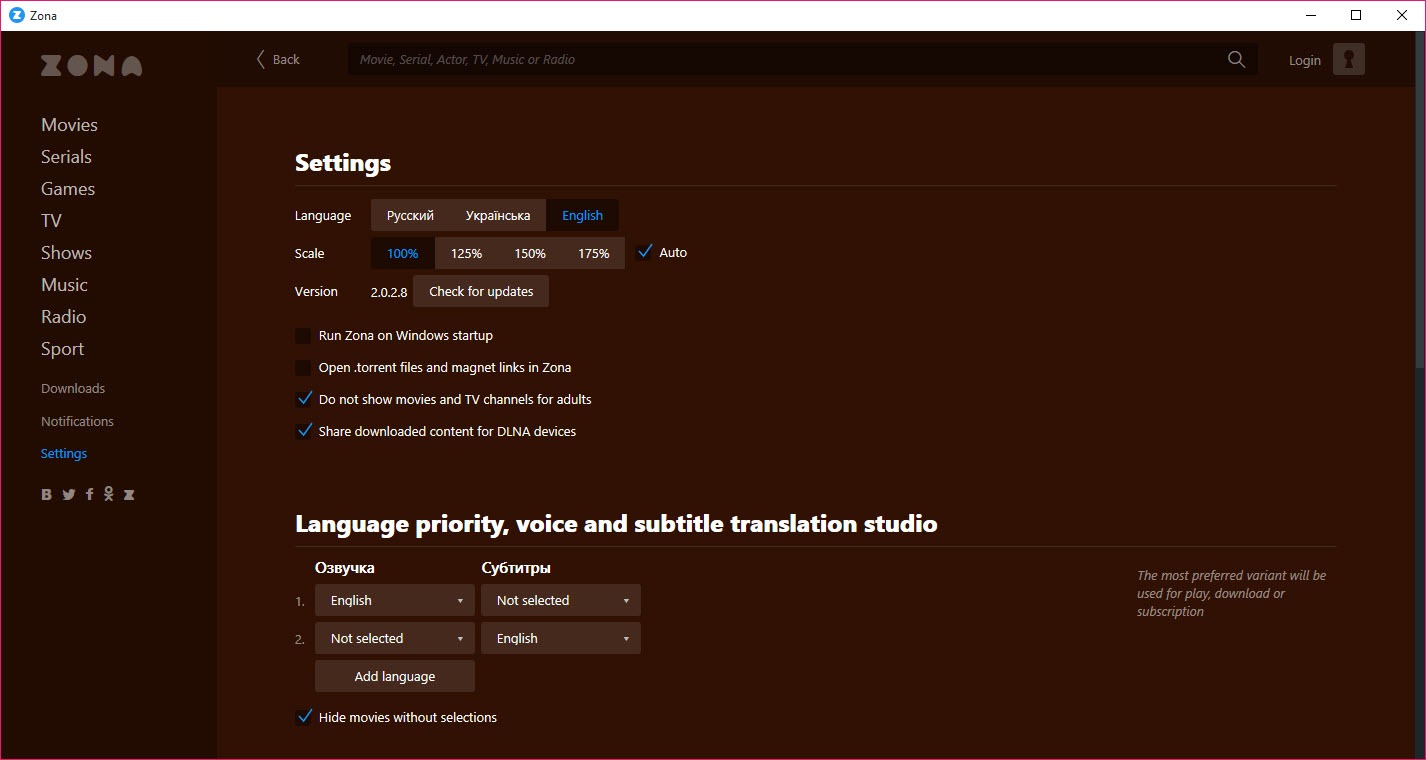
Underneath the streaming interface, the BitTorrent engine includes the standard set of features you’d expect. You can throttle upload and download speeds globally or per-torrent, set port assignments, configure DHT and PEX, manage trackers, and pause/resume downloads. A separate “My Downloads” view shows all active and completed torrents with peer counts, ratios, and progress.
Zona can also open standalone .torrent files and magnet links from outside the built-in catalog, so it works as a regular torrent client for sources you find yourself. The interface for handling external torrents is less polished than the catalog browser, but it works. Files downloaded outside the catalog don’t show up in the main browse view (they’re not auto-categorized), but they appear in the downloads list and can be played from there.
Seeding continues after downloads finish by default, with configurable ratio limits and seeding time caps. Some users prefer to stop seeding immediately to limit upload bandwidth use; others let it run to maintain ratio on private trackers.
Zona isn’t built around private tracker workflows the way some torrent clients are, so users on private trackers will find the application functional but not optimized for that use case. Deluge or qBittorrent are the better picks for private tracker workflows.
Where Zona fits among streaming and torrent options
The honest map of the category looks roughly like this. Pure torrent clients (uTorrent, qBittorrent, BitTorrent, Deluge, PicoTorrent) handle downloads and require you to source torrents yourself, with no built-in content discovery. They’re the right pick for users who source torrents from specific trackers or who want a clean, focused tool.
Streaming-only services (the legitimate ones: Netflix, Amazon Prime, Disney+, Hulu, the various regional services) handle content sourcing and licensing on their end but require subscriptions and limit you to their library.
Hybrid catalog-plus-torrent applications like Zona and Popcorn Time sit in the gray zone between, offering a streaming-like experience by aggregating torrent sources into a browseable catalog without licensing the content. The technical execution is generally good but the legal status is jurisdiction-dependent. Stremio takes a similar approach with a more modular add-on architecture, putting the choice of which content sources to include in the user’s hands.
For users specifically interested in Zona as opposed to alternatives, the differentiator is the breadth of categories (movies, series, games, live TV, music, radio, sports in one app) and the maturity of the search and filter interface. If you only watch movies, Popcorn Time covers that ground with less overhead. If you want everything in one place and don’t mind the Java footprint, Zona is the wider option.
Conclusion
Zona is a usable application for users who want a broad media catalog wrapped around a BitTorrent engine and don’t mind the Java footprint. The sequential streaming actually works as advertised on well-seeded content, the filter system makes the catalog navigable, and the breadth of categories (movies, series, live TV, music, sports, games in one interface) is wider than what most competitors offer. For users who want a single application as their entry point to a wide range of torrent-sourced content, it covers the ground efficiently within the limits of what the model can achieve.
The application is not the right pick for users who want a leaner, native torrent client (where qBittorrent, Deluge, or PicoTorrent are better fits), for users who source torrents from private trackers (where the workflow optimization isn’t there), or for users who’d rather use legitimate streaming services.
The legal status of the typical catalog content is the largest practical consideration, and the answer to whether Zona is appropriate for you depends entirely on the rights situation of what you actually watch and the laws where you live. As a technical product it executes its model competently; whether that model fits your needs and your jurisdiction is the question only you can answer.
Pros & Cons
- Catalog-driven browsing instead of requiring external torrent sources
- Sequential download mode starts playback within seconds on well-seeded content
- Built-in player with auto-fetched subtitles for common titles
- Multiple content categories including movies, series, games, live TV, music, sports
- Functional standard torrent client features (DHT, PEX, magnet links, .torrent files)
- Filter system makes a large catalog actually navigable by year, rating, genre, and quality
- Requires a Java runtime that adds significant install footprint and memory use
- Legal status of catalog content depends on jurisdiction and rights situation
- Metadata quality varies, with placeholder posters on older or niche titles
- Not optimized for private tracker workflows or aggressive seeding ratio management
- Sequential streaming is less efficient for the broader swarm
Frequently asked questions
Zona is a desktop application that combines a BitTorrent engine with a built-in content catalog. The interface lets you browse movies, TV series, games, live TV, music, radio, and sports, organized by genre and rating. Selecting an entry starts a sequential torrent download that begins playback before the file finishes downloading.
The application uses sequential piece prioritization in the BitTorrent engine, meaning it requests file chunks in order from the start of the video rather than in the random order standard BitTorrent uses. Combined with a buffer ahead of the playback position, this lets the built-in player start within a few seconds on well-seeded content.
Yes. The application runs on a Java runtime, which the installer adds during setup if you don't already have it. This adds a few hundred megabytes to the install footprint and an ongoing background Java process while Zona is running.
Yes. The application can open standalone .torrent files and magnet links from sources outside its built-in catalog, functioning as a general-purpose BitTorrent client when needed. These external torrents appear in the downloads list rather than being categorized into the catalog views.
Both apply the same model: a streaming-like interface backed by a torrent engine. Popcorn Time focuses on movies and TV with a sleeker, more polished interface. Zona covers a wider range of content categories including live TV, music, games, and radio, with a busier interface and a larger catalog. Zona runs on Java; Popcorn Time is a native application.
The application itself is legal as software. Whether your use of it is legal depends on the rights status of each specific item in the catalog and the laws of your country. Some content in the catalog is freely distributable (public domain films, openly licensed music, some live broadcasts). Other content is copyrighted material that the rights holders haven't licensed for free distribution, in which case downloading it may violate copyright law where you live.
The built-in player handles common container formats including MP4, MKV, AVI, and MOV, with support for embedded subtitle tracks and external SRT files. For files the built-in player can't handle, the downloaded media files can be played in any external video player.
Yes. You can queue downloads from the catalog or external torrents and let them complete without streaming, then play the finished files later. Seeding continues after download completion based on configurable ratio and time limits.


