

Zoiper
About Zoiper
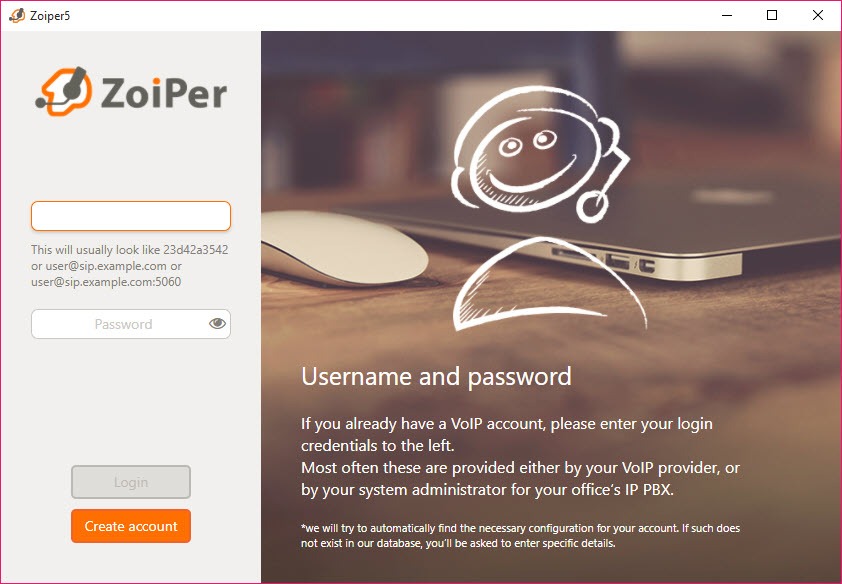
Zoiper is a softphone, a telephone that exists as a window on the desktop and places calls through whatever SIP or IAX account you give it. Type the details from your provider or your office phone system into the account screen, and the dialpad, the contacts list and the call history behave like a desk phone that happens to live next to your email. It does not come with a calling service of its own, which sets it apart from bundled services such as Skype. It is the handset, and the line is whatever account you connect.
That separation is the point. A business with a phone system in the server room, a freelancer with a numbered account from an internet telephony provider, a call centre agent working from home, all of them need a client that talks the standard protocols and gets out of the way.
Zoiper is written in native code rather than a managed runtime, which is why it uses little memory and sounds clean on older machines, and it has been the default recommendation in that role for long enough that most phone system administrators have a configuration guide for it.
Accounts and the codec list
Zoiper accounts are SIP or IAX, with multiple accounts side by side so a work line and a personal one ring in the same window with different ringtones. The transport can be UDP, TCP or TLS, and TLS with SRTP or ZRTP encrypts both the signalling and the audio so the call cannot be listened to on the way. STUN and DNS SRV handle the network address juggling that home routers force on telephony traffic, and a jitter buffer with clock skew compensation smooths the audio when the connection wobbles.
Codecs cover the standard set, G.711 in both flavours, the wideband G.722 family, Opus, Speex, iLBC and GSM, with the patented G.729 available separately for systems that insist on it. Codec order per account decides what gets negotiated first, and setting a wideband codec at the top is the single biggest improvement most people can make to how a call sounds.
Calling and presence
The Zoiper dialpad accepts numbers by typing or clicking, and a number selected anywhere on screen can be dialled with a hotkey. Calls can be held, transferred blind or attended, parked on a system that supports it, and joined into a conference by dragging contacts together. Call waiting shows a second incoming call while the first continues. Auto answer picks up on its own for headset-wearing agents who take a stream of inbound calls.
Presence shows whether a contact is available, on a call or away, using the standard SIP mechanism, and instant messaging over the same protocol sends short text to a colleague without dialling. Video calls work with the common codecs where the far end supports them, though this is a telephone first and a video client a distant second.
Contacts from everywhere
The Zoiper contacts list gathers entries from the system address book, from Outlook and other mail clients, from an LDAP directory and from Google contacts, and merges them into one searchable list with number recognition on incoming calls, so the phone shows a name rather than a string of digits. Plugins for mail clients and browser extensions turn phone numbers on a web page or in a message into links that dial.
That integration is one of the parts held back for the registered tier. The unregistered build makes and receives calls, holds and transfers them, and keeps a history. Contact synchronisation and call recording, along with conferencing and video, all need the registered tier.
Anyone whose use is a single account and plain calling loses nothing. Anyone in an office will notice the gaps within a day.
Recording and fleet provisioning
Call recording captures both sides of a conversation to a file, which is the feature support and sales teams keep it for. For recording from any client rather than only this one, a system-level call recorder captures whatever passes through the sound card.
Remote provisioning lets an administrator push preconfigured accounts and settings to every desk, lock parts of the interface so users cannot break their own configuration, and roll out the client with a scripted installer. The interface can be skinned, and the maker offers custom-branded builds for providers who want their own name on the window.
For a small office, the provisioning is overkill and the manual account setup takes two minutes. For a room of thirty agents it is the reason the client gets chosen over lighter alternatives.
Where it falls short
The unregistered build is deliberately limited, and it reminds you of that with upgrade prompts. A single account line is the practical ceiling there, and the mail and directory integrations that make a softphone feel like part of the desk are missing. The interface is plain, and the settings dialogs are dense with options that mean nothing until a call sounds wrong and you go looking. Bluetooth headset control is patchy on some hardware.
Against a minimal open-source softphone, it offers far more integration and a much wider codec list, with registration required for anything beyond basic calling.
Conclusion
Zoiper suits anyone who has a telephony account and wants a dependable, standards-compliant handset on the desktop, from a freelancer with one number to an office rolling out thirty seats through provisioning. The codec list, the encryption options and the contact integration cover what a business phone needs, and the native engine keeps it light.
It is the wrong choice for someone who wants a calling service bundled in, or who wants recording and contact sync without registering. Set the codec order, choose TLS where the system allows it, and it will sit in the tray for years behaving like the desk phone it replaced.
Pros & Cons
- SIP and IAX with multiple accounts and per-account ringtones
- TLS with SRTP or ZRTP encryption for signalling and audio
- Wide codec list including Opus and the G.722 wideband family
- Contacts merged from the system, mail clients, LDAP and Google
- Remote provisioning and interface lockdown for fleet deployment
- Native code that stays light and sounds clean on old hardware
- Contact sync and recording, plus conferencing and video, need the registered tier
- Unregistered build shows upgrade prompts
- Dense settings dialogs with little explanation
- Video calling is basic
Frequently asked questions
No. It is a client only. You need a SIP or IAX account from a telephony provider or your office phone system to place calls.
Yes. Use TLS for the connection and SRTP or ZRTP for the audio, provided the far end supports them.
The account is negotiating a narrowband codec. Move a wideband codec such as Opus or G.722 to the top of the codec list for that account.
Yes, in the registered tier. Recording captures both sides of the conversation to a file.


