

XSplit Broadcaster
About XSplit Broadcaster
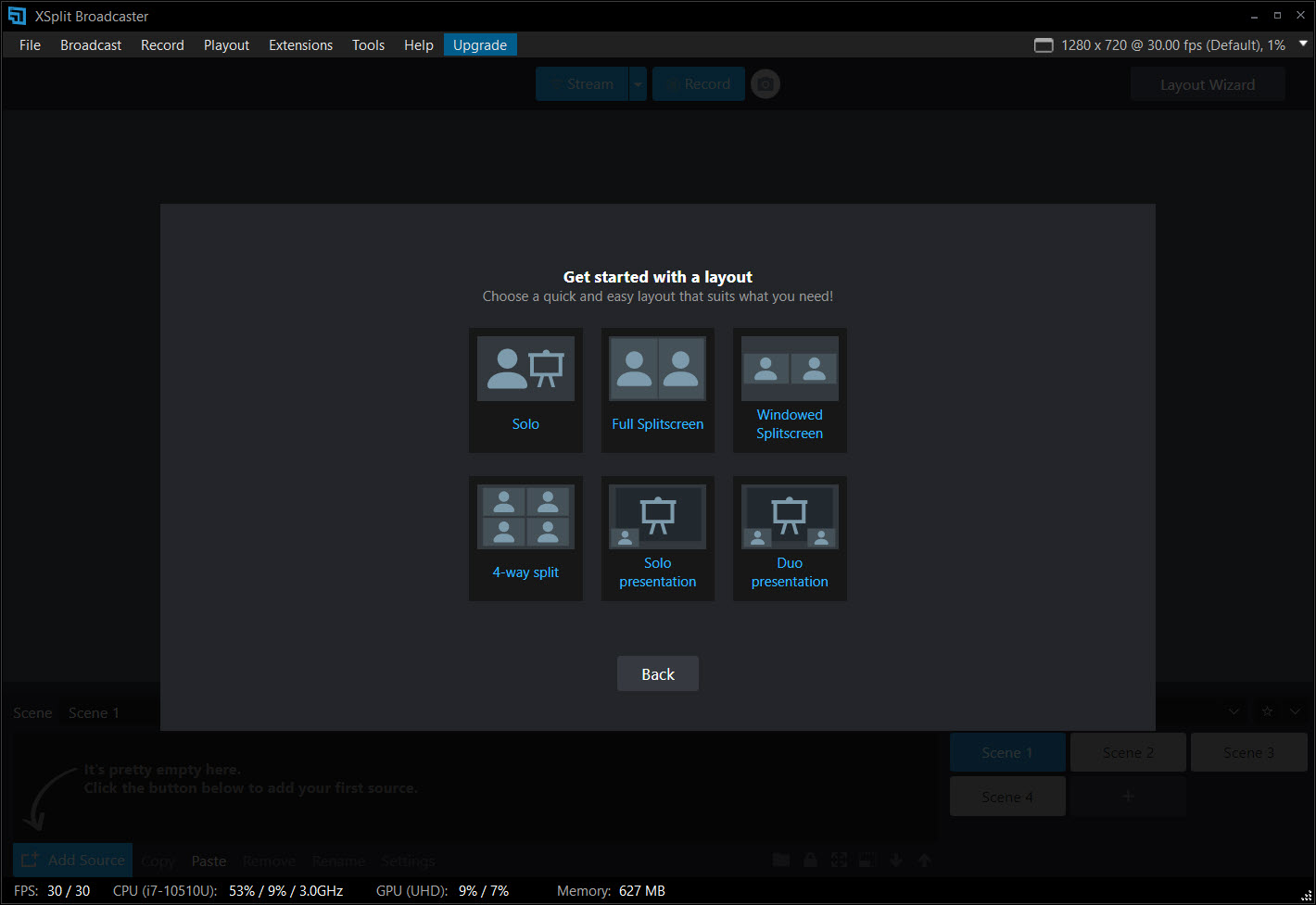
XSplit Broadcaster is a live streaming and recording studio that lets you mix cameras, gameplay, screens, and graphics into a polished broadcast and send it straight to Twitch, YouTube, or Facebook. It is the control room for your stream, the place where you decide what your audience sees, arrange it on screen, and switch between different looks live. And it is built, above all, to make that feel approachable rather than intimidating.
The whole thing works on a model of scenes and sources. A source is any single element, your webcam, a captured game, a shared window, an image, a video clip, a line of text. A scene is a layout you build out of those sources, arranged however you like on the canvas.
You might have a starting-soon scene, a main gameplay scene with your webcam in the corner, and a chatting scene where the camera takes center stage. During the broadcast you flip between them with a click, and the audience sees a smooth, produced show rather than a static window.
That scene-and-source approach is the standard for serious streaming, but what sets XSplit Broadcaster apart is how it presents it. Everything lives on a single, clean dashboard. You can see your scenes, your sources, your audio levels, and your preview all at once, on one screen, without needing a second monitor to keep track of it all.
Built to be easier than the alternative
It is impossible to talk about this tool without mentioning the giant in the room. The open-source OBS dominates the streaming world, and most people weighing this are asking how it compares. The honest answer is that the headline difference is ease of use.
Where the open-source option can overwhelm a newcomer with a cluttered, multi-window setup and a wall of settings to configure before going live, this one is designed to get you streaming quickly with far less fuss. Reviewers and users repeatedly land on the same verdict, that it works well right out of the box.
For someone who wants to focus on their content rather than on assembling and troubleshooting a broadcast rig, that polish is the entire appeal.
Connecting to platforms the easy way
A small thing that makes a big difference is how XSplit connects to streaming services. Instead of hunting down a stream key and pasting URLs into config boxes, you log into your Twitch, YouTube, or Facebook account through the app and it sets up the connection for you. For a beginner, skipping the stream-key dance removes one of the most confusing early hurdles entirely.
It also handles multistreaming, sending your broadcast to several platforms at the same time, so you are not forced to pick a single home for your content. Whether you want to reach viewers on more than one service or simply hedge your bets, you can go live everywhere at once from the same session.
Recording, scenes, and production polish
XSplit is not only for going live. You can record locally at high quality, up to 4K at 60 frames per second, which makes it just as useful for producing videos to edit later as for real-time streaming. The same scenes and sources you build for a broadcast work for recording too.
The production touches are where it shines for more ambitious creators. You get transitions between scenes, overlays, animations, and a preview-and-edit mode that lets you set up a scene and check it before pushing it live, so you can fix a misspelled name in a lower-third or reframe a shot without your audience watching you do it.
For multi-camera setups, switching between angles is clean and quick, which is why it has found a real following for church services, live events, and professional presentations, not just gaming.
Hardware, plugins, and extending it
If you use capture hardware, this is often where XSplit pulls ahead. Capture cards and external devices frequently work more smoothly here than in rival software, and several users have switched specifically because a stubborn capture card or camera setup simply behaved better. For a multi-camera or console-capture rig, that reliability matters.
There is also a plugin store that adds extra capabilities, things like custom transitions, macros, a whiteboard, and chat or alert tools. It pairs naturally with companion tools as well, such as Streamlabs Desktop for those who want a different alerts-and-overlays ecosystem, or a dedicated capture tool like Debut Video Capture for simpler recording jobs.
That said, be realistic, the extension library here is far smaller than the sprawling open-source plugin scene, so the deepest, most niche customizations may not have an equivalent.
The trade-offs worth knowing
No tool is perfect, and the honest drawbacks are clear. It tends to use somewhat more processor and memory than the leanest alternatives, which matters if you are streaming and gaming on the same machine and every percent of performance counts. On a capable modern PC that gap is minor, but on older hardware running XSplit it can be felt.
The most common everyday gripe is that you have to sign in each time the application launches, which becomes a small but persistent annoyance over time. And while the core feature set is strong, rival tools have steadily closed the gap, so the case for this one rests heavily on its smoother experience rather than on exclusive features.
For gameplay-focused capture specifically, lighter tools like Dxtory or Fraps cover a narrower job with less overhead.
Conclusion
XSplit Broadcaster is for the creator who wants a professional-looking stream without the steep climb. The new streamer intimidated by a wall of settings, the church or event team running multiple cameras, the presenter who just wants to go live cleanly and reliably. Its scene-based production, direct platform connections, and polished single-screen layout make broadcasting feel manageable in a way that bare-bones tools often do not.
It asks for a bit more from your hardware and nudges you to sign in every session, and the competition has caught up on raw features. But what it sells is smoothness, and it delivers that well. If your priority is getting a clean, multi-source broadcast up and running with minimal friction, especially with capture hardware in the mix, it remains one of the most approachable studios you can put in front of a camera.
Pros & Cons
- Clean single-screen interface that beginners find far easier than rivals
- Scene-and-source model lets you build and switch professional layouts live
- Logs into Twitch, YouTube, and Facebook directly, with no stream keys to copy
- Multistreams to several platforms at once from one session
- High-quality recording up to 4K at 60 frames per second
- Strong capture-card and external-hardware compatibility
- Uses more processor and memory than the leanest alternatives
- Requires signing in every time the application launches
- Plugin and extension library is much smaller than the open-source scene
- Rival tools have narrowed its once-clear feature advantage
Frequently asked questions
It is a live streaming and recording studio. You combine cameras, gameplay, screens, images, and graphics into scenes, switch between them live, and broadcast to platforms like Twitch and YouTube or record locally.
For most beginners, yes. Its single-screen interface and direct platform login make getting started quicker and less confusing, whereas the open-source alternative offers deeper customization at the cost of a steeper learning curve.
You log into your account for a service like Twitch, YouTube, or Facebook through the app, and it configures the connection automatically, so there is no need to copy stream keys or paste URLs.
Yes. It supports multistreaming, letting you broadcast to several services simultaneously from a single session rather than choosing just one destination.
Yes. It records locally at high quality, up to 4K at 60 frames per second, using the same scenes and sources you would use for a live broadcast, which makes it useful for producing videos to edit later.
Generally yes. Capture cards and external devices often work more smoothly here than in some rival software, which is a common reason multi-camera and console-capture streamers choose it.


