

XMind
About XMind
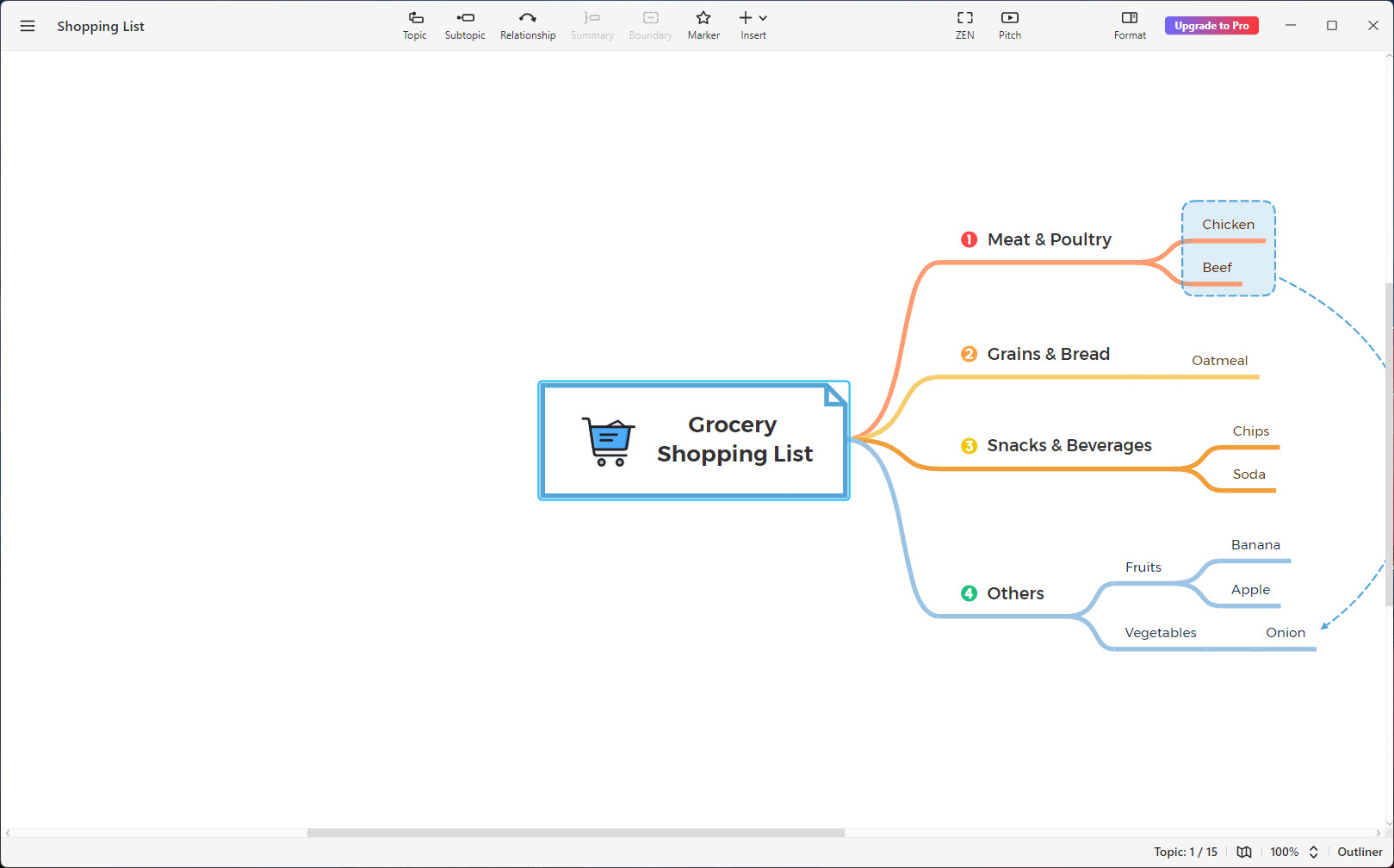
A mind map is one shape among many, and most software in this category only knows that one. XMind ships nine, from the familiar radiating map through logic charts, brace maps, org charts, tree charts, timelines, fishbone diagrams, tree tables and matrices, and it lets you use several of them inside the same document.
That sounds like a specification detail and it changes how the tool gets used. A project can sit on a timeline, with one milestone opening into a fishbone diagram tracing why a thing keeps going wrong, and a matrix elsewhere on the same canvas comparing three options. You are not choosing a diagram type at the start and living with it.
Around that sits a second idea. Any map can be viewed as a text outline instead, switched with one click, and the two are the same document rather than an export.
Nine structures, mixed as needed
The structures are not decorative variations. A logic chart flows left to right and suits a sequence. An org chart stacks downward and suits a hierarchy. A fishbone puts causes on ribs feeding a spine and suits working out what went wrong. A matrix compares attributes across categories and behaves like a table with branches.
Because they combine, XMind stops being a mind mapper and becomes a general-purpose thinking canvas. The practical consequence is that you do not abandon a document when the thinking changes shape halfway through, which is the usual reason people give up on structured tools.
Templates and skeletons cover the common starting points, and a colour theme can be chosen independently of the structure, so the shape of the thinking and the look of it are separate decisions.
The outliner is not a second document
This is the feature most people underuse. One click converts the canvas into a hierarchical text outline, and another click converts it back. Nothing is exported and nothing is duplicated. It is the same content shown two ways.
That matters because thinking is not consistently shaped. Brainstorming wants a canvas where ideas can sit anywhere. Turning that into a plan wants an ordered list you can read top to bottom. Most software forces you to pick a side and then convert, losing something each time.
Topics can be dragged around in the outline to reorganise the hierarchy, and the change appears in the map. Anyone who has tried to reorder a mind map by dragging branches will appreciate doing it in a list instead.
Pitch Mode turns the map into a deck
Presenting from XMind does not involve exporting anything. Pitch Mode reads the existing hierarchy and generates a slide sequence from it, adding transitions and choosing layouts, so a map you built for yourself becomes something you can walk a room through.
For an internal discussion this is the right amount of effort, which is to say none. The structure you already thought about becomes the running order, and nobody has to rebuild the argument in presentation software.
Set expectations at the correct level though. What you get is your hierarchy presented tidily, not a designed deck. Type sizes, emphasis, pacing are decided by the map rather than by you, and for a pitch that actually matters you will still want proper slides.
What a single topic can hold
A topic in XMind is not just a line of text. Notes can be attached behind it, labels sit alongside it, callouts point at it, and files can be attached to it outright. Hyperlinks go to a web page, to a local file, or to another topic in the same document, which is how a large map stops needing to be visually connected to be logically connected.
Beyond that, images drop in, audio notes record straight into a topic for when typing is too slow, and equations are written in LaTeX for anything mathematical or chemical. Markers and stickers provide the visual vocabulary, and markers are more useful than they look, because a priority flag or a completion state turns a map into something you can filter rather than merely read.
Task tracking builds on the same idea, so a planning map can carry the state of the work rather than being abandoned once the work starts.
Relationships, boundaries, summaries, zones
Four organisers in XMind keep a large map legible. A relationship draws a labelled connection between two topics that are not related by hierarchy. A boundary encloses a group of branches to say these belong together. A summary brackets several branches and states a conclusion drawn from them. A callout adds a remark without adding a branch.
Zones extend that to floating topics, grouping them into a defined area that can be folded away when you do not need the detail and exported on its own as an image or a document. On a map that has grown past one screen, being able to collapse a whole region is what keeps it usable.
What none of this gives you is exact control over position. Layout is computed, which is the point on a thinking tool and a limitation when you need a diagram to look a specific way. For that, a diagram editor with precise layout control is a different category of software and the honest recommendation.
Getting work out, and other people’s work in
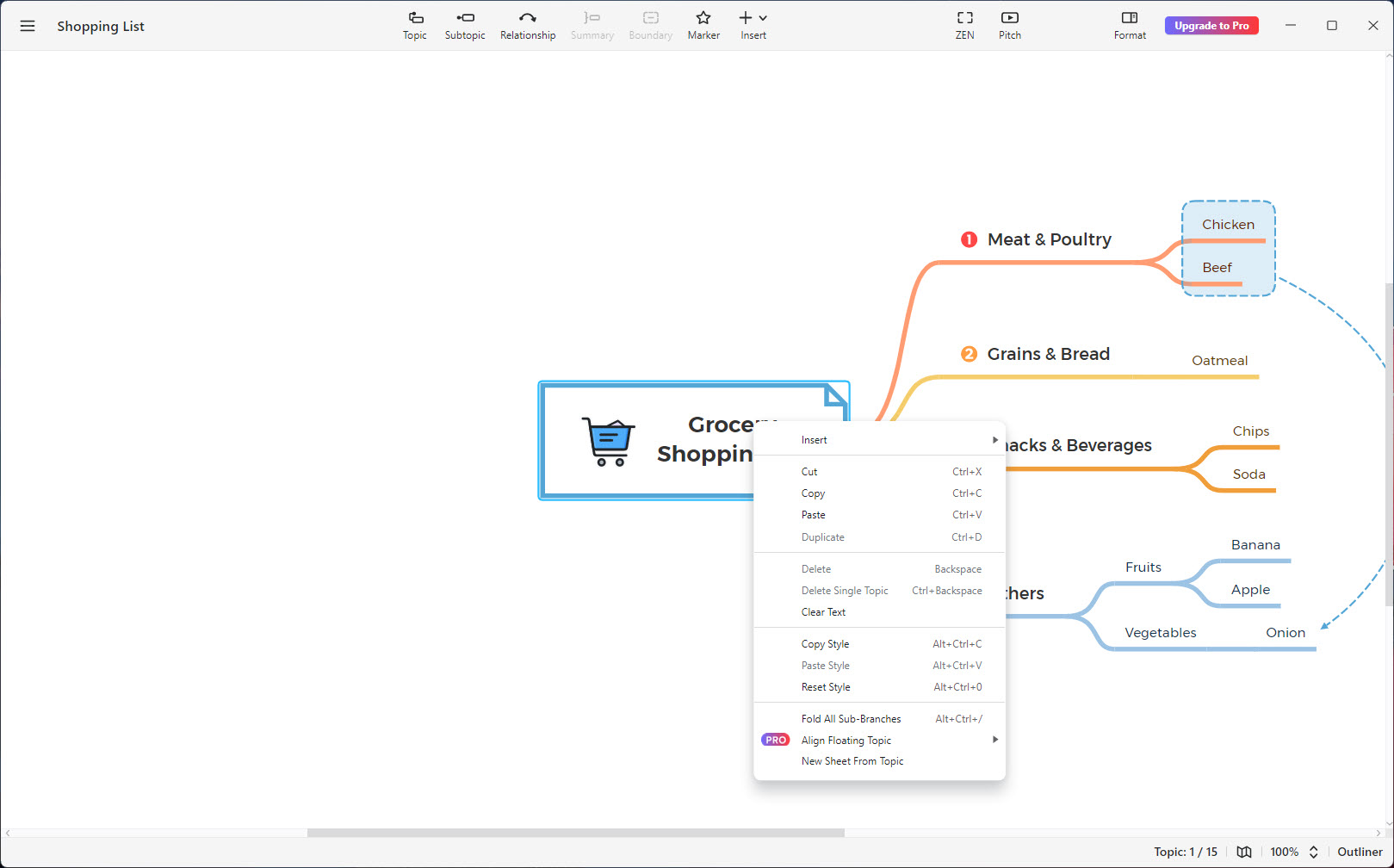
Export from XMind covers documents and images. A map leaves as a PDF, a Word document, a spreadsheet, Markdown, OPML or a text bundle, and you choose whether it exports as the map or as the outline, and which sheets to include. That last option matters, because a document can hold several sheets, a new sheet can be created from any topic, and a sheet can be saved out on its own.
The spreadsheet and document exports are the ones that get used most, since a map full of decisions usually has to become something a colleague can read without installing anything. LibreOffice opens both without difficulty if the recipient has no office suite of their own.
Coming the other way, files from the other established mind-mapping applications import directly, so switching does not mean retyping years of maps. A document can also be password protected, which is unusual in this category and useful for anything sensitive.
The AI layer, and what sits behind the paid tier
Newer additions generate a map from material you already have. Paste text, give it a link, or hand it a document, and it produces a structured map in seconds. A topic can be expanded into a branch of related ideas with one click, and a goal can be broken into tasks automatically.
The honest assessment is that these are scaffolding rather than thinking. A generated map gives you a reasonable first taxonomy and a lot of generic branches, and the value arrives when you start deleting and rearranging. As a way to avoid the blank canvas it works well. As a substitute for working out what you actually think, it does not.
Gating is the last thing to weigh. Several of the features described above sit on the paid side, including password protection, LaTeX equations, audio notes, links to local files and the theme editor, alongside the AI allowance. The structures, the outliner, Pitch Mode and the core organisers are all available without paying, which is a more generous split than most. If your need is capturing content rather than shaping it, Evernote is a different answer to a related problem.
Conclusion
XMind suits anybody whose thinking refuses to stay one shape. Nine structures that combine in one document, an outline view that is the same content rather than a copy, and a presentation mode that reads your hierarchy instead of asking you to rebuild it add up to a tool you can stay inside from the first messy idea to the meeting where you explain it.
The limits are consistent with what it is. Automatic layout means you cannot place things exactly, the generated presentation is tidy rather than designed, and a handful of features that look standard are on the paid side. Anyone who needs pixel control over a diagram should be using diagramming software instead. Anyone who needs to think through something complicated and then show somebody else will find very little to complain about here.
Pros & Cons
- Nine structures, including fishbone, timeline, matrix, mixable within one document
- The outliner and the map are the same content, switchable with one click
- Pitch Mode generates a presentation from the existing hierarchy with no export step
- Topics carry notes, attachments, audio, equations and links to other topics
- Relationships, boundaries, summaries, zones keep large maps readable
- Zones fold away and export individually, which makes oversized maps manageable
- Exports to documents, spreadsheets, Markdown and OPML, as map or as outline
- Imports from the other established mind-mapping formats
- Layout is computed, so precise positioning of elements is not possible
- Pitch Mode presents your hierarchy rather than producing a designed deck
- Generated maps are generic until reworked by hand
- Password protection, equations, audio notes and file links sit behind the paid tier
- Large maps still become unwieldy despite the folding and zone tools
Frequently asked questions
Yes, nine structures are available including logic charts, org charts, timelines, fishbone diagrams, tree tables and matrices. More usefully, several structures can coexist in one document, so a timeline can contain a fishbone hanging off one of its points.
No, it is the same document viewed differently. Switching between the map and the outline takes one click, edits made in either appear in the other, and dragging topics in the outline reorganises the map.
Yes. Pitch Mode builds a slide sequence from the map's own hierarchy, generating layouts and transitions, so presenting means clicking a button rather than rebuilding the content in a slide application.
PDF, Word, spreadsheet, Markdown, OPML, text bundle and image formats, with a choice of exporting the map view or the outline view and selecting which sheets are included.
Yes, the established formats from the other major applications import directly, which makes moving an existing collection of maps across a practical proposition rather than a retyping exercise.
It can, though that particular feature belongs to the paid tier along with equations, audio notes and links to local files. The structures, outliner and presentation mode do not.


