

WinStars
About WinStars
WinStars is a planetarium that lets you leave the ground. Open it and you are floating in a three-dimensional model of the solar system, with the planets rendered as textured globes, their orbits drawn as rings and the sun lighting one side of each. Fly to Mars and watch its moons go round. Follow a space probe along the path it took decades ago.
Pull back until the whole galaxy is a disc and keep going to the clusters beyond it. Then switch to planetarium mode and you are back on the Earth’s surface, looking up at the sky exactly as it appears from your town tonight, with the constellations drawn and the planets labelled.
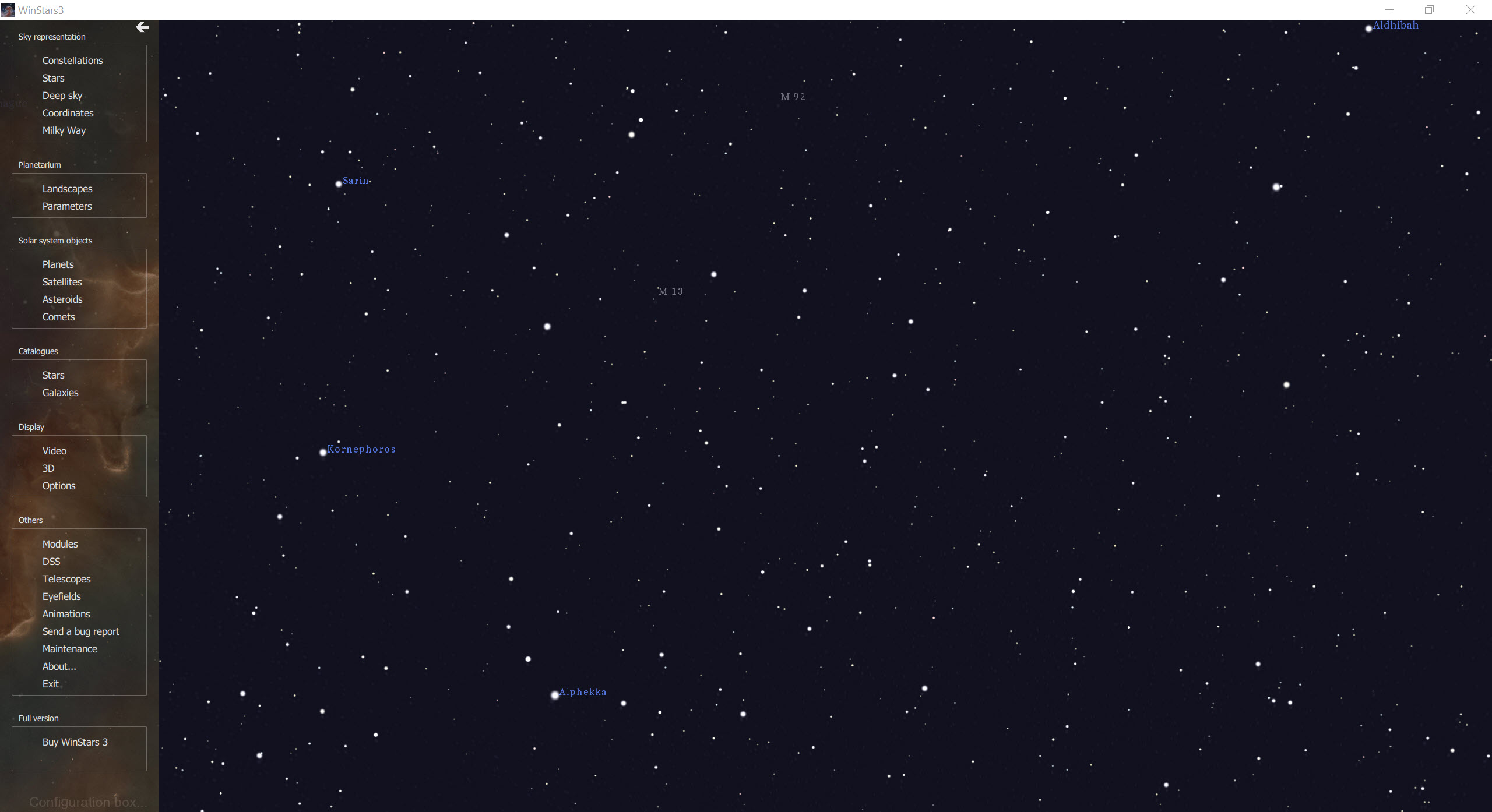
That pairing of two views is what sets it apart from the planetariums that stay on the ground. WinStars carries the big star catalogues, more than a billion stars from the Gaia survey when a connection is available, with over a hundred thousand deep-sky objects.
Every known exoplanet is in it, and the positions of comets and asteroids are kept current online. It controls telescopes, overlays photographic survey images on the sky you are looking at, and runs on modest hardware as long as the graphics card speaks a current version of OpenGL.
The sections below cover the two modes, the catalogues, the solar system travel, the observing tools and where it trails the best-known planetarium.
Navigation mode and planetarium mode
Navigation mode is the WinStars default. The camera floats freely in space, the mouse turns it, and a search box or a click on an object flies you there. Planets show their surfaces in relief from textures that load more detail as you approach, so a mountain range or a crater field appears as you descend. The program lets you land and walk on the Earth, the Moon or Mars. Orbits are drawn as rings in three dimensions, so the tilt of one path against another is visible rather than described.
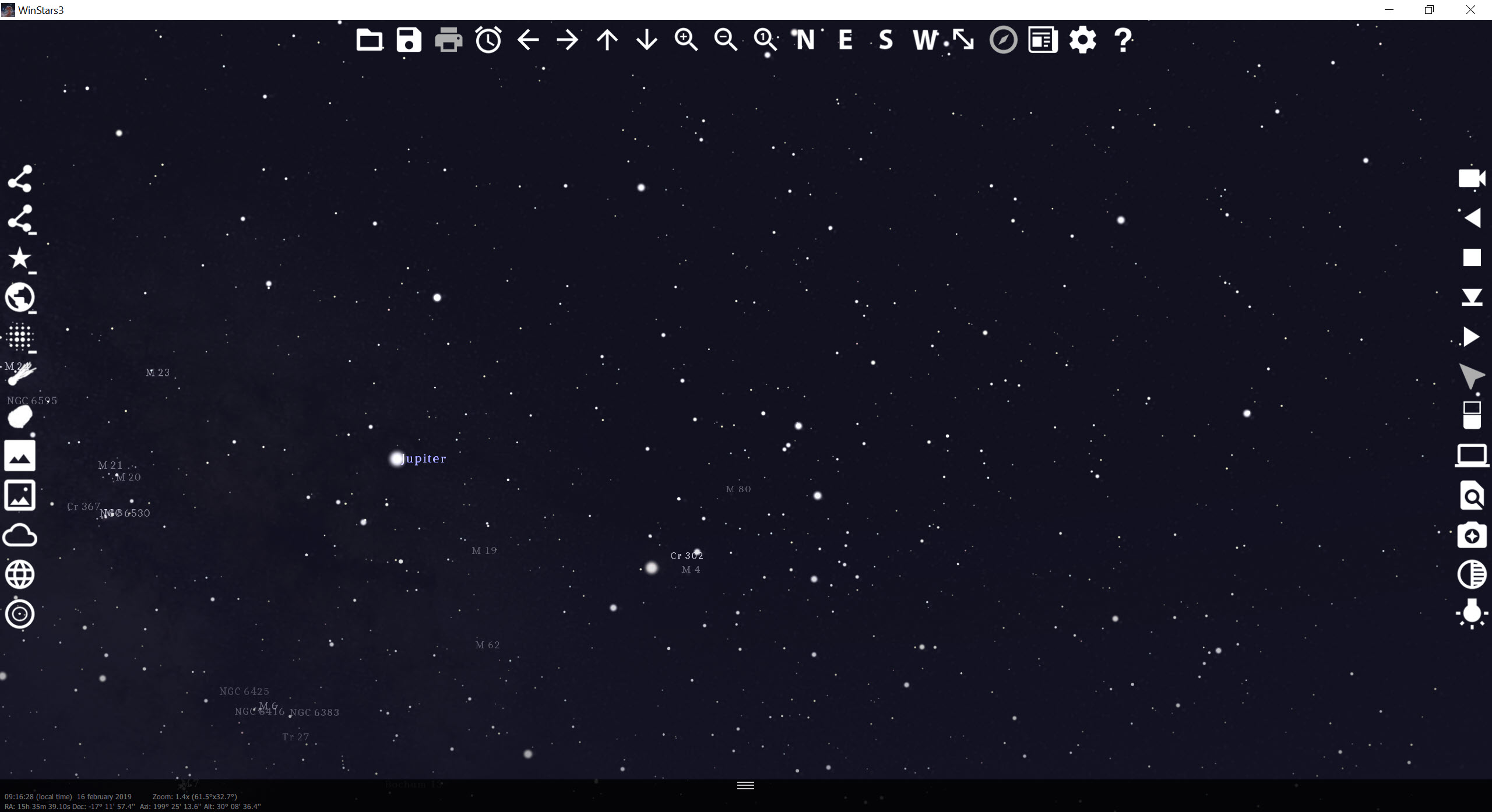
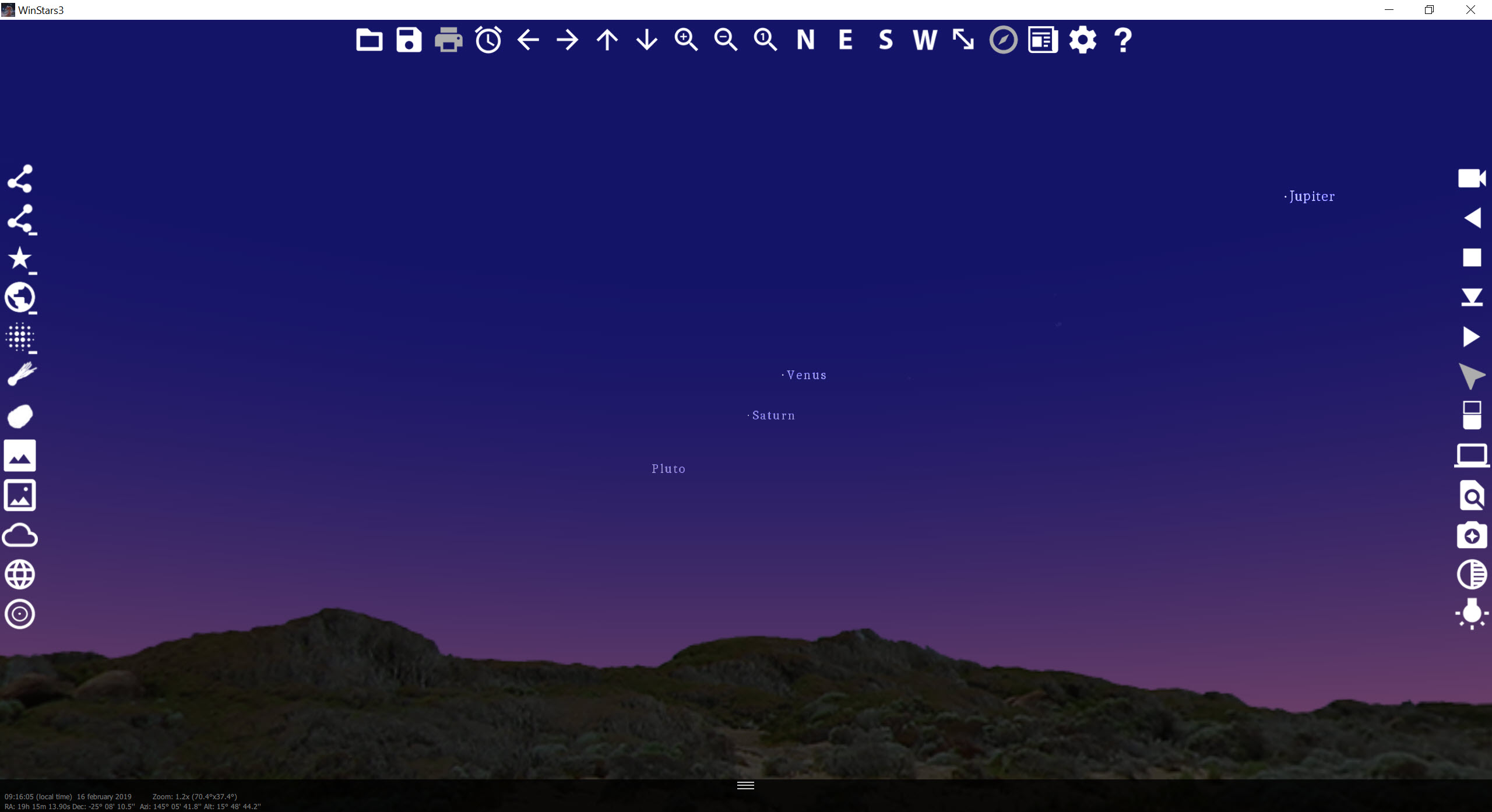
Planetarium mode plants you on the ground at a chosen place and time. The sky above is the sky as it is at that moment, with the horizon, a foreground scene you can change, the atmosphere brightening at dawn and the stars coming out at dusk. Grids for the equatorial and horizontal coordinate systems overlay the view, along with the ecliptic and the celestial equator.
A night mode turns the screen red so it does not ruin your eyes at the eyepiece. The date and time run forwards or backwards, five hundred years into the past or ten thousand into the future, which is how an eclipse or a conjunction is previewed.
The catalogues
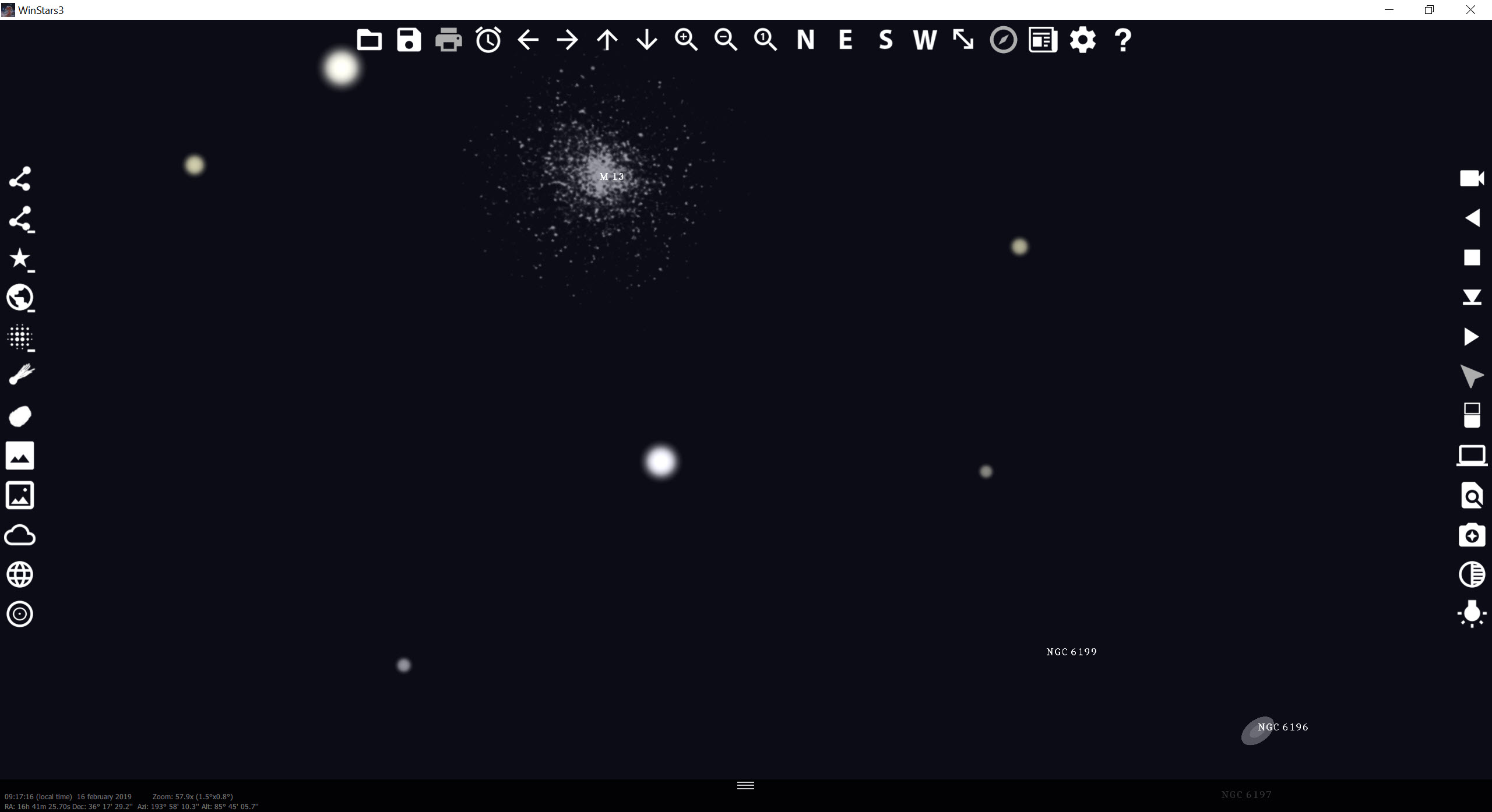
The WinStars stars come from two sources. A local catalogue covers the sky as the eye and a small telescope see it. The Gaia survey, fetched over the internet as you zoom, fills in more than a billion more down to very faint magnitudes. Deep-sky objects come from the open NGC catalogue and others, more than a hundred thousand galaxies and nebulae, clusters, pulsars and quasars. Each has a detail card giving its distance and coordinates, with altitude and magnitude for the current moment.
Every known exoplanet has an entry, so the systems in the news can be flown to and their planets’ orbits seen. Comets and asteroids are drawn individually, many of them in their actual irregular shapes, with their orbital elements refreshed from online sources so the positions stay right. For a planetarium with a larger catalogue of deep-sky photographs and a longer history of refinement on the ground view, Stellarium is the one to compare it with.
Travelling the solar system and beyond
Pick a planet in WinStars and fly to it. The major moons of Mars, Jupiter, Saturn, Uranus and Neptune are placed accurately, so the dance of Jupiter’s moons on a given night can be watched from above as well as from the Earth. Space probes travel their real trajectories, and the program can follow one from launch to its encounter with a planet, which turns a mission timeline into something you watch rather than read.
Leave the planets and the nearby stars appear as individual points you can visit, two hundred thousand of them, then the galaxy’s spiral and finally the other galaxies and the large structures between them. It is the part of the program that children and adults alike spend the longest in, and it has no equal in the planetariums that never leave the Earth.
For the Earth itself seen the same way, Google Earth does for our planet what this does for the others.
Observing tools
Back on the ground, WinStars is a working observer’s aid. A telescope with a compatible mount connects and can be pointed at whatever is on screen, and the view follows the telescope. The Digitized Sky Survey can be called up for the patch of sky in view, overlaying a real photograph in several wavelengths on the drawn stars. Artificial satellites are tracked and their visible passes announced, and a list of significant phenomena visible from your location, eclipses, oppositions, close approaches, is kept for the coming nights.
A search finds any object by name. Observing lists can be assembled. The screen’s background brightness is adjustable for the field, and the red night mode keeps dark adaptation intact. For satellite pass prediction in depth, a dedicated satellite tracker is the specialist.
Where it trails the leader
The best-known planetarium has had longer than WinStars to polish its ground view. Reviewers find its atmosphere, its horizon scenery and its sense of standing under an actual sky more convincing, with a larger set of deep-sky images. This program’s strength is the flight, and its planetarium mode, while accurate, is plainer.
The Gaia stars and the survey images need a connection, so a laptop at a dark site shows the local catalogue only. The interface has corners that feel like a work in progress, and the program updates itself often, which keeps it current and occasionally moves things.
Some content arrives as add-on modules installed from inside the program. For a planetarium built around the observing list rather than the flight, HNSKY is the older companion.
Conclusion
WinStars suits anyone who wants to understand the sky by moving through it, from a child flying to Saturn for the first time to an observer pointing a telescope. The same program previews tonight’s passes. The flight through the solar system and the galaxy is its signature, and the ground-based mode makes it a complete planetarium rather than a toy.
Its ground view trails the best-known rival in polish, and its biggest catalogues live online. Keep it for the flight and the telescope, use the planetarium mode with the night filter on, and let the updates keep the comets where they should be.
Pros & Cons
- Two modes, a free flight through a three-dimensional solar system and galaxy, and a ground-based planetarium
- Gaia catalogue of over a billion stars and more than a hundred thousand deep-sky objects
- Accurate moons, probes on real trajectories and all known exoplanets
- Telescope control, survey image overlays and satellite pass alerts
- Time travel from five hundred years past to ten thousand years ahead
- Red night mode and adjustable sky brightness for use at the eyepiece
- Ground-based view is plainer than the best-known planetarium
- Gaia stars and survey images need an internet connection
- Interface has rough corners, and frequent updates move things
- Some content comes as separate add-on modules
Frequently asked questions
Yes. Planetarium mode places you at a chosen location and time, with the sky as it is above a horizon and foreground scene, and the clock can run forwards or backwards.
Not for the basic sky. The Gaia stars, the survey photographs and the updated comet and asteroid positions are fetched online.
Yes. A compatible mount connects and can be pointed at whatever is on screen, and the display follows the telescope.
Yes. Navigation mode flies to any planet, moon, probe, star or galaxy, with surfaces rendered in relief and orbits drawn in three dimensions.


