

VSCView
About VSCView
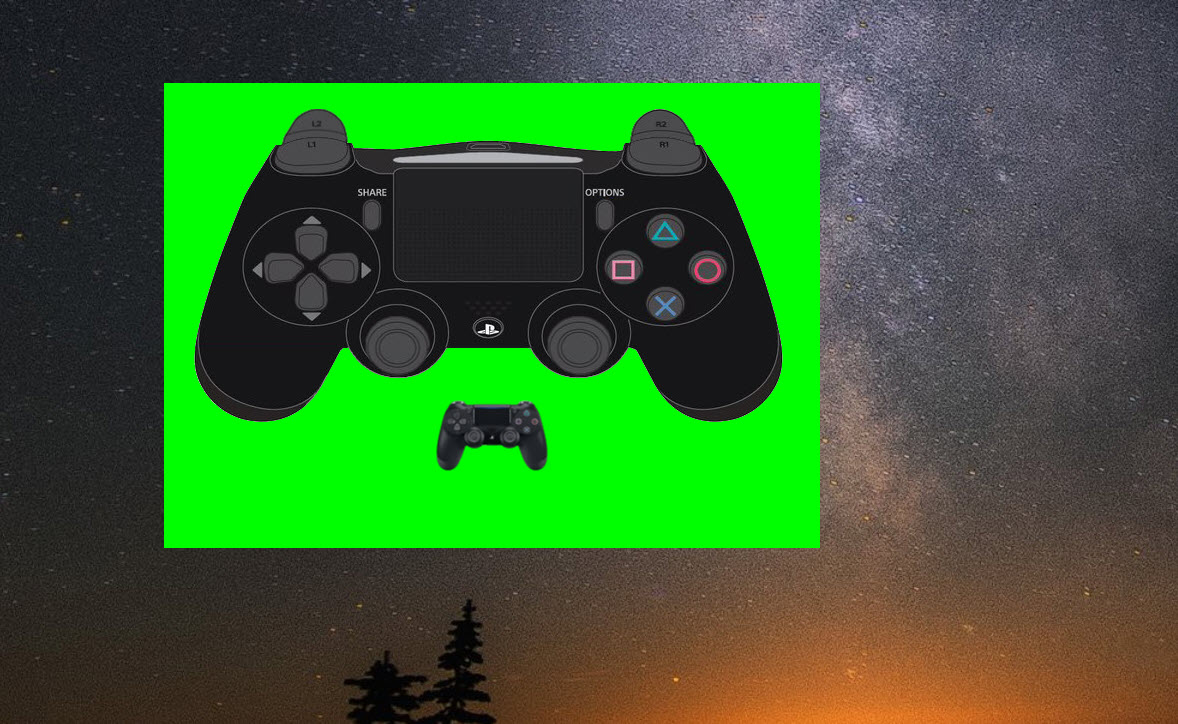
Watching somebody play a game tells you what happened. It rarely tells you what they did, because the hands doing it are off camera and the inputs producing a difficult manoeuvre are invisible. VSCView puts a live drawing of the controller on screen so both are visible at once.
Every button, trigger, stick and trackpad appears in the VSCView rendering and responds as you use it. Press something and it lights up. Move a stick and it moves. Touch a trackpad and the contact point shows where your thumb is.
The primary audience is anybody recording or streaming, and the second use is quieter and equally practical, which is checking that a controller works properly.
Themes, and what they cover
VSCView draws from themes, and a considerable number exist because people have contributed them.
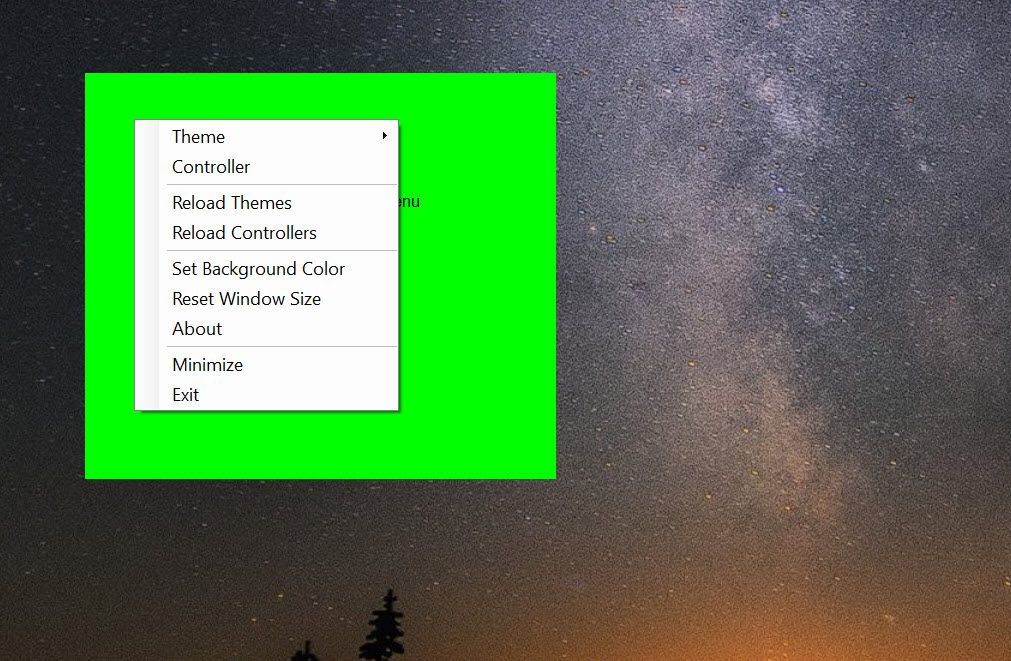
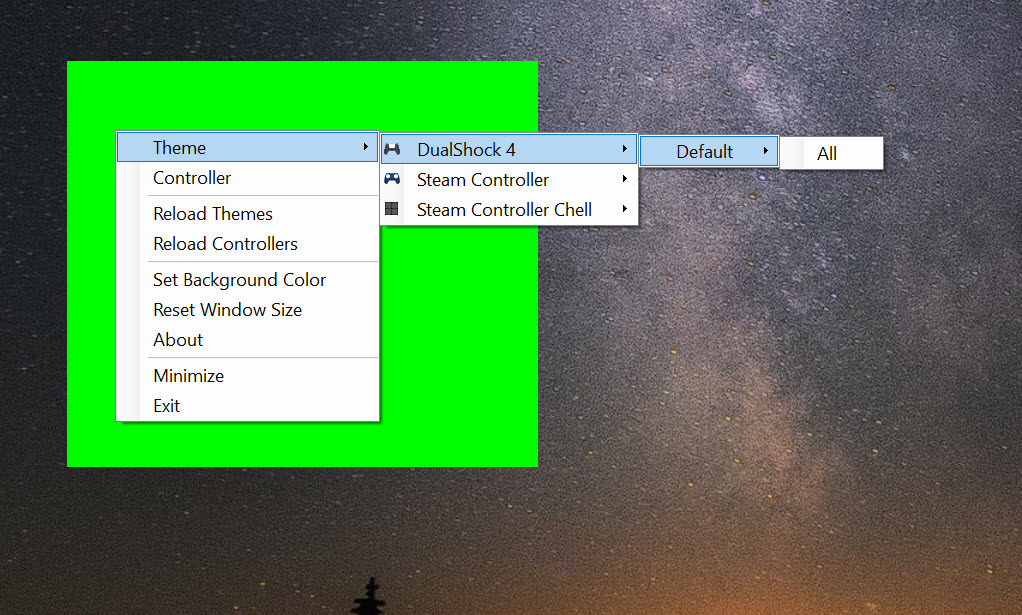
They vary in style rather than only in accuracy. Some are faithful drawings of the hardware, some are stripped-back outlines designed to sit unobtrusively in a corner of a video, and some are styled after particular games. Choosing one is a right-click.
Support extends past the controller the name refers to, covering pads from other manufacturers including the mainstream console ones, so the overlay is useful to somebody who never owned the hardware it was originally written for.
Getting it onto a recording
The program draws a window, and putting that window into a video is a job for whatever you record with.
Two approaches are normal. Capture the window directly, which most recording software supports, or place the overlay against a solid colour and remove that colour during recording, which produces a clean cutout with no window border.
Neither is complicated and neither happens automatically, so expect a few minutes of arranging the first time. ShareX handles the recording side for short pieces where a full streaming setup would be excessive.
Testing a controller, which nobody mentions
The other VSCView use is diagnostic and rather handy.
A controller behaving oddly raises an obvious question, which is whether the hardware is at fault or the game is misreading it. Watching the overlay while pressing every control answers that in about thirty seconds. A trigger not reaching full travel, a stick that does not centre, a button registering intermittently, all show immediately in a drawing that reflects raw input rather than what a game decided to do with it.
Where a pad is recognised badly rather than being faulty, DS4Windows presents it to the system correctly, which is a different fix for a symptom that looks the same.
Two irritations to expect
VSCView does not remember its settings between launches. Choose a theme, position the window, close the program, and the next session starts from the default again. For a streamer setting up before every session that is a small repeated cost rather than a one-time one.
The window also cannot be resized, so the overlay is whatever size the theme was drawn at. Scaling has to happen in the recording software instead, which is possible and is one more step.
Neither is severe, and both are better learned now than during a setup session.
Conclusion
VSCView does one narrow thing neatly, which is making controller input visible. For anybody recording gameplay it answers the question a viewer cannot otherwise ask, and it does so without a camera pointed at anybody’s hands.
The second use deserves equal billing. Watching raw input while testing a suspect controller separates a hardware fault from a software one faster than any other method, and that takes thirty seconds. Set aside a few minutes for the recording setup, accept that the theme and window position need choosing again each session, and it earns its place in both roles.
Pros & Cons
- Live rendering shows every button, trigger, stick and trackpad as they are used
- Many themes, from faithful hardware drawings to unobtrusive outlines
- Covers pads from several manufacturers rather than one controller only
- Trackpad contact and stick position shown, not just button presses
- Diagnoses a suspect controller by showing raw input directly
- Portable, with nothing installed and nothing left behind
- Settings are not saved, so the theme and position are chosen again each launch
- The window cannot be resized, so scaling happens in the recording software
- Views only, with no configuration or remapping of any kind
- Getting it into a recording requires setting that up separately
Frequently asked questions
A live drawing of the controller with every input reflected as it happens, including button presses, trigger travel, stick position and where a thumb is resting on a trackpad.
No. It displays input and changes nothing about how the controller behaves. Remapping and configuration belong to separate tools entirely.
Either capture the window directly in your recording software, or set the overlay against a solid colour and remove that colour during recording for a clean cutout without a window border.
Yes, including the mainstream console pads, so the overlay is useful even to somebody who never owned the controller the program was originally written for.


