

Video Hub App
About Video Hub App
A folder of video files tells you almost nothing. Filenames rarely describe content, the built-in thumbnail shows one arbitrary frame, and finding a particular clip means opening files one after another until you recognise something. Video Hub App replaces that by extracting a strip of frames from every video and letting you look at the content rather than the names.
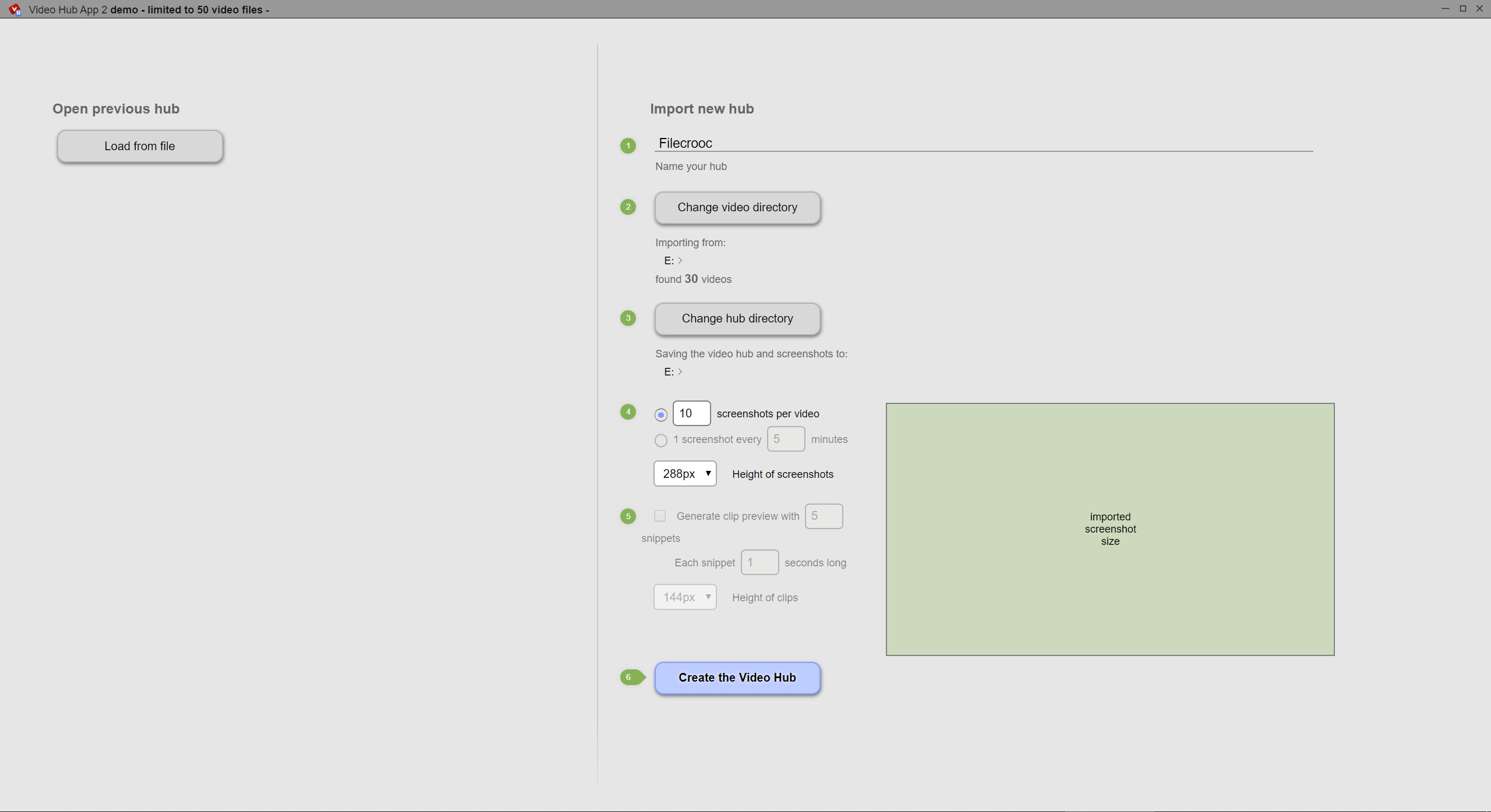
The Video Hub App scan does the work. Point it at a folder, and it walks through every video file, capturing screenshots spread across the duration of each one and storing them alongside the file details.
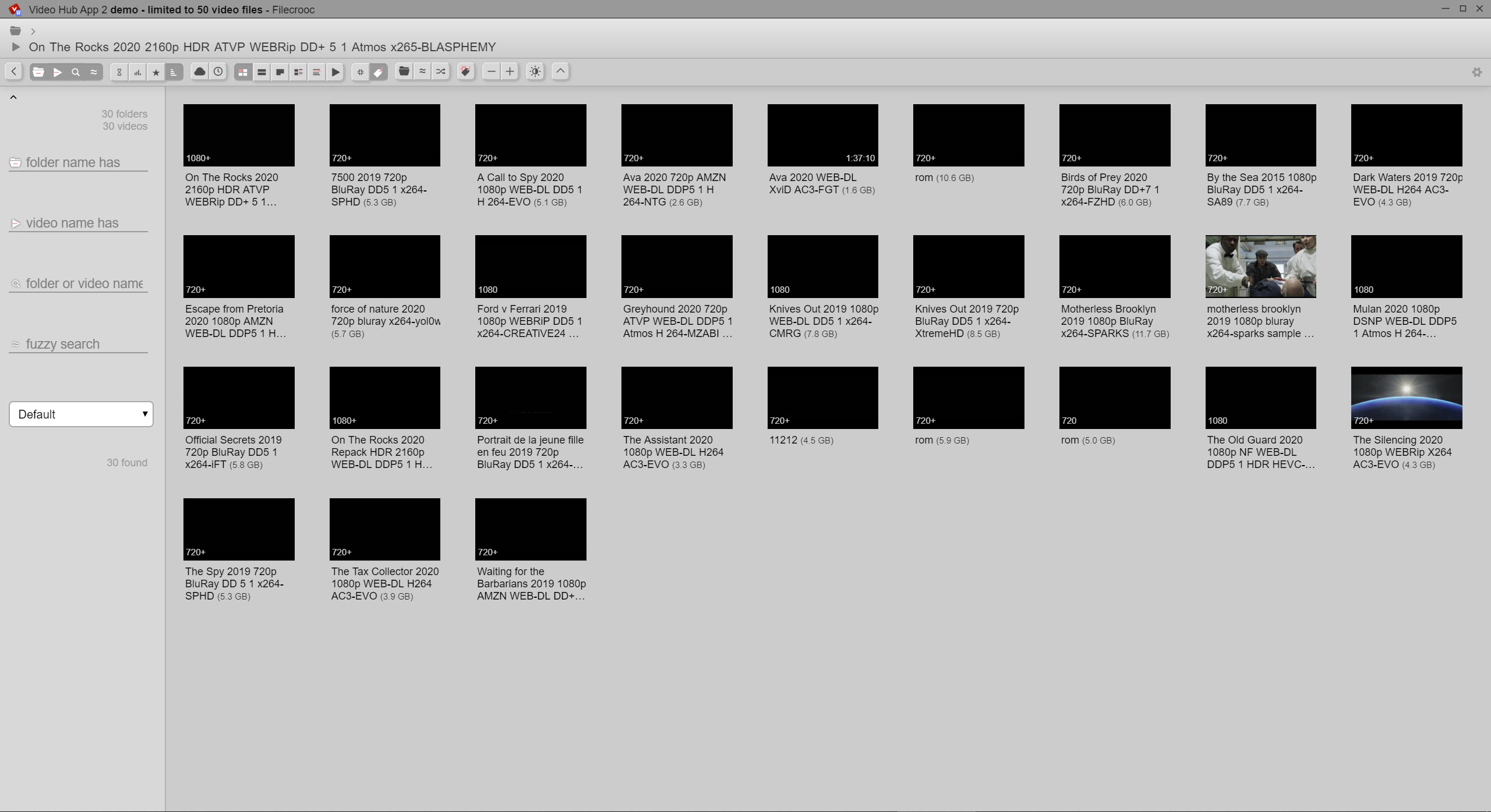
What you get afterwards is a browsable library where hovering across a video’s strip scrubs through it visually. A clip is identified in a second rather than by opening it.
It works when the drive is not attached
Here is the Video Hub App feature that makes it more useful than it first appears, and it follows from where the thumbnails are kept.
The catalogue and its images are stored separately from the videos themselves. That means a collection living on an external drive can be browsed with that drive disconnected, since what you are looking at is the catalogue rather than the files.
Anybody with material spread across several drives will recognise the value. Establishing which drive holds a particular clip, without plugging in four of them in turn, is the whole problem this solves.
Separate catalogues can be kept for separate collections, so footage, films, family video each get their own rather than becoming one enormous list.
Finding things
Video Hub App offers several view modes for different questions. A grid of single thumbnails for scanning quickly, the filmstrip view for seeing content, a detailed list with file information, and a plain list when the filename is all you need.
Filtering covers duration, resolution, file size, which answers practical questions like finding every clip under a minute or everything below a certain resolution that might want replacing.
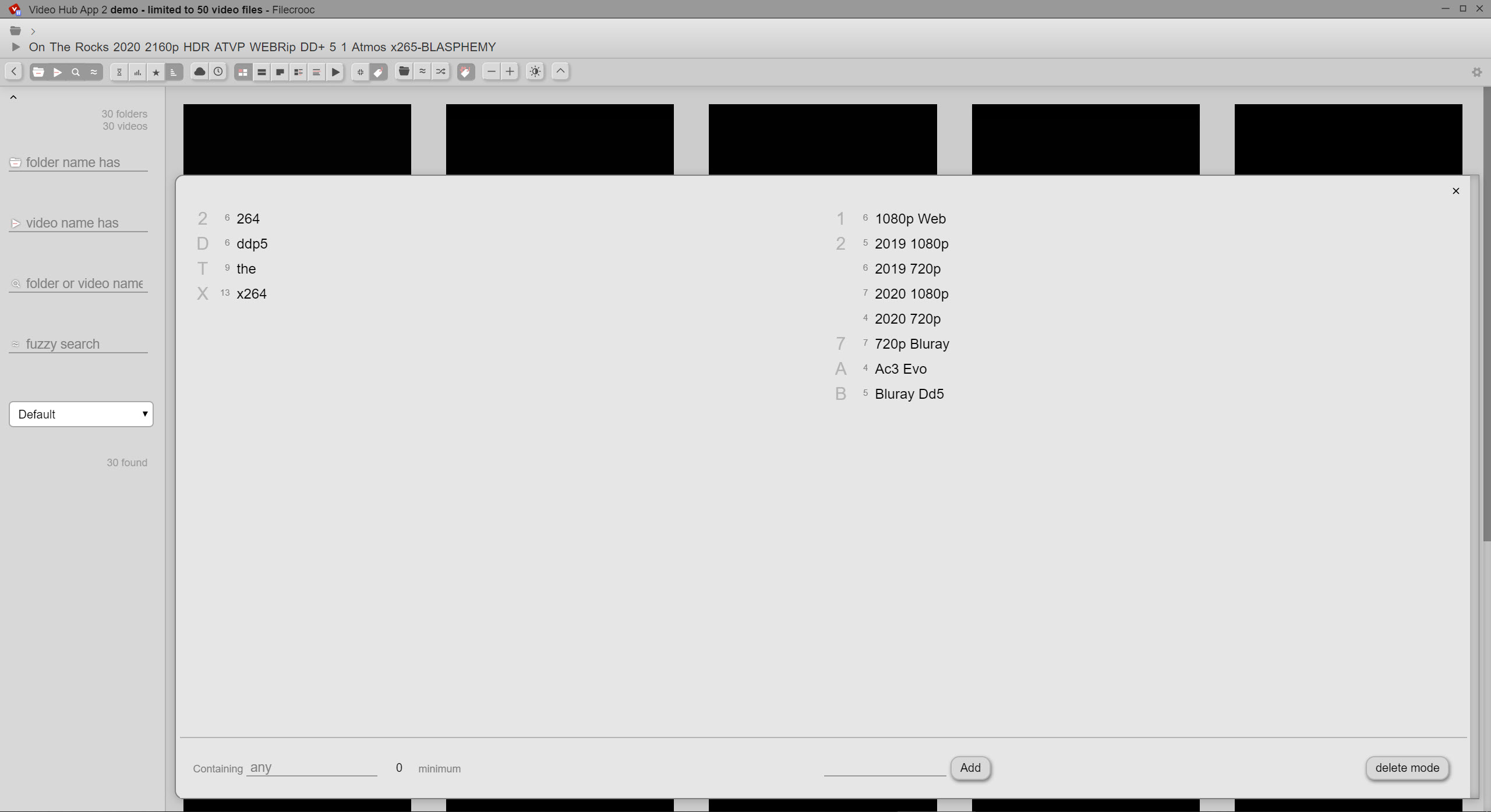
Tags are added manually, and the honest note is that manual tagging is work. A collection tagged properly becomes properly searchable, and a collection nobody tagged remains searchable only by filename and folder.
For finding a file by name anywhere on a machine in an instant, Everything answers that question through a completely different mechanism and belongs alongside rather than instead.
What it does not do
Being clear about the boundary prevents disappointment. Video Hub App catalogues and does not play. Selecting a video hands it to whatever player is set as default, and VLC Media Player is the usual choice for the playback half.
Nor does it edit, convert or organise files on disk. The catalogue is a view of a collection rather than a manager of it, so renaming and moving happen in a file manager and the catalogue is rescanned afterwards.
Reading what a file actually contains, meaning codec, bitrate, frame rate and audio tracks, is a separate question, and MediaInfo reports all of it in detail this does not attempt.
The first scan takes time
One Video Hub App expectation to set. Extracting several screenshots from every video in a large collection means decoding a portion of each file, and that takes real time on first run.
A few hundred videos is a coffee. Several thousand across a slow external drive is an evening, and it is worth starting it and walking away rather than watching. The result is stored, so subsequent runs only handle what is new.
Disk space for the thumbnails is modest per video and adds up across a large library, which matters if the machine is already short of room. Establishing where the space has actually gone is a job for WizTree, which reads the file table directly.
Conclusion
Video Hub App solves the specific problem of a video collection you cannot see into. Extracting a strip of frames from every file and letting you scrub across it visually turns a list of filenames into something you can actually browse, and the ability to do that with the drive disconnected is the part people appreciate most after living with it.
Set two expectations. The first scan of a large collection is an evening rather than a moment, and tags only help if you add them. Beyond that it does one job neatly and leaves playing, editing and file management to the tools built for those.
Pros & Cons
- Extracts several frames per video, so content is visible without opening files
- Hovering across the strip scrubs through a clip in a second
- Catalogue is browsable with the drive disconnected, since images are stored separately
- Separate catalogues for separate collections rather than one enormous list
- Filtering by duration, resolution and size answers practical questions
- Several view modes covering quick scanning through to detailed listings
- The first scan on a large collection takes hours
- Thumbnail storage accumulates across a big library
- Tags are manual, so searchability depends on work you put in
- Does not play, edit, convert or reorganise anything
Frequently asked questions
Nothing. It reads them, extracts screenshots and stores those in its own catalogue alongside the file details. The videos themselves are untouched and stay exactly where they are.
Yes, and this is one of its better features. The catalogue and thumbnails are stored separately from the videos, so an external drive can be disconnected and the collection still browsed to establish what is on it.
Because extracting several frames from each video means decoding part of every file. A few hundred videos takes minutes and several thousand takes considerably longer, after which only new files are processed.
No. Selecting a clip hands it to your default player. The application catalogues and displays rather than playing anything itself.


