

uTorrent
About uTorrent
Few pieces of software have had a journey quite like uTorrent. Created in 2005 by Swedish developer Ludvig Strigeus as a tiny, ridiculously efficient BitTorrent client (the original installer was under 1MB and the running application barely registered in Task Manager), the program quickly became the dominant client across the BitTorrent landscape.
Acquired by BitTorrent Inc. in 2006, then renamed parent company Rainberry, the software has spent the years since walking a difficult line between maintaining its loyal user base and monetizing through approaches that haven’t always sat well with that base. The result is one of the most-downloaded applications in computing history alongside one of the most polarized user reactions to any software currently in use.
For the audience that just wants to download torrent files efficiently, uTorrent still works. It’s still small, still fast, still capable of saturating whatever bandwidth you have available, and still supports essentially every BitTorrent feature that has emerged across two decades of protocol evolution.
For users who care about the broader context (ads, bundled software, past controversies, comparison with cleaner alternatives), the picture gets more complicated. This review covers both sides honestly, because the software deserves neither blanket praise nor blanket condemnation.
The three versions and what they actually offer
The current lineup splits into three distinct products. uTorrent Classic is the traditional desktop client, free and ad-supported, representing the program that most users think of when they hear the name. Classic Pro is the paid version, removing ads and adding features like malware scanning, file conversion, and an HD media player.
Then there’s uTorrent Web, which runs through your browser rather than as a separate desktop application, designed for users who want simpler streaming-while-downloading without the depth of the Classic interface.
For most users, Classic remains the relevant version, since the depth of features and configuration options matches what serious torrent users actually need. Pro is worth considering specifically for users who find the ads genuinely intolerable and would prefer paying once to remove them.
Web sits in an awkward middle ground, offering less than Classic without quite delivering enough simplicity to compete with truly minimal alternatives.
The choice between versions matters less than the choice of whether to use this software at all, since competing free clients like qBittorrent provide most of Classic’s functionality without the ads and with substantially cleaner reputations. The Pro version’s value proposition is essentially “pay us to remove the things we added that nobody wanted in the first place,” which strikes some users as a reasonable transaction and others as a hostage situation.
Performance that genuinely lives up to the legend
The original selling point of uTorrent was raw efficiency, and on this dimension the software still delivers. The application launches quickly, consumes minimal memory while running, and handles dozens of simultaneous torrent downloads without breaking a sweat.
The protocol implementation is mature, with proper support for DHT (Distributed Hash Tables), peer exchange, magnet links, encrypted connections, and essentially every other BitTorrent feature that has emerged over the years.
For users on slow internet connections, the bandwidth efficiency means the client doesn’t add overhead that competes with the actual download. For users on fast connections, the implementation can saturate gigabit pipes when seeded sources support that throughput, with smooth handling of the parallel connections required to maintain those speeds.
The download manager has been refined across countless iterations, and the actual transfer behavior remains genuinely best-in-class.
The Selective Download feature lets you pick which files inside a multi-file torrent to actually download, useful for torrents containing large bundles where you only want specific items.
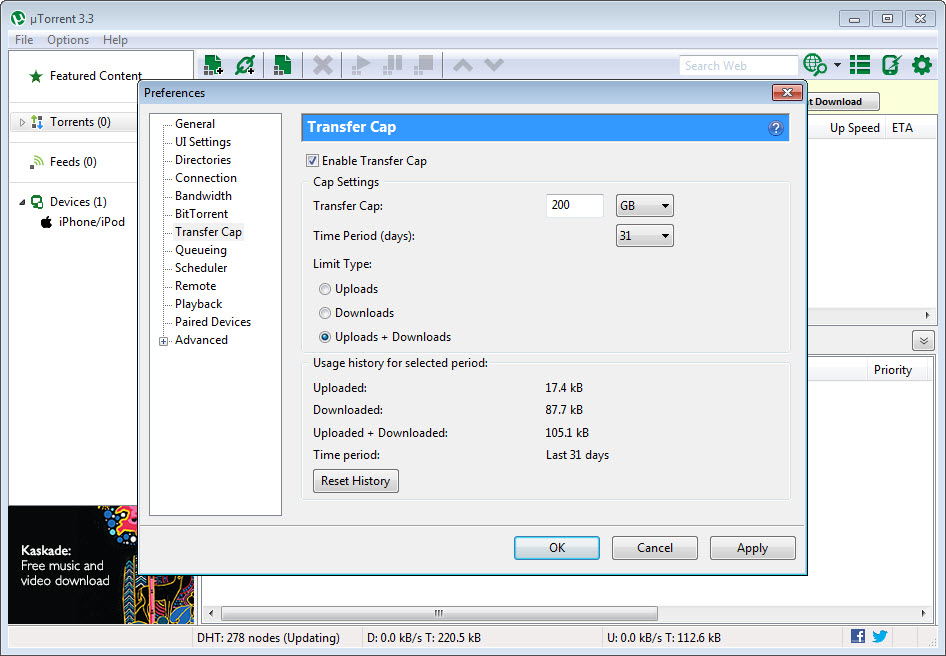
Bandwidth scheduling allows you to set different speed limits for different times of day, helpful for users who want full speed overnight while keeping daytime usage light enough to share the connection with normal browsing.
The advertising situation that defines current opinions
The most divisive aspect of uTorrent is the advertising situation in the free Classic version. Ads appear in the application’s interface, including banner ads in the main window and occasional sponsored content suggestions.
The implementation is functional but represents a meaningful departure from the clean, distraction-free experience that earlier versions of the software offered.
For users who began using the client during its golden era of clean efficiency, the current ad-laden interface feels like a betrayal of the original product philosophy. For users who arrived more recently and don’t have nostalgic comparisons, the ads register as a normal part of free software. The disconnect between these two perspectives explains much of the polarized reception the application receives in current discussions.
Disabling ads through the advanced configuration options is technically possible, with various forum threads documenting the specific settings to change (gui.show_notorrents_node, offers options, and similar values). This works, but requires deliberate effort that the application doesn’t make obvious. Users who want a fully ad-free experience either pay for Pro, configure these advanced settings, or migrate to alternatives like qBittorrent that don’t have ads in the first place.
Comparison with qBittorrent and the broader landscape
The natural comparison is with qBittorrent, the open-source alternative that many users have migrated to specifically because of the issues described above. qBittorrent provides essentially all of Classic’s core functionality, has no ads, no bundled software, no commercial owner extracting value from the user base, and an actively-developed open-source codebase that the community can audit and contribute to.
For users whose needs fit within standard BitTorrent client functionality, qBittorrent serves better in most respects. The interface is similar enough that switching costs are minimal, the feature set is comparable for typical use cases, and the absence of commercial pressures produces a cleaner user experience.
The one area where this software still has an edge is in certain advanced features and specific protocol implementations that the smaller open-source project hasn’t matched.
Other alternatives include Deluge (more customizable through plugins), Transmission (popular on Linux but available across platforms), and various lighter clients targeting specific niches. For users specifically attracted to the lightweight design that originally made uTorrent famous, several of these alternatives match or exceed the original on that specific dimension while avoiding the issues that have accumulated around the dominant client.
Streaming integration and media playback
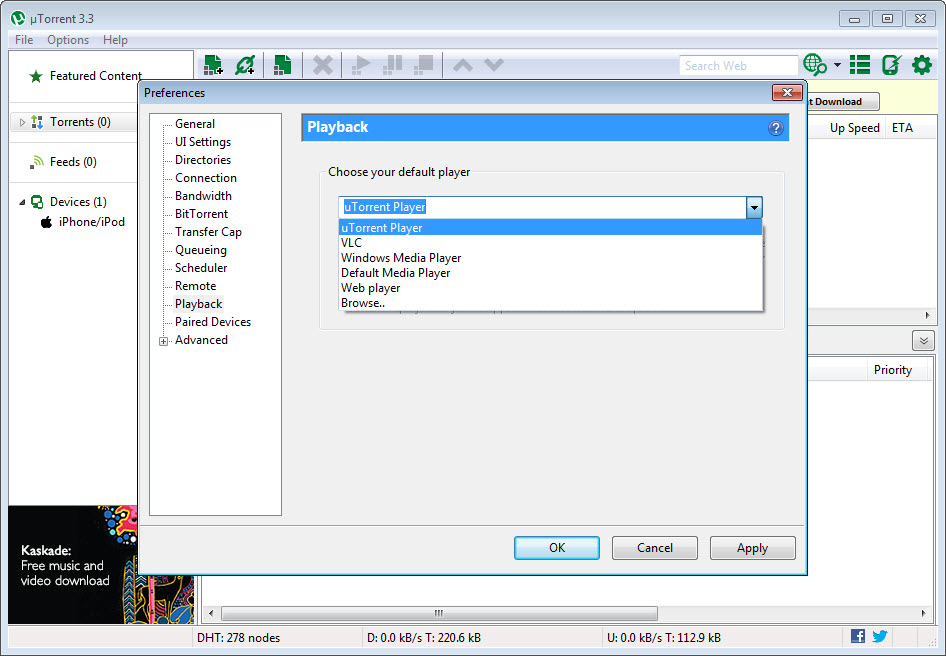
A capability that distinguishes uTorrent from purely functional torrent clients is integrated media playback, particularly in the Web version. You can start streaming video files while they’re still downloading, watching the early portions while later parts continue to transfer in the background. The Pro version includes additional media features including HD playback support and basic file format conversion.
For users who primarily torrent media content for personal viewing, this streaming-while-downloading capability genuinely matters. The alternative workflow of waiting for complete downloads before watching adds substantial friction, particularly for large files where waiting for full completion takes hours. The integrated playback removes this friction in a way that pure file-transfer clients don’t.
The conversion features in Pro handle the practical scenario where downloaded media needs format adjustment for specific playback devices or applications. Built-in conversion eliminates the need for separate tools for these transformations, though dedicated conversion software typically offers more options and better quality than the integrated functionality.
Remote access and management features
For users who want to manage torrents remotely, the application includes a web-based remote interface that lets you control the running client from any browser on any device. You can add torrents, monitor progress, adjust priorities, and perform basic management without being at the computer running the actual client.
The remote interface is genuinely useful for users running the client on a home computer or NAS while away from the device. Adding new torrents from a phone, checking progress during work hours, or troubleshooting stalled downloads from another location all become practical through this remote access.
Configuration involves enabling the WebUI through the application’s preferences and setting appropriate authentication.
Considerations and limitations
The most significant limitation is the trust problem accumulated through years of controversies. Users who care about transparency, ethics, and the relationship between software and its commercial owner often find that this software fails the test, regardless of whether the current version is technically functional.
This isn’t a software bug that can be fixed in the next release; it’s a relationship damage that affects how users perceive everything the software does going forward.
Resource usage, while still better than many alternatives, isn’t the negligible footprint that the original versions claimed. Modern releases include enough additional functionality (and advertising infrastructure) that the install size and runtime footprint have grown substantially from the original sub-megabyte design. The software is still relatively lightweight, but the original “uses essentially no resources” reputation no longer matches reality.
The free version’s monetization through ads and bundled offers means careful attention during installation and use. Users who click through installers without reading risk accepting bundled software they didn’t want, and the in-application ads occasionally promote items that users may not want to engage with.
Cautious installation behavior matters more here than with cleaner alternatives.
Conclusion
uTorrent sits in a strange place in 2026. The software still works, still performs well technically, and still has the largest installed base of any BitTorrent client. The protocol implementation remains mature, the feature set covers everything users actually need, and the streaming capabilities offer genuine convenience for media-focused use cases. By any objective measure of “does it function as a torrent client,” the answer is yes.
The harder question is whether to use it given the alternatives. For users who don’t care about ads and don’t carry baggage from past controversies, the application continues to deliver capable BitTorrent functionality without major problems. For users who want cleaner experiences without commercial pressures, qBittorrent and other open-source alternatives serve better in most respects while matching the core capabilities.
The right choice depends on what specific qualities you value, with uTorrent remaining functional for those who choose it but no longer being the obvious recommendation that it once was.
Features & benefits
Pros & Cons
- Highly efficient BitTorrent implementation with mature protocol support
- Lightweight runtime compared to many file-management applications
- Comprehensive feature set including selective download, bandwidth scheduling, and remote access
- Streaming-while-downloading capability for media files
- Three product tiers accommodate different user preferences and budgets
- Long development history has produced exceptional protocol stability
- Web-based remote interface for managing the client from other devices
- Massive global user base provides large peer pools for popular torrents
- Free version includes ads and occasional sponsored content suggestions
- Past controversies (particularly the 2015 cryptocurrency mining incident) affect reputation
- Bundled software in installers requires careful attention during setup
- Some antivirus tools flag the application or its components as potentially unwanted
- Pro version essentially charges users to remove problems the free version added
- Open-source alternatives offer most functionality without the commercial pressures
Frequently asked questions
This software is a BitTorrent client that lets you download files using the peer-to-peer BitTorrent protocol. Files transfer in pieces from multiple sources simultaneously, with the client coordinating connections and reassembling the complete file from the pieces received. The application handles all the protocol details, leaving users to simply add torrent files or magnet links and watch downloads progress.
Classic is the traditional desktop client, free and ad-supported with the full feature set. Classic Pro costs around $19.95 and removes ads while adding malware scanning, file conversion, and HD media playback. Web runs through your browser rather than as a separate application, providing simpler streaming-while-downloading functionality with fewer configuration options than Classic.
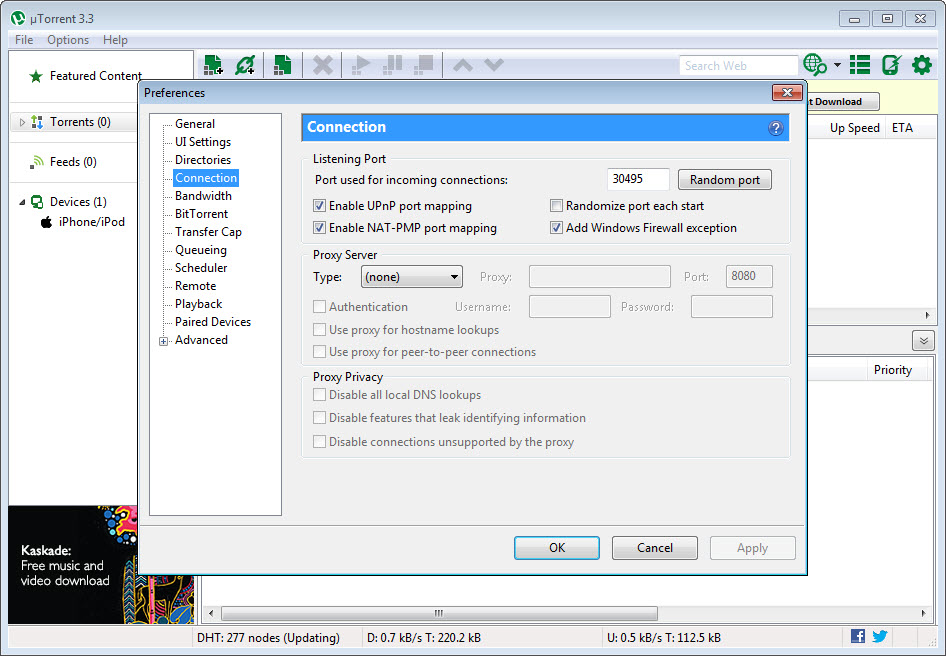
Several factors affect download speeds. The most important is the seed-to-peer ratio of the specific torrent: well-seeded torrents download fast regardless of client, while poorly-seeded ones are slow no matter what software you use. Beyond that, ensuring your client is configured to allow incoming connections through your firewall and router (port forwarding helps) and not artificially limiting upload bandwidth can improve speeds. Most slowness issues come from torrent characteristics rather than client configuration.
Seeding is when your client uploads file pieces to other users after you've finished downloading. The BitTorrent protocol depends on users seeding for the network to function, since downloads happen through pieces shared by other peers. Continuing to seed completed torrents helps maintain the ecosystem and ensures content remains available for future downloaders. Most clients can be configured to seed automatically until specific ratio targets are reached.
The application itself isn't malware, but it has historically bundled additional software through installer offers and includes advertising components that some security tools categorize as potentially unwanted programs (PUPs). The flagging reflects this categorization rather than indicating actual malicious code. Users can safely install from official sources, but careful attention during installation matters to avoid accepting bundled software they didn't want.
Honest answer: not really, for most users. qBittorrent provides essentially the same core functionality without ads, without bundled software, without commercial owner pressures, and as actively-developed open-source software. The historical advantage this software had came from being first to market and having larger development resources, but those factors no longer translate into meaningful technical superiority. Users specifically attached to the original software's design or who don't mind the ads continue to use it; users who care about cleaner alternatives generally migrate to qBittorrent.


