

Universal Gcode Sender

 (94 votes, average: 4.20 out of 5)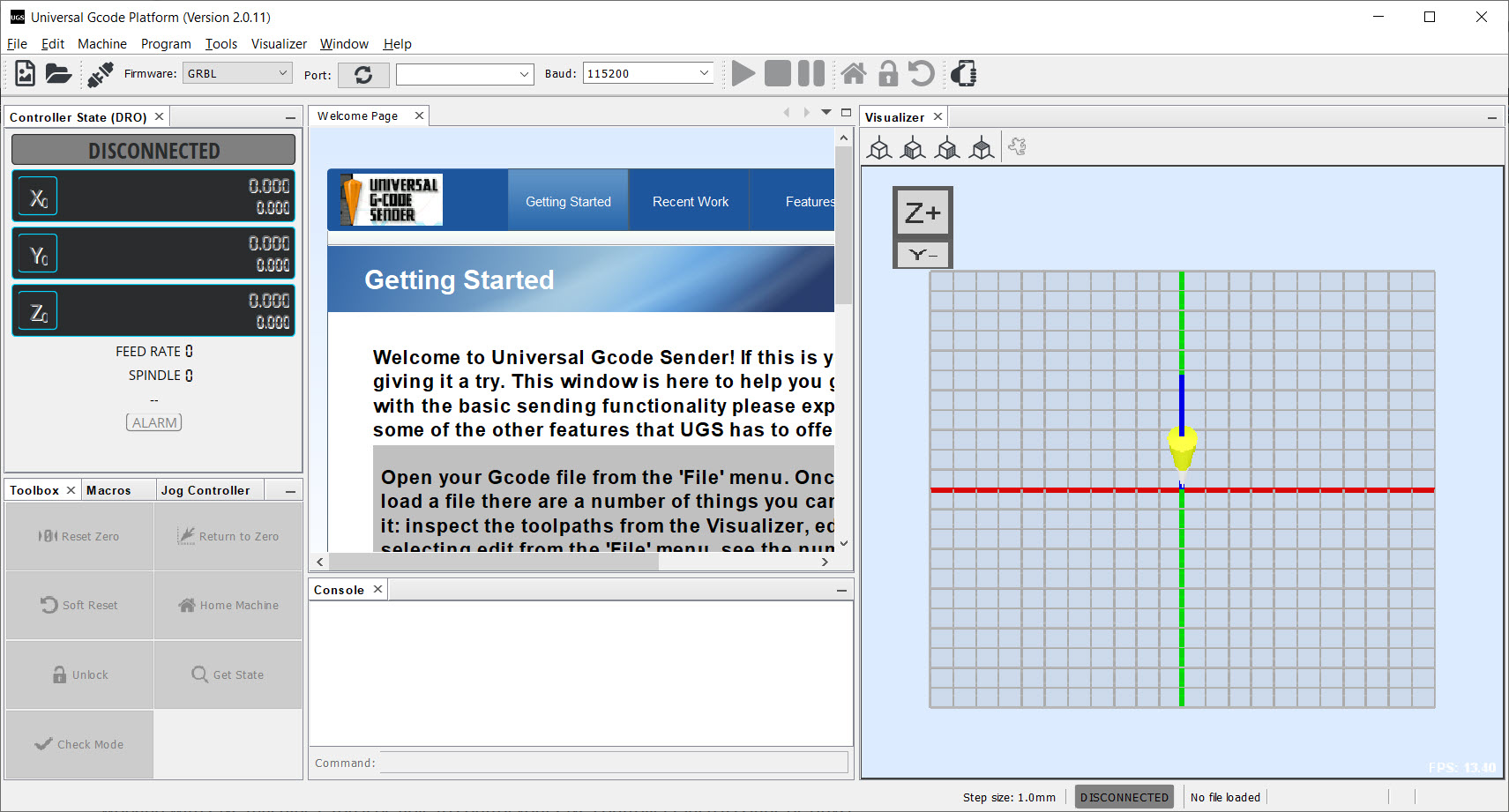
About Universal Gcode Sender
A hobby CNC machine is deaf until something speaks G-code to it, line by line, at exactly the pace the controller can digest. Universal Gcode Sender is the program that does the speaking for the GRBL generation of machines, the desktop routers, engravers, and laser rigs built on affordable controllers.
It connects over USB, streams your toolpath to the machine, and wraps the whole nerve-wracking act of running a cutting tool in real space with the controls that make it survivable. Jogging, zeroing, a live 3D view, and a feed override dial cover you for the moment the cut sounds wrong.
The project ships in two personalities. The Classic interface is the minimal sender, connect, load, run, for people who want nothing between them and the job. The Platform edition is the full workstation, modular panels, a probe wizard, plugins, and every tool a serious hobby shop eventually wants. Most newcomers start Classic and graduate.
Jog, zero, and the ritual before every cut
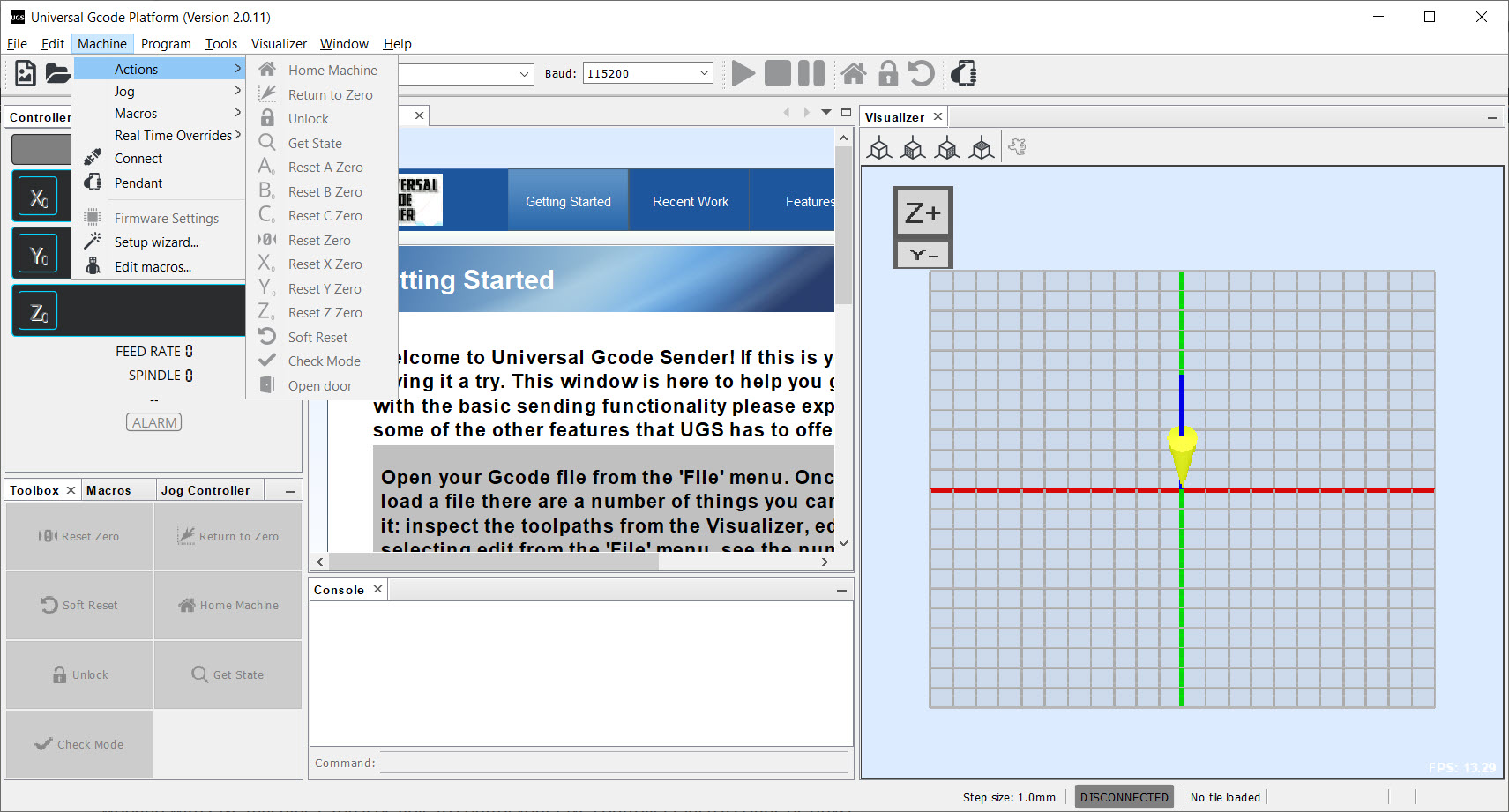
Machining lives or dies in the setup ritual, and this is where the sender earns its keep daily. Jogging moves the machine under keyboard, on-screen, or even gamepad control, in coarse hops or fine steps, until the tool sits exactly at your material’s starting corner. Zeroing then declares that spot the origin of the work coordinate system, the “here is where the job begins” declaration every G-code file assumes. The digital readout tracks machine and work positions in real time, and homing returns everything to a known reference whenever certainty is required.
The Platform edition’s probe module upgrades the ritual from eyeball to instrument. With a touch plate wired to the controller, the probe wizard finds the material’s surface and edges electrically, setting Z or all three axes to a precision no squinting achieves.
For anyone who has ruined a workpiece by zeroing a hair too deep, the probe workflow alone justifies the bigger edition.
Watch the job before the machine does
The 3D visualizer draws the entire loaded toolpath before anything moves, and during the run it tracks the tool’s live position along it. The pre-flight read is the valuable half, a glance reveals the toolpath that dives somewhere unexpected, the job that overhangs the material, the file exported with the wrong origin, all caught while they’re still pixels. Runs are pausable and resumable, and the real-time overrides adjust feed rate and spindle speed mid-cut, so the chatter you hear in a too-ambitious pass gets dialed down without aborting the job.
Under the hood, the sender quietly repairs G-code on the way through. Command processors expand arcs the controller can’t parse, split over-long lines, and strip constructs that confuse simple firmware, which is why files from a wide range of CAM tools stream without hand-editing.
A console pane accepts raw commands for the moments you need to speak to the controller directly, and saved macros turn recurring incantations, tool-change positions, warm-up routines, into buttons.
One piece of a three-part pipeline
Clarity about scope saves newcomers a week of confusion. Universal Gcode Sender does not design parts and does not generate toolpaths, it transmits them. The pipeline has three seats, design in a CAD or drawing tool, toolpath generation in a CAM program, and sending, which is this program’s seat entirely.
Vector work destined for laser engraving or V-carving typically starts in Inkscape, while parametric parts take the CAD-plus-CAM route through tools of the operator’s choosing.
The machine side has its own companion. GRBL controllers are flashed and configured through the Arduino ecosystem, and the sender’s console then reads and adjusts the firmware’s settings, acceleration, limits, steps-per-millimeter, once the board is talking.
Between those neighbors, this program is the reliable middle, and it deliberately stays there.
The honest workshop notes
Real-world friction, catalogued fairly. The application runs on Java, which brings easy portability and occasional serial-port driver adventures on first connection, the classic fix being the right driver for your controller’s USB chip.
The interface, especially Classic, is utilitarian in the open-source tradition, functional labels, no decoration. And the two-edition split confuses first-timers, the practical advice being Classic to learn the loop, Platform the moment you want probing, plugins, or a customized layout.
Stability during runs, the thing that actually matters when a spindle is spinning, has a well-earned good reputation. Jobs stream for hours without drama, pauses resume correctly, and alarm states are surfaced rather than swallowed, which is exactly the temperament a machine controller’s companion needs.
Conclusion
Universal Gcode Sender is the dependable center of the hobby CNC bench. The desktop-router owner running weekend projects, the laser tinkerer engraving from vectors, and the garage machinist who graduated to probing and macros all rely on the same steady middleman. For all of them, it turns a controller board into a machine you can command, watch, and correct.
It asks you to bring your own design and CAM seats, and to tolerate a plain face on top of serious function. Fair terms, honored on its side with the thing that counts most in this hobby, jobs that finish the way the preview promised.
Pros & Cons
- Streams G-code reliably to GRBL-family controllers for hours-long jobs
- Jogging, zeroing, and homing cover the whole setup ritual
- Probe wizard sets work zero electrically with a touch plate
- 3D visualizer previews toolpaths and tracks the live cut
- Real-time feed and spindle overrides tame a bad-sounding pass
- Command processors repair incompatible G-code automatically
- No design or toolpath creation, sender only by design
- Java foundation brings occasional serial driver friction
- Utilitarian interface, especially in the Classic edition
- Two-edition split confuses newcomers choosing a download
Frequently asked questions
Hobby CNC routers, engravers, and laser rigs built on GRBL and related controllers, connected over USB. If your machine speaks G-code through a serial port, it's likely in scope.
No, it streams toolpaths made elsewhere. Design happens in CAD or vector tools, CAM software generates the G-code, and this program sends it to the machine, the third seat of the pipeline.
Classic is the minimal sender, connect, load, run. Platform adds modular panels, the probe wizard, plugins, and layout customization, and is where most users end up as their needs grow.
With a touch plate wired to the controller, the Platform probe module finds the material surface and edges electrically and sets the work zero precisely, replacing eyeball-and-paper methods.
Yes, real-time overrides adjust feed rate and spindle speed mid-cut, and jobs pause and resume cleanly, which is how a marginal pass gets rescued without starting over.


UGS any version is garbageware. I am using a laptop with an I9 8 cores processor, 32GB DDR RAM and over 900 GB free space on an SSD drive yet the software continues to say it is out of memory.
It seems to have an issue opening any file greater than 100kb. If this is supposed to be the best tool for using a CNC then there isn’t a lot of hope for automating anything using a CNC machine.
You are welcome to file a bug report on: https://github.com/winder/Universal-G-Code-Sender
I have tested this software on MacOSX-, Linux- and Windows-machines with far lower specs than yours, loading files that are at least 10Mb without any problems.
LOL, why the harsh word, mate? They try the best they could to create free software for CNC lovers. A bug could happen even with Microsoft software.