

Ubisoft Connect
About Ubisoft Connect
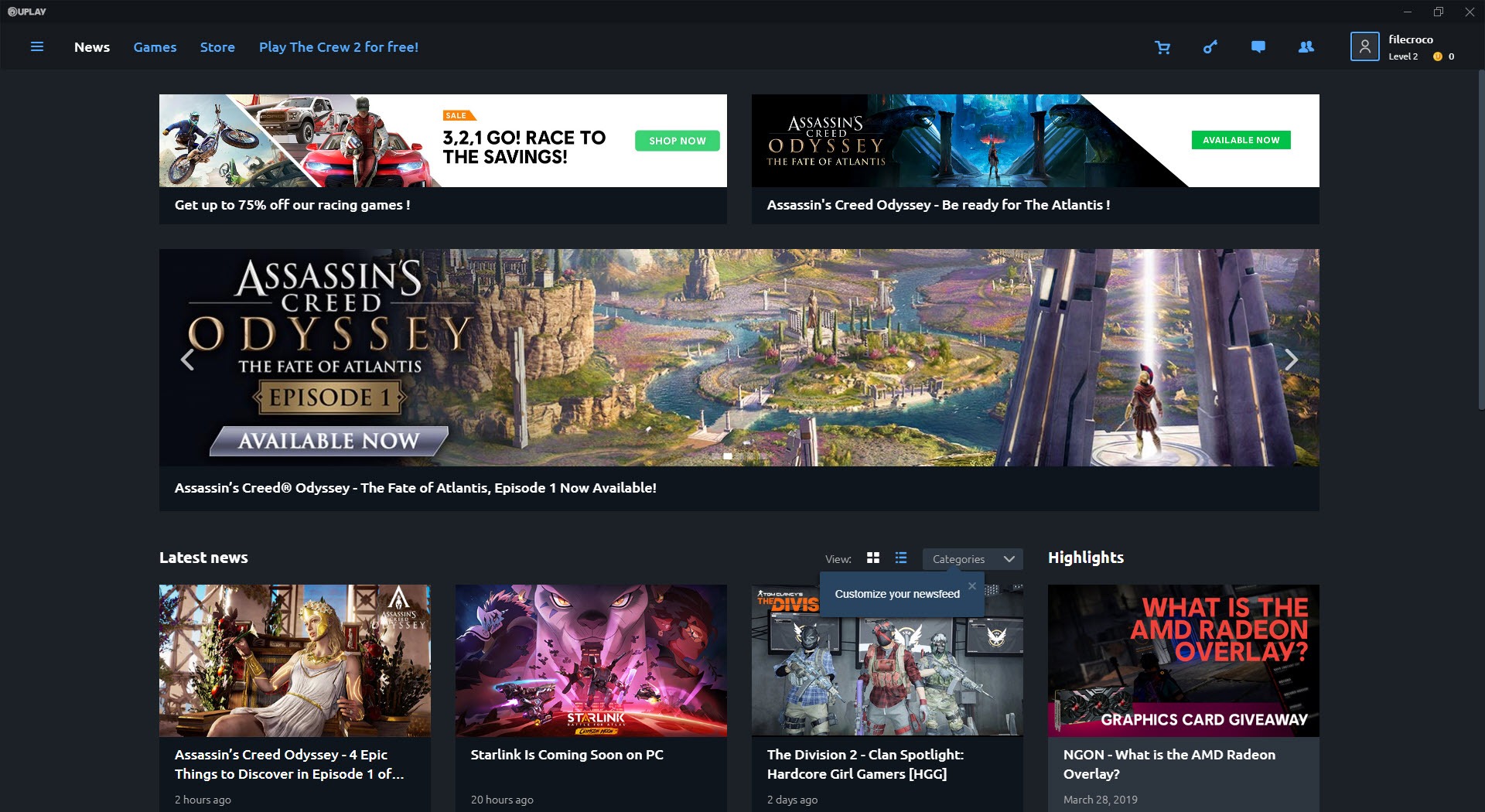
Every major publisher eventually decides it needs its own launcher, and the result is a desktop full of competing storefronts that all do roughly the same five things. Ubisoft Connect is the company’s attempt at that, the spiritual successor to Uplay, rebuilt and rebranded in late 2020 with a stated goal of unifying the PC and console ecosystems under one account.
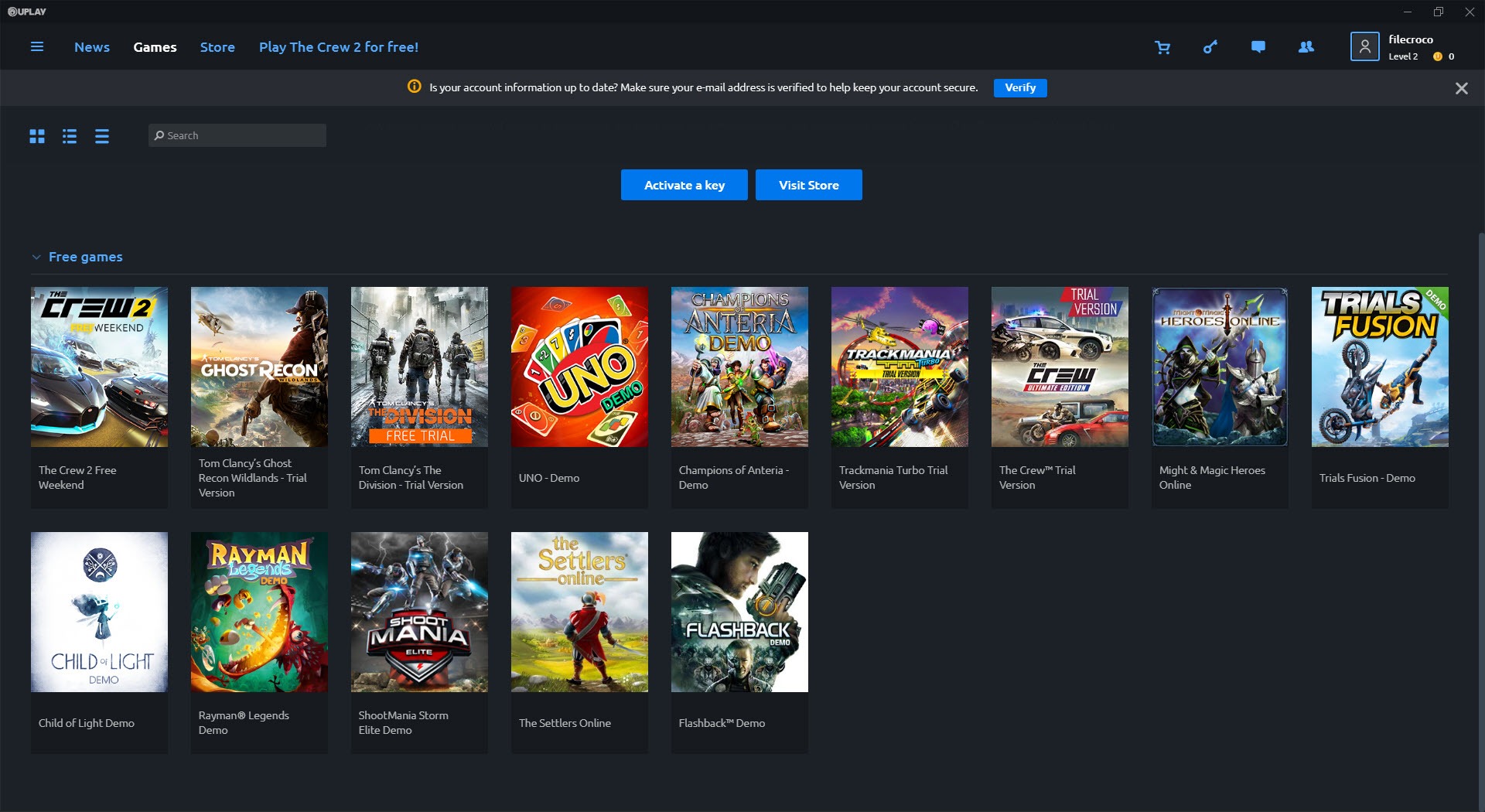
What you actually get is a storefront, a library manager, a rewards system tied to in-game challenges, a cloud save sync, and an overlay that hooks into supported games for social features and notifications. Ubisoft Connect is a hard requirement for almost every recent Ubisoft PC release, including titles bought on Steam or the Epic store, which is the part that tends to irritate people the most.
The storefront and the Ubisoft+ angle
The store side is straightforward. Browse Ubisoft titles, filter by franchise or release window, add to wishlist, buy with a saved payment method. Regional pricing applies, and the seasonal sales tend to be reasonably aggressive on older catalog (Far Cry, Assassin’s Creed entries from the Origins era backward).
The more interesting commercial layer is Ubisoft+, the subscription tier that sits inside the launcher. The Premium plan opens the full catalog including day-one access to new releases, while the Classics tier covers older titles at a lower monthly price. Within the launcher, subscription titles install and update like any owned game, which removes the launcher-inside-launcher mess you get from some competing services. It’s a cleaner integration than what users of other gaming services like Origin lived through during EA’s transition years.
The downside is geographic. Ubisoft+ availability still varies by region, and the Premium tier costs noticeably more than what GeForce NOW or PS Plus charge for comparable libraries. If you only play one or two Ubisoft titles a year, the math doesn’t work.
Cross-progression and the cloud save layer
One thing Ubisoft Connect does better than most publisher launchers is cross-progression. Buy Assassin’s Creed Mirage on Steam, play it on PC, continue on PlayStation through the linked Ubisoft account, pick it back up on PC later from the same save state. The implementation is genuinely seamless when it works, and supported titles include most of the post-2019 catalog.
Cloud saves run automatically in the background. There’s a small sync indicator when you launch and exit a title, and a manual “force upload” option in the per-game settings if the auto-sync misbehaves.
The conflict resolution dialog (when local and cloud diverge) is functional but minimal, you pick one or the other with no preview of save contents. For more granular backups, dedicated tools like GameSave Manager still beat what any publisher launcher offers, but for the average user the built-in sync is enough.
The catch is that cross-progression and cloud saves both depend on the launcher being online and your account being authenticated. When the Ubisoft servers go down (which they do, with enough frequency that “is Ubisoft Connect down” is a common search), you can’t always launch single-player titles you legally own.
The Units and Rewards system
This is the gamified loyalty layer that Ubisoft Connect inherited and expanded from the original Uplay. You complete in-game challenges (kill X enemies with a specific weapon, finish a side quest, find a collectible) and earn Units, which you spend on cosmetics, XP boosters, or small discounts on store purchases.
The challenges show up in the overlay during gameplay, and progress tracks automatically. The reward catalog is heavily skewed toward cosmetics, weapon skins, character outfits, and the occasional currency boost. Don’t expect serious discounts. The most you’ll typically save on a new release is 20% via Units, and that’s the maximum cap. Older titles can go higher.
A particular quirk worth flagging is that Units don’t carry across console generations cleanly. Earning Units on a current-gen Xbox doesn’t always reflect on the PC dashboard immediately, the sync runs on its own schedule and can lag by hours.
The overlay and the offline mode
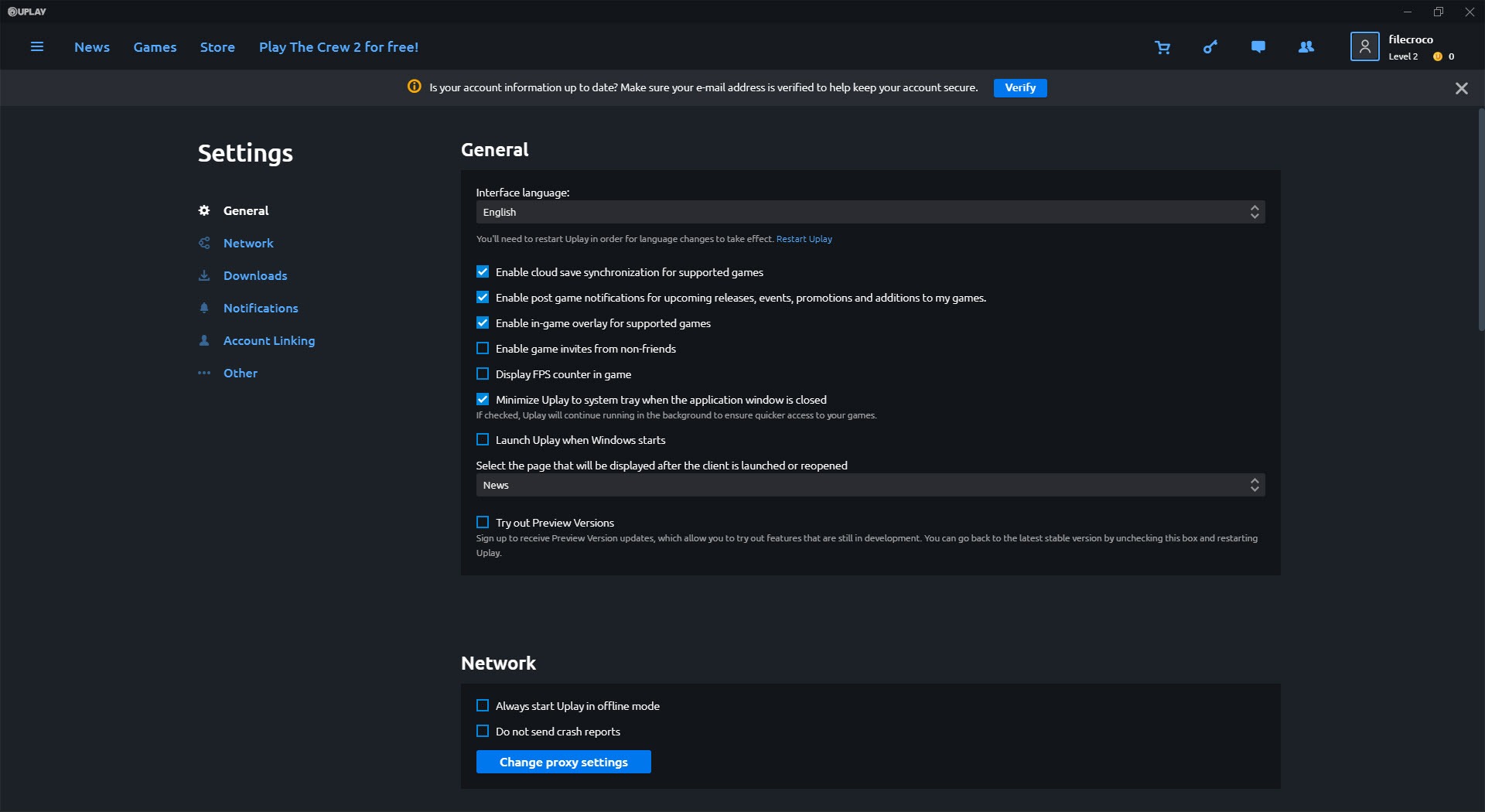
The in-game overlay is the standard fare. Friends list, chat, achievement popups, screenshots. It hooks via DirectX/Vulkan, and on most systems the performance overhead is invisible. On older hardware or with specific anti-cheat configurations (Vanguard, EAC in certain modes), the overlay can cause crashes or refuse to inject, in which case disabling it per-game is in the launcher settings.
Offline mode exists and works for most owned titles, with a critical caveat. You have to enable offline mode and authenticate at least once while online before disconnecting. If you skip that step and the launcher can’t reach Ubisoft’s servers, single-player games like Anno 1800 or older Assassin’s Creed entries will refuse to launch even though they have no online component.
This is the policy that drives the most user resentment, and it shows up in roughly every Reddit thread about the launcher.
Update behavior and disk footprint
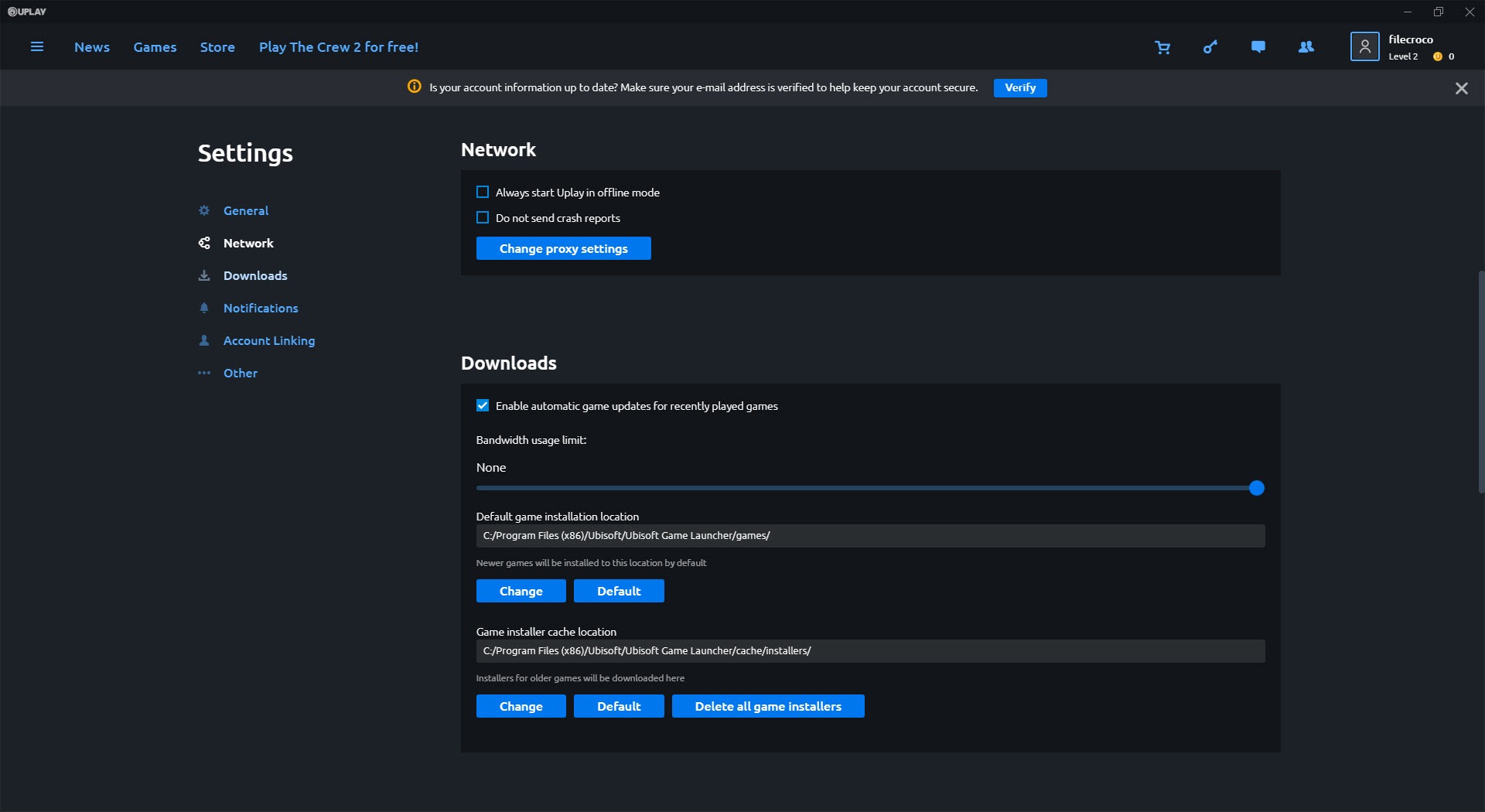
Updates download in the background and apply on launch, with no option to throttle bandwidth granularly (you can only set a single global cap). The patch system uses delta updates where the developer has provided them, which keeps download sizes reasonable for incremental patches. Bigger expansions and seasonal updates can still run 30-80 GB depending on the title.
The launcher itself takes around 200-300 MB on disk, but the cache directory grows with use. Periodic cache clearing (Settings, Downloads, Clear Cache) recovers anywhere from a few hundred MB to several GB depending on how many titles you’ve installed and updated. People running multiple storefronts side by side often manage them through unified library tools like Playnite, which can pull Ubisoft Connect games into the same view as Steam and GOG Galaxy without launching each storefront separately.
Conclusion
Ubisoft Connect is unavoidable if you play Ubisoft games on PC, and the experience varies wildly depending on which features you actually use. The storefront, the rewards system, and the cross-progression layer are competently built and offer genuine value to anyone invested in the catalog. The offline behavior, the connectivity requirements, and the periodic server reliability issues are the parts that consistently generate complaints, and most of that frustration is structural rather than something a future update will fix.
The honest read is that it works well enough as a library manager for Ubisoft titles and as a front-end for Ubisoft+ subscribers, but it carries the same trade-off as every other publisher-specific launcher, you accept it because you have to, not because you sought it out.
People with mixed game libraries often end up running it in the background through a unified launcher and forgetting it’s there until the next mandatory update.
Pros & Cons
- Cross-progression between PC and consoles works cleanly on supported titles
- Ubisoft+ subscription integrates natively without a second client
- Cloud saves run automatically and silently for most catalog games
- Background updates use delta patching where available, reducing download size
- Rewards system gives meaningful (if small) value back for time spent in-game
- Required even when buying Ubisoft titles on Steam or the Epic Games Store
- Offline mode has a setup requirement that catches a lot of users off guard
- Server outages periodically block access to single-player titles
- The launcher UI has gotten heavier across the post-2023 redesigns
- Customer support and account recovery have a reputation for being slow
Frequently asked questions
The application is the publisher's launcher for installing, updating, and managing Ubisoft PC games, plus storefront access, cloud saves, cross-progression, and the rewards program.
Yes. Most recent Ubisoft titles bought through Steam or other storefronts still require the launcher to be installed and signed in to play.
Yes, on supported titles. Cross-progression links saves to your Ubisoft account, so progress carries between platforms when the developer has implemented it.
The launcher needs to authenticate online before allowing offline play. If you haven't enabled offline mode while connected, an outage or connectivity drop can block single-player launches.
Units are the in-launcher currency earned through gameplay challenges. They're spent on cosmetics, XP boosters, and small percentage discounts on store purchases, capped at 20% for new releases.
The most common fixes are running the launcher as administrator, clearing the cache from Settings, deleting the local cache folder in AppData, or reinstalling while preserving the games directory so installed titles get detected automatically.


