

Tuxler
About Tuxler
Tuxler is a VPN application that works on a fundamentally different architecture than every mainstream VPN. Instead of routing your traffic through dedicated servers in data centers, it routes through other users’ home internet connections. Your traffic exits the network from someone’s residential IP address in another city or country, and in return, your IP becomes available for other Tuxler users to do the same thing through your connection. This residential peer-to-peer model is the entire identity of the application and the source of both its biggest advantages and its biggest concerns.
The pitch is straightforward. Websites are increasingly good at detecting and blocking traffic from data center IP ranges, which is what tools like NordVPN, ProtonVPN, and Hotspot Shield use. A connection from a residential IP looks like a normal home user, which is harder to flag as a VPN. For users whose primary goal is unblocking geo-restricted content on services that aggressively block traditional VPNs, this is a genuine technical advantage.
For users whose primary goal is privacy and security, the trade-off is more complicated than the marketing suggests, and this review will go into why.
The residential P2P model
A traditional VPN works like this. You have a client on your device, the VPN company owns servers in many countries, you encrypt your connection to one of those servers, and the server forwards your requests to the rest of the internet using its own IP. Your real IP is hidden behind the server’s IP. The server is owned, operated, and managed by the VPN provider.
Tuxler replaces “VPN company servers” with “other Tuxler users.” When you connect, your traffic encrypts to another user somewhere in the network, that user’s home internet connection forwards your traffic to the website you’re visiting, and the website sees that user’s residential IP rather than yours. Meanwhile, when other users connect to Tuxler, your home internet connection becomes a routing path for their traffic, and websites they visit see your residential IP.
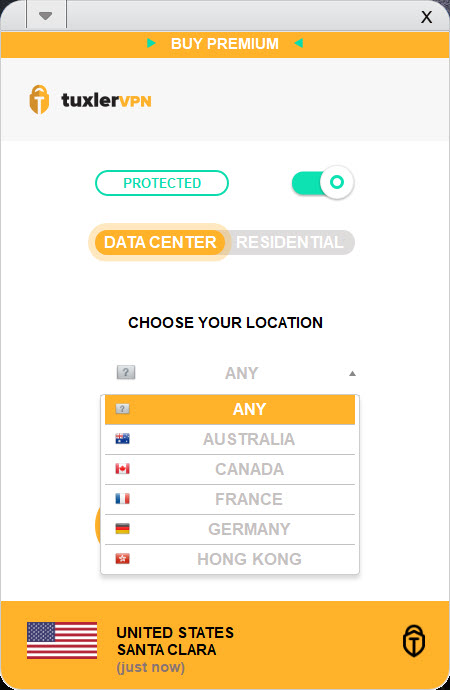
The application also offers data center IPs as an option, similar to traditional VPNs, for users who want the speed advantages of dedicated infrastructure and don’t need the detection-evasion benefits of residential IPs. So you get both modes from one application, with the residential mode being the distinctive feature.
This is the same architectural model that made services like Hola VPN famous and infamous in the last decade. The key insight: a free service that routes other users’ traffic through your IP needs to be evaluated as much for what it does to your machine as for what it does for it.
What becoming an exit node means in practice
This deserves a clear, plain-language explanation because it’s the most important thing to understand before installing the application. When you use Tuxler in residential mode, your home internet connection becomes part of the network’s exit infrastructure. Other users’ web requests go through your IP. Websites they visit log your IP address as the source of those visits.
If those other users are doing something legal and routine, you’re a passive piece of infrastructure and nothing bad happens. If those other users are doing something illegal, abusive, or against a website’s terms of service, your IP is what shows up in the logs. The website doesn’t know it was someone else using Tuxler through your connection. They see your IP visiting them, doing whatever they did.
The practical consequences range from mild to serious. Mild end: your IP gets temporarily flagged or rate-limited by a website because another Tuxler user did something that triggered an automated block. Serious end: your IP appears in logs related to illegal activity, and you have to explain to your ISP or to authorities that you weren’t the one doing it. The probability of the serious end depends entirely on what other users in the network are doing, which you don’t know and can’t control.
This is not a hypothetical risk. The architectural model creates real exposure that traditional VPNs don’t. Whether the trade-off is worth it depends on what you’re trying to accomplish and how much risk you’re willing to accept.
Where residential IPs succeed
The flip side is real. Residential IPs solve a problem that traditional VPNs increasingly can’t. Major streaming services maintain blacklists of known VPN data center IP ranges. Connecting to Netflix US through a typical commercial VPN often results in the “you appear to be using a VPN” error message, even if you’re paying for a premium service. The IPs are simply too well-known.
Residential IPs don’t appear in those blacklists because they look like normal user traffic. A connection from a home internet provider’s IP range in California is indistinguishable from any other Californian user from the streaming service’s perspective. For unblocking geo-restricted streaming, residential IPs work where data center IPs fail.
The same advantage applies to other contexts where websites use IP reputation systems. E-commerce sites that flag suspicious checkout patterns from VPN IPs. Banking sites that require additional verification for VPN logins. Online services that limit free tier signups by IP and aggressively block VPN ranges. Residential IPs slip past all of these because they look like regular users.
For users specifically trying to defeat these IP-based restrictions, Tuxler offers something that genuine privacy-focused alternatives like Mullvad or ProtonVPN don’t try to provide. Those services optimize for privacy and security with audited no-logs policies; they don’t promise to defeat streaming geo-restrictions because their data center IPs get blocked just like any other VPN’s. Tuxler prioritizes IP appearance over privacy infrastructure.
Free tier and Premium tier
The free version has limited country selection, slower speeds (you connect through whichever peers happen to be available, with no priority), and a single-device restriction. The premium tier expands the location list substantially, gives priority routing for better speeds, unlocks the larger pool of residential IPs, and includes the data center server option as well.
For evaluating whether the application does what you need, the free tier is enough. For sustained use where speed and country availability matter, the premium tier is essentially required. The free tier exists as much to grow the peer network (every free user provides their IP to the network) as to convert users to premium.
The free model is worth understanding clearly. You’re not paying with money, but you are paying with bandwidth and with the use of your IP address by other users. This is a different kind of cost than the one you pay for Windscribe VPN‘s free tier or TunnelBear‘s free tier, both of which limit data usage but don’t turn your machine into a node for other users’ traffic.
Browser extensions and the desktop application
Tuxler ships in several forms. The desktop application runs on the system tray, intercepts your entire system’s traffic when active, and provides the broadest functionality. The Chrome and Firefox browser extensions tunnel only browser traffic, which is lighter weight and more appropriate if you only need VPN coverage for specific browsing activities.
For users who want the residential IP benefits only for streaming or geo-unblocked browsing without routing system-wide traffic through the network, the extensions are the right choice. They’re also somewhat lower-risk in the exit-node sense, since the extensions limit your participation as a node compared to the full desktop application.
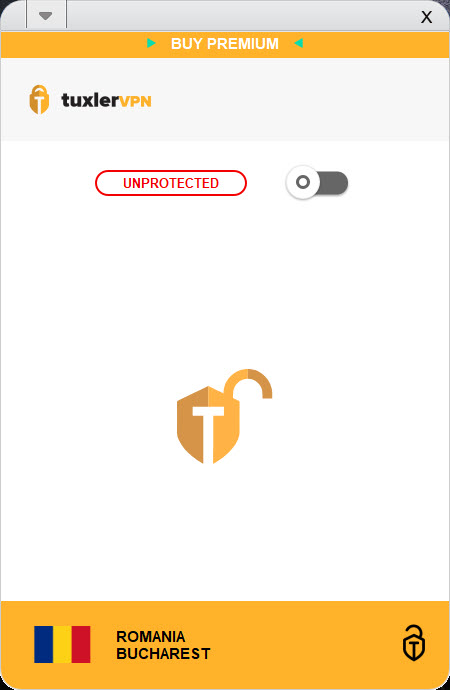
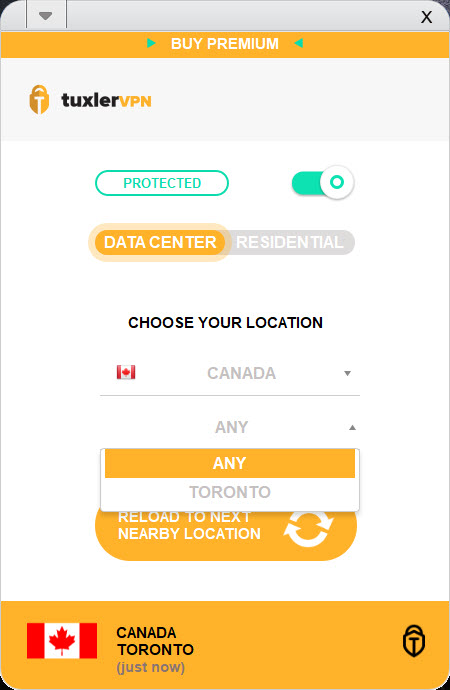
Setup in both cases is minimal. Install, sign up for an account, pick a location from the list, connect. The connection process typically takes a few seconds. The interface stays out of the way once configured.
Speed, stability, and peer availability
Performance is the area where the peer-to-peer model shows its honest limitations. Traditional VPNs have predictable performance because the servers are owned and tuned by the provider. Tuxler‘s performance depends on which peer your traffic is currently being routed through, and that peer is some other user’s home internet connection on hardware you know nothing about.
Practically, this means inconsistent speeds. You might connect through a peer with fiber internet and get excellent throughput. The next connection might land on a peer with mediocre cable internet and get noticeably worse speeds. Latency varies for similar reasons.
Locations with many peers offer better speed and reliability because there’s choice in routing. Locations with few peers (less popular countries) may have only one or two available peers, and if they’re slow or unavailable, you’re either stuck with poor performance or unable to connect to that location at all.
The data center server option side-steps this entirely for users who don’t need residential IPs. Speeds there are more predictable, though still typically slower than dedicated premium VPN services optimized for throughput like Speedify or Hotspot Shield.
Privacy implications worth understanding
The encryption between your device and the peer you’re connected to is standard and reasonable. Your ISP can’t see the contents of your traffic, the same as with any VPN. What’s different is what happens at the exit point.
With a traditional VPN, the exit point is a server in a data center, owned by the VPN provider, ideally with an audited no-logs policy that means the provider doesn’t retain records of what you did through their service. Mullvad and ProtonVPN both undergo independent audits and have transparent privacy policies that have held up under legal scrutiny. The trust model is: trust the VPN provider not to log or share your activity.
With Tuxler in residential mode, the exit point is another user’s home internet connection, on hardware they own, on an ISP connection that logs the activity to their household. The trust model is: trust the network as a whole, plus the random peer your traffic happens to exit through, plus that peer’s ISP. This is a meaningfully different trust calculation, and most users haven’t been trained to think about it.
For users prioritizing actual privacy and anonymity from surveillance, audited no-logs commercial VPNs are a better fit. For users prioritizing geo-unblocking on services that detect data center VPNs, Tuxler‘s residential model is what makes it work where those alternatives fail. The application is genuinely good at what it does. Whether what it does aligns with what you need is the question that matters.
Conclusion
Tuxler is the right pick for a specific use case: users who need to defeat IP-based geo-restrictions on services that detect and block traditional VPNs, and who understand and accept what the peer-to-peer residential model means for their own IP and bandwidth. For unblocking streaming services that have hardened against commercial VPN IP ranges, the residential mode genuinely works where alternatives fail. That’s a real technical capability that justifies the existence of the application.
It is not the right pick for users whose primary concern is privacy, security, or protection from surveillance. The architecture that makes the residential mode work also creates exposure that traditional VPNs don’t have, since your own IP becomes part of the routing infrastructure for other users’ traffic when you use the free tier. For genuine privacy use cases, audited no-logs commercial VPNs like ProtonVPN or Mullvad are better fits, accepting that they may not unblock the same range of geo-restricted content.
Users coming to Tuxler should evaluate it on what it actually is, a residential IP routing network with privacy as a side effect, rather than on what the marketing language suggests, a privacy-first VPN with residential IPs as a feature. Understanding that distinction is most of the evaluation.
Pros & Cons
- Residential IPs bypass detection that blocks traditional data center VPNs
- Both residential and data center server options in one application
- Free tier exists without explicit data caps
- Browser extensions for Chrome and Firefox limit scope to browser traffic only
- Works well for streaming services that aggressively block commercial VPNs
- Setup is straightforward with minimal configuration required
- Free residential mode turns your IP into an exit node for other users' traffic
- Speed and reliability vary based on peer availability in your chosen location
- No published independent audit of the privacy or no-logs claims
- Limited location selection on free tier, full list only on premium
- Single-device connection on both free and premium tiers
- No native mobile applications, browser extensions and desktop only
Frequently asked questions
Traditional VPNs route your traffic through their own servers in data centers, owned and managed by the VPN provider. Tuxler's residential mode routes your traffic through other users' home internet connections, using their residential IPs as the exit point. In return, when other users connect, their traffic can route through your home connection using your IP. The application also offers a data center mode similar to traditional VPNs.
A residential IP is an IP address assigned by a regular internet service provider to a home customer, as opposed to an IP assigned to a data center. Websites can often detect data center IPs as VPNs and block or restrict them, while residential IPs look like normal home users and pass those filters. This is the main reason Tuxler's residential mode works on services that block other VPNs.
In the free residential mode, yes. The peer-to-peer architecture means other Tuxler users' traffic can route through your home connection and exit using your IP. This is the trade-off that makes the residential network possible. Premium tiers and the data center mode change the dynamics, with full details available in the application's terms.
It depends on your threat model. The encryption between your device and the peer is standard and protects against ISP-level observation. The risk profile is different from a traditional VPN because the exit point is another user's home connection rather than a managed server, and because your own IP can be used by other users when you're on the free residential tier. Users prioritizing strong privacy guarantees should consider audited no-logs commercial VPNs as alternatives.
Native applications are available for Windows and Mac desktop platforms. Browser extensions are available for Chrome and Firefox. Mobile applications are not currently available, though some sources indicate they may be in development.
The residential IP mode is often effective at unblocking streaming services that detect and block data center VPN IPs. Performance varies depending on the specific service, the country you're connecting from, and the peer availability in your target location. The data center mode behaves like a traditional VPN and is more likely to be blocked by streaming services.
The application's marketing claims privacy and anonymity, but there's no independent audit of its no-logs policy that the review found. Users for whom the no-logs status is a critical concern should look at VPNs with published audits such as Mullvad or ProtonVPN.
The free tier limits location selection and routes through whichever peers are available without priority, resulting in variable and often slower speeds. The premium tier expands location selection significantly, provides priority routing for better speeds, unlocks the larger pool of residential IPs, and includes the data center server option as well. Both tiers are limited to a single device connection.


