

Trellix Stinger
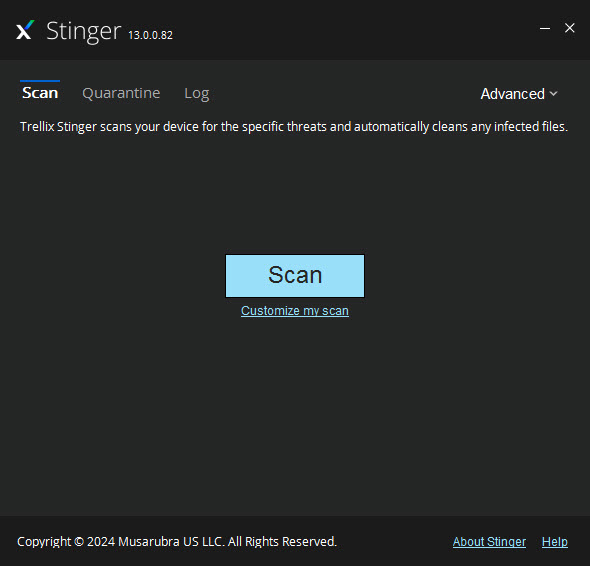
About Trellix Stinger
When a machine is already infected, installing security software becomes part of the problem, malware blocks installers, corrupts updates, and hides from the tools it saw coming.
Trellix Stinger attacks from outside that trap. It’s a portable, no-installation scanner, one executable that runs from a folder or USB stick, hunts a curated list of the threats currently doing the most damage, and removes what it finds, rootkits included. Known for years under its former name, McAfee Stinger, it has served as the emergency screwdriver of malware cleanup for a very long time.
The single most important sentence in this review is about what it isn’t. This is not an antivirus replacement, it offers no real-time protection and targets a specific threat list rather than the whole malware universe, and using it correctly means knowing exactly which job it was built for, the second opinion and the emergency cleanup, not the standing guard.
A specialist’s list, not an encyclopedia
The design trade is unusual and worth understanding. Instead of carrying the multi-gigabyte signature database of a full product, Trellix Stinger ships with detections for a focused roster of prevalent threats, the outbreak names, the fake-alert families, the trojans currently circulating, viewable inside the tool via its threat list. The result is a small, fast download that’s ruthlessly current on what matters this month, and blind by design to the long tail it never claimed.
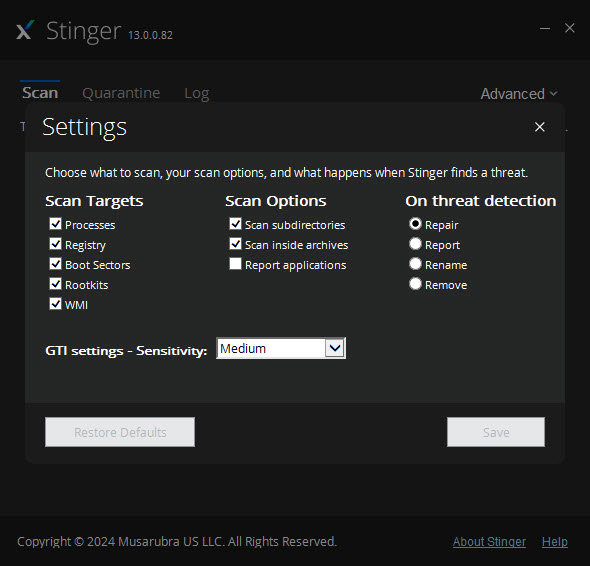
Reputation scanning stretches the reach beyond raw signatures. The scanner consults a cloud reputation network to judge suspicious files by their global standing, with a sensitivity dial from cautious to paranoid, and the honest guidance is to raise it gradually, since the highest settings on an aggressive heuristic will flag innocents alongside villains. Quarantine, not deletion, is the safety net either way.
Rootkits, processes, and the deep scan
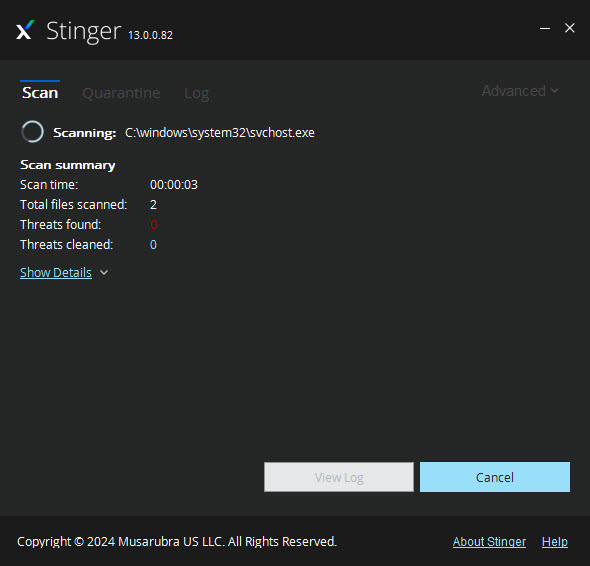
The scan goes places casual tools skip. Running processes are inspected in memory, boot sectors and registry launch points get checked, and a kernel-level component hunts rootkits, the class of malware whose entire profession is invisibility to the operating system it has compromised.
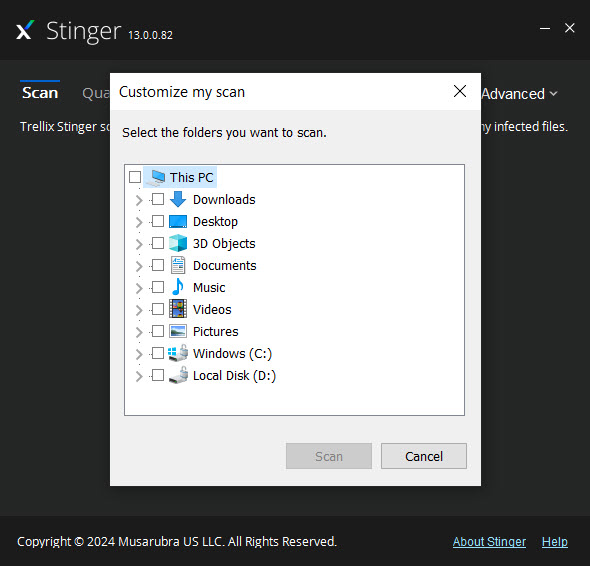
Scan targets are configurable, whole drives for the thorough pass or specific folders for the quick verdict on a suspicious download.
Findings land in a quarantine directory with repair applied where repair is possible, and a plain report says what was found and what was done. For technicians, command-line switches drive the whole routine unattended, which is why this executable has lived on repair-bench USB sticks across two brand names, next to companions like AdwCleaner for the adware-and-toolbar stratum of the same cleanup jobs.
The second-opinion doctrine
The correct workflow deserves spelling out, because it’s the whole art of tools like this. Your installed antivirus is the standing guard, and when suspicion lingers anyway, the machine acting strange, a detection that keeps returning, an alert that smells wrong, a portable scanner from a different maker delivers the second opinion, different signatures, different heuristics, no installation footprint for the infection to have anticipated.
One specialist rarely settles a hard case alone. Serious cleanups traditionally chain second opinions, with Dr.Web CureIt as another classic portable examiner of the same school.
The badly compromised machine, where even portable tools misbehave, escalates to a full emergency kit like Emsisoft’s, and beyond that to offline scanning from rescue media. This tool sits at the fast, first-response end of that chain, and knowing the chain exists is half of using it well.
Honest limits, clearly drawn
The boundaries repeat because they matter. No real-time shield means no prevention, only detection after the fact. The focused threat list means a clean result here is evidence, never proof, of a clean machine.
And removal of a deeply embedded infection can succeed technically while leaving a system untrustworthy, which is why the gravest cases end in backup and reinstall regardless of what any scanner reports. A tool this specialized is honest about all three, which is more than can be said for the fake cleanup utilities it frequently removes.
Day-to-day protection remains the job of a resident product, kept updated and left running. The portable scanner’s place is the USB stick, the downloads folder, and the day something feels wrong.
Conclusion
Trellix Stinger is the emergency responder of the security shelf. The technician’s USB staple, the household’s second opinion, and the fast first pass over a machine that’s acting haunted are all the same small executable. Its focus on currently prevalent threats, rootkit reach, and installation-free design make it exactly the right shape for those moments.
It guards nothing and certifies nothing, and it never pretended otherwise. Keep a real antivirus on duty, keep this one in the drawer, and let each do the job it was actually built for.
Pros & Cons
- Runs from a folder or USB stick with no installation to block
- Focused detection list stays ruthlessly current on prevalent threats
- Rootkit scanning reaches malware built for invisibility
- Adjustable reputation sensitivity extends beyond raw signatures
- Command-line operation suits technicians and scripted cleanups
- Small download, fast scans, quarantine before deletion
- No real-time protection of any kind
- Detects a curated threat list, not the full malware universe
- Highest sensitivity settings flag innocent files
- A clean scan here never certifies a clean machine
Frequently asked questions
No, categorically. It has no real-time protection and hunts a specific list of prevalent threats. It complements a resident antivirus as a second opinion and cleanup tool.
The same tool under its current name. The rebrand changed the label, and the portable scan-and-remove mission continues unchanged.
Higher sensitivity levels lean on aggressive cloud reputation heuristics, which trade precision for reach. Flagged files go to quarantine rather than deletion, so verdicts can be reviewed and reversed.
Yes, a kernel-level scanning component targets rootkits specifically, alongside inspection of running processes, boot sectors, and registry launch points.
When a machine behaves suspiciously despite its regular protection, after a risky download, or as part of a cleanup chain on an infected system, ideally alongside second opinions from other portable scanners.


