

Sumatra PDF
About Sumatra PDF
Sumatra PDF is a fast, lightweight document viewer built specifically for users who want a clean, no-nonsense way to read PDFs and other document formats on Windows. Unlike heavier alternatives that come loaded with editing tools and background processes, this application focuses purely on viewing, which results in remarkably quick startup times and smooth navigation even with large files.
For users who simply want to open a document, read it, and move on without dealing with bloated software or intrusive features, this tool delivers exactly that experience while still supporting an impressive range of formats and practical reading options.
Lightning-fast performance and minimal footprint
The most immediately noticeable strength of Sumatra PDF is how quickly it launches and loads documents. Even hefty PDFs with hundreds of pages or embedded images open almost instantly, which is a refreshing change for anyone used to waiting for larger applications to start up before they can begin reading. The installation itself is small, and the application uses very little system memory while running.
This efficiency makes it particularly well suited for older computers, virtual machines, or any system where keeping resource usage low is a priority during everyday work.
Support for a wide range of document formats
Beyond PDFs, this software handles a surprisingly diverse list of document and ebook formats. EPUB, MOBI, CHM, XPS, DjVu, and CBZ or CBR comic book archives all open natively without requiring separate readers for each type.
This versatility makes it a practical single tool for users who deal with technical documentation, ebooks, manuals, and digital comics.
Switching between formats feels seamless, since the same interface and reading controls apply regardless of what kind of file is currently open in the viewer.
Portable version and flexible installation
A particularly useful aspect of Sumatra PDF is the availability of a portable version that runs without installation. This makes it easy to carry the application on a USB drive or use it on systems where you do not have permission to install software, such as work or library computers.
The portable build offers the same core functionality as the installed version, including all supported formats and reading features. For technicians, students, or anyone who frequently uses different machines, this flexibility is genuinely valuable in day-to-day situations.
Clean reading interface and view modes
The interface stays out of the way while you read, with a minimal toolbar and clear page rendering that prioritizes the document itself. Multiple view modes are available, including single page, facing pages, book view for two-page spreads, and continuous scrolling for longer reading sessions.
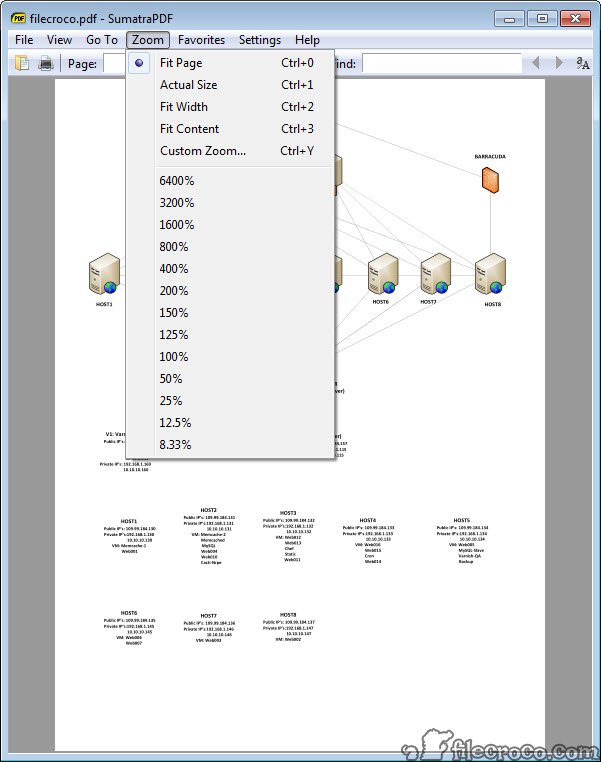
Zoom controls work smoothly with the mouse wheel, keyboard shortcuts, or toolbar buttons, and the application remembers your preferred view settings for each document.
This kind of attention to comfort makes extended reading sessions noticeably more pleasant compared to busier alternatives.
Keyboard navigation and shortcuts
Power users will appreciate the comprehensive keyboard support, which allows nearly every function to be accessed without touching the mouse. Page navigation, zoom adjustments, search, bookmarks, and view mode changes all have configurable shortcuts that speed up document handling considerably.
This focus on keyboard efficiency makes the tool particularly attractive for researchers, students, and professionals who spend significant time reading or referencing technical materials. Once the shortcuts become familiar, navigating even very long documents feels effortless and quick.
Search and bookmark functionality
Finding specific text within a document is fast and accurate, with a built-in search that highlights matches and lets you jump between them with simple key presses. The search handles regular text searches well across documents of nearly any length without slowing down.
Bookmarks let you mark important locations within a file and return to them later with a single click. While not as elaborate as the annotation systems in heavier PDF tools, this approach covers essential reference needs without adding complexity that most readers will never use.
Printing and basic document handling
Printing works reliably with standard options for selecting page ranges, scaling, and printer-specific settings. The print preview shows exactly how pages will appear on paper, which helps avoid wasted ink or paper when working with documents that have unusual formatting or sizing.
The application also handles linked content well, with clickable URLs and internal cross-references working as expected within supported document formats.
For everyday reading and reference, this baseline functionality covers what most users need without unnecessary extras.
Tabbed browsing for multiple documents
When working with several files at once, Sumatra PDF supports tabbed browsing similar to a web browser. Each open document gets its own tab, making it easy to switch between references, source material, and reading material without cluttering the desktop with multiple windows.
This is especially helpful for students cross-referencing several texts, technicians comparing documentation versions, or anyone juggling multiple ebooks during a reading session.
The tabs are responsive and clearly labeled, keeping things organized even with many documents open simultaneously.
Customization and language support
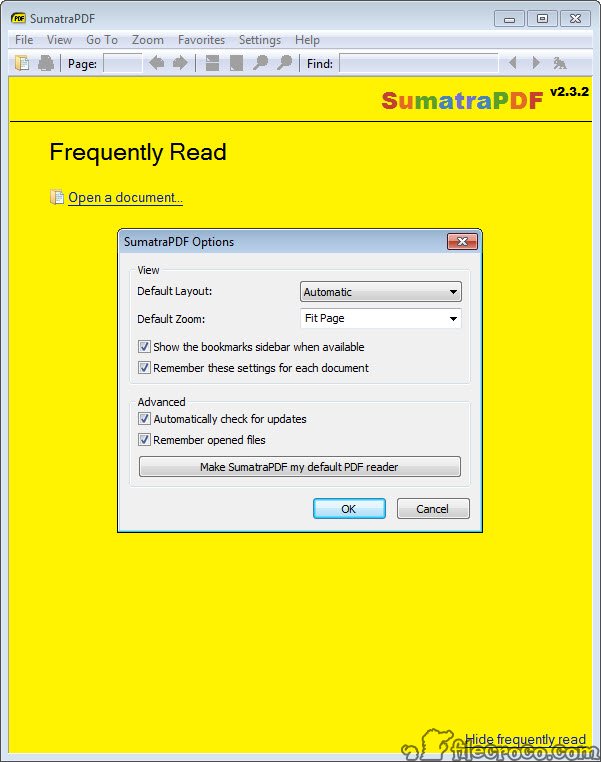
Although the interface is intentionally simple, the application offers meaningful customization options through its settings file. Users can adjust default zoom levels, page layout, color schemes, and keyboard shortcuts to fit their preferred reading style.
Language support covers a wide range of localizations, making the tool accessible to users worldwide. Right-to-left languages and various character encodings work correctly, which broadens its usefulness for readers who deal with non-English content regularly.
Conclusion
Sumatra PDF stands out as one of the most efficient and focused document viewers available for Windows, delivering exceptional speed and broad format support in a remarkably small package. Its emphasis on fast performance, clean design, and practical reading features makes it ideal for users who simply want to open documents and read them without unnecessary distractions.
While it deliberately skips the editing and annotation tools found in larger applications, Sumatra PDF more than compensates with reliability, portability, and the kind of responsiveness that turns reading into a genuinely pleasant experience on any system.
Pros & Cons
- Extremely fast startup and document loading even for very large files
- Lightweight installation uses minimal system memory and disk space
- Supports many formats including PDF, EPUB, MOBI, CHM, DjVu, and comic archives
- Portable version runs from a USB drive without requiring installation
- Clean, distraction-free interface keeps the focus on document content
- Excellent keyboard shortcut support speeds up reading and navigation
- Tabbed browsing handles multiple documents without cluttering the desktop
- Lacks advanced features like annotation, highlighting, or form filling
- No built-in editing tools for modifying or creating PDF content
- Bookmark and search features are functional but less detailed than competitors
- Some customization requires editing settings files rather than using a menu
- Document creation and conversion are not part of the core feature set
Frequently asked questions
Yes, this software supports EPUB, MOBI, CHM, XPS, DjVu, and comic book archives like CBZ and CBR, making it useful as a general-purpose document and ebook reader.
Yes, a portable build of this tool is available and runs directly from a USB drive or any folder, which is convenient for use on shared or restricted computers.
Form filling is limited in this software, since the application focuses on viewing rather than editing. Users who frequently complete PDF forms may need a dedicated tool for that purpose.
Annotation features are minimal in this tool, as it is designed primarily for fast, clean reading rather than document markup or collaborative review.
Yes, this software is engineered for speed and handles large documents with hundreds of pages efficiently, often opening them faster than heavier alternatives.
Each opened document gets its own tab within the same window, similar to a web browser, allowing easy switching between multiple files without managing several application windows.
Yes, keyboard shortcuts can be adjusted through the settings file, giving power users control over how they navigate documents and trigger common actions.
Yes, the application remembers the last viewed page and zoom level for each document, so you can reopen a file and pick up exactly where you left off previously.
Absolutely. This software handles CBZ and CBR comic archive formats with appropriate page layouts, making it a practical choice for digital comic collections on Windows.


