

Soda Player
About Soda Player
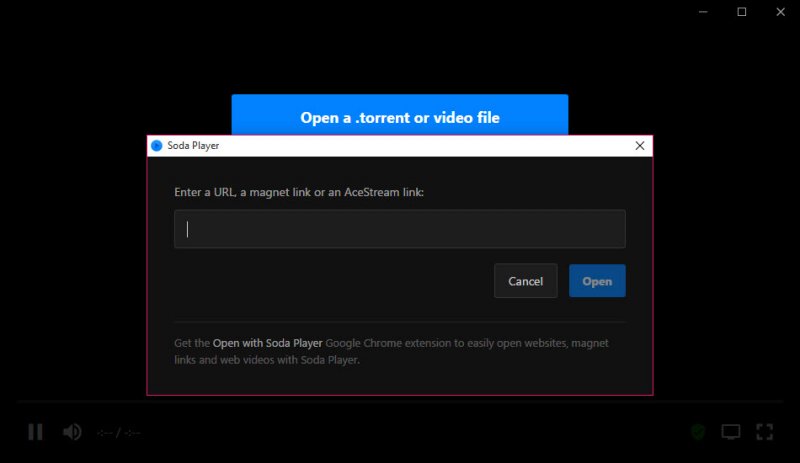
Soda Player is a video player that opens a torrent file or magnet link the way other players open an MP4. Drop the link on the window and the video starts within seconds, playing the beginning while the rest downloads in the background. There is no separate torrent client to configure and no waiting for a progress bar to reach the end.
The same window plays local files, MKV and all, with hardware decoding for H.264 and HEVC and a subtitle finder that fetches matching subtitles in your language on its own.
That combination made it the player of choice for a particular audience, and two more features cemented it. It casts to a Chromecast or an Apple TV, passing the stream through untranscoded when the device can decode it, and it opens Ace Stream links natively, which nothing else in the player category did. What it is not is current.
The application is no longer updated, so what you get is the last build, with the strengths and the rough edges frozen in place.
Streaming a torrent instead of downloading it
Soda Player embeds a full torrent engine with DHT, peer exchange and UDP trackers, and it downloads the pieces of the video in playback order rather than whichever arrive first. That is what lets playback begin almost immediately on a well-seeded file. Seeking ahead asks the engine to fetch that part next, so jumping forward works after a short buffer rather than being impossible.
The catch is the same as for any torrent. A file with three seeders stutters however good the player is, and the video is being shared back out to other peers while you watch. There is no way to cap upload speed, no port control and no way to keep the download afterwards without digging it out of a temporary folder.
For anything you want to keep, a full torrent client with sequential download switched on does the same trick and leaves you the file.
Casting to a television
The Soda Player cast button sends whatever is playing to a Chromecast, a device with Chromecast built in, or an Apple TV. Where the television can decode the video and audio tracks, the stream is passed through untouched, so a 1080p HEVC file with 5.1 sound arrives on a capable device as is. Where it cannot, the player transcodes on the fly using the graphics card, which keeps the computer cool enough that a laptop manages it.
Subtitles survive the trip in most cases without forcing a transcode. Local files cast as readily as torrents, which makes the player a simple alternative to a dedicated casting utility for anyone who only needs to send a film to the living room.
Subtitles that find themselves
The Soda Player subtitle finder is the feature people miss most when they move to another player. Set a language in the preferences and the player matches the file against the OpenSubtitles database using the video’s own fingerprint rather than its name, so a renamed file still gets the right subtitles. Subtitles embedded in an MKV, bundled inside a torrent or sitting in the same folder are picked up too.
The weakness is choice. When an MKV carries several subtitle tracks, picking between them is awkward, and when the automatic match is wrong there is no built-in search to correct it.
The online matching also depends on a service that has changed its access rules since the last build, so the finder fails more often than it did.
Ace Stream links and the proxy
Ace Stream links, the peer-to-peer streams used for live broadcasts, open directly and buffer with fewer interruptions than the Ace Stream engine manages on its own. A built-in SOCKS5 proxy routes torrent traffic around networks that block it, at a university or a hotel for instance, and it needs no configuration.
That proxy also hides your address from other peers, a feature that says a great deal about how the player tends to get used.
Conclusion
Soda Player suits someone who watches torrented video and wants it to start immediately, land on the television without fuss and arrive with subtitles already attached. For that person it remains more convenient than stitching together a client, a player and a caster.
It is frozen, though, and it shows. Services it relied on have moved, nothing will be fixed, and anyone building a habit around it should expect features to fall away one by one. Enjoy it for what still works, and keep a maintained torrent client and player ready for when it does not.
Pros & Cons
- Plays torrents and magnet links within seconds of opening them
- Casts to Chromecast and Apple TV with passthrough for supported codecs
- Fetches matching subtitles automatically by video fingerprint
- Hardware decoding for H.264 and HEVC, with a mini player mode
- Opens Ace Stream links natively
- No longer updated, so bugs and service changes will not be fixed
- No upload cap, port control or easy way to keep downloaded files
- Subtitle finder has grown less reliable as the service changed
- Awkward selection between multiple subtitle tracks
Frequently asked questions
Its built-in engine fetches pieces in playback order, so the start of the video arrives first and playback begins while the rest downloads.
Not in an obvious way. Pieces land in a temporary folder and are not saved as a finished file, so use a torrent client for anything you want to keep.
Yes. It passes the stream through when the device supports the codec and transcodes with the graphics card when it does not.
The application is no longer updated, and the online subtitle service has changed how it can be accessed since the last build.


