

SmadAV
About SmadAV
If you’ve ever borrowed a USB stick from someone, plugged it into your computer, and then started seeing strange folder shortcuts or hidden files appear on the drive afterward, you’ve experienced one of the most common malware infection vectors out there. USB-borne viruses spread quietly between systems through shared flash drives, external hard drives, and other removable media, and they’re responsible for a surprising amount of malware on home and office computers worldwide.
SmadAV is a small antivirus utility built specifically with USB threats in mind, originally developed in Indonesia where this category of infection has historically been particularly widespread.
Created by Zainuddin Nafarin, this software has built a niche following as a complement to mainstream antivirus solutions rather than a replacement for them. The premise is simple: while traditional antivirus products focus on the broad universe of malware threats, this tool dedicates itself to the specific challenge of USB-spread infections, providing a second layer of defense that catches things mainstream tools sometimes miss in this particular category.
Built around USB threat detection
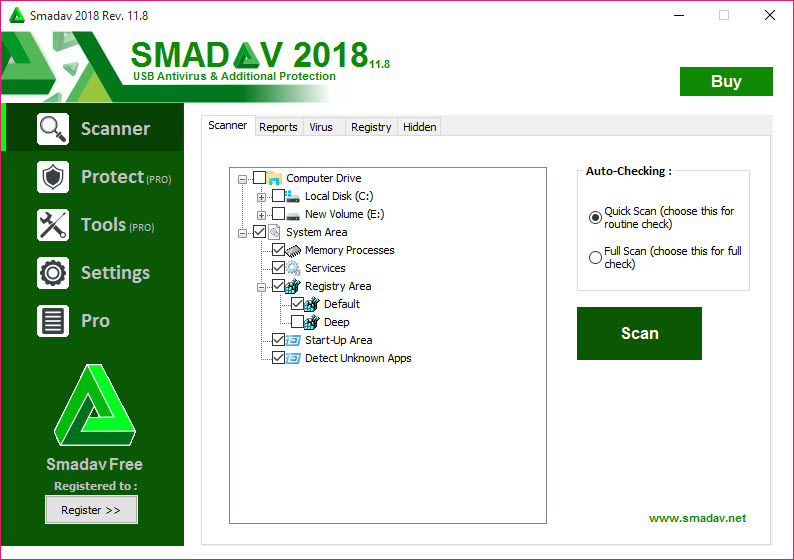
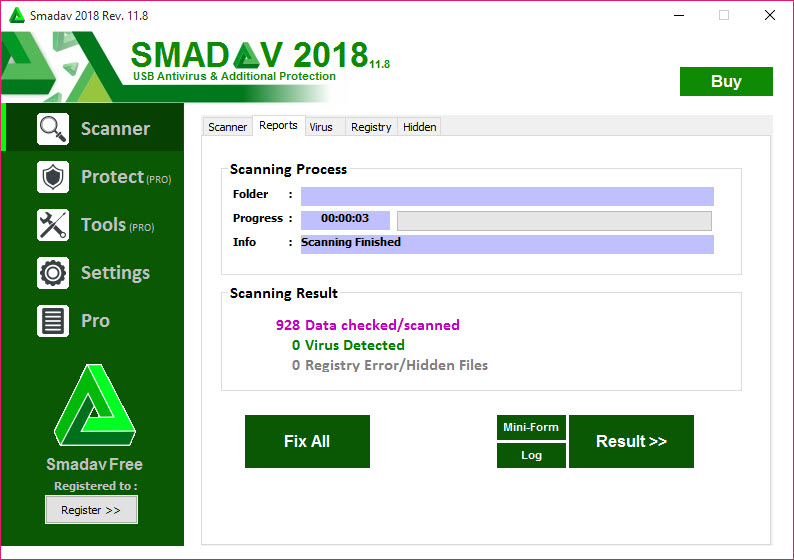
The defining feature of SmadAV is its specific focus on USB-borne malware. When a USB drive is connected, the application automatically scans it for known threat patterns, suspicious autorun configurations, and the kinds of folder-shortcut tricks that USB worms commonly use to spread.
This focus matters because USB infections behave differently from other malware categories. They typically rely on autorun.inf files, hidden folder shortcuts, and registry tricks that mainstream antivirus tools sometimes treat as low-priority compared to network or browser-based threats. By concentrating on this specific vector, the tool catches things that broader products occasionally miss.
For users who frequently share USB drives at school, work, or print shops, this layer of protection addresses a genuine threat that grows more relevant in environments with high USB traffic between mixed and uncontrolled systems.
Designed as a second-opinion scanner
A particularly important detail about this software is that it’s explicitly designed to coexist with another primary antivirus rather than replace it. Most antivirus products refuse to run alongside competitors because conflicts between real-time scanning engines can cause system instability, but this tool is built specifically to avoid those conflicts.
The practical result is that you can run a mainstream antivirus like Bitdefender, Kaspersky, or Avast as your primary protection while this software runs alongside as a secondary scanner focused on USB threats. For users who want defense in depth, this combination provides broader coverage than either tool alone would deliver.
This positioning is unusual in the antivirus space and reflects a thoughtful design decision about where the tool fits in the security ecosystem rather than trying to be everything to everyone.
Automatic USB scanning and immunization
When a USB drive connects, the application can automatically scan it and offer to “immunize” it against future infections. The immunization process modifies the drive in ways that make it resistant to certain common attack patterns, particularly autorun-based attacks that exploit Windows behavior to launch malicious code automatically.
For users who frequently move USB drives between potentially infected systems (university computers, internet cafés, shared office machines, or print shops), this immunization provides an additional layer of protection beyond just scanning. The drive itself becomes a less attractive target for the kinds of malware that propagate through removable media.
Lockdown and protection features
Beyond just scanning, this software includes various protection features that prevent common attack patterns. Process protection blocks unknown executables from running until you explicitly approve them, which catches malware that tries to launch automatically. Registry protection monitors changes to sensitive registry locations that malware commonly targets, alerting you when something tries to modify them.
The protection features are configurable in their aggressiveness, letting you choose between strict protection that requires approval for many actions and more relaxed settings that only intervene for clearly suspicious behavior.
For users sharing computers with less technical family members, the stricter settings can prevent many common infection paths.
Hidden file detection on infected drives
A particularly useful feature for dealing with already-infected USB drives is the ability to detect and recover hidden files that some malware creates. USB worms commonly hide your real files and replace them with shortcuts that look like the original files but actually launch the malware when clicked.
When this happens, victims often think their files have been deleted, when actually they’re still there but flagged as hidden by the malware. This software can detect this pattern, restore the visibility of the original files, and remove the malicious shortcuts, recovering the data that users assumed was lost.
For students or workers who depend on USB drives for their files, this recovery capability is genuinely valuable.
Smart-Protection technology
The application includes what the developer calls “Smart-Protection,” which combines behavioral analysis with traditional signature-based detection to identify suspicious activity. The behavioral approach catches unfamiliar threats that haven’t yet been added to signature databases, while the signature engine handles known threats efficiently.
For a tool focused on a specific niche, this combination of detection methods provides reasonable coverage within its target category. It’s not as elaborate as the multi-layered detection used by major commercial antivirus products, but for the USB-specific threats this software targets, it works well enough to provide genuine protection.
Free and Pro versions
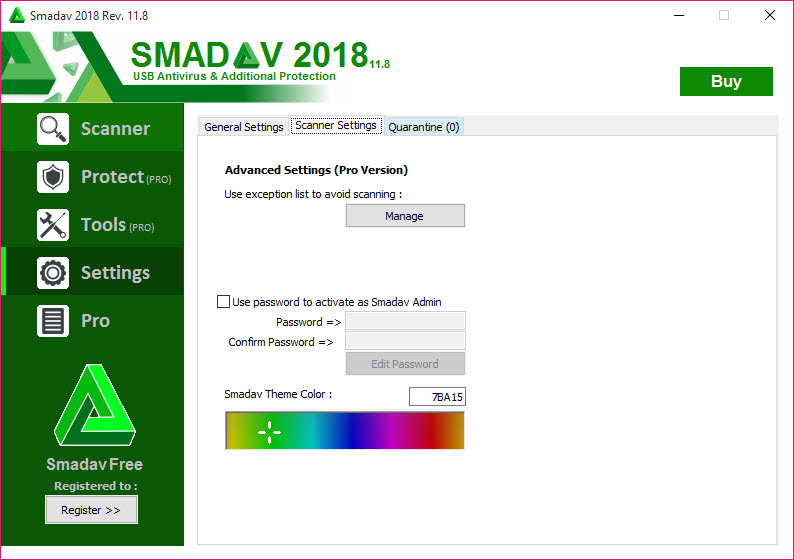
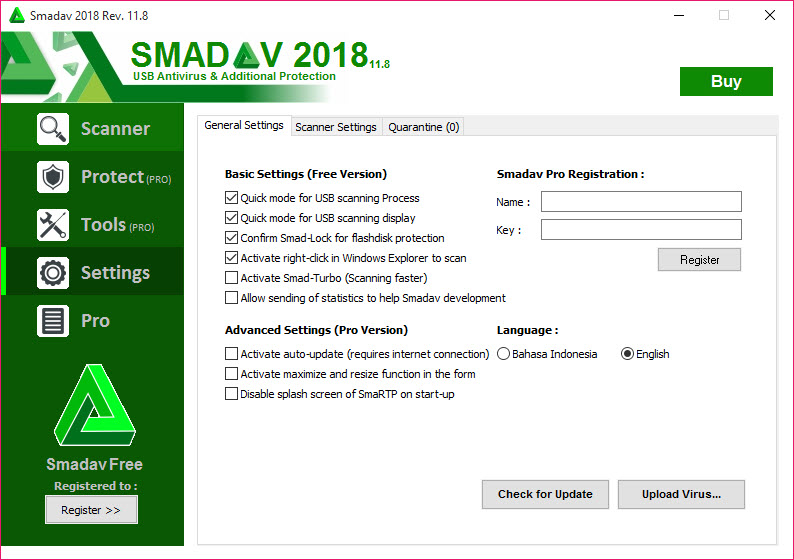
Like many antivirus tools, this software comes in free and Pro versions, with the free version covering the core scanning and protection features while the Pro adds advanced capabilities like automatic updates, exception lists, and additional protection layers. For most home users, the free version is sufficient for the secondary protection role this tool plays.
The Pro version is targeted more at power users who want maximum control over the protection behavior or those running the tool in environments with frequent USB exposure where the additional features justify the cost. Most users find the free edition handles their needs adequately.
Conclusion
SmadAV occupies a genuinely useful niche in the security software space by focusing specifically on USB threats rather than trying to compete with mainstream antivirus products on their own broad terms.
For users who frequently exchange USB drives between systems they don’t fully trust, the additional layer of protection this tool provides addresses a real and ongoing threat that grows from how easily USB media moves between mixed environments.
It’s not a replacement for a primary antivirus, and anyone using it as their only security layer is leaving significant gaps in their protection. But as a complement to mainstream antivirus running alongside, SmadAV offers focused capability that catches threats sometimes missed by broader tools, particularly for users in environments where USB-borne malware is a persistent concern rather than an occasional curiosity.
Pros & Cons
- Specifically targets USB-borne threats that some mainstream antivirus tools handle less thoroughly
- Designed to coexist with other antivirus products as a second layer of protection
- Automatic USB scanning catches threats as drives are connected
- Drive immunization makes USB media more resistant to common infection patterns
- Hidden file detection recovers files that malware has hidden on infected drives
- Smart-Protection combines signatures with behavioral analysis for broader coverage
- Free version covers core protection sufficient for most home users
- Light resource footprint allows running alongside heavier mainstream antivirus
- Not a replacement for a primary antivirus product, only a complement
- Detection coverage outside USB threats is more limited than dedicated security suites
- Interface design feels dated compared to more modern security tools
- Documentation in English is sometimes incomplete or awkwardly translated
- False positives occasionally flag legitimate USB tools or autorun configurations
Frequently asked questions
This software focuses specifically on USB-borne malware threats, which include autorun-based attacks, folder shortcut tricks, and various other patterns that USB worms use to spread. While mainstream antivirus tools cover these threats too, the dedicated focus here sometimes catches USB-specific infections that broader products treat as lower priority.
Yes, this software is specifically designed to coexist with other antivirus products as a secondary scanner, unlike most antivirus tools that refuse to run alongside competitors. The architecture avoids the conflicts that typically cause problems when running multiple real-time scanners simultaneously.
The resource footprint is intentionally light, which allows the tool to run alongside a heavier primary antivirus without significantly impacting performance. Most users notice little to no slowdown from having both tools active simultaneously.
The immunization process modifies USB drives in ways that make them resistant to common attack patterns, particularly autorun.inf-based attacks. The technical details vary depending on the drive's file system, but the general idea is to occupy or protect the locations where malware would typically install its propagation mechanisms.
Yes, this is actually one of the more useful features for users dealing with already-infected drives. USB worms commonly hide your real files and replace them with malicious shortcuts, and this software can detect this pattern, restore the original files to visibility, and remove the malicious replacements.
For the specific category of USB-borne threats it targets, this tool provides reasonable protection that complements broader antivirus coverage. For modern advanced threats outside this category, you should still rely on a primary antivirus solution as your main protection, with this software adding a focused second layer.
For most home users, the free version covers the core protection features sufficiently. The Pro version adds convenience features like automatic updates and advanced configuration options that benefit power users or environments with frequent USB exposure, but isn't strictly necessary for basic protection.
Yes, this software runs alongside Windows Defender without conflicts and complements its protection by adding USB-specific focus that Defender treats as part of its broader threat coverage. Many users find this combination effective for general home use.
Some legitimate utilities that work with autorun configurations, drive metadata, or low-level USB operations look superficially similar to malware behavior. The protection settings allow excluding specific tools you trust, and the false positive rate is typical for tools focused on this specific threat category.
The free version receives periodic updates while the Pro version supports automatic updating for more frequent threat database refreshes. For users who want the latest threat definitions automatically, the Pro option may be worth considering, while free users can manually update by downloading new versions when available.


