

Seed4.Me VPN
About Seed4.Me VPN
Seed4.Me VPN is a budget-tier VPN service that prices entry to encrypted browsing at $2.99 per month while including a few features its premium competitors charge significantly more for. Unlimited simultaneous connections under one account, which means you can install the application on every device in your household without juggling device limits. Server coverage in roughly 200 locations across 30 to 40 countries, including some regions that mainstream VPNs avoid (Belarus, Turkey, Thailand, mainland China). A built-in kill switch that drops your connection if the VPN tunnel fails.
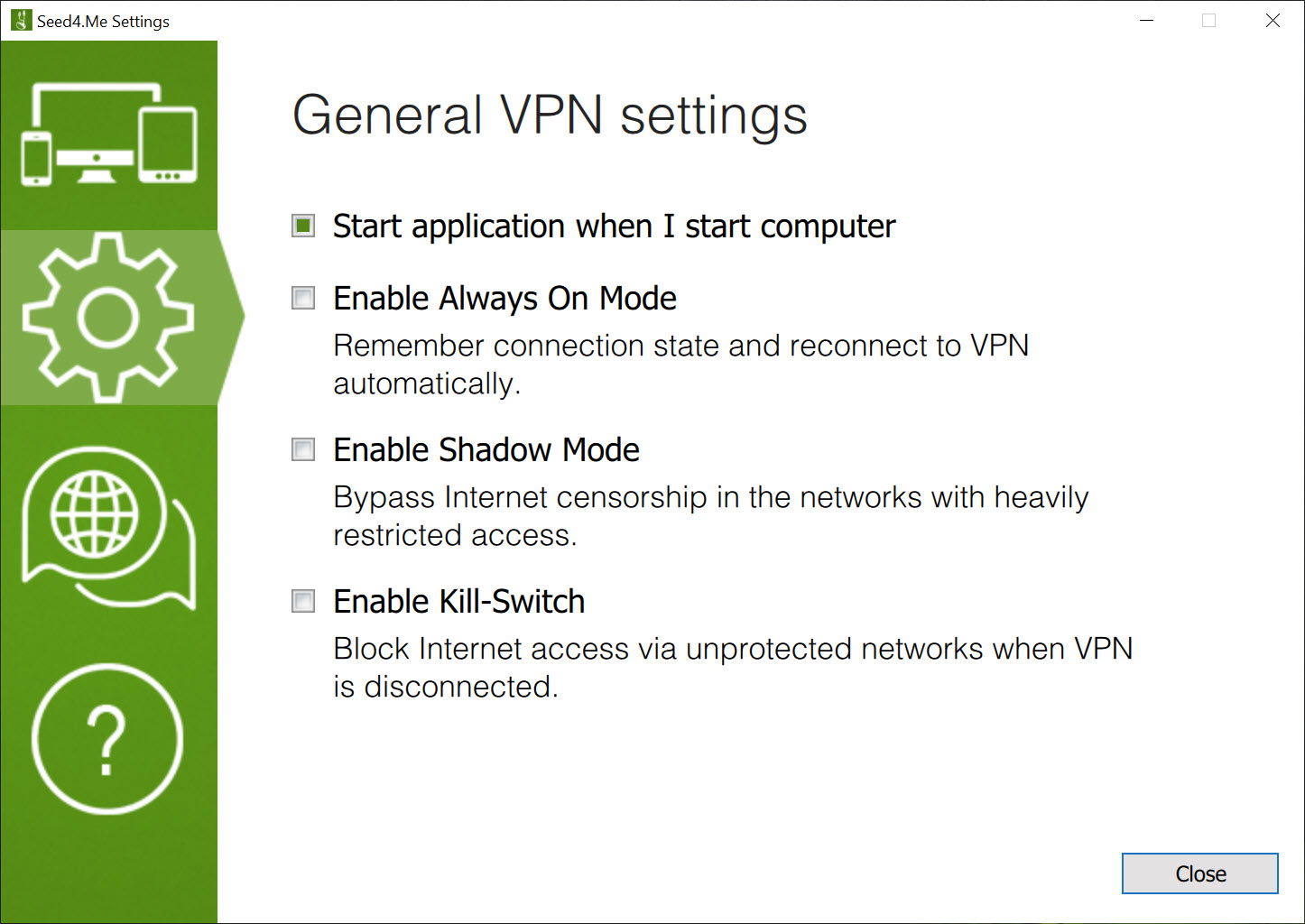
Shadow mode for obfuscating traffic in restrictive networks. Standard support for modern protocols including WireGuard, OpenVPN, and IKEv2.
What this service is, in practical terms, is a workable mid-tier option for users whose VPN priorities are basic encryption, geo-unblocking for non-streaming purposes, and protection on public WiFi. What it isn’t, equally honestly, is a streaming powerhouse or a serious privacy tool for users with adversarial threat models.
Independent reviews consistently note that Netflix and other streaming services successfully block this VPN’s IP addresses, that torrenting is restricted to two specific server locations (Sweden and Switzerland), and that the privacy practices haven’t received the third-party audits that make ExpressVPN, NordVPN, or Mullvad more trustworthy for users with strict requirements.
Within its actual capability set, the service performs reasonably well at a price that undercuts most premium alternatives substantially.
Unlimited simultaneous connections as the standout feature
Most VPN services cap simultaneous device connections at 5, 6, or 10 per account, with users paying more for higher limits or having to manage which devices are currently logged in. Seed4.Me VPN allows unlimited connections under a single subscription, which produces practical advantages in real usage scenarios that the industry doesn’t always acknowledge.
For households with multiple users, the unlimited cap removes the need to juggle accounts or pay for multiple subscriptions. Five family members each running the VPN on their phone, laptop, and tablet works without restriction. Smart TVs, gaming consoles configured through router-level VPN, IoT devices that benefit from VPN protection, all count against the same subscription without consequence. The household-level math becomes substantially better than competitors charging similar prices with restrictive device caps.
For technical users running specialty configurations (multiple virtual machines, separate browser profiles each connected to different server locations, testing setups requiring many concurrent connections), the unlimited cap removes friction that dedicated VPN testers regularly encounter. The cap simply doesn’t exist as a constraint, which changes how the service can be used compared to competitors with strict limits.
The qualifier worth noting: unlimited connections work best when you’re not actively trying to abuse the policy. Sharing your account with dozens of strangers or running an effective VPN reseller operation through one personal account would likely trigger usage flags, but that’s true of every VPN service regardless of stated policies. For genuine personal and household use, the unlimited cap functions as advertised.
The shadow mode and obfuscation features
Shadow mode is the marketing name for traffic obfuscation that disguises VPN connections as regular HTTPS traffic. In restrictive networks where deep packet inspection identifies and blocks standard VPN protocols (corporate networks with VPN restrictions, some hotel WiFi, certain public WiFi systems, networks in regions with VPN restrictions), shadow mode often gets through where standard OpenVPN or WireGuard connections fail.
The technique works by wrapping the VPN traffic in a protocol layer that looks like normal web browsing to network monitoring tools. Rather than detecting “this user is using a VPN” through the distinctive signature of VPN protocols, the network sees what appears to be ordinary HTTPS web traffic.
This obfuscation isn’t perfect against the most sophisticated network analysis, but it handles the typical VPN blocking that happens on networks with basic protocol detection.
For users in countries with VPN restrictions, this feature matters substantially more than typical VPN feature comparisons suggest. Seed4.Me VPN server coverage in restrictive regions (including Turkey, Belarus, and others where VPN access itself is constrained) combined with shadow mode produces a usable experience in scenarios where other VPNs fail outright.
The service has positioned itself somewhat for users in these regions specifically, which differs from premium VPNs that often deprioritize restrictive markets.
Kill switch and basic security features
The kill switch monitors the VPN connection and blocks all internet traffic if the tunnel fails for any reason. The intent is preventing accidental exposure of your real IP address during connection drops, which can happen for various reasons (network congestion, server-side issues, switching between WiFi and ethernet, sleep/wake cycles on laptops).
Without a kill switch, a momentary VPN disconnection lets your applications fall back to your direct connection, potentially leaking your IP address and traffic content to whatever you were communicating with. With kill switch enabled, the disconnection produces a brief loss of internet rather than a brief loss of VPN protection, which is the safer failure mode for users who chose VPN for privacy reasons specifically.
The kill switch implementation in Seed4.Me VPN is functional but not as sophisticated as what some competitors provide. Application-level kill switches (which only affect specific applications you’ve designated) aren’t part of the feature set.
The system-wide kill switch covers the typical use case adequately, but advanced users wanting more granular control should evaluate alternatives that include application-specific kill switching.
Server network and country coverage
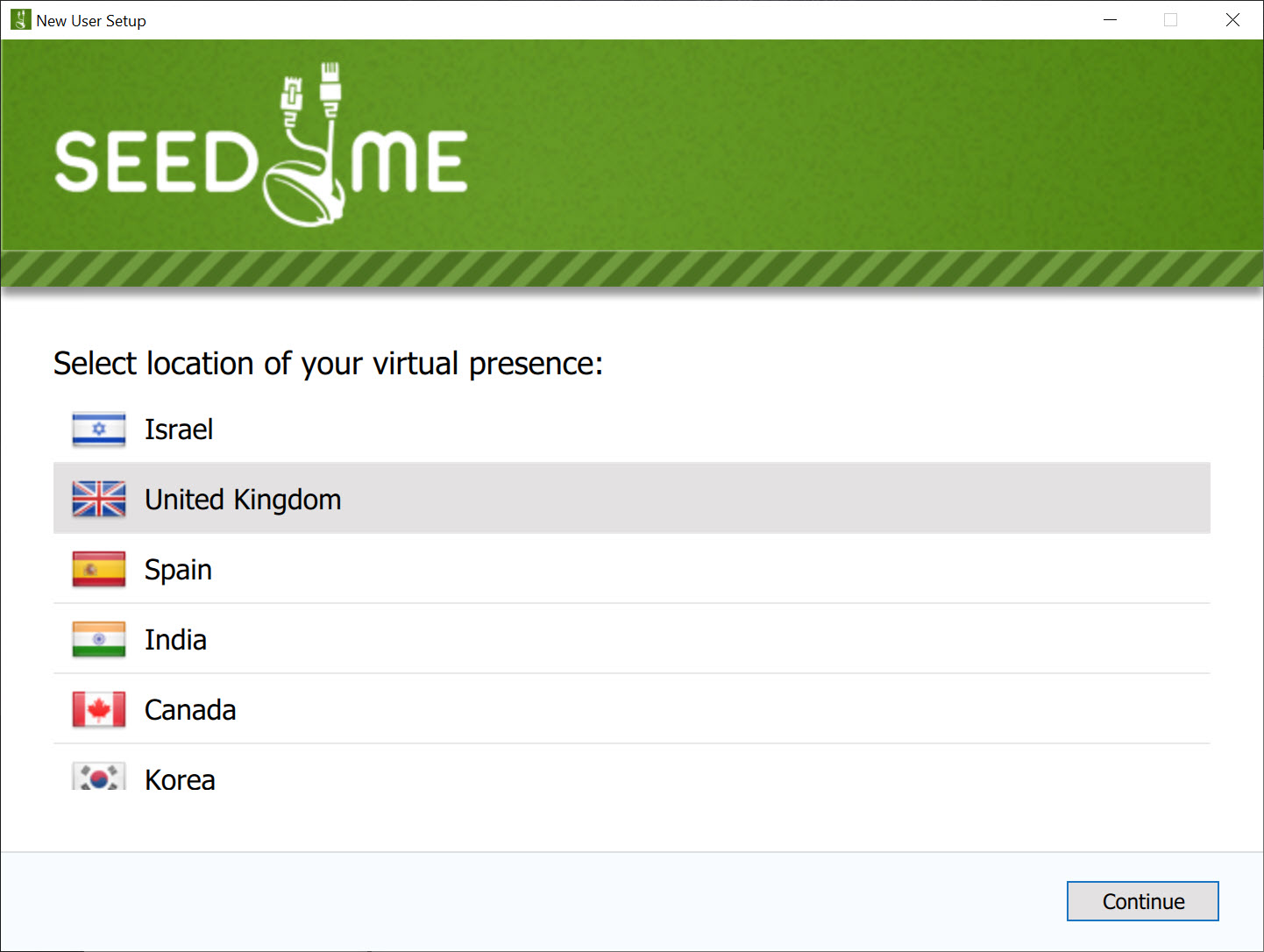
The roughly 200 servers across 30 to 40 countries provides reasonable coverage for typical VPN use cases. Major regions including the United States (multiple cities), United Kingdom, Germany, France, Netherlands, Canada, Australia, Japan, Singapore, Brazil, and various other commonly-needed locations all have server presence. For users wanting standard geo-unblocking or basic privacy protection in mainstream regions, the network covers what’s needed.
The specific server count is modest compared to premium VPNs that advertise 5,000+ or 10,000+ servers across 90+ countries, but the practical effect of these large numbers is often less significant than marketing suggests. Most VPN users connect to one or two specific countries regularly rather than systematically using the entire global network. For users whose actual usage falls within the available 30 to 40 countries, the smaller network produces no practical disadvantage.
The presence of servers in regions other VPNs avoid (Belarus, Turkey, Thailand, mainland China, parts of the Middle East) matters substantially for users in those regions or for travelers who need server presence near their actual location.
Premium VPNs often have stronger overall networks but weaker presence in restricted regions, where this service has invested more directly. The trade-off favors users with location-specific needs in the regions covered.
Streaming and torrenting limitations
The streaming story is honestly mixed. Netflix detection of VPN traffic has gotten increasingly sophisticated, and Seed4.Me VPN struggles to keep up with Netflix’s blocking infrastructure. Reviews note unreliable Netflix US and Netflix UK access through the service, with similar issues affecting other streaming platforms that actively block VPN connections. For users whose primary VPN motivation is streaming geo-unblocking, dedicated streaming VPNs like ExpressVPN, NordVPN, or specifically optimized services like StreamingFreedom serve those needs more reliably.
For users whose streaming needs are limited or who use VPN primarily for non-streaming purposes (general browsing privacy, public WiFi protection, accessing region-restricted non-streaming content, basic geo-unblocking for work tools or websites), the streaming weakness affects them less or not at all.
The service still works for these scenarios; the streaming limitation just means it won’t be your primary tool for binge-watching foreign Netflix libraries.
Torrenting is restricted to specific server locations. Sweden and Switzerland are the explicitly torrent-friendly servers, with P2P traffic allowed without throttling on those locations. Other servers may not handle torrent traffic well or may have policies restricting it. For users who torrent regularly, the restricted server selection produces a more limited experience than torrent-focused VPNs that allow P2P across most or all of their network.
For occasional torrenting through Sweden or Switzerland servers specifically, the service handles it adequately.
Privacy practices and what to know
The privacy posture is mid-tier rather than premium. The company hasn’t commissioned independent third-party audits of its no-logs policy, which is the practice major privacy-focused VPNs (ExpressVPN, NordVPN, Mullvad) have adopted to provide verifiable evidence of their privacy claims. Without audit verification, users effectively trust the company’s stated policies based on the company’s reputation rather than third-party validation.
The company’s stated policies indicate that browsing activity, IP addresses, and session data aren’t logged. The jurisdiction is reasonable from a privacy standpoint, though specific legal details vary based on operational headquarters and server locations.
For users whose threat model accepts policy-based trust without audit verification, the stated practices are reasonable. For users whose threat model requires audited verification, this service doesn’t currently meet that bar.
The encryption itself uses standard cryptographic primitives appropriate for VPN traffic. AES-256 encryption through the supported protocols, modern key exchange mechanisms, and the security characteristics typical of properly-implemented VPN services.
The encryption is solid; the trust question is what the provider does with traffic metadata they technically have access to, which is where the audit absence matters.
Performance and connection quality
Real-world performance varies based on which server you connect to, your physical distance from that server, your underlying connection speed, and network conditions. On nearby servers with reasonable network paths, Seed4.Me VPN typically retains 60 to 80 percent of original connection bandwidth, which fits the typical range for VPNs without proprietary speed-optimized protocols.
Connection establishment is reasonable, with tunnels typically establishing within 5 to 10 seconds depending on server load and protocol choice. WireGuard protocol connections tend to be faster than OpenVPN connections both for establishment time and for sustained throughput, with the trade-off being that WireGuard adoption is more recent and the protocol’s longer-term security implications are still being evaluated by the security community.
The service doesn’t include speed-optimization features comparable to ExpressVPN’s Lightway protocol or Hotspot Shield‘s Catapult Hydra. Performance is “fine for typical use” rather than “best-in-class for speed.” Users prioritizing maximum throughput should evaluate speed-focused alternatives. Users whose performance needs are met by typical VPN bandwidth retention will find this service adequate.
Compatibility and platform availability
Applications exist for all major platforms relevant to typical VPN users. The desktop application provides standard VPN client functionality with server selection, protocol choice, and the kill switch and shadow mode features. Mobile applications for both major mobile operating systems handle on-the-go VPN protection with similar feature sets adapted for mobile interfaces. Browser extensions provide lightweight protection that operates only on browser traffic rather than system-wide.
Router-level installation is supported for users who want to protect every device on their network without managing per-device clients. The router setup process is more involved than installing the desktop application, but produces VPN protection for devices that don’t support VPN clients natively (smart TVs, gaming consoles, IoT devices). Once configured, the entire network’s traffic routes through the VPN automatically.
The unlimited connections policy makes router-level setup particularly attractive, since it doesn’t consume any of the (already unlimited) device connection allowance and provides protection for devices that wouldn’t otherwise be covered. For households with many connected devices, this combination of router support and unlimited connections produces broader protection than competitors with restrictive device caps allow.
Comparison with the alternatives
The honest comparison places Seed4.Me VPN in a specific market segment. Premium VPNs like ExpressVPN, NordVPN, and Surfshark provide larger server networks, better streaming performance, audited privacy practices, and more polished applications. Their prices are correspondingly higher (typically $3 to $13 per month depending on subscription length and current promotions).
Budget VPNs like PrivadoVPN, Atlas VPN, and various smaller services compete more directly on price. Among budget VPNs, Seed4.Me VPN distinguishes itself through unlimited connections (where some competitors still cap), shadow mode for restrictive networks, and presence in regions other budget VPNs don’t cover. The trade-offs against premium services remain (smaller network, weaker streaming, no privacy audits), but among budget alternatives the feature set is competitive.
Free VPN services occupy a different space entirely. Free VPNs almost universally limit data, server selection, or feature access aggressively, with the business model often involving advertising or data collection that contradicts the privacy reasons for using a VPN in the first place. Paying $2.99 per month to Seed4.Me VPN provides substantially better service than any genuinely free alternative, with real privacy practices and reasonable feature access.
For users in regions with VPN restrictions, the comparison gets more interesting. Premium VPNs sometimes underperform in restricted regions despite their general superiority, because their network architecture isn’t optimized for these markets.
This service’s specific presence in regions like Turkey, Belarus, and parts of Asia produces better experiences for users in those locations than premium alternatives sometimes deliver, despite the premium services being objectively better in unrestricted markets.
Considerations and limitations
The streaming limitations are real and consistent. Netflix US, Netflix UK, BBC iPlayer, and various other major streaming platforms successfully block this VPN’s IP addresses with reasonable reliability. For users whose VPN purpose is geo-unblocking these specific services, alternatives serve that need substantially better.
The torrenting restriction to two specific server locations limits P2P flexibility. Sweden and Switzerland servers handle torrenting cleanly, but the restriction means you don’t get the freedom that VPN services with full-network P2P support provide. Users who torrent heavily should evaluate whether the limitation matters for their actual usage patterns.
The absence of independent privacy audits weakens the trust foundation compared to audited competitors. The stated privacy practices may be entirely accurate, but without audit verification you’re trusting policy claims rather than verified facts. For users with serious privacy needs, this distinction matters; for users with basic privacy needs, less so.
The interface and application polish are functional rather than refined. Compared to ExpressVPN’s or NordVPN’s polished applications, the experience here feels more utilitarian. Everything works, the features are accessible, but the visual design and interaction smoothness reflect the smaller development resources of a budget-tier provider.
Conclusion
For users whose VPN priorities are basic encryption, unlimited device connections, and reasonable price, Seed4.Me VPN delivers what its budget tier promises. The combination of unlimited simultaneous connections, shadow mode for restrictive networks, kill switch protection, and presence in regions other VPNs avoid produces real practical value at $2.99 per month, with the feature set covering typical privacy and geo-unblocking needs adequately.
The reasons to consider alternatives are mostly about specific advanced needs the service doesn’t try to compete on. Streaming-focused users need streaming-specialized VPNs that maintain reliable Netflix and similar service unblocking.
Privacy-critical users need audited services that have demonstrated their no-logs claims through third-party review. Heavy torrenters need VPNs with full-network P2P support rather than restricted server lists. For users whose actual needs fit within the budget-tier capability set, the service handles those needs at a price that makes it genuinely competitive among similar alternatives.
Pros & Cons
- Unlimited simultaneous connections under a single subscription
- Server presence in restricted regions other VPNs avoid (Turkey, Belarus, Thailand, mainland China)
- Shadow mode obfuscation works on networks with basic VPN blocking
- Kill switch prevents IP leaks during connection drops
- Modern protocol support including WireGuard, OpenVPN, and IKEv2
- $2.99 per month pricing undercuts most premium VPN alternatives
- Applications for desktop, mobile, browser extensions, and router-level setup
- Reasonable performance for typical VPN use cases on nearby servers
- Streaming unblocking is unreliable for Netflix and other major platforms
- Torrenting restricted to two specific server locations (Sweden and Switzerland)
- No independent third-party audits of the no-logs policy
- Smaller server network than premium VPN alternatives
- Application polish and interface design feel utilitarian
- No application-level kill switch (only system-wide)
- Server count and country coverage modest compared to top-tier services
Frequently asked questions
This software is a budget-tier VPN service offering encrypted connections through approximately 200 servers across 30 to 40 countries, with unlimited simultaneous device connections, kill switch protection, shadow mode obfuscation for restrictive networks, and support for major VPN protocols including WireGuard, OpenVPN, and IKEv2. The service targets users wanting reasonable VPN functionality at a budget price point ($2.99 per month).
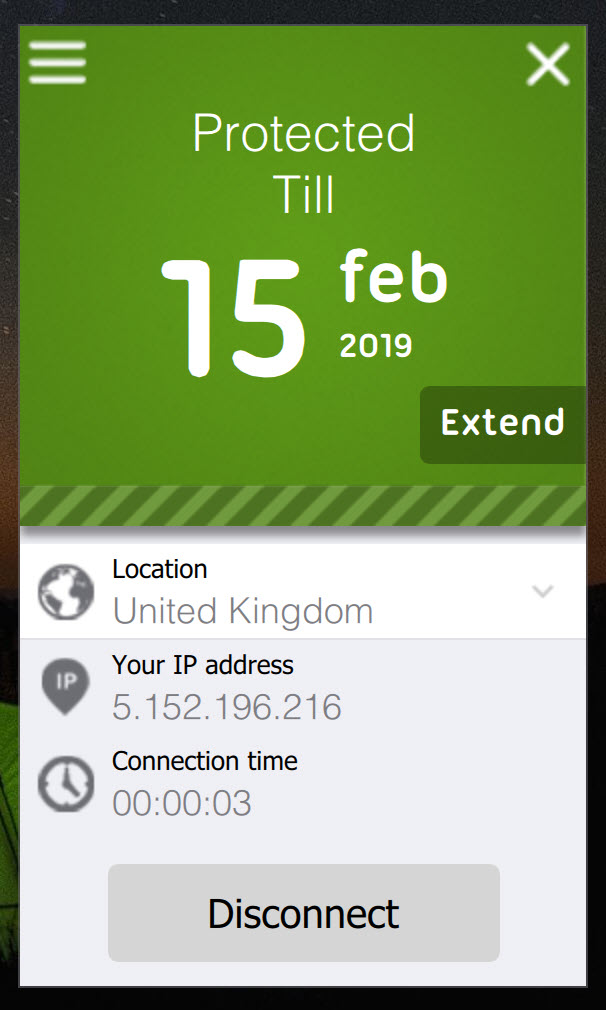
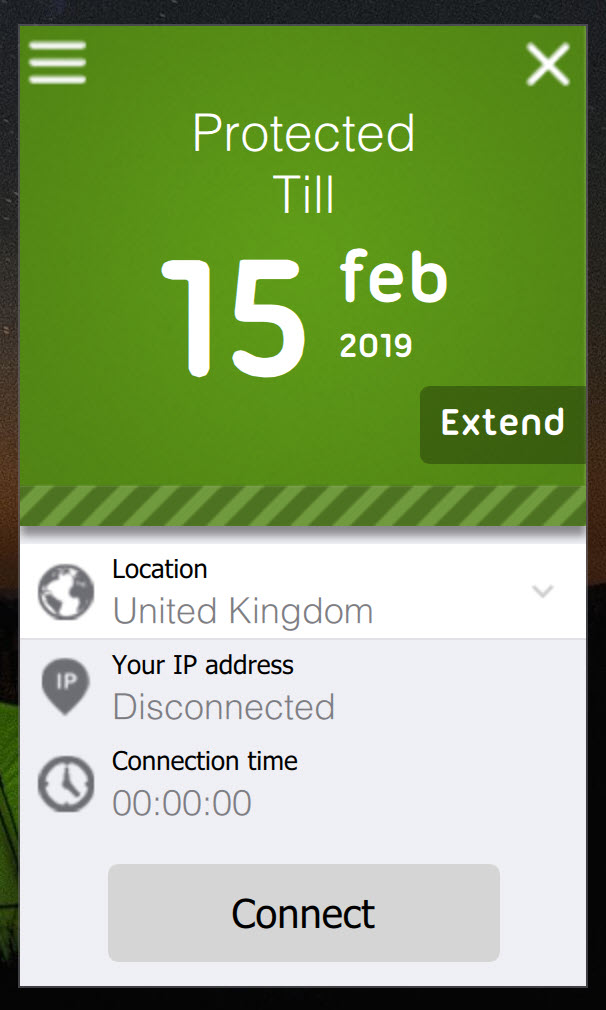
Install the application on your device, sign in with your account credentials, choose a server location from the available list (or use auto-connect to pick the fastest available server), and click connect. The VPN tunnel establishes within 5 to 10 seconds typically, after which all internet traffic from the device routes through the encrypted connection. Disconnect manually when you don't need VPN protection, or leave it running continuously for ongoing protection.
Yes, but only on two specific server locations: Sweden and Switzerland. P2P traffic is allowed without throttling on these servers, with the rest of the network either restricting or not optimizing for torrent traffic. For users who torrent regularly, the restricted server selection means selecting Sweden or Switzerland for any P2P session, with the trade-off being potentially higher latency depending on your physical location.
Netflix detection of this VPN has been consistently reported as effective, with both Netflix US and Netflix UK successfully blocking the service's IP addresses on most attempts. For users whose primary VPN motivation is streaming geo-unblocking, dedicated streaming-focused VPNs handle that use case substantially better. For non-streaming purposes (general browsing privacy, public WiFi protection, accessing other geo-restricted content), this software functions adequately.
The subscription includes unlimited simultaneous device connections, with no specific cap on the number of devices that can be active under one account. This differentiates the service from most VPN providers that cap connections at 5, 6, or 10 devices. For households with multiple users and multiple devices per user, this unlimited policy provides substantially better practical value than competitors with restrictive caps.
Shadow mode is the marketing name for traffic obfuscation that disguises VPN connections as regular HTTPS web traffic. On networks with basic VPN protocol detection (some corporate networks, hotel WiFi, networks in regions with VPN restrictions), shadow mode often gets through where standard OpenVPN or WireGuard connections fail. The obfuscation isn't bulletproof against sophisticated deep packet inspection, but it handles common VPN blocking effectively.
NordVPN provides a substantially larger server network (5,000+ servers in 60+ countries versus ~200 in 30-40), better streaming performance, audited privacy practices through independent third-party reviews, and more polished applications. The price is also higher than this service's $2.99 per month. For users wanting maximum capability and audited privacy, NordVPN is more appropriate. For users wanting a budget-friendly option with unlimited connections and presence in restrictive regions, this software covers that use case at a lower price point.
Yes, the application includes a system-wide kill switch that blocks all internet traffic if the VPN connection fails. The kill switch prevents accidental exposure of your real IP address during connection drops, which protects users whose VPN motivation is privacy-related. Application-level kill switches (only affecting designated applications) aren't included, with system-wide protection being the implementation provided.


