

RPCS3
About RPCS3
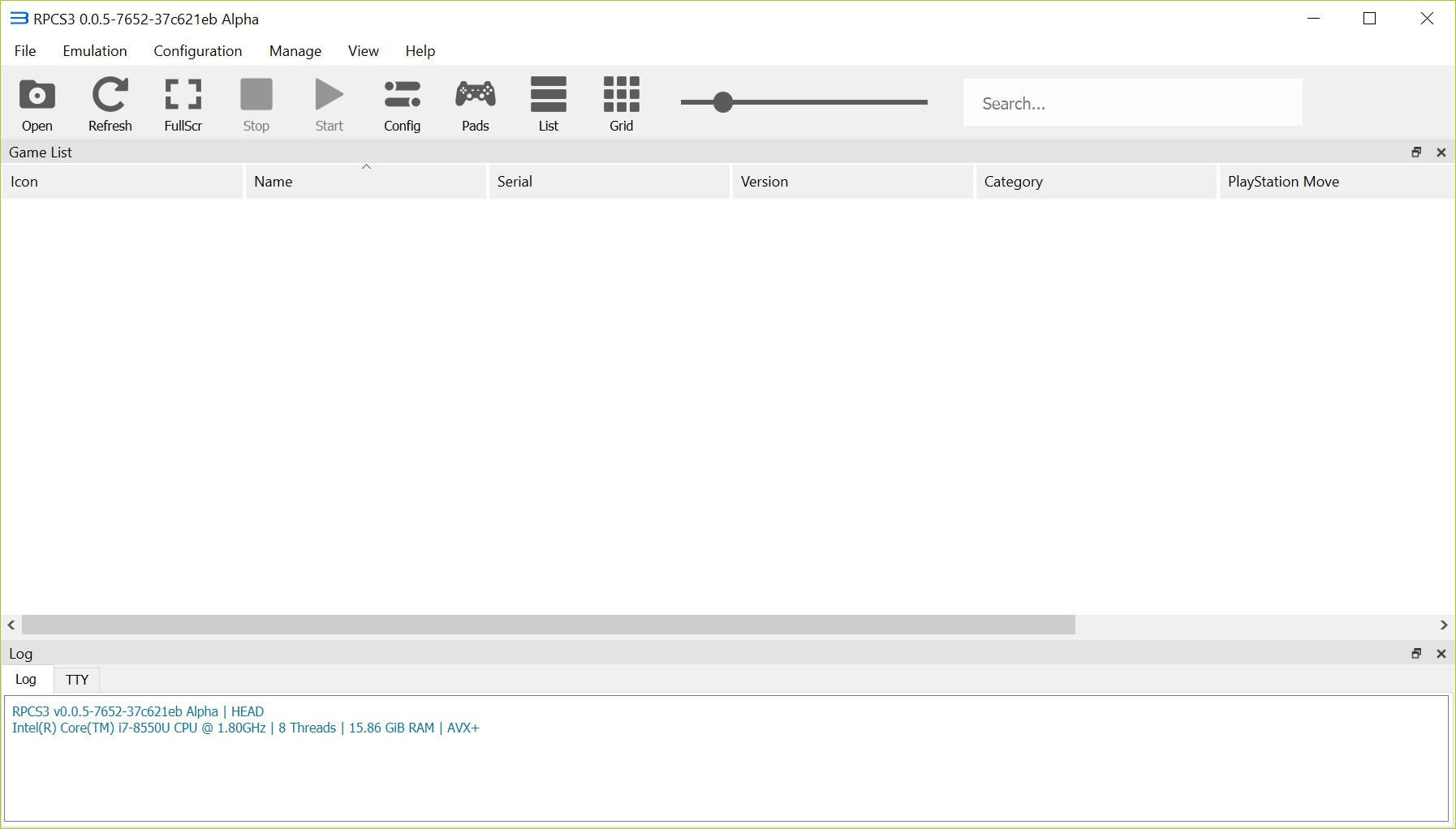
RPCS3 is an open-source emulator that runs PlayStation 3 software on a PC, and it does this against odds that should have killed the project years ago. The PS3 used the Cell Broadband Engine, an unusual processor designed by Sony, Toshiba, and IBM that paired a single PowerPC core with seven specialized SPUs (Synergistic Processing Units). Replicating that architecture in software on a regular x86 CPU is a fundamentally hard problem, and most of what makes RPCS3 interesting is how close it has gotten to solving it.
For users, the practical result is a working PS3 emulator with a compatibility list that now covers a huge slice of the console’s library. Some games run at native PS3 performance or better, with the bonus of higher internal resolution, anisotropic filtering, and 60 FPS patches where the original was locked to 30.
Other games still crash on startup or break in specific scenes. The project is in active development, the compatibility database is public, and what works today is significantly more than what worked even a year ago.
Cell architecture emulation and the SPU recompiler
The heart of the project is how it deals with the Cell processor. RPCS3 includes multiple SPU decoders (an interpreter for accuracy testing, an LLVM-based recompiler for speed, and an ASMJIT-based dynamic recompiler for older configurations), and the LLVM recompiler is where most of the performance comes from on modern hardware. It translates PowerPC and SPU code into native x86 instructions on the fly, then caches the compiled blocks so subsequent runs through the same code path are much faster.
This matters because Cell-heavy games used the SPUs aggressively for tasks the rest of the system couldn’t handle. Skip the SPU work and a game crashes or runs at single-digit framerates. Get it right and the same game runs smoothly. The first-time launch of any title spends a noticeable chunk of time compiling SPU code in the background, which is why your second launch of a game is dramatically faster than your first.
The CPU side of the requirement is therefore unusually high for an emulator. You want at least 6 cores and 12 threads, and the per-core IPC matters more than raw clock speed. A modern Ryzen or recent Intel CPU handles most titles well. Older quad-core chips struggle even with the best settings.
Graphics backends and rendering options
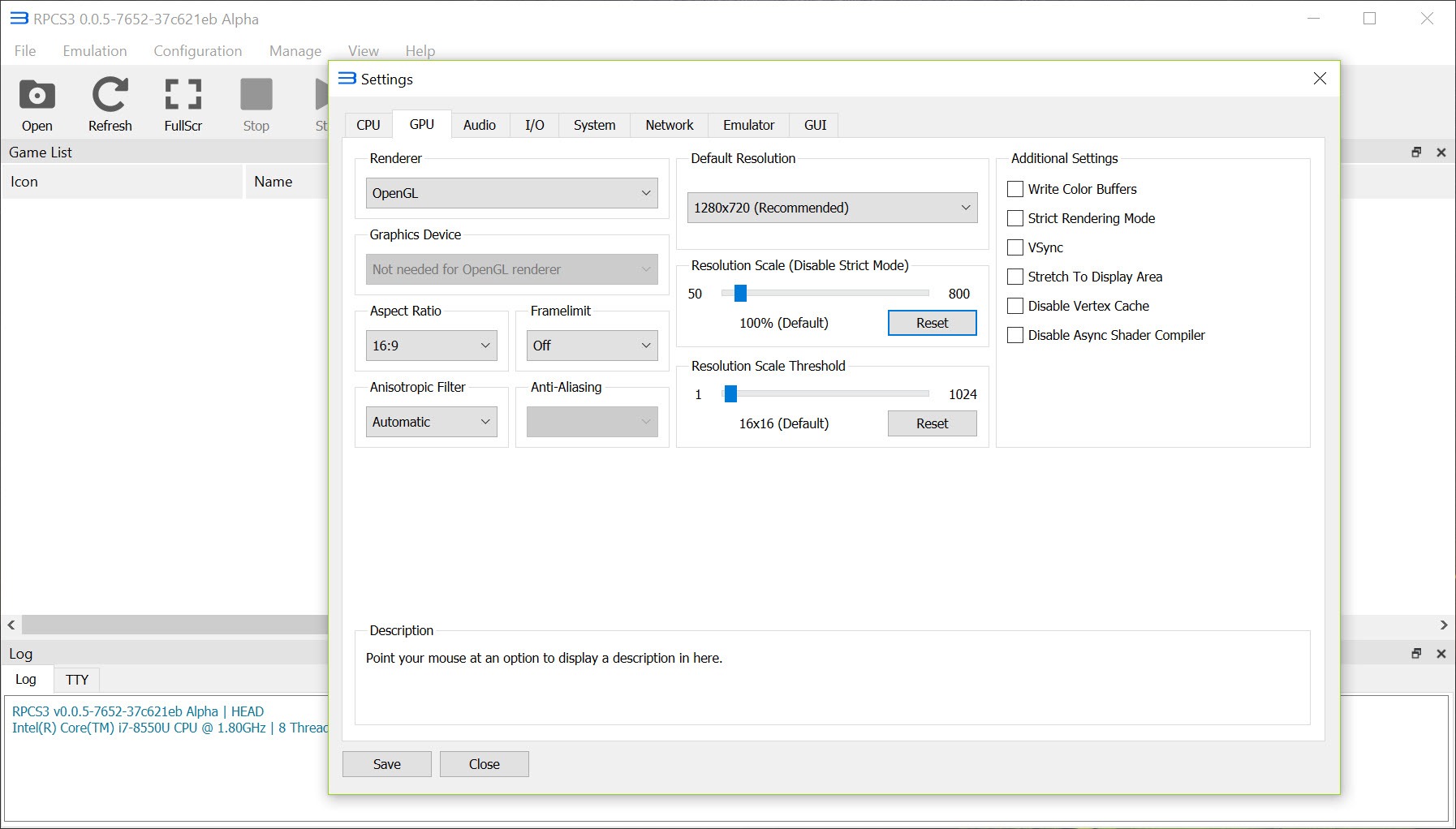
You can choose between Vulkan and OpenGL for the graphics backend. Vulkan is the default and generally the faster option on both Nvidia and AMD GPUs, with better shader caching and lower CPU overhead. OpenGL is the fallback when Vulkan misbehaves on a specific game, which still happens often enough that having both available matters.
The resolution scaler lets you push games well beyond their original 720p target, with most titles handling 1440p comfortably and many supporting 4K on capable GPUs. Anisotropic filtering goes up to 16x. The anti-aliasing options are more limited than what a modern PC game offers, but you can layer external sharpening through driver-level injection.
Disk-cache shader compilation reduces the stuttering that plagued earlier versions, though first-time shader compilation on a new game still produces visible hitches that smooth out as you play.
The graphics tab has more options than most users will touch, but two are worth knowing about. Write Color Buffers fixes lighting and post-processing issues in certain titles at a real performance cost. Strict Rendering Mode trades a small frame rate hit for higher visual accuracy in games with rendering glitches.
Game compatibility and the firmware question
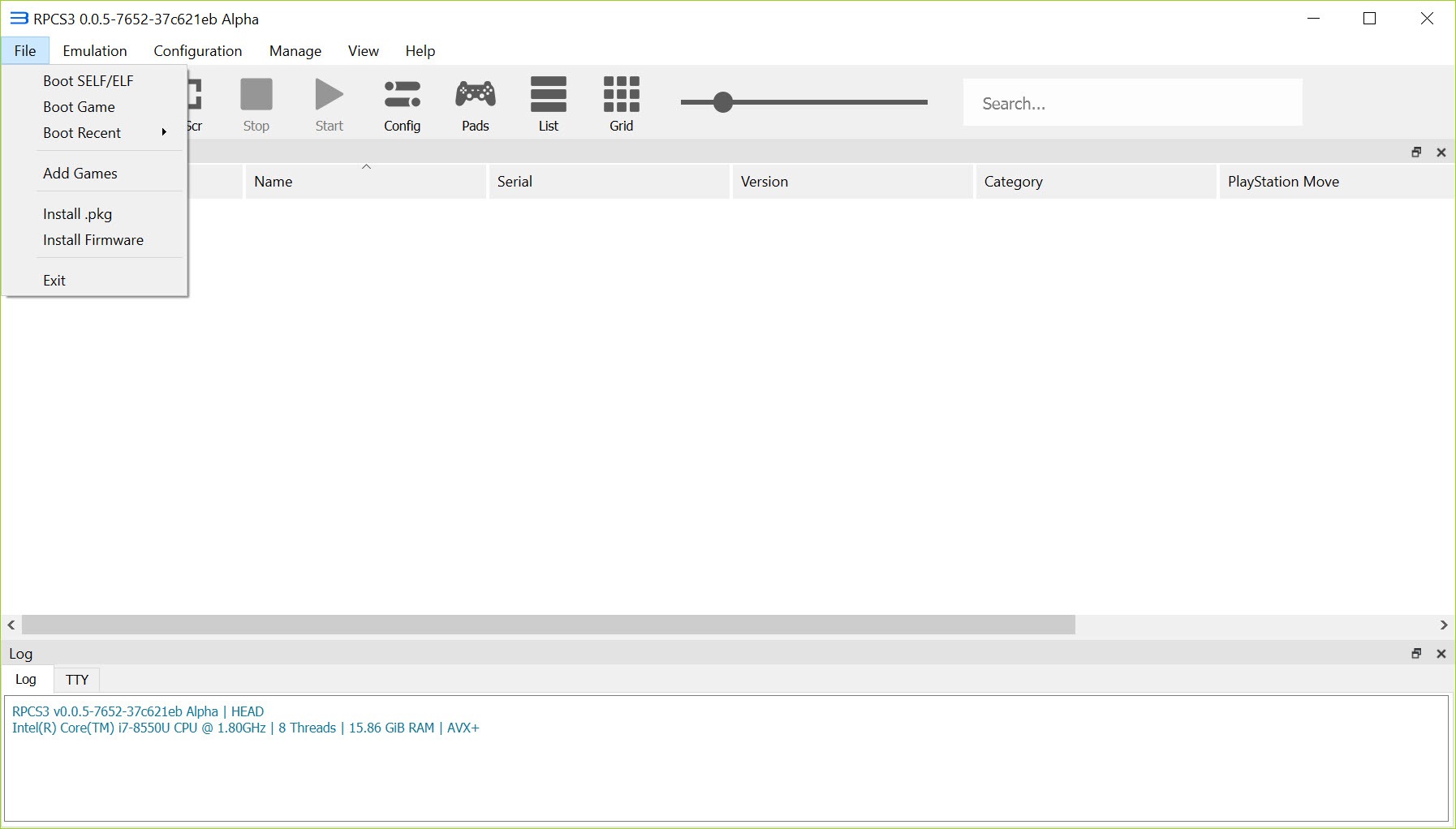
This is where most users hit their first wall. RPCS3 requires a PS3 firmware file to run any commercial software. The firmware is what provides the operating system services and libraries that games expect to find, and without it the emulator only runs simple homebrew. Sony distributes the firmware through their own update channels, and the emulator’s setup wizard handles the installation once you have the file.
Game compatibility is tracked through a public five-tier system: Playable, In-Game, Intro, Loadable, and Nothing. Playable titles run from start to finish without major issues. In-Game means most of the game works but with bugs or performance dips. The lower tiers describe earlier crashes. The compatibility database covers thousands of titles and updates regularly as builds improve.
Some specific games are worth calling out because they show the range. Demon’s Souls, Persona 5, Yakuza series titles, and Ni no Kuni run very well on capable hardware. Metal Gear Solid 4 was a long-standing impossibility that became fully playable after extensive engine-level work.
Red Dead Redemption and the early Uncharted games have improved dramatically but still have rough edges. Some online-dependent titles like Destiny 1 work in offline mode where the PS3 servers no longer respond. For users with a broader retro setup, pairing RPCS3 with PCSX2 for PS2 titles and PPSSPP for PSP games covers most of Sony’s pre-PS4 library.
Save management, patches, and per-game configurations
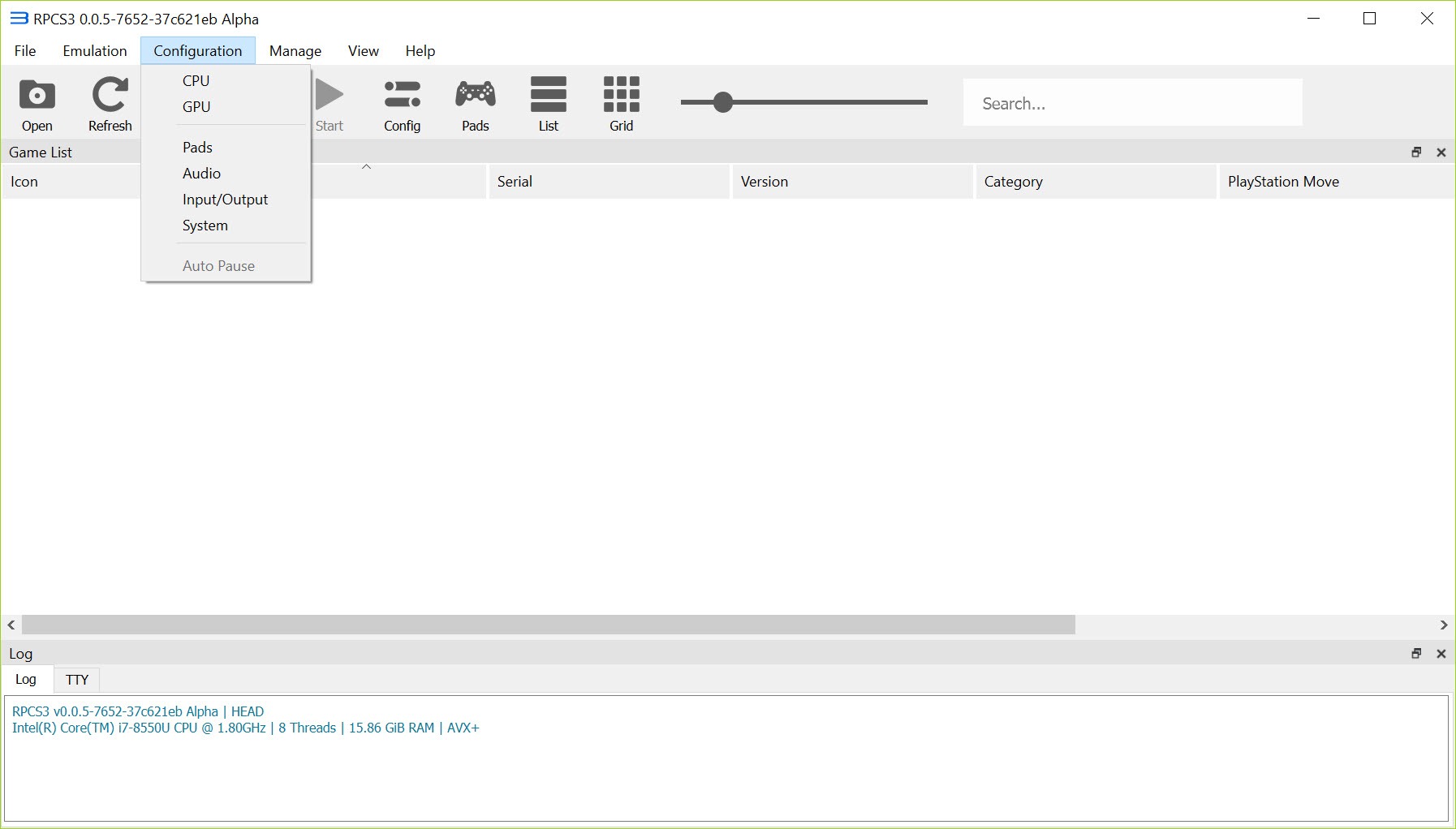
The per-game settings system is one of the application’s quieter strengths. You can right-click any title in the library and configure CPU, GPU, audio, and advanced options independently from the global defaults. This matters because the same setting that fixes one game can break another, and a one-size-fits-all approach to PS3 emulation simply doesn’t work. The community maintains shared configuration recommendations that you can apply manually based on what works for each title.
Save data imports from real PS3 hardware when properly decrypted, and the emulator also writes save files in the same format, so you can move progress back to a physical console if needed. The patch manager lets you apply community-developed fixes, performance tweaks, and 60 FPS unlocks for games that originally ran at 30. The patches are versioned and toggleable per title, which keeps experimentation safe.
Controller support covers DualShock 3, DualShock 4, DualSense, Xbox controllers, and generic XInput devices through several different input handlers. Motion controls work for games that used the SIXAXIS sensors. The configuration is more involved than what you’d expect from a console, but once set up it stays set up.
For pairing a DualShock 4 over Bluetooth or USB, DS4Windows adds extra flexibility.
Conclusion
RPCS3 is the only realistic option for playing PS3 games on a PC, and it has matured into a genuine alternative to original hardware for a large portion of the library. The target audience is clear. Users with modern multi-core CPUs and recent GPUs, players curious about specific PS3 exclusives that never received PC or current-gen ports, and anyone preserving access to titles whose physical media is degrading or whose online servers have shut down.
It’s less suited to users on older hardware that can’t keep up with the Cell architecture’s demands, or to anyone expecting a plug-and-play console replacement. Configuration depth, per-game tweaking, and a willingness to consult the compatibility database are part of the experience.
The payoff is access to a console generation that’s otherwise increasingly difficult to revisit, and that alone justifies the learning curve for most enthusiasts.
Pros & Cons
- LLVM-based SPU recompiler handles the Cell architecture well enough to run a large chunk of the PS3 library
- Vulkan and OpenGL backends with resolution scaling up to 4K, anisotropic filtering, and shader caching
- Per-game configuration system isolates fixes and tweaks without affecting other titles
- Active development with frequent compatibility improvements and a public five-tier compatibility database
- Save data interoperability with real PS3 hardware works in both directions
- Patch manager supports community 60 FPS unlocks, bug fixes, and performance tweaks per game
- CPU requirements are high. Older quad-core processors struggle even with optimal settings
- First-time shader compilation produces visible hitches that take several play sessions to smooth out
- Requires PS3 firmware which must be obtained separately
- Some major titles still have unresolved rendering or audio issues despite progress
- Configuration depth can overwhelm new users who expect a one-click setup
- Online multiplayer features that depended on the PS3 Network are mostly nonfunctional
Frequently asked questions
It's an open-source emulator that runs PlayStation 3 software on a PC. It translates the PS3's Cell processor code into instructions a regular x86 CPU can execute, with separate graphics and audio backends to handle rendering and sound.
The application benefits heavily from a modern CPU with at least 6 cores and 12 threads, 8 GB of RAM minimum, and a GPU with Vulkan support. Older quad-core chips can run lighter titles but struggle with anything Cell-intensive.
Yes. The emulator requires a PS3 firmware file to run any commercial game. Without it, only basic homebrew titles function. The setup wizard handles installation once you have the firmware file.
The compatibility list covers thousands of titles. Demon's Souls, Persona 5, the Yakuza series, Ni no Kuni, Metal Gear Solid 4, and many others reach the Playable tier. Compatibility for individual titles is tracked in a public database that updates as builds improve.
Yes. The internal resolution scaler supports 1440p and 4K output for most titles, with anisotropic filtering and other graphics enhancements available on top.
Yes. DualShock 3, DualShock 4, DualSense, Xbox controllers, and generic XInput devices are all supported through several input handlers. Motion controls work for games that used SIXAXIS.
Shader and SPU code compilation happens on first encounter and gets cached for later. Subsequent play sessions are much smoother. The Write Color Buffers and Strict Rendering Mode options can affect both performance and visual accuracy depending on the title.


