

QQ International
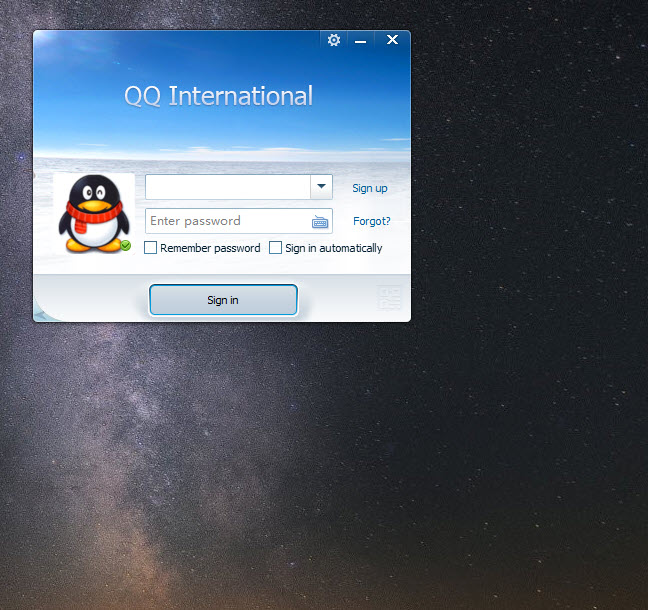
About QQ International
Almost nobody chooses a messenger on features. You install whatever the people you talk to are already using, which is why the market settled into a handful of applications and why a newcomer with better ideas gets nowhere. QQ International exists for the one situation that breaks that rule, which is having contacts on a network your usual messenger cannot reach.
That network is enormous, and the international client is the door into it for anybody who does not read Chinese. The interface comes in six languages, and the feature that defines the whole product translates conversations in real time across around fifty of them.
Translation is the reason it exists
QQ International runs the translation inside the chat window rather than requiring anything to be copied elsewhere. You type in your language, your correspondent reads theirs, and the reverse happens on the way back.
It is machine translation and behaves accordingly, handling ordinary conversation well and struggling with idiom, humour, anything technical. For arranging a meeting, discussing an order or keeping in touch with somebody you met travelling, that is entirely sufficient. For negotiating a contract it is not, and the failures are the confident kind that read fluently while meaning something else.
Supporting tools sit alongside it, including dictionaries and handwriting translation for characters you cannot type, which is a thoughtful inclusion for anybody learning the language rather than avoiding it.
The messaging underneath
Beneath the translation, QQ International is a complete messenger. Text, voice, video calling, screen sharing and file transfer that handles large files and completes offline, so material sent to somebody who is away arrives when they return.
Transfers between a computer and a phone on the same account are handled directly, which makes it a convenient route for moving files between your own devices.
Group chat scales further than most people need, with capacities running from hundreds into the low thousands depending on group type, and a classification panel to keep a long list of groups organised. Discord covers similar ground for community-scale conversation with a more familiar interface, if the size rather than the network is what attracts you.
The additions around it
An add-on system extends QQ International with language tools, small games and file utilities, which is an arrangement most messengers abandoned and this one retains.
Cloud storage attached to the account, a social space for photographs and posts, and stickers and themes for personalising the interface round it out. The result is closer to a small platform than to a chat program, which is either appealing or exactly the sort of accumulation you were trying to avoid.
The interface shows its lineage. It is dense, colourful, organised differently from what most people are used to, and the adjustment takes a few days rather than an hour.
The thing to understand before installing
Here is what a review owes you, stated plainly and without drama.
Conversations here are not end-to-end encrypted. The operator can read message content, and the service operates under whatever legal obligations apply where it is based, which include cooperating with requests for user information. That is a factual description of how the system works rather than an accusation about anything.
The practical consequence is straightforward. Treat it as you would treat a postcard rather than a sealed letter. For arranging to meet somebody, discussing a purchase or keeping a conversation going with a friend abroad, that is fine and matches what most people use messengers for anyway. For anything you would not want read by a third party, use something built around encryption instead.
QQ International is transparent enough about being a social platform rather than a privacy tool, and the mistake would be assuming otherwise because every other messenger now advertises encryption.
Running it alongside everything else
Nobody uses QQ International as their only messenger. It exists in addition to whatever else you run, for the specific contacts who are reachable here and nowhere else.
That produces the familiar problem of four chat applications competing for taskbar space and attention. Franz gathers many services into one window with a sidebar, which is the tidiest answer to the situation this creates.
For everything else, meaning voice and video with people on the mainstream networks, Skype and its peers remain what you already have and what your contacts already use.
Conclusion
QQ International is a capable messenger whose value depends almost entirely on one question, which is whether the people you need to reach are on that network. If they are, the translation makes conversation possible across a language barrier that would otherwise stop it, and the file transfer and calling are perfectly good.
If they are not, there is no reason to install it, because every function it offers exists in something you already have. And whichever applies, be clear that conversations are readable by the operator rather than protected end to end, which is a fact about the design rather than a scandal, and which decides what sort of conversation belongs here.
Pros & Cons
- Real-time translation inside the chat window across around fifty languages
- Interface available in six languages rather than only the original
- Access to an enormous network unreachable from mainstream messengers
- Complete messaging suite with voice, video, screen sharing and file transfer
- Offline file transfer completes when the recipient returns
- Large group chats with organisation tools for managing many of them
- Dictionaries and handwriting translation help anybody learning the language
- Conversations are not end-to-end encrypted and the operator can read them
- Machine translation fails confidently on idiom, humour and technical material
- The interface is dense and organised unlike anything most people are used to
- Accumulated extras make it a platform rather than a focused messenger
- Pointless unless you have contacts who are specifically on this network
- Installers have historically carried optional additional software
Frequently asked questions
The interface is available in six languages rather than only the original, and translation tools are built into the chat. The underlying network and account system are the same, so contacts on either version can reach each other.
Adequate for ordinary conversation and unreliable for anything precise. It handles arranging plans and everyday exchange well, and idiom, humour, technical vocabulary produce confident translations that are wrong in ways neither party notices.
No. Message content is readable by the operator, and the service is subject to the legal obligations of wherever it operates. Use something built around encryption for anything you would not want a third party to read.
Yes, including transfers that complete after the recipient comes back online, and direct transfers between a computer and a phone signed into the same account, which makes it useful for moving your own files around.
Very little. Everything it does apart from the network access is available elsewhere in a more familiar form, so the contacts are the entire argument for installing it.


