

QMPlay2
About QMPlay2
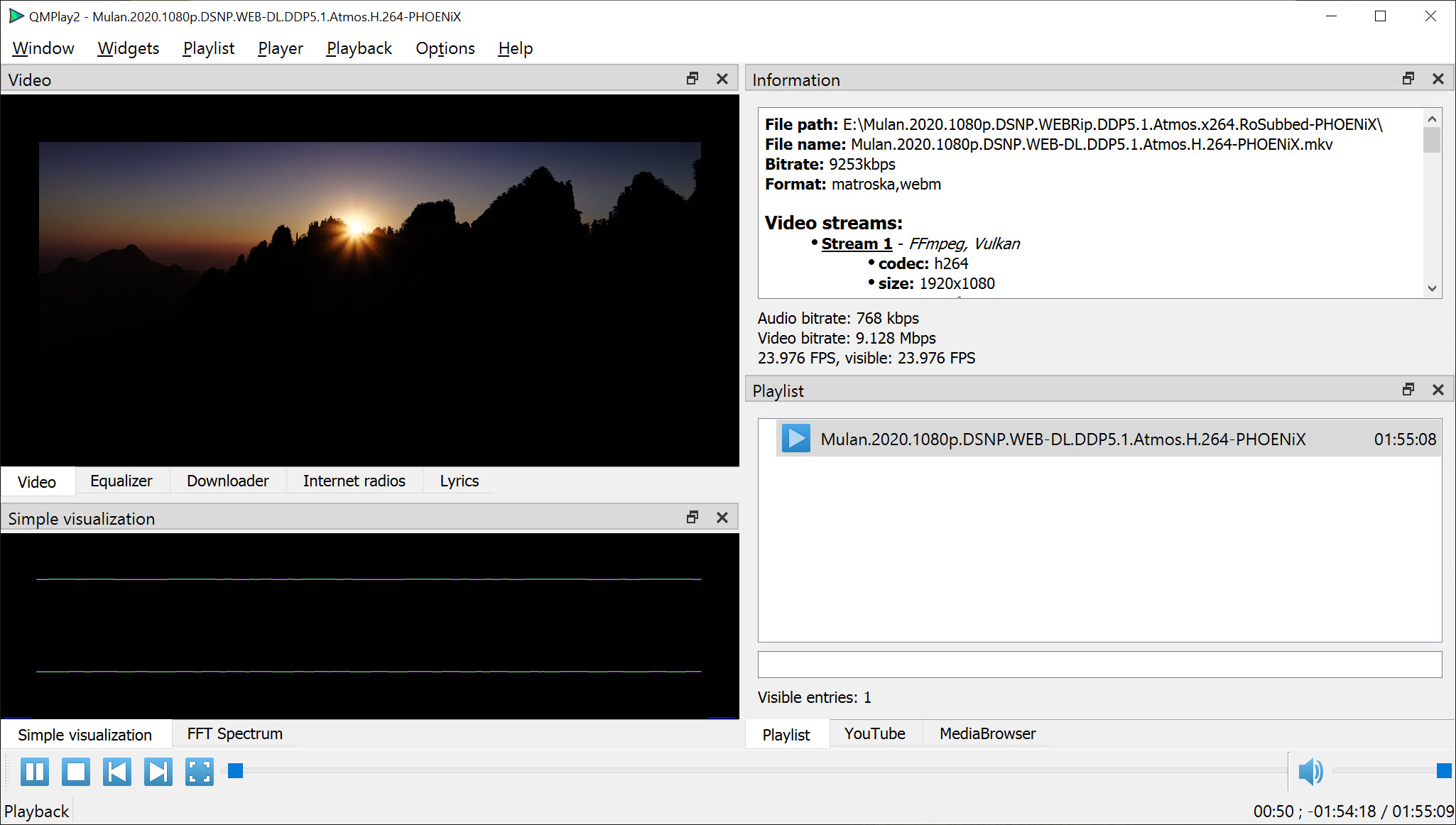
QMPlay2 is an open-source video and audio player that plays almost anything thanks to an FFmpeg engine, and adds a set of online tools on top. A built-in YouTube browser, internet radio, a lyrics panel and a download manager live in tabs next to the video, so streaming and local playback happen in one window instead of three programs.
The default layout splits the window into panels. Video and the online tabs share the top left, file information sits on the right above the playlist, and audio visualisations fill the bottom left. Every panel can be moved, resized or hidden, which lets the same program look like a minimal video player or a full music workstation.
FFmpeg underneath, so format worries disappear
Playback runs on FFmpeg, the same decoding library behind many professional tools. That means MKV, MP4, AVI, WebM and transport streams play without codec packs, alongside FLAC, Opus, AAC, MP3 and lossless audio of every common kind.
Network streams open by pasting their address, and playlists in the usual formats load straight into the playlist panel. Files with several audio tracks or embedded subtitle streams, such as a film with two dubs, let you switch between them during playback without reopening anything.
A pleasant extra for retro fans is chiptune support. QMPlay2 plays music ripped from old consoles and home computers, including SID files from the Commodore 64 and game music formats from classic consoles, which normally need a dedicated plugin.
Audio CDs play directly from the drive as well.
Hardware decoding and the Vulkan renderer
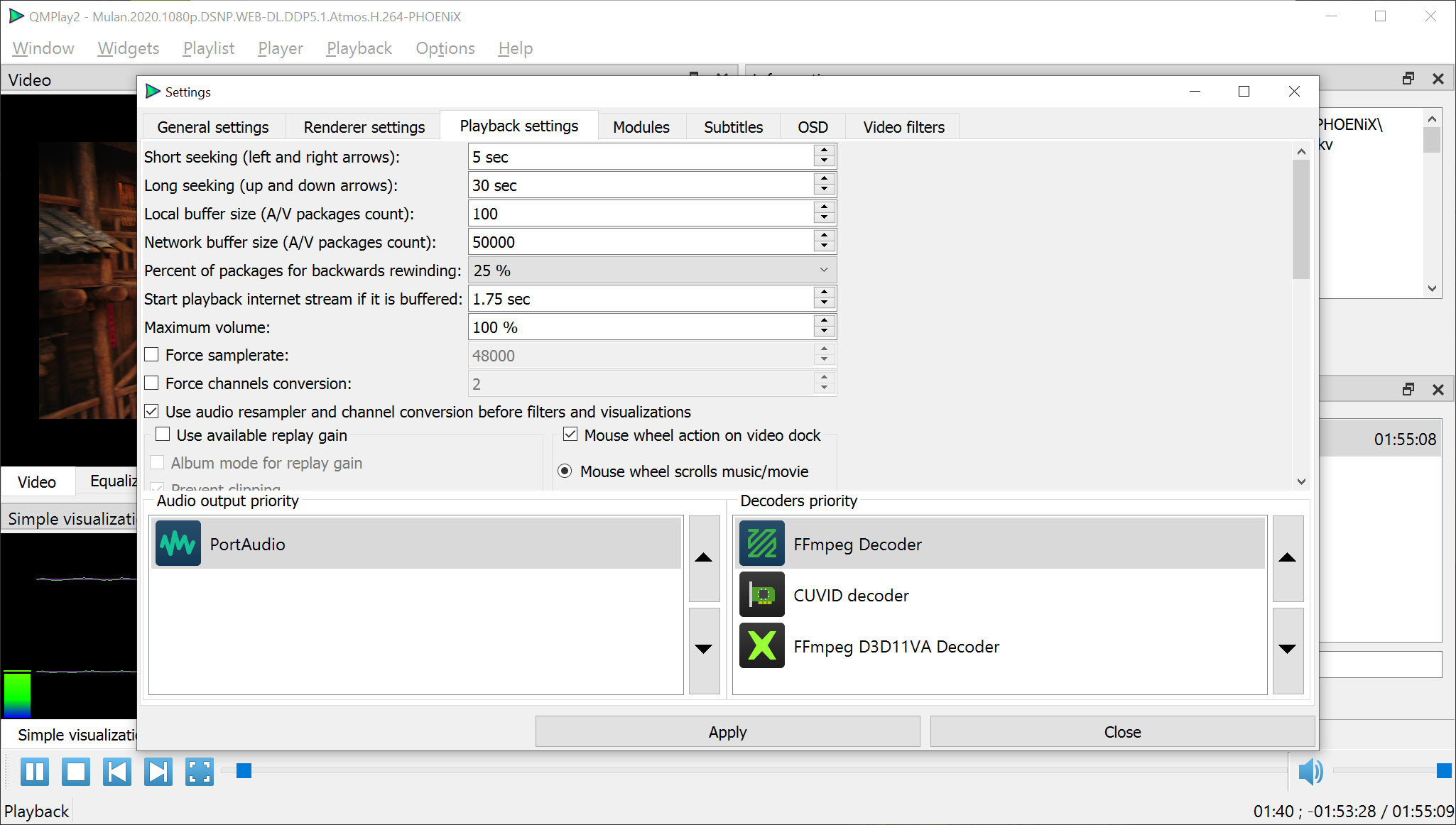
Hardware acceleration is off by default, which surprises people whose 4K video stutters on a modest laptop. Turn it on in the playback settings by moving a hardware decoder, such as D3D11VA, DXVA2 or NVIDIA’s CUVID, to the top of the decoder list. On low-power hardware this is often the difference between smooth 4K and watchable 720p.
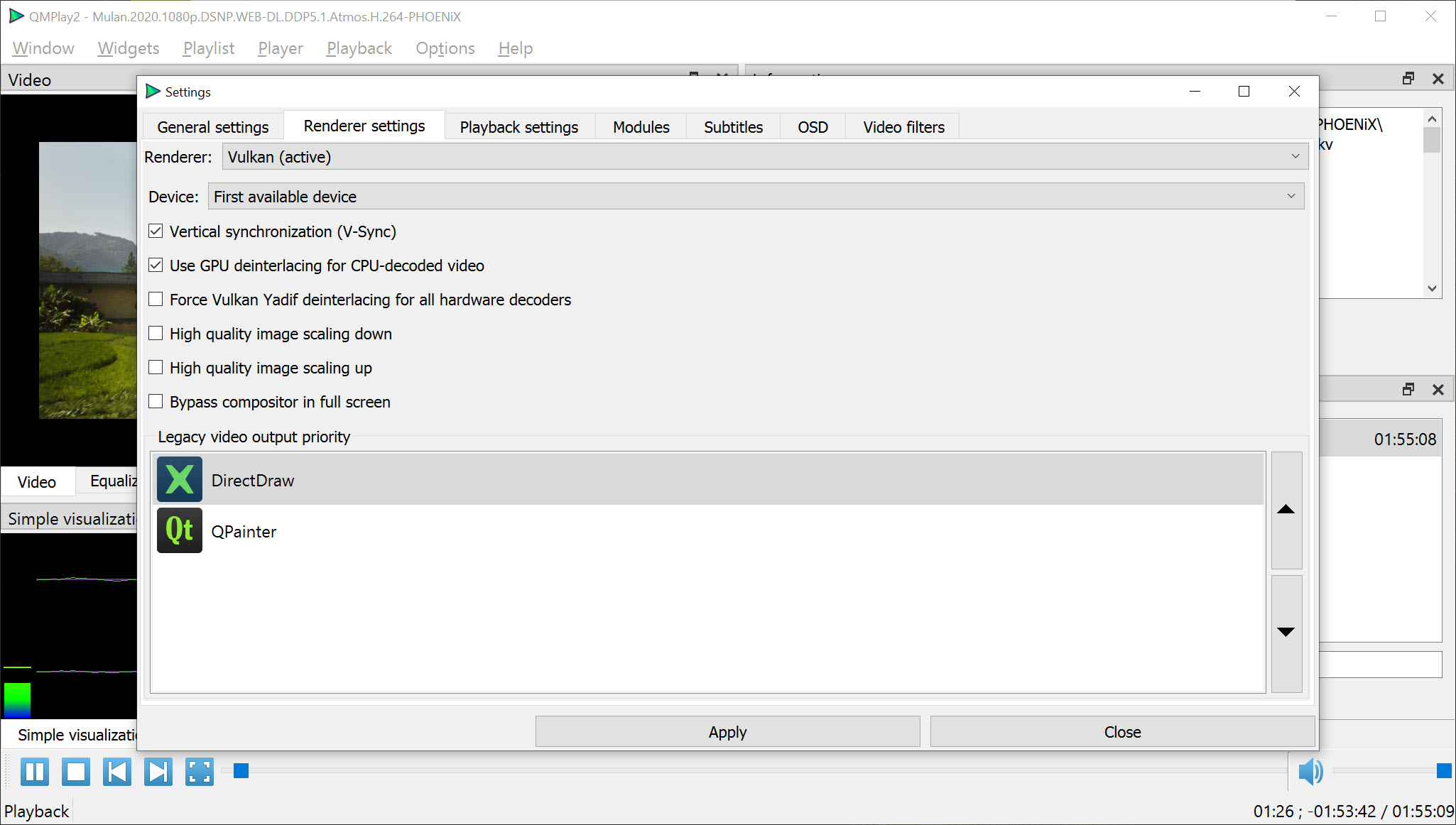
The Vulkan video output is where the program shows its modern side. D3D11VA and the Vulkan Video decoder feed it directly, so filters and deinterlacing run on the graphics card. There is one trade-off. When a hardware decoder uses the Vulkan output, CPU-based video filters stop working, and DXVA2 does not work with Vulkan at all.
Check the card’s capabilities with GPU-Z if you are not sure which decoder it supports.
YouTube and online content
The YouTube browser searches, lists results with thumbnails and plays videos at the quality you choose. If that quality is missing, it falls back to the next one on your preference list. Playback depends on the external yt-dlp tool, which the program downloads automatically the first time, and which can be removed again from the settings.
That dependency explains most problems. If videos refuse to start, check that an antivirus or firewall is not blocking yt-dlp from running. Spherical 360-degree videos are supported as well, toggled with Ctrl+3, so you can drag the view around a panoramic clip.
Videos can also be saved through the download tab, which shows progress for each item and keeps finished files listed until you clear them.
Equaliser and visualisations for music
On the audio side, QMPlay2 brings a graphic equaliser with presets, two visualisation modes that react to the music, and a lyrics tab that looks up words for the current track. Audio delay can be adjusted when sound and picture drift apart, and the output device and its latency are configurable for people with external audio interfaces.
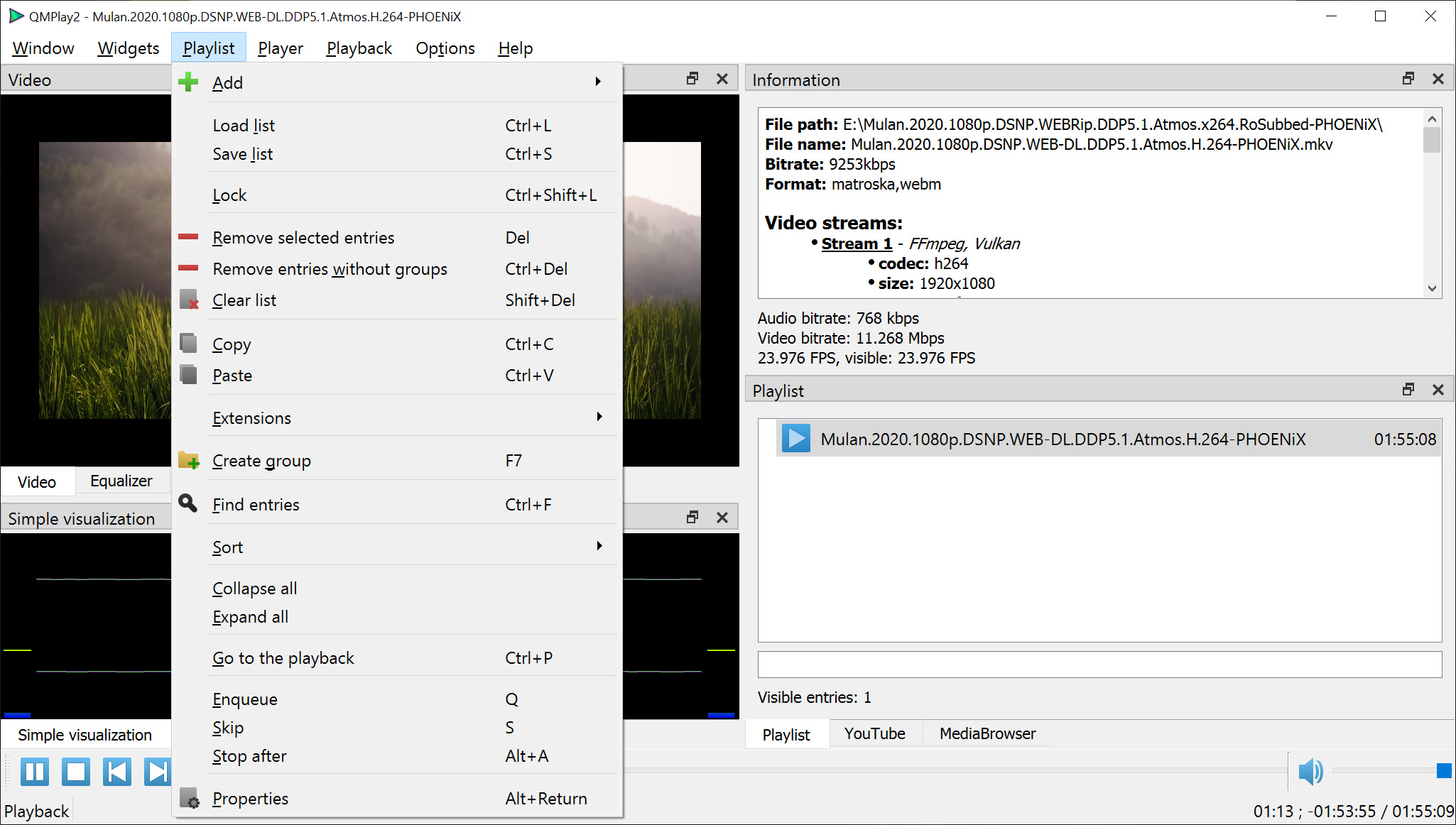
For music libraries, the playlist panel handles large collections with grouping and search, but it is not a tagging tool or a library manager. Anyone building a carefully tagged archive will still prefer foobar2000, and use this player for video and casual listening.
Internet radio and keyboard control
The radio tab turns QMPlay2 into a station tuner. It searches an online directory of internet radio stations by name, genre or country, plays them with one click, and keeps the ones you like in a favourites list. Paste a stream address from any station’s website and it plays just as well.
Everyday control does not require the window to be in front. Multimedia keys on the keyboard pause, skip and change volume while you work in another program, and the player can sit in the system tray during long listening sessions.
Settings that reward a little exploration
The settings dialogs are deep without being cryptic. Subtitles get their own section for fonts and encoding, decoders can be prioritised individually, and video filters cover deinterlacing and sharpening. Command-line options open files and control playback from scripts, and some hidden features are set by hand in the configuration file.
The flip side is a learning curve. Defaults are conservative, the panel layout looks busy at first, and features like hardware decoding need deliberate setup. Users who want a player that works perfectly in the first minute may be happier with VLC Media Player.
Those willing to spend ten minutes in the settings get a faster, more capable result.
Conclusion
QMPlay2 suits viewers who want one player for local files and online video, especially on modest hardware where its hardware decoding and Vulkan output make a visible difference. Retro music fans gain chiptune support most players lack.
It asks for a few minutes of setup to reach its best, and the YouTube side relies on an external helper. Once configured, it is one of the most versatile open-source players available.
Pros & Cons
- FFmpeg engine plays nearly every video and audio format
- Hardware decoding and a Vulkan renderer handle 4K on modest PCs
- Built-in YouTube browser with quality fallback and 360-degree playback
- Equaliser and visualisations for music, plus a lyrics panel
- Chiptune and audio CD playback without extra plugins
- Fully rearrangeable panel layout
- Hardware acceleration is disabled by default and needs manual setup
- CPU filters stop working with Vulkan-based hardware decoding
- YouTube playback depends on yt-dlp, which security tools sometimes block
Frequently asked questions
Open the playback settings and move a hardware decoder, for example D3D11VA or CUVID, to the top of the decoder list. It is disabled by default.
YouTube playback needs the yt-dlp helper, which the player downloads automatically. If videos still fail, make sure your antivirus or firewall allows it to run.
Yes. Press Ctrl+3 to switch to spherical view, then drag to look around. It works with the OpenGL and Vulkan video outputs.
Yes. It handles SID files and classic console game music formats directly, without separate plugins.


