

PrivaZer
About PrivaZer
Privacy on a personal computer is a strange thing. Most users assume that emptying the recycle bin, clearing browser history, and uninstalling old programs leaves their system reasonably clean, but the reality is that traces of activity remain scattered across dozens of locations that nobody normally thinks about.
Temporary files, jump lists, thumbnail caches, prefetch data, MFT records, USB connection histories, and various other data stores quietly preserve information about what you’ve done on your computer long after you’ve forgotten about it. PrivaZer is one of the more thorough tools built specifically to clean up this hidden trail.
Developed by Goversoft, this software has built a reputation as a serious privacy and cleanup utility that goes deeper than typical alternatives like CCleaner. The feature set targets exactly the kinds of traces that less technical cleanup tools miss, scrubbing the system to a level that genuinely reduces the digital fingerprint left behind by daily computer use.
Cleanup that goes beyond the obvious targets
The defining strength of PrivaZer is the depth of its cleanup. Where most cleanup tools focus on browser caches, recent file lists, and temporary folders, this software also targets locations like the Windows pagefile, hibernation file, prefetch folder, jump lists, thumbnail caches, USB connection logs, network activity records, and the Master File Table itself.
Each of these locations potentially contains traces of past activity that survive normal cleanup operations. The pagefile, for instance, can hold remnants of memory contents from any application that has run on the system, including documents, browser sessions, or sensitive data.
The MFT keeps records of every file that has ever existed on a drive, even after deletion. Thumbnail caches preserve previews of images you’ve viewed, including ones long since removed.
For users with genuine privacy concerns, this thoroughness matters. It’s the difference between cleaning up the obvious traces and actually scrubbing the system to a state closer to genuinely clean.
Smart scanning before cleanup
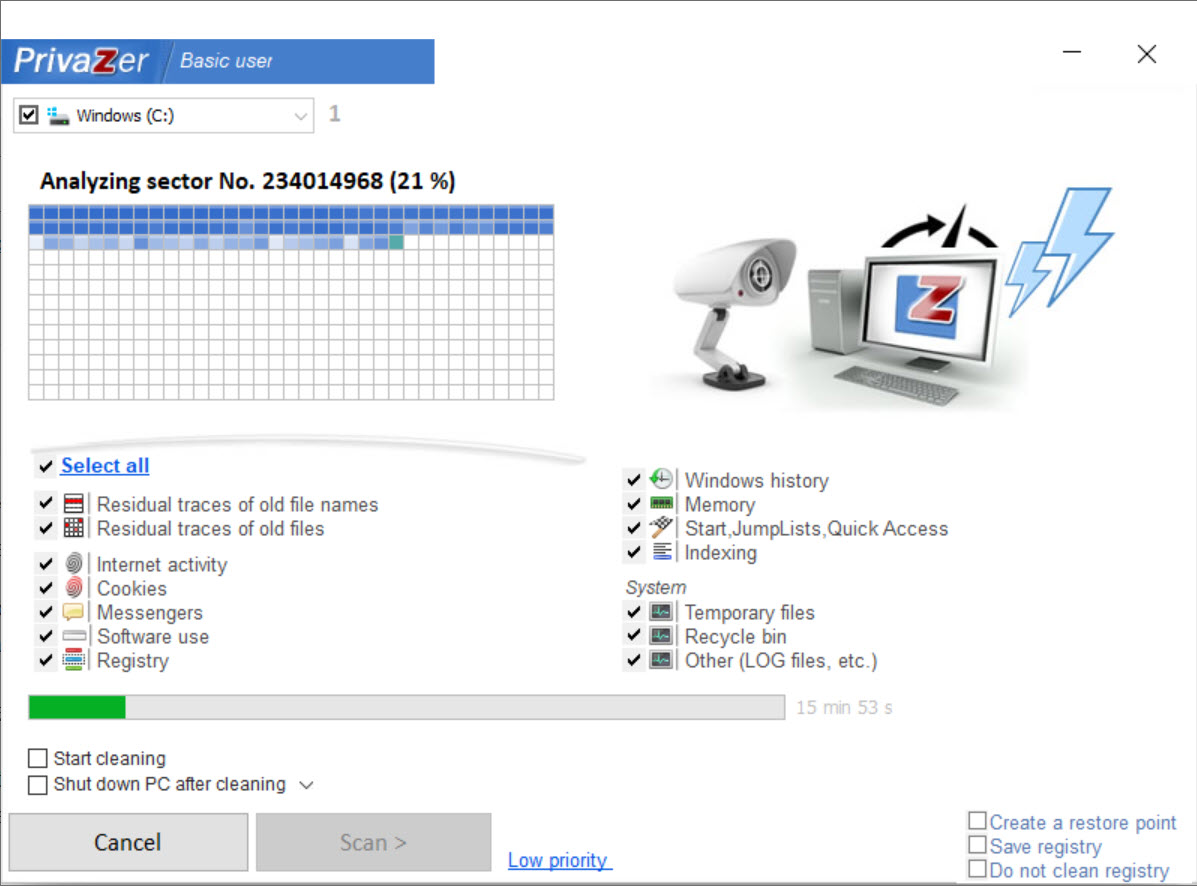
Rather than blindly deleting everything that might be cleanable, this software performs a smart scan first that identifies what can be cleaned and how much space each cleanup category will recover. The results are presented clearly, letting you decide which categories to target rather than running every cleanup option indiscriminately.
This pre-scan approach also helps users understand what kinds of traces actually exist on their system. Seeing that the pagefile has accumulated several gigabytes of data, or that Windows has logged thousands of recent file accesses, often reveals more about the system than users realized was being tracked in the first place.
After the scan completes, you select the categories you want to clean and proceed with the cleanup, which can include both standard deletion and secure overwriting depending on your privacy needs.
Secure deletion with multiple algorithms
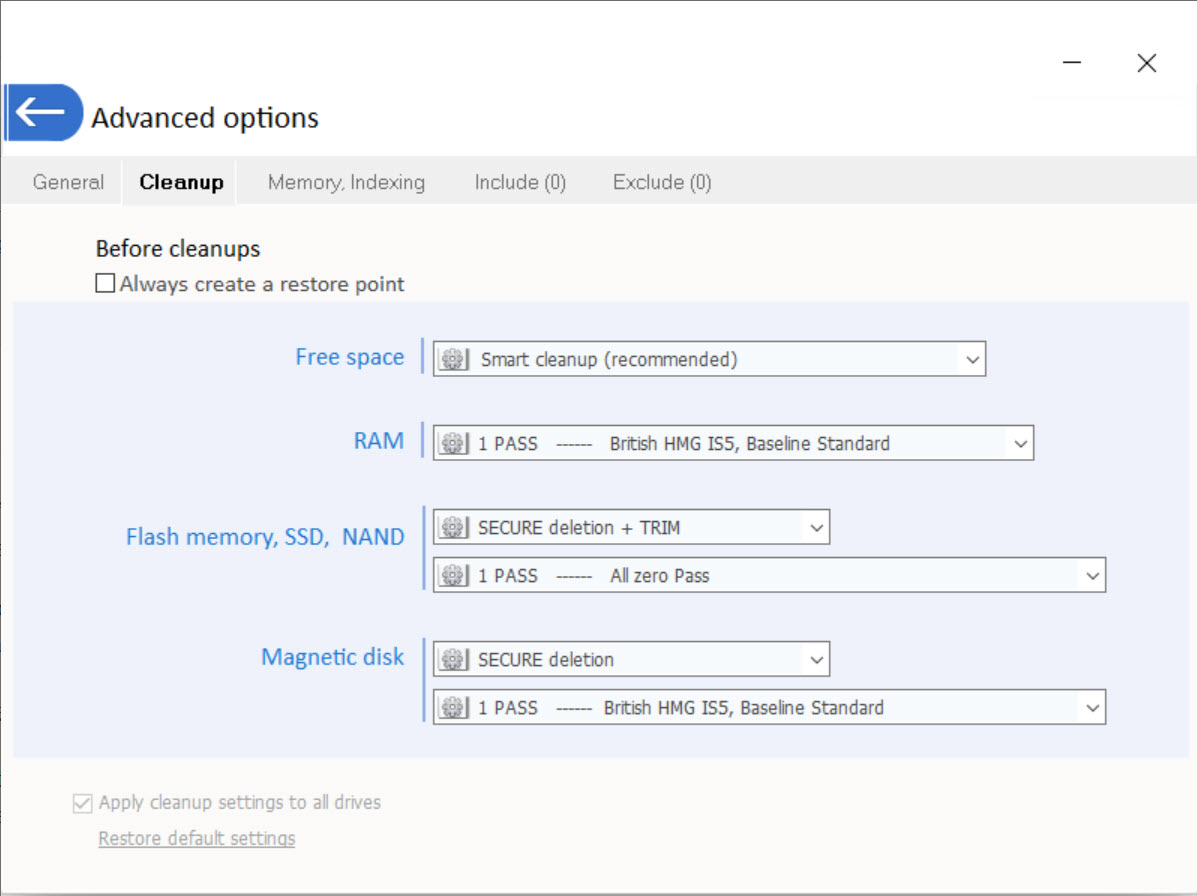
For users who want their cleanup to actually prevent recovery, the application supports secure deletion using various overwrite algorithms. Standard deletion just marks files as deleted in the file system, leaving the actual data on the disk until something else writes over it. Secure deletion overwrites the data with random patterns multiple times, making recovery effectively impossible.
The available algorithms range from quick single-pass overwrites to elaborate multi-pass methods like the Gutmann standard with 35 passes. For most users, simpler algorithms are sufficient since modern drives don’t actually require multiple passes for thorough overwriting, but having the options available accommodates everyone from casual users to those with serious privacy requirements.
This secure deletion applies not just to deleted files but also to free space on the drive, where remnants of previously deleted files often persist until overwritten by new data.
Cleanup of registry entries
Beyond file system cleanup, this tool also targets registry traces of past activity. Recent file lists in various applications, MRU (most recently used) lists, the recent documents history, command-line history, and various other registry locations all preserve traces that survive normal cleanup operations.
The registry cleanup is targeted rather than aggressive, focusing on entries that genuinely represent privacy concerns rather than trying to optimize the registry generally. For users who want a privacy-focused tool rather than a general system cleaner, this approach is exactly the right balance.
Free space cleaning to prevent recovery
A particularly thorough feature is the ability to clean up the free space on a drive, overwriting any remnants of previously deleted files that haven’t yet been overwritten by new data. This addresses the privacy gap that exists between when files are deleted and when their data is naturally overwritten through normal computer use.
For users selling, donating, or otherwise transferring computers to others, this free space cleaning provides genuine assurance that personal data isn’t recoverable from the drive. It’s the kind of feature that matters specifically when you’re handing your computer to someone else, where the assumption that “I deleted my files” isn’t actually sufficient to protect privacy.
Browser and application traces
The application includes targeted cleanup for traces left by specific browsers and applications, with support for the major browsers along with various commonly used software. Browser cookies, autofill data, search history, download lists, and various other browser-specific traces are all addressed.
Beyond browsers, the cleanup extends to chat applications, media players, document editors, and various other categories where applications maintain their own activity histories. For users who work across many applications, this consolidated cleanup approach saves the trouble of manually purging history in each one separately.
Scheduled cleanup for routine privacy maintenance
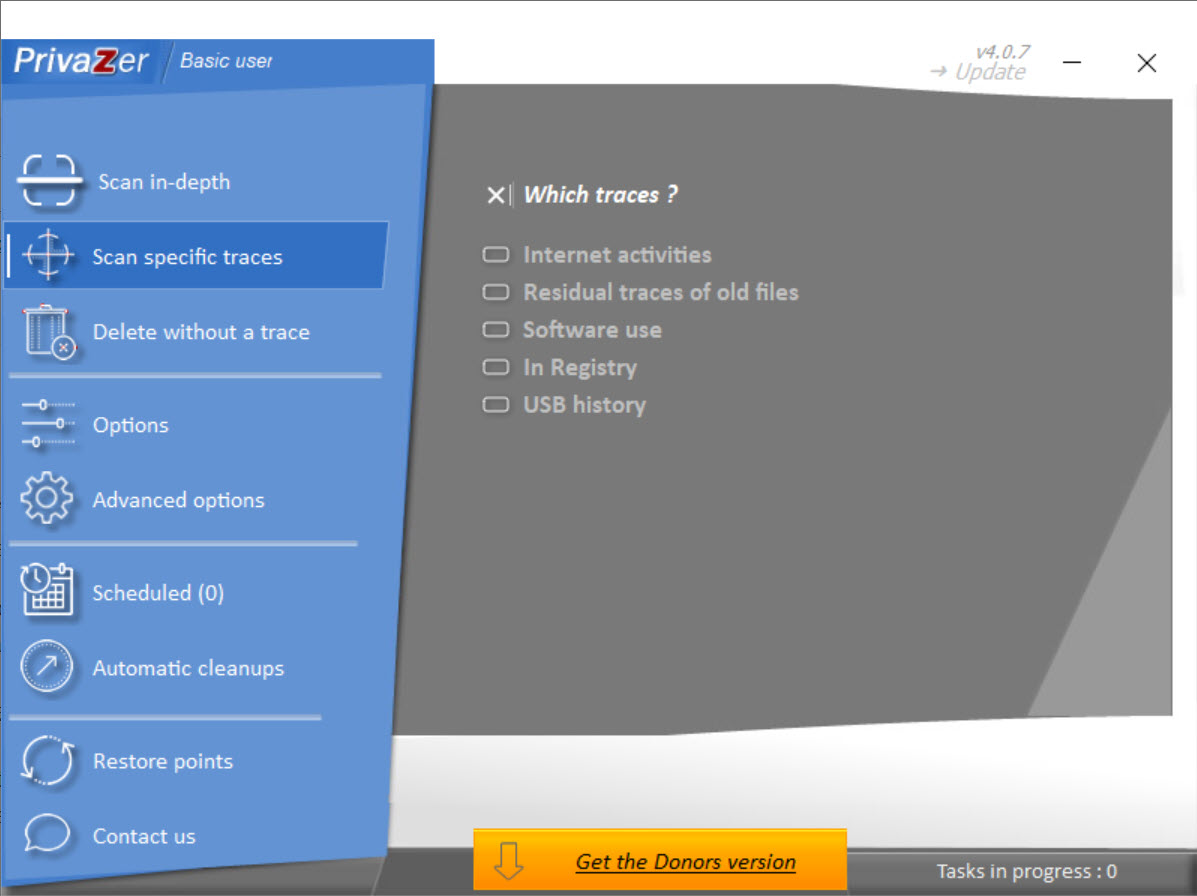
For users who want privacy cleanup to happen automatically, this software supports scheduled cleanup operations that run at defined intervals. Daily, weekly, or monthly schedules can apply specific cleanup profiles automatically, ensuring that traces are cleaned up regularly without requiring manual attention.
The scheduling supports different profiles for different purposes, so you might run a quick browser-focused cleanup daily and a more thorough deep cleanup weekly. For privacy-conscious users who don’t want to remember to run cleanup manually, this automation removes the friction that often leads to privacy hygiene falling by the wayside.
Conclusion
PrivaZer delivers genuine privacy cleanup that goes well beyond what casual alternatives offer, addressing the surprising number of locations where Windows and applications quietly preserve traces of user activity.
For users who care about privacy as more than just a checkbox, the depth of cleanup makes a real difference in how thoroughly the system can be scrubbed.
It’s not the right tool for users who just want a fast browser cache clear, since dedicated lightweight cleaners cover that need with less complexity. But for users who actually want to address the full picture of digital traces left by daily computer use, PrivaZer offers serious capability that justifies the slightly steeper learning curve and the time it takes to perform thorough cleanups.
Pros & Cons
- Cleanup goes far deeper than typical alternatives, targeting traces most tools miss
- Smart scanning identifies what can be cleaned without indiscriminate deletion
- Secure deletion prevents recovery using various overwrite algorithms
- Free space cleaning addresses remnants of previously deleted files
- Registry cleanup targets privacy-relevant traces specifically
- Support for browsers and many applications consolidates cleanup in one place
- Scheduled cleanup automates routine privacy maintenance
- Free version covers most functionality without limitations for personal use
- Interface design feels dense compared to more polished alternatives
- Some advanced features assume technical understanding of privacy concepts
- Aggressive cleanup occasionally removes data users wanted to keep
- Free space cleaning on large drives can take significant time to complete
- Documentation could be more thorough for newcomers learning the deeper features
Frequently asked questions
This software targets deeper system traces including the Windows pagefile, hibernation file, MFT records, thumbnail caches, USB connection histories, network activity logs, and various other locations that simpler cleanup tools don't touch. For users with genuine privacy concerns rather than just basic cleanup needs, this thoroughness makes a real difference.
For solid-state drives, secure deletion is less straightforward than on traditional hard drives because of how SSDs manage data internally. For traditional hard drives, secure deletion through overwriting is genuinely effective at preventing recovery. The tool offers both options, letting you choose based on your hardware and privacy needs.
The main purpose is privacy rather than performance, although removing accumulated junk does provide some performance benefit. Users specifically looking to speed up their computer should combine this software with dedicated optimization tools, since performance improvement isn't the primary design goal.
Free space cleaning time depends heavily on drive size and the chosen overwrite algorithm. A simple single-pass overwrite of a large drive can take hours, while multi-pass methods like Gutmann take dramatically longer. For most users, single-pass is sufficient, and running it overnight or during periods when the computer isn't needed is the practical approach.
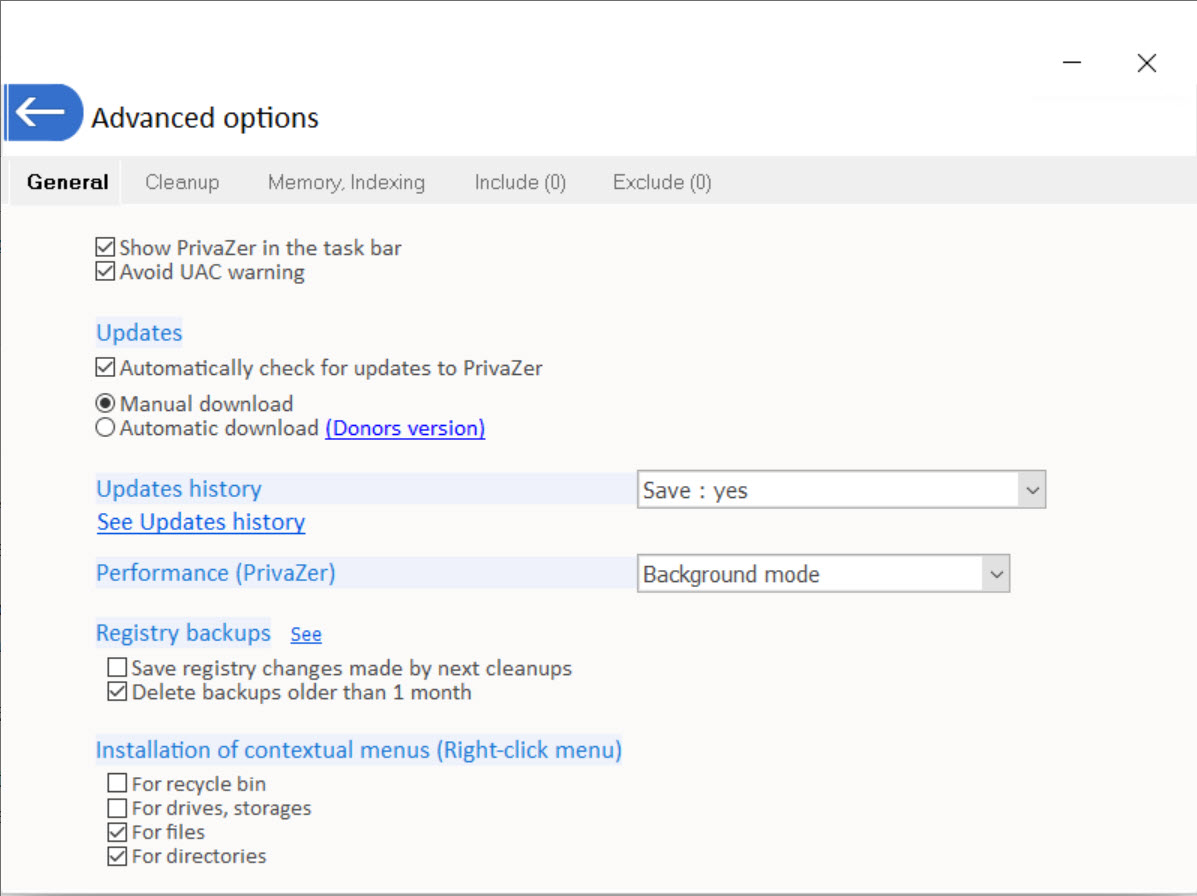
The registry cleanup in this software is targeted at privacy-related traces rather than aggressive optimization, which keeps it relatively safe compared to general registry cleaners. The application typically creates backups before changes, allowing recovery if something goes wrong, although review of findings before applying changes is always recommended.
For traditional hard drives, secure deletion with proper overwriting is effective against typical forensic recovery techniques. For determined adversaries with access to specialized hardware analysis, no software-level cleanup is theoretically perfect, but the cleanup performed by this tool defeats the recovery techniques realistically available to most attackers.
Yes, this software supports cleanup of major browsers including Chrome, Firefox, Edge, Opera, and others, along with related applications. The cleanup targets browser-specific data stores, cookies, history, autofill data, and other privacy-relevant browser content for each supported browser.
Browser data files in active use can't be cleaned while the browser is running, since the files are locked. The application typically prompts you to close affected applications before cleanup, or skips locked files with a notice that they'll be cleaned next time when not in use.
Both approaches have merit. Scheduled cleanup ensures regular privacy maintenance without requiring you to remember, while manual cleanup gives you full control over when and what gets cleaned. Many users combine the two, using a light scheduled cleanup for routine maintenance and manual deeper cleanups when needed.
The scheduled cleanup runs in the background and shouldn't significantly disrupt active work, although heavy operations like free space cleaning can affect system performance during their execution. Configuring schedules for periods when the computer isn't in active use addresses this concern.


