

PPSSPP
About PPSSPP
PPSSPP is the PSP emulator that runs Sony’s old handheld console on essentially any device with a screen. Boot up a PSP ISO file (or a CSO compressed image), and the emulator reads through the original game code, translates the PSP’s MIPS instructions to whatever processor your machine actually has, recreates the dual-core architecture and hardware blocks the games expect, and renders the result through your computer’s GPU at resolutions the original 480×272 LCD never reached. The technical achievement is genuine.
PSP hardware was complex enough that emulating it accurately took years of development, with the project starting in 2012 and continuing active development since.
The result is a tool that runs the PSP library at substantially better quality than the original hardware delivered. Games that ran at 30 FPS at 480×272 on a small handheld now run at 60 FPS at 1080p, 1440p, or 4K depending on your monitor and GPU. Anti-aliasing smooths the polygon edges that looked rough on the original hardware.
Texture filtering cleans up the textures that pixelated visibly on the small screen. The audio runs through your speakers or headphones at full quality rather than the small built-in PSP speakers. Save states let you save anywhere rather than only at game-defined save points. Cheat support handles GameShark-style codes for the substantial library of PSP cheats developed across the platform’s commercial life.
The application is free under the GPL license, with a paid Gold version that supports development through a small price difference and contributes the same revenue back to the project rather than adding meaningful features beyond the standard release.
How emulation works at the technical level
The PSP used a custom MIPS-based processor with two main cores and various dedicated hardware blocks for graphics, audio, and other tasks. PPSSPP recreates this hardware in software, with the emulator reading through PSP code byte by byte and either interpreting each instruction (slower but more compatible) or translating blocks of code to native instructions for your actual processor (faster, called dynamic recompilation or JIT).
The dynamic recompilation handles the bulk of the performance work. Rather than emulating each PSP instruction one at a time, the emulator translates groups of PSP code into equivalent code that runs natively on x86 or ARM processors, with the translated code cached so subsequent execution skips the translation step. The result is that PSP games typically run at higher frame rates on modern hardware than they ever did on the original device.
The graphics emulation is more complex. PSP games used custom GPU calls that don’t directly map to modern graphics APIs. The emulator translates these calls to OpenGL, Vulkan, or DirectX equivalents, with each backend having different performance characteristics on different hardware.
Vulkan typically produces the best performance on modern hardware, while OpenGL provides better compatibility with games that use unusual rendering techniques. The DirectX backend exists for users on systems where the other backends produce issues.
Resolution scaling and visual upgrades
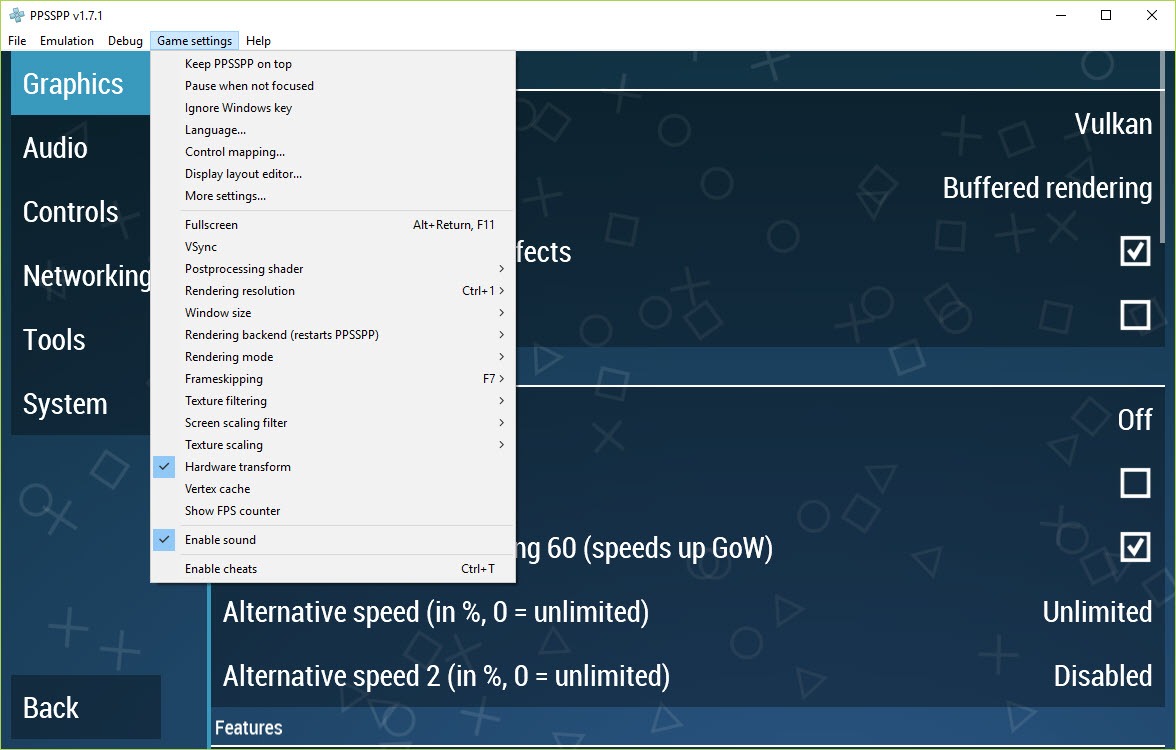
The most visible benefit of emulation is the dramatic resolution increase. Original PSP games rendered at 480×272, an aspect ratio specifically designed for the handheld’s small screen. PPSSPP can render those same games at 2x (960×544), 3x (1440×816), 4x (1920×1088), or higher multipliers up to 10x (4800×2720) depending on your hardware capabilities.
The internal resolution affects rendering quality substantially. Higher multipliers produce sharper polygon edges, cleaner texture details, and reduced aliasing. The performance cost scales with the rendering load, with most modern GPUs handling 4x or higher without issues for typical PSP games.
Some specific games with complex rendering require lower multipliers for smooth performance, but the majority of the PSP library benefits from substantial resolution increases without performance compromise.
Texture filtering options provide additional visual improvements. The xBRZ filter produces a smoother appearance for sprite-based games. The bilinear and trilinear filters smooth out the pixelated look of stretched textures. Anisotropic filtering up to 16x cleans up textures viewed at oblique angles.
The combination of these filters with high internal resolution transforms the visual experience from the cramped, pixelated original to something that looks closer to a Wii U or PlayStation 3 game depending on the source material.
Save states and the convenience features
Save states are one of the substantial advantages emulation provides over original hardware. The emulator can capture the complete state of the running game at any moment (RAM contents, processor state, graphics state, audio state, save game data) and restore it instantly later. For games with sparse save points or punishing difficulty, save states eliminate the frustration of losing progress to unexpected deaths.
The implementation supports multiple save state slots per game, with timestamped indication of when each state was created. For games where you want to experiment with different choices or test specific scenarios, the multiple slots let you preserve known-good states while trying alternative approaches. Save states are stored separately from the game’s own save data, which means using them doesn’t interfere with the game’s normal save system.
The combination of save states with fast-forward (which speeds up emulation to multiple times normal speed) handles the practical reality that older RPGs and similar games often have substantial grinding requirements. Fast-forward through repetitive sections, save state when something interesting is about to happen, and proceed at normal speed for the parts that matter.
This dramatically changes the experience of games that originally relied on the player’s patience for substantial portions of their runtime.
Controller support and input mapping
The application accepts input from keyboard, mouse, and essentially any game controller that connects to your computer. Xbox controllers, PlayStation controllers, Nintendo Switch Pro Controllers, generic USB gamepads, and various other input devices all work through standard system input APIs. The button mapping is configurable, with most controllers receiving sensible default mappings that match their typical button layouts.
For users wanting to use original PSP controls, mapping your controller’s buttons to match the PSP’s exact layout is straightforward. Set the X button to confirm, the O button to cancel (or reverse for region-appropriate behavior), the analog stick to the PSP’s analog nub, the directional pad to the PSP’s d-pad, and the shoulder buttons to L and R. The mappings save per game if needed, with different games supporting different control profiles.
For users without controllers, the keyboard mapping covers all PSP buttons through standard keys. The default keyboard layout works well enough for testing, though serious play through keyboard alone is less satisfying than controller-based input.
Most users use both depending on what’s available, with keyboard for quick testing and controllers for actual gaming sessions.
Cheat support and the long-tail of PSP customization
The cheat system handles GameShark-style codes for the substantial library of PSP cheats developed across the platform’s commercial life. Load a cheat database file, browse the cheats available for your specific game, enable the ones you want, and they apply to the running game in real time. Cheats covering everything from infinite health and ammo to specific item unlocks to entirely different gameplay modifications are available for most popular PSP titles.
For users who want to experience games more leniently than the original difficulty allows, or who want to access content normally requiring substantial unlocking, cheats fill that need. The implementation works through memory modification at the emulation level, which means cheats affect the game’s actual state rather than just visual elements.
Beyond cheats, the customization extends to graphics and audio modifications. Custom shaders can apply post-processing effects (CRT scanlines for retro aesthetic, FXAA for additional anti-aliasing, various color correction options).
Texture replacement lets you swap in higher-resolution textures created by community modders, with several PSP games having extensive texture pack communities producing genuinely impressive visual upgrades.
Network play and Adhoc support
The PSP supported local wireless multiplayer through ad-hoc connections between PSPs in physical proximity. PPSSPP emulates this networking capability with the option to play multiplayer over the internet rather than only locally. Set up an ad-hoc server (the emulator can connect to public servers maintained by the community, or you can host your own), and players running the same game can find each other and connect for multiplayer sessions despite being anywhere in the world.
For multiplayer-heavy PSP titles like Monster Hunter Freedom Unite (where the multiplayer was essentially the entire point of the game), this network play extension dramatically increases the value of emulation. The PSP launched in 2004 and the wireless multiplayer infrastructure for it never existed at the level the games deserved.
PPSSPP‘s networking implementation provides what the original platform should have had, with active community servers ensuring multiplayer continues despite the original PSP infrastructure being effectively dead.
The implementation isn’t perfect. Some specific games have networking issues that haven’t been fully resolved, and connection quality depends on the public server you’re using. For most multiplayer PSP games though, the emulation produces functional online play that the original hardware never delivered.
The Gold version and supporting development
PPSSPP Gold is a paid version available through various app stores. The Gold version contains exactly the same emulation engine and features as the free standard version, with the difference being that Gold purchases support continued development of the project. There’s no functional benefit to Gold beyond supporting the developers, with the marketing being explicit that you’re paying for development support rather than additional features.
For users who get substantial value from the emulator and want to contribute back without setting up donations or other support mechanisms, Gold provides a straightforward way to send money to the project through familiar payment channels. The pricing is modest (typically a few dollars), with the full standard version remaining freely available for users who don’t want to pay.
The dual-version approach has been the project’s funding model for years and works well enough that development continues actively. For users debating whether to support the project, the Gold purchase represents a small contribution to substantial ongoing emulation work that benefits the entire PSP gaming community.
Compatibility list and the unsupported edge cases
Not every PSP game runs perfectly. The compatibility list maintained by the project tracks which games work fully, which work with minor issues, and which have specific problems that prevent normal play. The vast majority of the PSP library (well over 90%) runs without significant issues, but specific titles have edge cases that the emulator hasn’t fully addressed.
Games with unusual rendering techniques, specific hardware feature usage, or complex network protocols are where issues most commonly appear. The development community actively addresses these issues through ongoing updates, with games that had compatibility problems years ago often working perfectly in current versions.
For users planning to play specific games, checking the compatibility list before assuming everything will work is reasonable due diligence. Most games work, but verifying your specific titles avoids the disappointment of discovering an issue after substantial play time.
Considerations and limitations
The legal status of using emulators is generally clear (emulators themselves are legal), but the legal status of obtaining game ROMs is more complicated. The PSP discs you owned can typically be ripped to ISO format for use with the emulator legitimately. ROMs distributed through other channels exist in legally ambiguous territory that varies by jurisdiction and individual circumstances. The emulator itself doesn’t include any games and isn’t responsible for how users obtain content to play.
Some specific games perform less well than the average. Demanding 3D games with complex graphics may require lower resolution scaling for smooth performance even on modern hardware.
Games using specific PSP hardware features that the emulator doesn’t fully support may have visual or audio issues. The compatibility list documents these cases so users know what to expect with specific titles.
The configuration depth is real but can intimidate users coming from console gaming where you don’t configure anything. Graphics backends, internal resolution, texture filtering options, frame skip settings, and various other options all affect performance and visual quality, with the optimal settings varying by game and hardware. The default settings work well for most users, but optimizing specific games for specific hardware requires experimentation.
Mobile performance varies more than desktop performance. Some Android devices have unusual GPU implementations that produce specific issues with the Vulkan backend, requiring fallback to OpenGL.
Battery consumption during emulation is substantial on mobile devices, with extended play sessions draining batteries faster than typical mobile gaming. iOS has additional restrictions due to App Store policies that affect specific features compared to Android versions.
Some users find the original PSP screen aspect ratio jarring on modern widescreen displays. The 480×272 resolution scales to 16:9 modern displays through pillarboxing (black bars on the sides) rather than stretching, which preserves the original game appearance but produces unused screen real estate.
Users wanting full-screen presentation can configure stretching, but the result distorts the original game’s intended visual presentation.
Conclusion
For users who want to play PSP games on modern hardware with substantial visual upgrades and convenience features the original platform never offered, PPSSPP delivers what amounts to the definitive way to experience the PSP library in 2026.
The combination of dynamic recompilation for performance, multiple graphics backends for hardware compatibility, save states for convenience, network multiplayer for games that needed it, and cross-platform availability covers what serious PSP gaming requires.
The reasons to consider alternatives are mostly about specific scenarios this software doesn’t target. Users wanting to play games from different PlayStation platforms need different emulators for each. Users preferring unified multi-system emulation through one application find RetroArch fitting better despite somewhat less polish per system.
Users who specifically want original hardware nostalgia rather than modernized presentation may prefer playing on actual PSP hardware. But for the practical scenario of accessing the PSP’s substantial game library on modern devices with quality improvements that preserve the original experience while transcending its hardware limitations, this software remains essentially the only serious option in its category.
Pros & Cons
- Runs PSP games at substantially higher resolution than original hardware delivered
- Multiple graphics backends (OpenGL, Vulkan, DirectX) for hardware compatibility
- Save states allow saving and restoring at any point regardless of game save points
- Fast-forward speeds up emulation for grinding-heavy sections
- Wide controller support including Xbox, PlayStation, and generic gamepads
- Cheat system handles GameShark-style codes for the PSP cheat library
- Network multiplayer through Adhoc emulation works across the internet
- Cross-platform availability across desktop and mobile operating systems
- Active development with regular updates improving compatibility and performance
- Texture filtering and resolution scaling produce visual quality far beyond original PSP
- Some demanding 3D games require lower resolution settings for smooth performance
- Specific titles have compatibility issues documented in the project's compatibility list
- Configuration depth can intimidate users wanting plug-and-play simplicity
- Mobile battery consumption during emulation drains faster than typical mobile gaming
- Network multiplayer reliability varies based on which public Adhoc server you use
- iOS version has restrictions due to App Store policies affecting specific features
Frequently asked questions
This software is a PSP (PlayStation Portable) emulator that runs Sony's handheld console games on computers and mobile devices. It includes dynamic recompilation for performance, multiple graphics backends, save states, fast-forward, controller support, cheat compatibility, network multiplayer through Adhoc emulation, texture filtering and resolution scaling up to multiple times the original PSP resolution. The project has been actively developed since 2012 with the engine running across desktop and mobile operating systems.
The name is recursive in the style of GNU. It stands for "PPSSPP Plays Sony's PSP," with the first letters forming the name itself. The naming follows the playful tradition of recursive acronyms common in open-source software, with the practical effect being a memorable name that describes the application's purpose.
The application doesn't include or distribute games. Users obtain PSP game ISO files separately, with the legitimate source being PSP discs you own that can be ripped to ISO format using PSP-specific tools. ROMs from other sources exist in legally ambiguous territory that varies by jurisdiction. Once you have ISO files, the application loads them through the standard file picker interface, with no special installation required beyond having the ISO file accessible.
No, this software is specifically a PSP emulator. PS Vita is a separate console with different hardware that requires its own emulators (Vita3K is the dedicated Vita emulator). Some Vita games happened to also be released on PSP, in which case the PSP versions work through this emulator, but the Vita-specific games and the Vita's own architecture aren't supported.
No, this is exclusively a PSP emulator. PS2 emulation requires PCSX2, a separate project focused on the PS2's different hardware architecture. The PSP and PS2 are different consoles with different processors, graphics systems, and game formats, requiring different emulators despite being from the same company.
No, PS1 emulation requires emulators specifically designed for that platform like ePSXe, DuckStation, or RetroArch with appropriate cores. The PSP was based on different hardware than the PS1, and while the PSP could play some PS1 games through Sony's official PSone Classics service, the emulator here doesn't recreate that PS1-on-PSP capability.
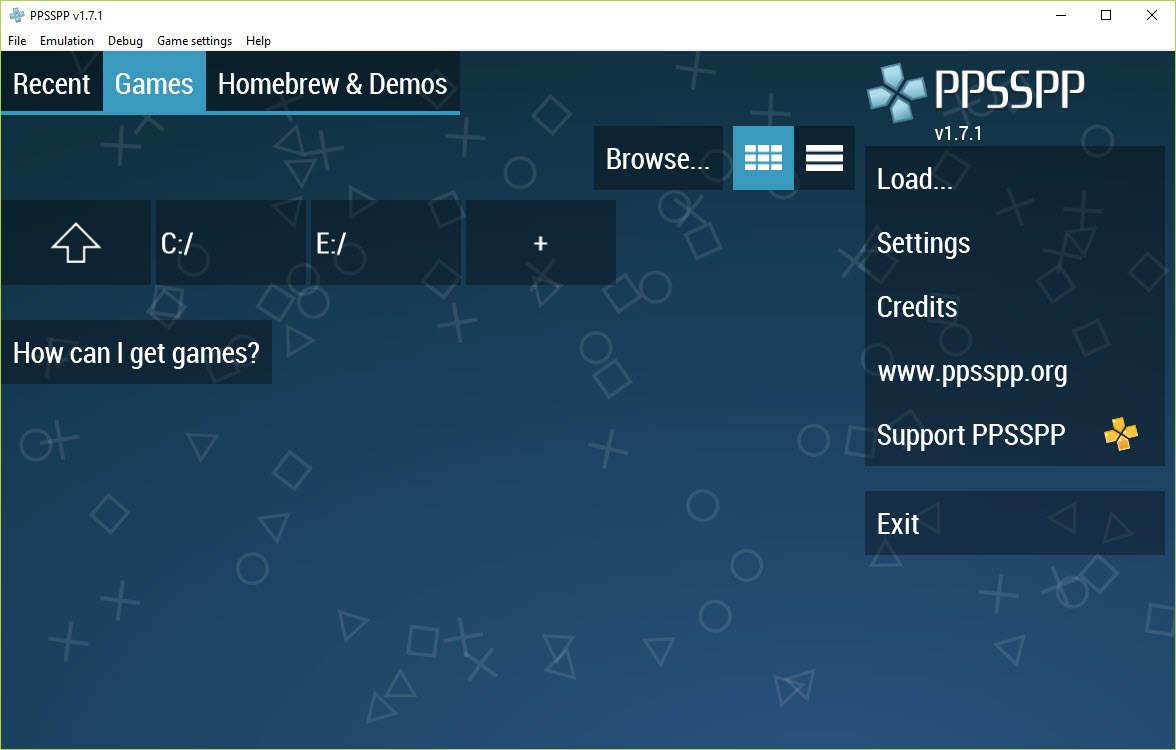
Games install by simply having the ISO or CSO file accessible to the application. Place the file in any folder you can access, launch the application, and use the file picker to navigate to and select the game file. The emulator loads the game directly without an installation step. Multiple games can be stored in a single folder for easy switching, with the application's main menu showing a library view of available games once you've configured the appropriate folder paths.
The application checks for updates through its own mechanism, with notifications appearing when new versions are available. The update process downloads the new version and installs it alongside existing settings, save states, and configurations. For users who prefer manual updates, the application's website provides download links for current versions that can replace the existing installation.
RetroArch is a multi-system emulator frontend that supports many platforms including PSP through its emulator cores. PPSSPP is a dedicated PSP emulator focused exclusively on PSP support. The dedicated focus produces somewhat better PSP emulation in terms of compatibility and performance optimization, with specific PSP features being more thoroughly supported. RetroArch's advantage is unified handling of many systems through one application. For users wanting the best PSP emulation, this software fits better. For users wanting one application handling many retro systems, RetroArch covers more ground with somewhat less specialization.
Gold is a paid version of the application that contains exactly the same features and emulation engine as the free standard version. The Gold purchase supports continued development of the project rather than providing additional functionality. Users who get substantial value from the emulator can purchase Gold as a way to contribute to ongoing development through familiar payment channels. The free version remains fully featured and freely available for users who don't want to pay.


Awesome, it really works.