

PortScan
About PortScan
With PortScan, you can detect, scan, and identify network devices you have connected and conduct various tests to help you determine your speed on the internet.
The main purpose of PortScan is to help you scan your network and help you establish some main traits and features of your network.
It includes scanning and detecting the network devices connected to your computer. You’ll also be able to perform various network speed tests and view Whois properties easily and quickly.
Let’s say you have a problem with a specified device and must detect a device that is not working very well. Download and install the application, search devices, and identify your problem.
You can find many devices like UPnP, Netgear, Buffalo, Samsung printers, HP printers, and MSA network devices.
Scan Ports and Search for Devices
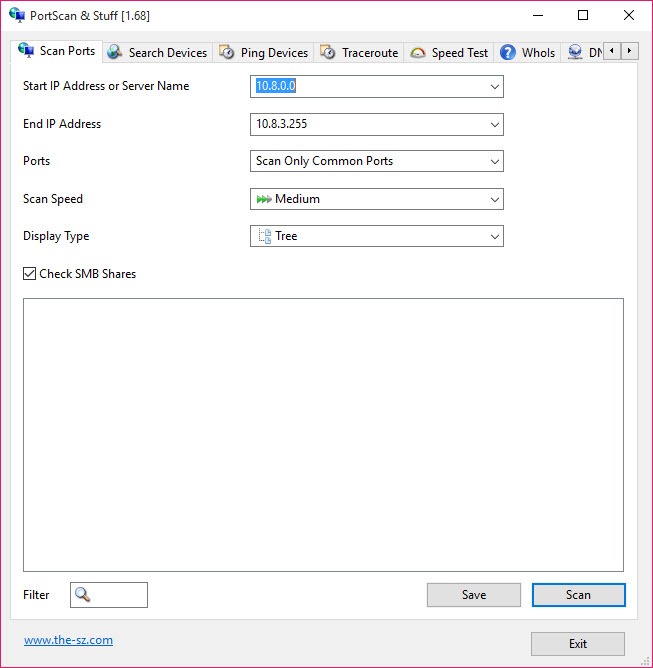
PortScan is relatively easy to operate if you know the basics of networks and the management of networks. This application’s main purpose is to help you detect all of the network devices that you have connected to your computer.
To do that, you can do it in just one click as you click on Quick Scan and get started.
Then, you will see all of the devices that are connected and their properties. For instance, you’ll see each device’s MAC and IP properties, hostnames, and more.
There’s also the Search Devices feature, which will enable you to access all UPnP devices enabled on your computer. It includes various devices like routers, printers, and others.
Quick Whois Queries
Another feature that can be useful to most users is the ability to look up Whois queries. With this feature, you’ll be able to look up any information or data about various IP addresses or domain names, which you can do in a matter of seconds.
This function is useful for checking if your domain is available widely, helping you prevent spam in the future.
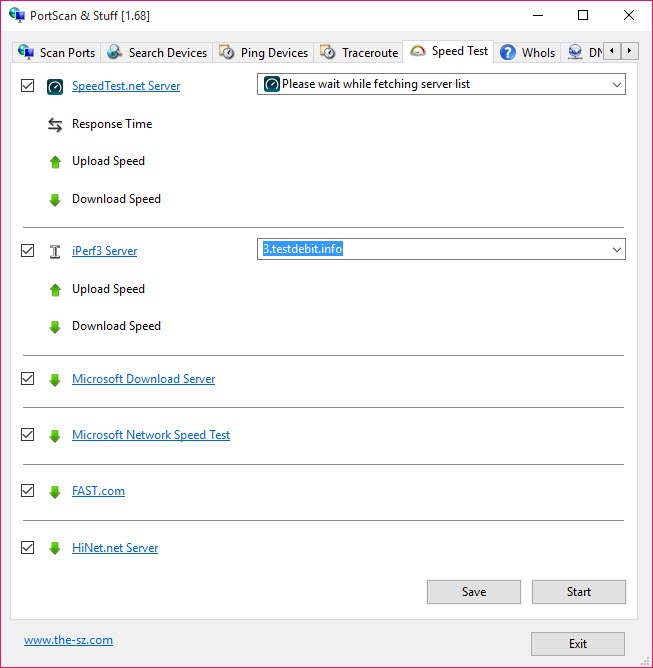
At the same time, there’s another tool that some users will find helpful: the ability to test your internet connection speed.
Conclusion
To conclude, PortScan can be a valuable application for anyone who wants to manage their networks more efficiently and easily.


