

Perfect365
About Perfect365
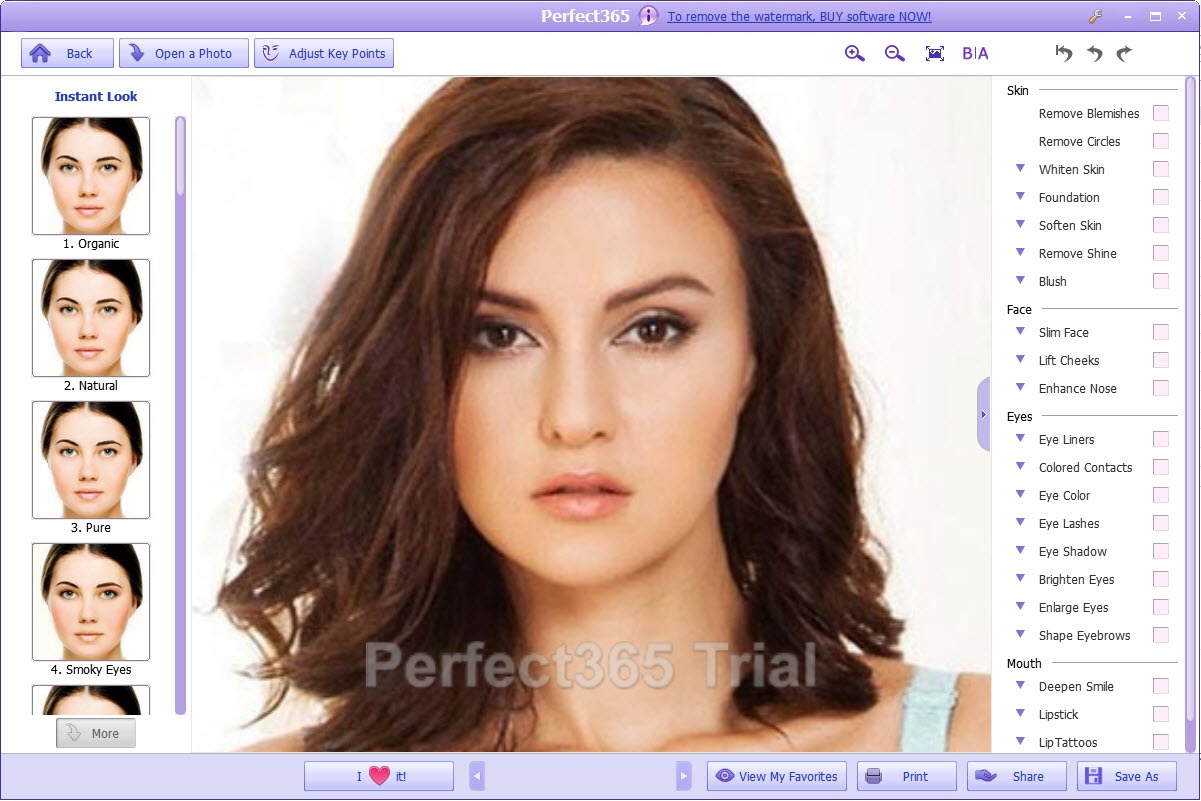
Perfect365 is a portrait retouching tool that works the way a makeup artist does, not the way a photo editor does. You never paint, mask or select anything. The program finds the face in your photo, maps its features, and from then on every adjustment knows exactly where the lips end and the cheekbone begins. Lipstick lands on lips, blush lands on cheeks, and the teeth whitener cannot accidentally bleach a shirt collar.
That one idea separates it from general editors, where a convincing touch-up means half an hour of careful brushwork. Here the same result takes a template click and a few sliders, which is both the appeal and, used carelessly, the danger.
Face mapping does the aiming for you
Load a portrait into Perfect365 and the face detection runs on its own, placing key points along the eyes, brows, lips and jawline. Up to 21 separate facial features become individually adjustable from that map, and group photos work too, with as many as 20 faces picked out of a single shot, each editable on its own.
The mapping is good, not infallible. Strong profiles, heavy tilts and obscured faces sometimes come back unrecognised, and the occasional photo is refused outright because no face was found at all.
The remedy is built in, since every key point can be dragged into place by hand, and spending thirty seconds correcting the outline around a tilted head pays off in every adjustment that follows.
One click of style, then the sliders
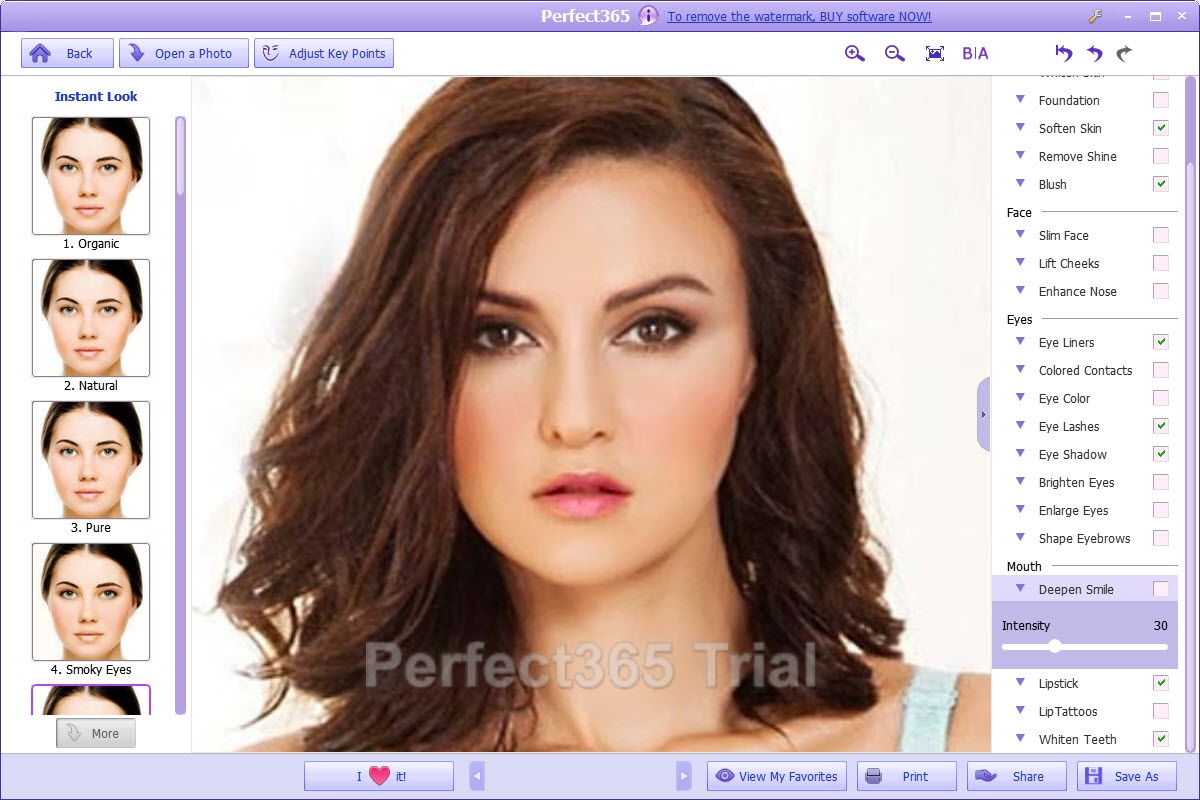
The template gallery applies a complete coordinated look in one press. Natural touch-ups, evening looks, stage-level colour, each one bundling foundation with eye and lip settings you can accept as-is or pull apart. Every element keeps its own colour and intensity slider, so a template is a starting point rather than a verdict.
The quietly useful part is that an adjusted look can be saved as your own template. Dial in a style once, and a whole folder of portraits from the same event gets the identical treatment photo by photo, which keeps a gallery looking consistent instead of individually fiddled.
Cleanup tools that know where the skin is
The cleanup group in Perfect365 handles the complaints every portrait generates. Blemish removal, under-eye circle reduction, shine removal, skin softening and teeth whitening, all applied only where the face map says they belong.
Now the honest part. The skin softener pushed past its lower third turns skin into translucent wax, and the circle remover at full strength leaves lower eyelids eerily featureless. These tools reward restraint and punish enthusiasm, so treat the midpoint of every slider as a hard ceiling and the results stay believable.
Anyone wanting surgical control over a single stray hair or a specific crease still needs an editor where retouching is done by hand, because there is no manual brush here at all.
The makeup drawer and the reshaping temptation
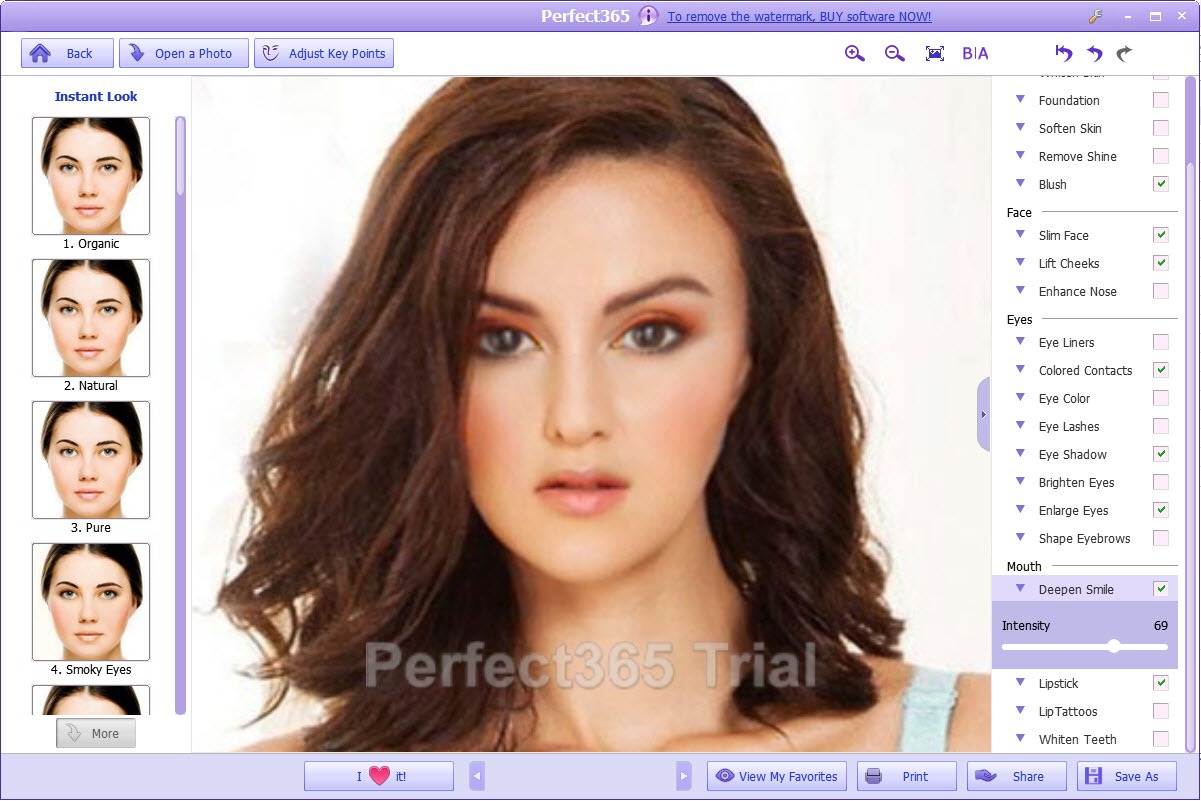
The makeup drawer covers foundation tone, lipstick, eyeshadow, eyeliner, lashes, blush and even coloured contact lenses, each with colour swatches and an intensity slider. These are the strongest tools in Perfect365, because colour laid onto a mapped feature looks remarkably like colour applied to a real face, right down to the lip texture.
The reshaping tools deserve more suspicion. Smile enhancement, nose adjustment and cheek lift work in small doses, but the face slimmer visibly squeezes the jawline rather than convincing anyone, and enlarged eyes cross into uncanny territory fast. The difference between a flattering portrait and an obvious edit is usually two notches on these particular sliders.
Hair try-ons, a live preview and the way out
Hair colour and hairstyle try-ons extend the same mapped approach above the forehead, which is entertaining for previewing a colour change before committing at a salon, if less precise than the makeup tools.
There is also a live preview mode in Perfect365 that puts the chosen look onto a webcam feed, so you can turn your head, watch the makeup follow, and snap a picture wearing a style you never physically applied. Before spending money on an actual cosmetic shade, watching it move on your own face is more persuasive than any still photo.
A before-and-after view puts the original and the edit side by side at any moment, and it is worth consulting constantly, because incremental slider pushing hides how far an image has drifted.
The finished portrait exports like any photo, ready for a general editor if cropping, frames or collages come next.
Conclusion
Perfect365 is for people who retouch portraits often and want believable results without learning masks and layers. Family photographers tidying event galleries, anyone preparing profile pictures, and the simply curious who want to preview a bold lip colour or a new hair shade before buying anything.
Its limits are the flip side of its design. The face map it depends on occasionally misses, and the strongest sliders produce the fakest results, so the tool is only as tasteful as the hand on it. Used with a light touch, it does in minutes what manual retouching does in an hour, and that trade is worth it far more often than not.
Pros & Cons
- Automatic face mapping aims every tool at the right feature with no masking
- Templates apply a coordinated look in one click and stay fully adjustable
- Custom styles can be saved and reused across a whole set of portraits
- Up to 20 faces in a group photo are detected and edited individually
- Makeup colour on mapped features looks convincingly like the real thing
- Skin softening and circle removal turn waxy well before their sliders max out
- Face slimming squeezes the jawline in a way people notice
- Some tilted or profile shots defeat the detection and need manual key points
- No manual brush for problems the face map does not cover
Frequently asked questions
Yes. Detection maps eyes, brows, lips and the face outline on its own, and handles up to 20 faces in a group shot. When a tilted or partly hidden face confuses it, the key points can be dragged into place manually.
Yes. Adjust a style once, save it as your own template, and apply it to each portrait from the same shoot, which keeps an entire gallery consistent.
Because the softening slider is strong and tempting. Kept in its lower range it cleans skin while preserving texture, and pushed high it produces the translucent plastic look. Restraint is the feature.
Yes, hair colour and hairstyle try-ons are included. They are useful for previewing a change before a salon visit, though the results are rougher than the makeup tools.


