

Path Copy Copy
About Path Copy Copy
Path Copy Copy is a free, open-source extension for Windows Explorer that simplifies the process of copying file and folder paths in various formats.
By integrating seamlessly into the right-click context menu, this tool offers users a quick and efficient way to retrieve and utilize file paths, streamlining workflows for developers, system administrators, and everyday users alike.
Versatile Path Copying Options
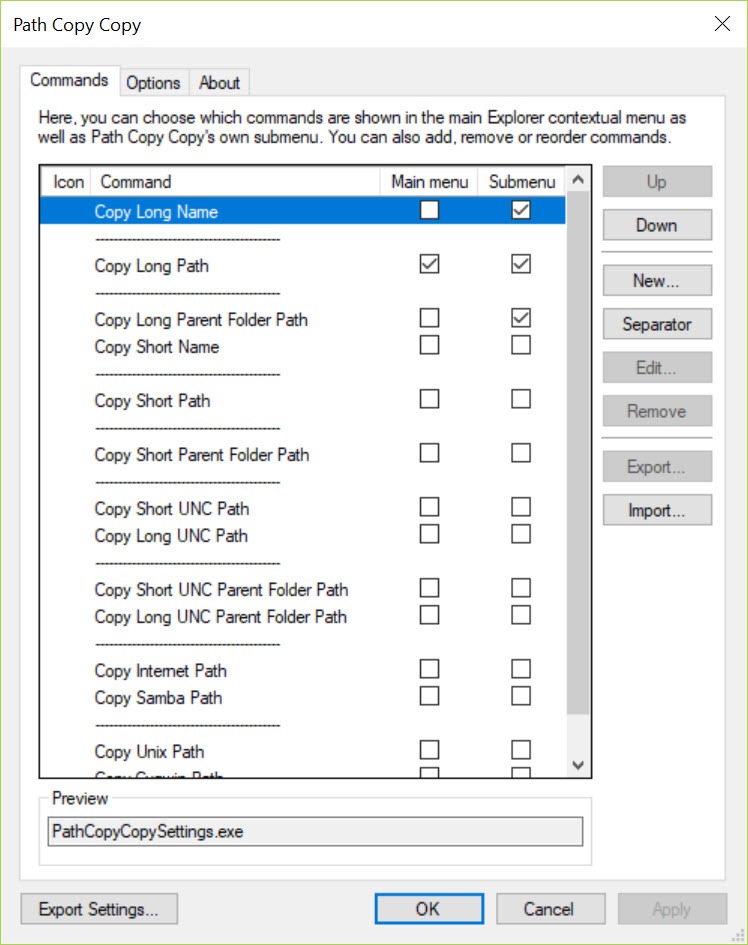
Once installed, Path Copy Copy adds a “Path Copy” submenu to the context menu in Windows Explorer. This feature allows users to copy paths in multiple formats, including:
- Short Name/Path: Retrieves the 8.3 filename or path, useful for legacy applications.
- Long Name/Path: Provides the full filename or path.
- UNC Path: Obtains the Universal Naming Convention path for network locations.
- Internet Path: Formats the path as a URL, suitable for web applications.
- Unix Path: Converts the path format for compatibility with Unix/Linux systems.
These options enable users to select the most appropriate path format for their specific needs, enhancing compatibility across different platforms and applications.
Customizable and User-Friendly Interface
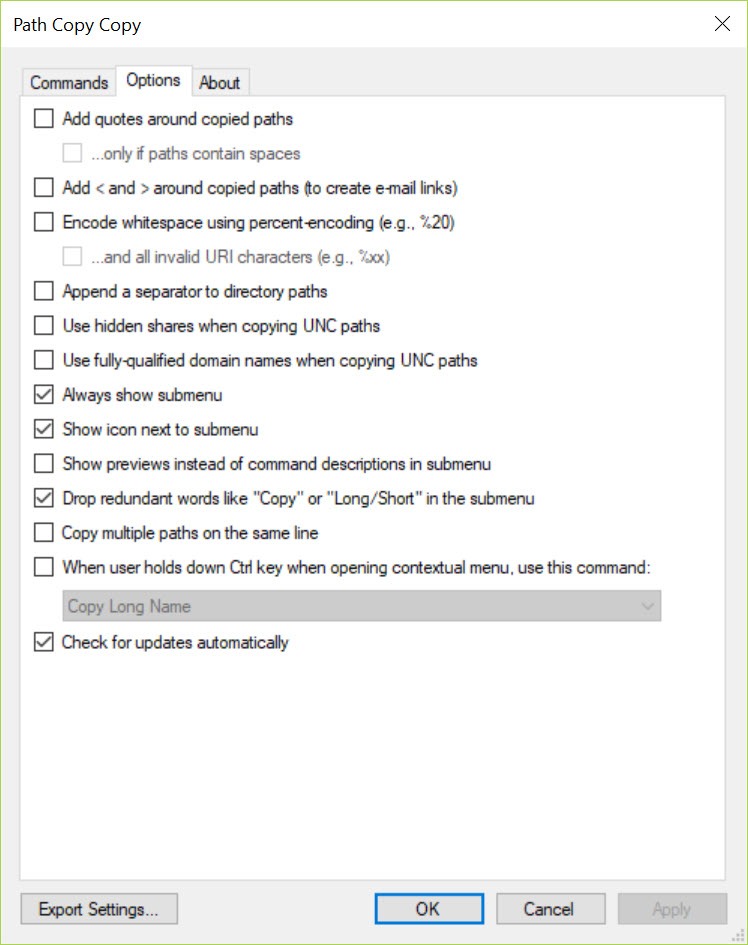
Path Copy Copy is designed with user convenience in mind. The tool allows customization of the context menu, enabling users to display only the path formats they frequently use.
This personalization reduces clutter and ensures quick access to preferred options.
Additionally, the software supports custom commands, granting advanced users the flexibility to define specific path formats or transformations as needed.
Seamless Integration with Windows Explorer
The extension integrates directly into Windows Explorer, requiring no additional applications or interfaces.
This seamless incorporation ensures that users can access path copying functions without disrupting their existing workflow, maintaining productivity and efficiency.
Conclusion
Path Copy Copy is an invaluable tool for Windows users who frequently manage file and folder paths. Its versatility in supporting multiple path formats, coupled with seamless integration into Windows Explorer, makes it a convenient addition to any workflow.
Whether you’re a developer needing Unix-style paths or a network administrator requiring UNC paths, Path Copy Copy simplifies the process, enhancing productivity and efficiency.
Pros & Cons
- Supports multiple path formats, enhancing versatility.
- Customizable context menu for a personalized user experience.
- Seamless integration with Windows Explorer.
- Lightweight and resource-efficient.
- Free and open-source, encouraging community contributions.
- Primarily beneficial for users who frequently manage file paths; may offer limited utility for casual users.
- Customization options might require a learning curve for less tech-savvy individuals.
Frequently asked questions
Yes, users can customize which path formats appear in the context menu to suit their preferences.
Yes, advanced users can create custom commands to define specific path formats.


