

Opened Ports Viewer
About Opened Ports Viewer
Monitoring and managing open ports is a critical aspect of network security and performance optimization. Opened Ports Viewer is a specialized tool designed to provide users with real-time visibility into the ports currently in use on their systems. By helping identify active connections and associated processes, this software empowers users to detect potential security vulnerabilities and troubleshoot network-related issues with ease.
Below, we explore the tool’s features, its advantages and limitations, and answer common questions to provide a comprehensive overview.
Real-time port monitoring
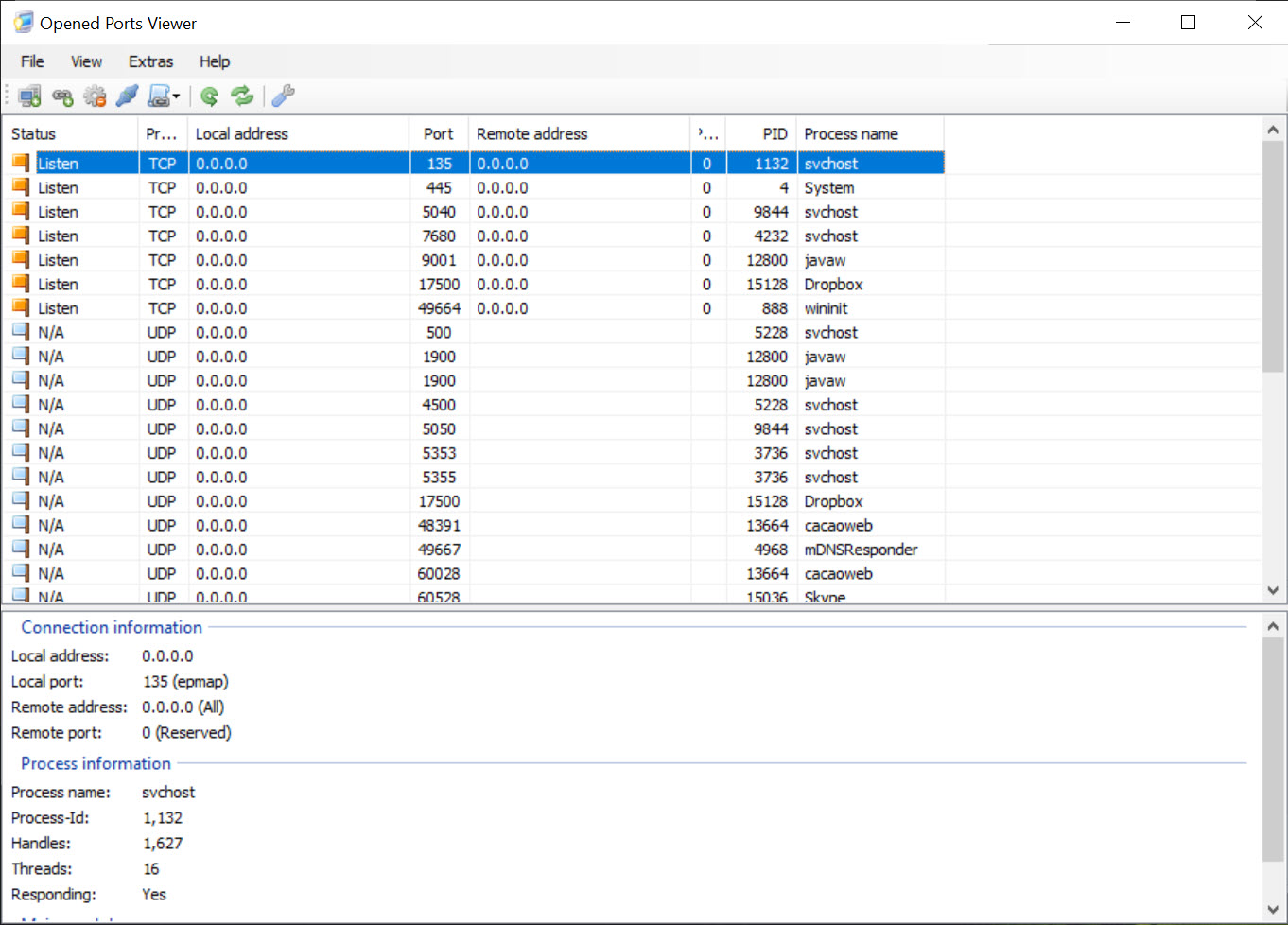
Opened Ports Viewer excels at providing a clear and detailed overview of active ports on your system. It identifies all open TCP and UDP ports, along with information about the processes using them. For each connection, it displays the port number, protocol type, local and remote addresses, and the associated application or service.
This information is invaluable for diagnosing network congestion, identifying unauthorized or malicious activity, and ensuring the correct functioning of network-dependent applications.
Process and application integration
A standout feature of Opened Ports Viewer is its ability to map open ports to their corresponding applications or services. This mapping helps users understand which software is responsible for specific network activity. For instance, if a particular port is being used unexpectedly, users can quickly identify the associated process and take appropriate action.
The tool also provides options to terminate processes directly, offering a simple way to close unwanted or suspicious connections.
Lightweight and user-friendly
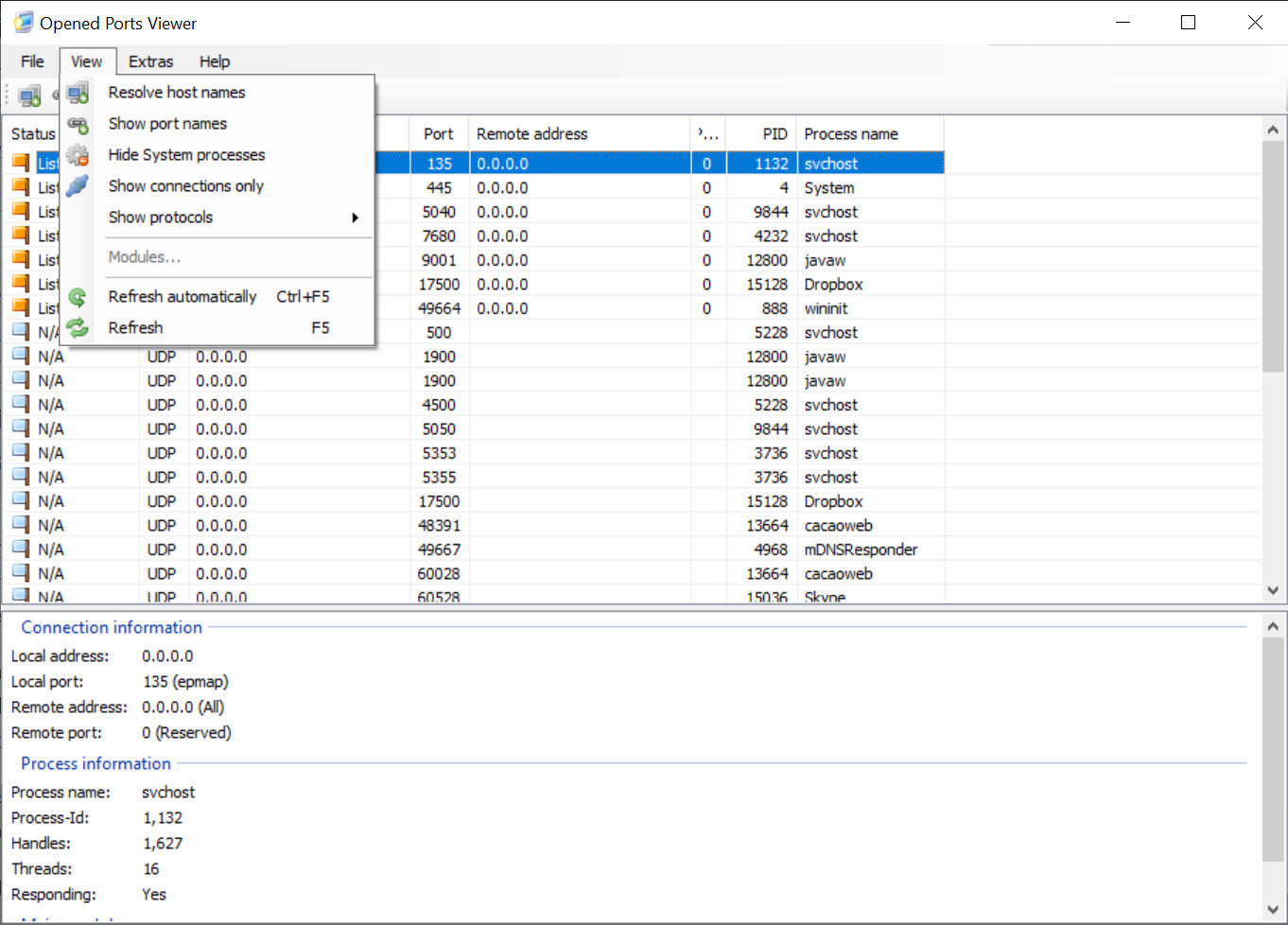
The software is lightweight and designed to be intuitive, making it suitable for users of all skill levels. Its clean interface presents detailed port data in a tabular format that is easy to sort and search. This ensures users can quickly locate the information they need without navigating through complex menus.
Additionally, Opened Ports Viewer is portable, requiring no installation. Users can run it directly from any location, making it ideal for quick diagnostics or use on multiple systems.
Conclusion
Opened Ports Viewer is a valuable tool for anyone needing detailed insights into their system’s network activity. Its ability to monitor open ports in real time, identify associated processes, and terminate unwanted connections makes it a must-have for network troubleshooting and security management.
While it focuses specifically on port monitoring and lacks deeper analysis capabilities, its lightweight and portable design make it an excellent solution for quick diagnostics. Whether you’re a system administrator, security professional, or curious user, Opened Ports Viewer provides a reliable and straightforward way to enhance your system’s security and performance.
Pros & Cons
- Provides a detailed view of active TCP and UDP ports along with associated processes.
- Offers process termination capabilities to quickly close unwanted or malicious connections.
- User-friendly and lightweight, suitable for beginners and advanced users alike.
- Portable design eliminates the need for installation, making it ideal for quick troubleshooting.
- Helps detect unauthorized activity or security vulnerabilities with ease.
- Focused solely on port monitoring, lacking deeper network analysis features.
- May not provide detailed information for encrypted or obfuscated connections.
- Requires administrative privileges to access certain processes and connections.
Frequently asked questions
This tool shows details such as port number, protocol (TCP/UDP), local and remote addresses, and the process associated with each port.
Yes, the software allows users to terminate processes linked to open ports, effectively closing those connections.
While it does not directly block unauthorized access, it helps identify suspicious activity so users can take appropriate action, such as terminating processes or updating firewall rules.


