

Ninja Pendisk
About Ninja Pendisk
USB worms had their golden age in the late Conficker era, and most people stopped thinking about them once Windows quietly killed AutoRun on removable media. The threat did not actually disappear though. Shared school computers, internet cafes, print shops, conference podiums, and any environment where strangers’ flash drives meet your machine still hand out autorun-based junk on a regular basis. Ninja Pendisk is a tiny system tray utility built specifically for that scenario, watching every USB drive that gets plugged into the PC and cleaning the autorun-style infection patterns the moment they appear.
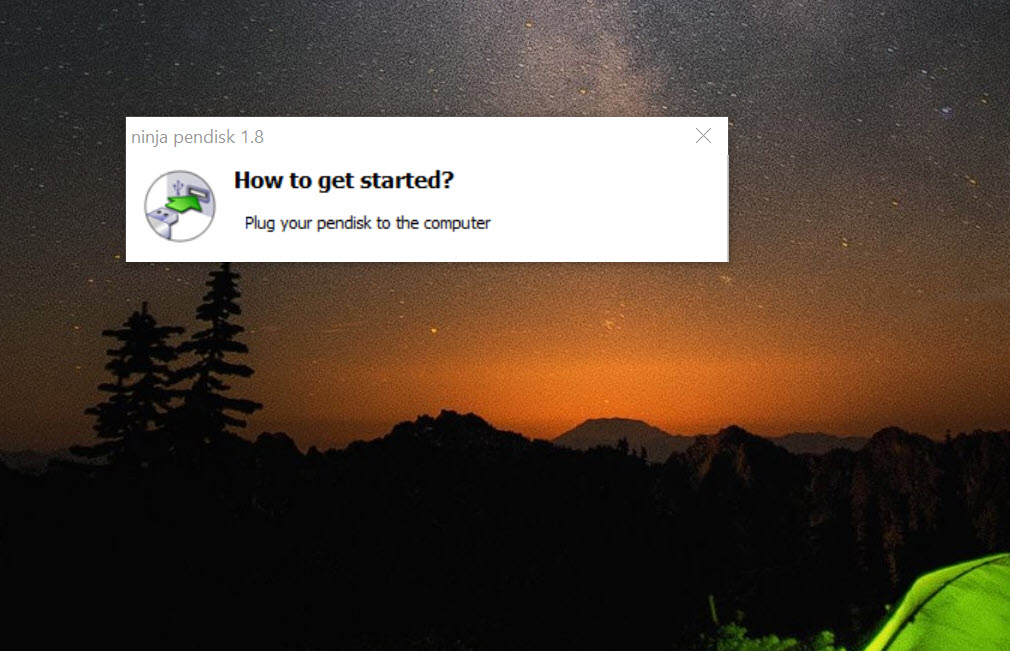
The application is small in every sense. A single executable that lives in the system tray, no installer needed, almost no configuration screen, and a memory footprint measured in the low single-digit megabytes. It does one job, does it without bothering you, and gets out of the way.
That is not the same as being a full antivirus, and the application does not pretend to be one. It is a focused tool that pairs with whatever real protection you already run.
What it actually watches for on a USB drive
When a removable drive appears, Ninja Pendisk runs through a checklist of suspicious artifacts that USB worms have historically dropped. The autorun.inf file gets inspected for instructions to launch something on connect. The root of the drive gets scanned for the executable patterns that the autorun line typically points at, things like recycler.exe, copy.exe, host.exe, and the family of names that have shown up in this class of malware for years. The RECYCLER and $RECYCLE.BIN folders get checked for executable payloads that worms drop into them to hide behind legitimate-looking system folder names.
If anything matches, the tool quarantines or removes it and pops a brief system tray notification telling you what it found and on which drive. The detection is signature-light and pattern-heavy. It is not looking up file hashes against a cloud database. It is looking at filenames, locations, and the structural fingerprint of how USB worms have historically organized themselves on a drive. For real malware scanning against current threats, you want something like Dr.Web CureIt! or Emsisoft Emergency Kit running periodically.
Ninja Pendisk is the gatekeeper at the USB port, not the deep scanner on the disk.
The vaccine trick
Past the cleanup logic, the more interesting feature is preemptive. After cleaning a drive, Ninja Pendisk can drop its own autorun.inf onto the root as a read-only folder rather than a file. This is the same approach Panda’s old USB Vaccine made famous. By occupying the autorun.inf name with a folder that cannot be deleted by user-mode processes without elevation, any worm that tries to write its own autorun.inf to that drive simply fails. The slot is taken and the file system will not let it be overwritten.
The vaccine works on FAT32 and exFAT drives most reliably. On NTFS-formatted sticks the trick is less robust because NTFS permissions can be coerced around in ways FAT cannot. The protection is also one-directional. It stops your clean drive from getting reinfected when you stick it into a compromised PC.
It does not stop a worm on your clean PC from infecting a freshly plugged drive that does not already have the vaccine folder in place. For that side of the equation you need the resident scanner doing its job.
Quietly fixing what worms break
USB worms typically modify a handful of registry settings on the host machine to hide their tracks. The classic pair is disabling the Folder Options dialog and turning off “show hidden files and folders,” so the dropper files on the drive do not appear in Explorer even with hidden files enabled. Ninja Pendisk checks these registry values on startup and resets them to their normal state if a previous infection left them flipped. It also checks a few related values that USB worms have historically tampered with.
This sounds minor until you remember that the symptom most people notice from a USB infection is “I cannot see my files anymore even though they are still on the disk.” Restoring those visibility settings is often the actual fix the user needs, separate from removing the malware itself. A general startup cleaner like AutoRuns gives you visibility into what is launching on your system, including potential USB-dropped entries.
Ninja Pendisk focuses on the specific registry surface that USB worms target rather than the full startup picture.
Notifications, logs, and getting out of the way
The interface is barely there. A small icon in the system tray, a right-click menu with maybe six items, and a log window showing what the tool has done since launch. Toggle whether to vaccinate drives, toggle whether to delete suspicious files versus quarantine them, view the log, exit. That is most of the user-facing surface.
When the application acts on a drive, the notification is brief. It tells you the drive letter, what it found, and what it did. No modal dialogs, no popups requiring a click to dismiss, no upsell to a paid edition. The lack of ceremony is the point.
If you run it on a kiosk-style machine or a shared family PC where multiple people plug their drives in, the user doing the plugging does not need to understand the notification. They just need not to be interrupted.
Where it falls short
Ninja Pendisk is a narrow tool by design, and the narrowness shows up in a few places. The detection logic is heuristic and dated, in the sense that it targets a specific historical class of USB malware behavior. Modern threats that use signed executables, LNK exploits like the family of attacks that started with Stuxnet, or fileless droppers that hide in legitimate documents will pass right through. The application is honest about what it does. It is autorun.inf and obvious dropper hunting, not modern endpoint protection.
False positives also happen, and the most common one is legitimate portable application launchers. PortableApps.com formats and similar standards use autorun.inf files for convenience features. The application sometimes flags those, and if you click delete you have removed a useful file rather than a malicious one. The quarantine mode is the safer default. Pair the tool with something more granular like Autorun Eater if you actively use legitimate autorun-bearing drives and want finer control over which files get touched.
The configuration depth is also minimal. There are no whitelists of trusted drives, no per-drive exception lists, no rule editor for which patterns trigger which actions. You get the default behavior and a couple of global toggles.
For most people that is fine. For anyone with edge-case workflows, the lack of granularity becomes a frustration.
Where it still fits
The application sits comfortably in a few specific niches. Family or shared machines where less technical users plug in drives from school, libraries, or friends. Print shops and copy centers where customer drives arrive constantly. Office machines that share project drives with external partners. Older systems that still need to interoperate with environments where USB worms persist in the wild. Older Windows installations on factory floors or in industrial settings where the host OS itself cannot be upgraded and the USB port is the easiest threat vector.
In any of those situations, having a resident tray utility that handles the routine USB hygiene without prompting the user is genuinely useful. It works alongside whatever full antivirus is installed. A free product like ClamWin Antivirus handling the broader scanning role and Ninja Pendisk handling the USB port gives you reasonable coverage without paying for a commercial endpoint suite.
Conclusion
Ninja Pendisk is a focused utility for a focused problem. Where the threat model is USB worms and autorun-based propagation, it does the job with minimal fuss and almost no system overhead. Where the threat model is modern targeted attacks, fileless malware, or signed-binary intrusions, it has nothing meaningful to contribute and you need a different layer of defense.
The right way to think about it is as one part of a layered setup. Full antivirus for general scanning, manual periodic deep scans with a portable tool when you suspect something, and the application sitting in the tray to handle the routine USB hygiene without bothering you. For the specific environments where untrusted drives keep arriving, that combination is hard to beat at the price of zero dollars and a few megabytes of RAM.
Pros & Cons
- Resident protection against autorun-based USB worms with near-zero footprint
- Vaccinates clean USB drives by occupying the autorun.inf slot with a protected folder
- Restores common registry settings that USB worms tamper with
- System tray operation with non-intrusive notifications
- Free and portable, no installer needed
- Pairs cleanly with full antivirus rather than fighting it
- Heuristic detection focused on a historical class of threats, not modern attacks
- Occasional false positives on legitimate portable-app autorun.inf files
- No whitelist or per-drive exception list
- NTFS vaccine is less robust than the FAT32 variant
- No scheduled scans of drives or deep-file analysis
- Sparse documentation and limited configuration options
Frequently asked questions
No. It targets a specific class of USB-spread infections and the registry settings those infections tamper with. Run it alongside a full antivirus, not instead of one. The two tools cover different parts of the threat surface.
It looks at filenames, the autorun.inf contents, and the RECYCLER folder structure for known patterns. It does not unpack archives, inspect executable code, or check file hashes against a malware database. For deep scanning of drive contents, pair it with a periodic full-disk scanner.
On vaccinated drives, yes. Portable application launchers that rely on autorun.inf for their convenience features will not be able to write or modify that file. If you use such drives regularly, either skip vaccination for those specific drives or disable vaccination globally and rely on the active scanning only.
Yes. The right-click menu includes an option to remove the protection from a drive, which restores normal write access to the autorun.inf slot. You can also do it manually with administrator privileges through Explorer.
Any removable device that mounts as a drive letter is monitored, including SD cards through card readers, external USB hard drives, and certain phones in mass-storage mode. The detection logic is the same regardless of the underlying device type.
The application runs as a normal user-space process and does not register a service. If Windows resets startup entries or if the icon overflow area in the system tray hides it after a UI change, the app may not visibly relaunch. Either re-pin the icon or add the executable back to your startup folder.


