

Nimbuzz
About Nimbuzz
Nimbuzz is a free communication application that brings together instant messaging, voice calls, and video chat into one unified Windows client. Built around the idea of connecting people across different networks and platforms, it allows users to consolidate multiple chat accounts and reach out to friends and family without juggling several separate applications.
For users who keep contacts spread across various services or who want a simple way to make voice and video calls without paying for traditional phone service, this tool offers a practical communication hub that handles a surprising amount of functionality from a single, accessible interface.
Multi-protocol messaging support
A defining feature of Nimbuzz is its ability to connect to several popular instant messaging networks simultaneously. From a single contact list, users can chat with friends on Yahoo Messenger, Windows Live, Google Talk, AIM, Facebook Chat, and other XMPP-based services without switching between different applications.
This unified approach saves significant time and reduces clutter on your desktop, since one window manages every conversation regardless of which network the contact is using. Status updates, typing indicators, and message history all work consistently across protocols, which makes daily communication feel seamless and natural.
Free voice calls between users
The application supports high-quality voice calling between Nimbuzz users completely free of charge over an internet connection. Audio quality is generally clear when both parties have a stable connection, and the call interface stays unobtrusive so it does not interfere with other activities while you are talking.
For users who frequently communicate with friends or family abroad, this functionality can replace expensive international phone calls entirely.
The application uses VoIP technology to route calls efficiently, which keeps performance reasonable even on modest internet connections.
Video calling and webcam support
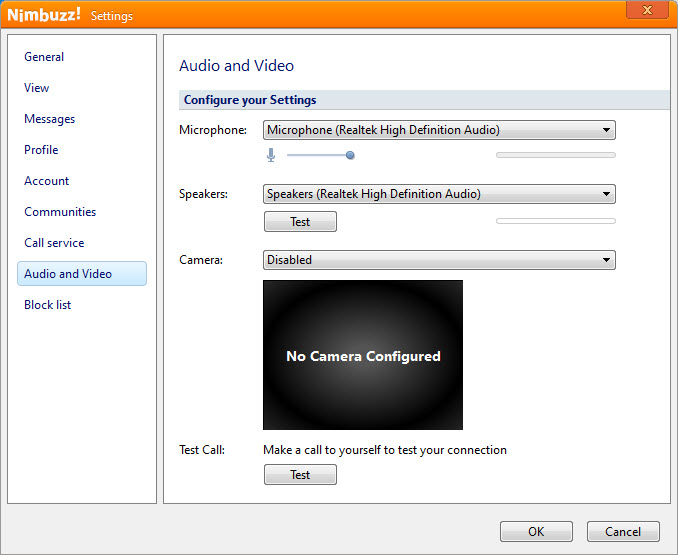
Beyond voice, this software also offers video calling so you can see the person you are speaking with in real time. The video window can be resized or moved around the desktop, letting you continue working while staying visually connected with the other party. Webcam support is straightforward to configure, and the application automatically adjusts video quality based on available bandwidth.
While it may not match the polish of dedicated video conferencing tools, it works reliably for personal conversations and casual face-to-face chats with contacts.
File sharing and media exchange
Sharing files directly through chat is another useful capability of this tool. You can send documents, photos, music, and other files to contacts without uploading them to a separate service, which simplifies quick exchanges of media during conversations.
Transfers happen within the chat window itself, with progress indicators showing the status of each file. This integrated approach makes the application feel more complete, since you do not need to bounce between email, cloud storage, and your messenger when sharing something with a friend.
Group chats and conference calls
For users who want to communicate with several people at once, Nimbuzz supports group chats where multiple participants can exchange messages in a shared room. These rooms work well for coordinating plans, sharing news with friends, or simply keeping a conversation going among a circle of contacts.
Conference calls extend this capability to voice, allowing several users to talk together at the same time. While the experience is best with a small number of participants, this functionality covers everyday group communication needs without requiring a separate conferencing platform.
NimbuzzOut for affordable international calling
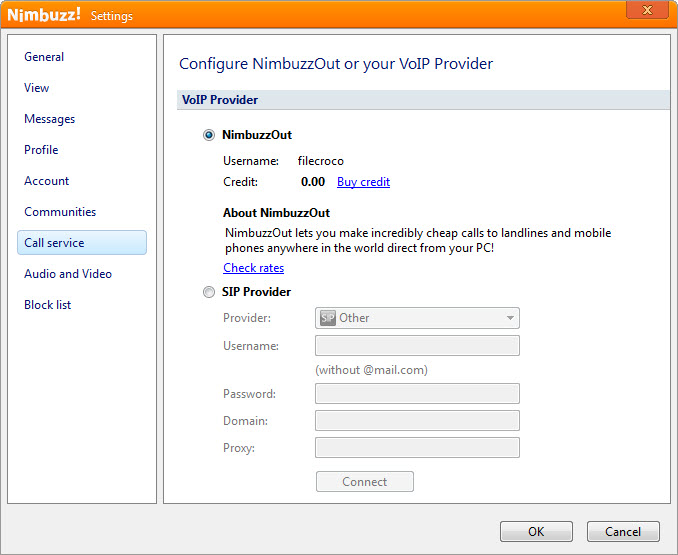
A particularly practical feature is NimbuzzOut, which lets you call regular landline and mobile numbers worldwide at low rates. This is useful when you need to reach someone who does not use the application, especially for international destinations where traditional carrier rates can be expensive.
Credits can be added through the account system, and rates vary by country. For users who maintain contact with people abroad who only have regular phone access, this functionality bridges the gap between internet messaging and traditional telephony in a convenient way.
Contact management and presence
The contact list combines users from all connected networks into a single organized view, with status indicators showing who is online, away, or busy. You can group contacts, search through long lists, and access recent conversations quickly without digging through menus.
Presence information updates in real time across protocols, which helps you choose the right moment to reach out. Profile details and avatars from the underlying networks are preserved as well, so contacts remain visually familiar regardless of which service they originally come from.
Conclusion
Nimbuzz offers a practical, all-in-one communication solution that brings together messaging, voice, and video into a single accessible Windows client. Its ability to consolidate multiple chat networks, combined with free user-to-user calling and affordable international dialing, gives it a useful niche for people who value convenience and cost savings.
While the interface and overall polish may not match the latest generation of messaging applications, Nimbuzz still delivers core communication features in a straightforward package that handles everyday needs reliably and without unnecessary complexity.
Pros & Cons
- Combines multiple chat networks into one consistent interface
- Free voice and video calls between users save on international communication costs
- NimbuzzOut offers affordable rates for calling regular landlines and mobile phones
- File sharing happens directly within chat conversations without external services
- Group chats and conference calls handle small-group communication smoothly
- Lightweight installation and modest system requirements suit older hardware
- Interface design feels dated compared to modern messaging applications
- Audio and video quality depend heavily on internet stability for both parties
- Some advanced features available in dedicated apps are missing or limited here
- Ads may appear in certain areas of the application during normal use
- Reliability of connections to external networks can occasionally be inconsistent
Frequently asked questions
Yes, this software connects to several popular networks at once, letting you exchange messages with contacts on services like Yahoo Messenger, Google Talk, and Facebook Chat from a single interface.
Voice and video calls between users of this tool are free over an internet connection, with no per-minute charges regardless of where the other party is located in the world.
Yes, the NimbuzzOut feature lets this software place calls to standard landline and mobile numbers worldwide using prepaid credit, with rates that are typically much lower than traditional carrier fees.
Absolutely. File sharing is built directly into the chat window, allowing you to send documents, images, and other media to contacts without using separate file transfer services.
Yes, this tool supports video calls between users, with automatic quality adjustment based on available bandwidth so the experience remains usable on a range of internet connections.
Yes, group chats allow several users to participate in the same conversation, and conference calls extend this capability to voice for small-group discussions.
This software has modest system requirements and a lightweight installation footprint, which makes it suitable for older or less powerful machines that struggle with heavier communication tools.


