

Nero Burning ROM
About Nero Burning ROM
Nero Burning ROM is the disc burning program that the rest of the category has been compared with for as long as there have been recordable discs. It writes data and audio and video compilations to CD, DVD and Blu-ray, including triple-layer BDXL and archival M-DISC media.
It copies discs, builds images and burns them, rips audio CDs with online track details, and prints covers. Around those jobs it adds the things that separate it from the many capable burners you can have for nothing. Encryption and signing on the disc itself, adjustable redundancy so a scratched disc still reads, and spanning that mixes disc types to use the fewest blanks.
Whether any of that justifies a paid program over ImgBurn depends on what the discs are for. For a car stereo compilation, it does not. For a set of discs that has to be readable in twenty years and unreadable by whoever finds them, Nero Burning ROM is close to the only choice left standing.
Compilations, from data disc to video disc
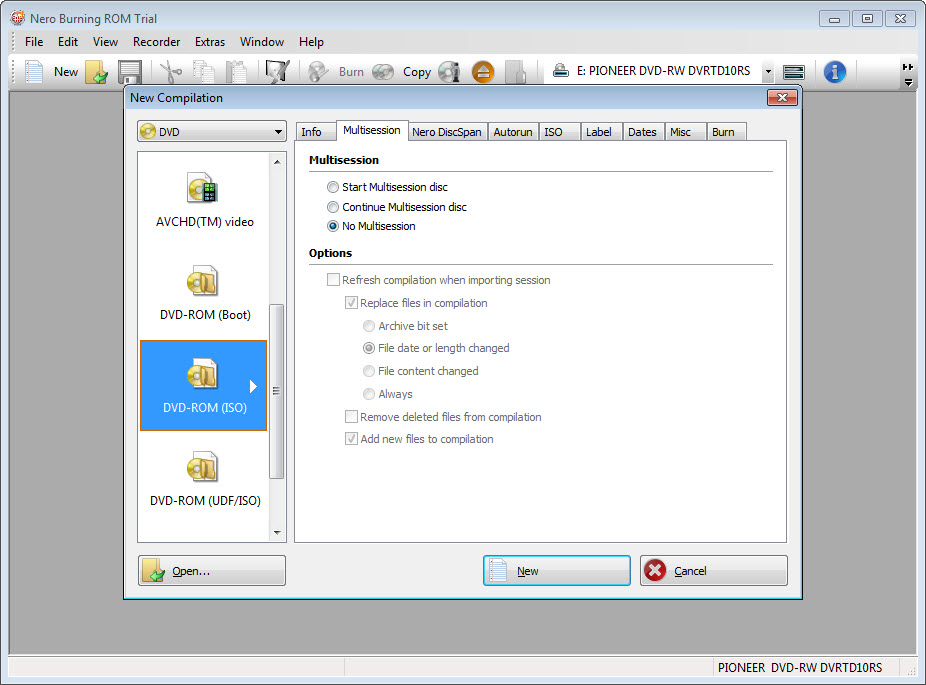
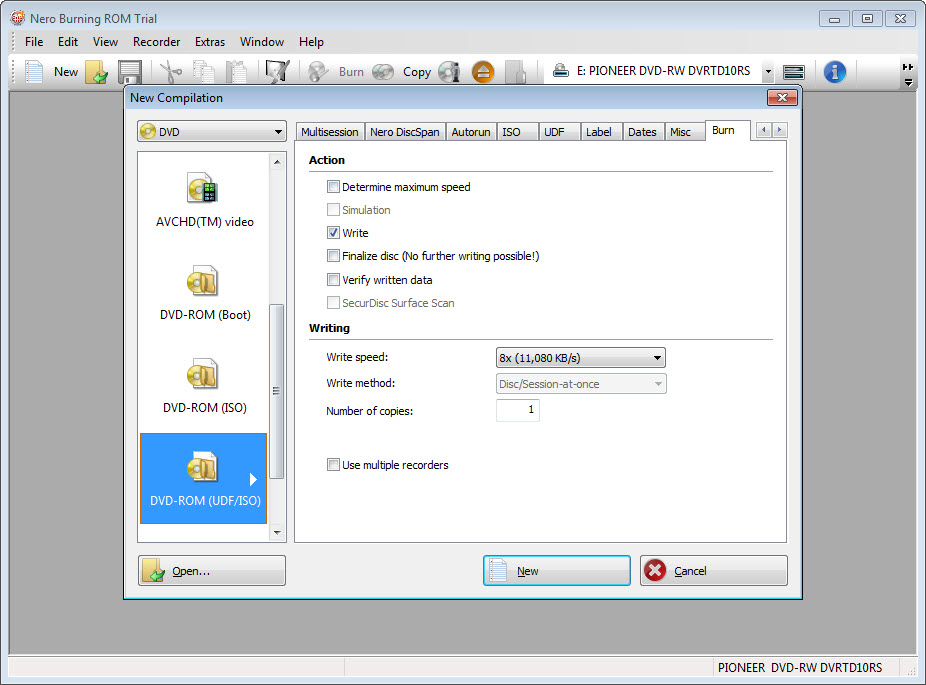
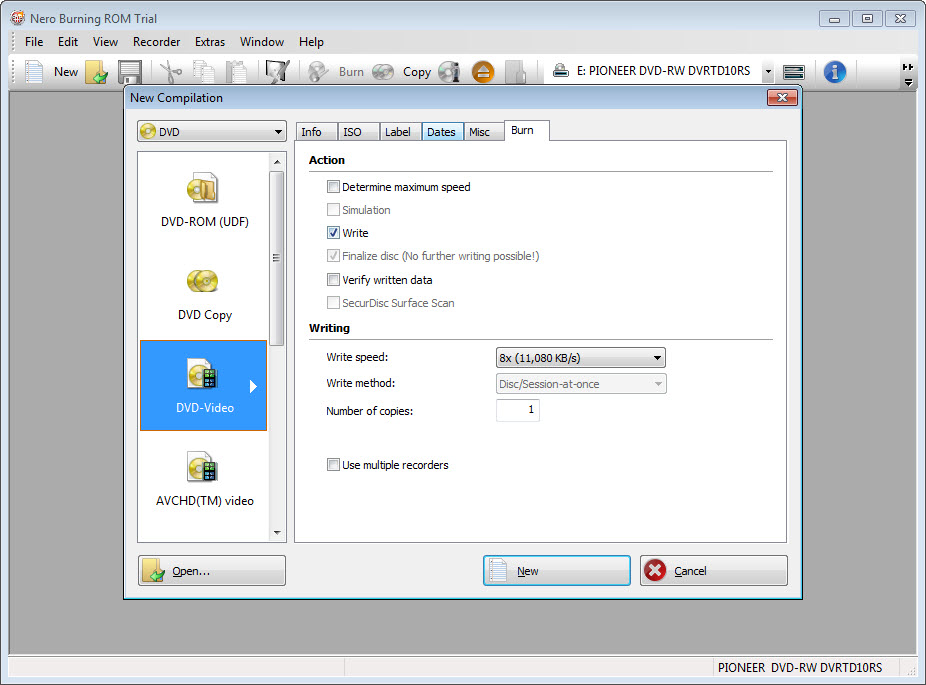
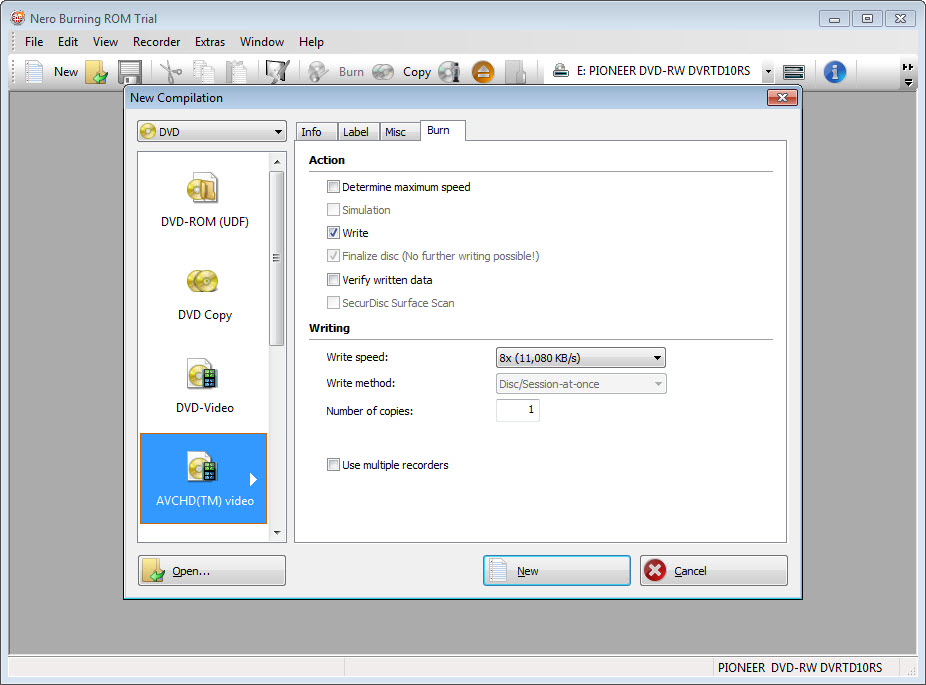
The New Compilation dialog is the heart of the program. Pick the disc type across the top, then the compilation kind. Data disc with ISO, UDF or both filesystems, multisession or single, bootable from a boot image or an emulated floppy. Audio CD, MP3 disc, or a video disc built from an existing DVD-Video folder, a BDMV structure or an AVCHD camera folder. Each kind has its own tabs for labels, dates, filesystem options and burn settings, and the sheer number of tabs is the first thing that intimidates people.
There is an escape hatch. A toggle switches to Nero Express, a wizard that asks what you want and hides the rest, and you can switch back to the full view mid-project when a setting is missing. Drag files into the compilation, watch the capacity bar, and the Burn button offers speed, number of copies, a simulation run and a verify pass.
The engine has been tuned against more drives than any other, and the verify pass is thorough.
SecurDisc, the reason it still exists
SecurDisc is the set of Nero Burning ROM options on a data disc that no other consumer burner matches. Encryption at 256-bit AES with a password protects the contents. A digital signature lets a recipient confirm the disc has not been altered.
And data redundancy, adjustable in the burn dialog, fills spare space on the disc with error-correcting information. A scratch or the slow decay of the dye then takes out spare copies rather than your files. A disc burned with the redundancy turned up can lose a surprising amount of surface and still read cleanly.
The catch is that a SecurDisc disc is read through a small viewer program on machines without Nero Burning ROM, and encrypted discs need it. Plain data discs burned here open anywhere. Once you turn the protection on, the disc becomes a disc for people who have the viewer, which is fine for your own archive and a conversation for anything you hand to a stranger.
Spanning, disc images, copies
DiscSpan splits a compilation that is too large for one disc across as many as it takes. The SmartFit option lets it mix CDs, DVDs and Blu-ray blanks in one set to minimise the count, and a restore tool is written to the first disc. Image Recorder appears as a virtual burner in the drive list, so any compilation can be written to an ISO or NRG file instead of a blank. That is how you check a layout in a virtual drive or hand an image to someone else to burn.
Disc copy works on the fly between two drives or through an image in a single drive. For audio CDs it carries CD-Text and, where the source allows, the album details over to the copy. It does not remove copy protection from commercial video discs, and it says so rather than failing quietly.
Audio CDs and ripping with Gracenote
The Nero Burning ROM audio compilation takes MP3, FLAC, AAC, WAV and the rest, decodes them, and offers filters per track. Normalisation to a common level, a hiss and click reducer for old recordings, an equaliser, and cross-fade between tracks with a chosen overlap. CD-Text is written from the tags. It is a small mastering desk for people who still make discs for a car or a relative, and more than any other burner offers.
Ripping goes the other way. Insert a CD, and the Gracenote lookup fills in artist, album, track titles and the cover art, then rips to MP3, MP3 PRO, AAC, FLAC or APE with the tags and the cover embedded. The same lookup adds cover art to MP3 discs for car stereos that display it.
For anyone with a shelf of CDs to digitise, this alone can be the reason to buy, though a dedicated ripper with accurate-rip verification still does the careful job better.
Cover printing and the launcher
Nero CoverDesigner opens from a Nero Burning ROM compilation with the track list or file list already placed. It lays out jewel case inserts, DVD sleeves and disc labels with templates and backgrounds and free text. LightScribe and LabelFlash drives can etch the label straight onto compatible media. It is a full label program and a reasonable one.
The launcher around the program is less welcome. It promotes the wider suite the burner belongs to, nudges towards upgrades, and adds a version rollback tool that is useful and a promotional panel that is not.
The interface itself follows the system light or dark mode and lets you pin frequently used compilation types, which softens the density a little.
Conclusion
Nero Burning ROM is for the archivist, the small business keeping records on disc, and the collector digitising a CD shelf who wants covers and titles filled in. SecurDisc and the spanning are real capabilities with no equivalent, and the audio tools turn a burner into a modest mastering desk.
The casual user who burns a disc twice a year gets nothing here that a capable unlicensed burner does not already do, and should pick one of those. Everyone else will find the density annoying for a week and indispensable after.
Features & benefits
Pros & Cons
- SecurDisc encryption and signatures plus adjustable redundancy on data discs
- DiscSpan SmartFit spans across mixed CD, DVD and Blu-ray blanks
- Gracenote lookup adds titles and cover art when ripping and on MP3 discs
- Audio CD filters with normalisation and cross-fade per track
- Image Recorder writes any compilation to ISO or NRG without a blank
- Broadest drive and media support of any burner, including BDXL and M-DISC
- Encrypted SecurDisc discs need a viewer on other machines
- Dense interface with many tabs, even with the Express toggle
- Launcher promotes the suite and upgrades
- Most of the everyday jobs are matched by burners with no licence
Frequently asked questions
Yes, through a small SecurDisc viewer that reads signed and encrypted discs. Discs burned with redundancy alone, and without encryption, read as ordinary data discs anywhere.
Add the folder to a data compilation and choose DiscSpan. With SmartFit enabled it plans the split across the blanks you have, including a mix of disc types, and writes a restore tool to the first disc to reassemble the set.
Yes. The built-in Gracenote lookup identifies the disc and fills in artist and album, track titles and cover art, which are embedded in the MP3, FLAC, AAC or APE files it produces.
Choose Image Recorder as the target drive. The compilation is written to an ISO or NRG image file that can be mounted, tested or burned later.


