

naBoota
About naBoota
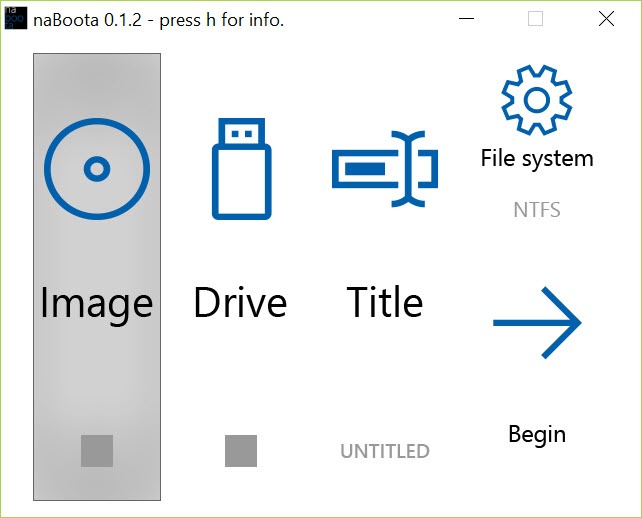
If you’re looking for an intuitive application to create a bootable USB device, naBoota provides a hassle-free solution. With its user-friendly design, even beginners can easily follow the instructions to prepare a bootable USB drive without confusion.
This application focuses on simplicity and functionality, ensuring you can complete the task with minimal effort.
To use naBoota, you need two essential components:
- A USB drive that you’ll turn into a bootable device.
- An ISO image of the operating system you wish to boot from.
It’s important to note that it exclusively supports ISO images and does not work with other image formats. This focus on a single format ensures the process remains straightforward and avoids unnecessary complexity.
How naBoota Simplifies Bootable USB Creation
It offers all the essential features required to create a bootable USB drive without including advanced options that might confuse novice users. Its streamlined functionality focuses on guiding you through the process efficiently.
The application is built with a modern yet simple interface, making it easy for users to locate the right settings and execute the task seamlessly.
Why Use naBoota?
Using this tool allows you to create bootable USB drives effortlessly. Once created, these drives can boot an operating system or access portable computer applications.
Whether for installing a new OS or troubleshooting, it ensures you’re equipped with a reliable bootable USB.
Conclusion: Simple and Reliable Bootable USB Creation
naBoota stands out as an ideal tool for anyone seeking to create a bootable USB drive without dealing with overwhelming features. Its focus on essential functionality and ease of use ensures that beginners and seasoned users can quickly prepare a reliable bootable USB.
If you need a straightforward and efficient solution for bootable USB creation, naBoota is worth trying.
Pros & Cons
- Beginner-Friendly Interface: Simple and modern design for ease of use.
- Streamlined Functionality: Focuses only on essential features, eliminating unnecessary complexity.
- Reliable ISO Support: Works exclusively with ISO images, ensuring compatibility with most operating systems.
- Quick Setup: Minimal steps to complete the bootable USB creation process.
- Limited to ISO Images: It does not support other image formats, restricting versatility.
- Lacks Advanced Features: Not suitable for users looking for detailed customization options.
- USB-Only Compatibility: It does not cater to other storage devices like SD cards or external hard drives.
Frequently asked questions
It works with any operating system that provides an ISO image for installation. Common examples include Windows, Linux distributions, and certain recovery tools.
No, the app is designed for creating a bootable USB for a single ISO image. If you need multi-boot functionality, you'll need more advanced tools.
No, it exclusively supports ISO images, making it a simple and focused tool for bootable USB creation.
Yes, if the ISO image supports live USB functionality, it can be used to create a live USB for testing or running an OS without installation.


