

Mumble
About Mumble
Voice chat for groups generally lands you on one of two paths. Either you join a centralized service like Discord and accept that your conversations live on someone else’s infrastructure, or you run your own server and own everything that happens on it.
Mumble is built squarely around the second path. It’s an open-source, low-latency VoIP client paired with a self-hosted server (called Murmur), designed originally for gamers who needed clearer communication than the in-game voice options of the mid-2000s could deliver.
What makes it worth a look in 2026 is not nostalgia. The application is still maintained, still posts releases regularly, and still does several things that the polished commercial alternatives either can’t match or don’t bother offering.
Self-hosted privacy, sub-30ms latency on a decent connection, positional audio for supported games, and a footprint small enough to run on a Raspberry Pi.
Low-latency architecture built for talking over games
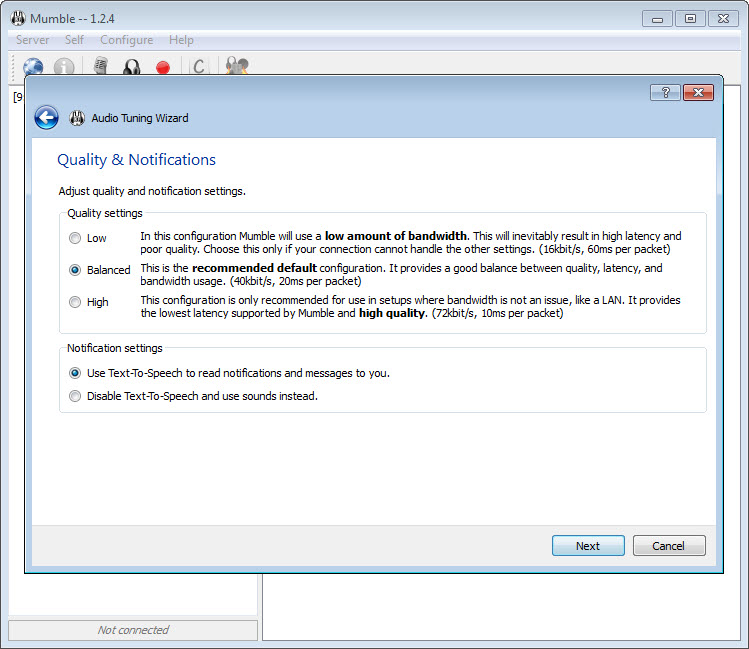
Mumble uses the Opus codec by default, with adaptive bitrate ranging from around 8 kbit/s up to 96 kbit/s per stream. Latency between client and server typically sits at 15 to 30 milliseconds on a local connection, climbing modestly across continents. That sounds like a small number, but it’s the difference between hearing “behind you” before the grenade lands and hearing it after.
The transport runs over UDP with TCP as a fallback if UDP is blocked or unstable. Jitter buffering is configurable per user, and the server enforces a quality ceiling that all clients respect. Compared to Discord (which uses Opus too but adds a hosted-service routing hop) or older alternatives like Ventrilo, the latency advantage shows up most clearly in competitive game scenarios where audio timing actually affects outcomes.
Self-hosted server with full administrative control
The Murmur server (sometimes called Mumble Server in newer documentation) runs on Windows, Linux, macOS, and several embedded platforms. Hosting costs are negligible. A 50-user server uses a few megabytes of RAM and almost no CPU. Plenty of communities run permanent servers on hardware they were going to leave on anyway.
Administration happens through configuration files, an RPC interface, and (optionally) a web frontend if you install one separately. You define channels, set per-channel permissions, create groups, restrict who can join what, and configure ACLs (access control lists) at any level of the channel tree.
The permission model is fine-grained to the point of being intimidating on first contact, but it scales well. Large gaming clans use it to run dozens of nested channels with different access rules per role.
End-to-end encryption and certificate authentication
All communication is encrypted with TLS (for control channel) and OCB-AES128 (for voice data). Users authenticate using X.509 certificates rather than usernames and passwords. Your client generates a self-signed certificate on first launch, and the server identifies you by the certificate’s hash on every reconnect. Lose the certificate file and you lose access to channels that remembered your old identity.
This design is more secure than password-based auth, but the trade-off is reality. New users frequently get confused when they reinstall and discover their old certificate didn’t come with them. There’s a built-in wizard for exporting and importing certificates that helps, but it’s the kind of thing a less technical user might struggle with the first time. Voice channel privacy on a self-hosted Mumble server is genuinely strong, much closer to a Signal-style guarantee than what you get from a service that holds your data centrally.
Positional audio for compatible games
In supported titles, Mumble can read player position data directly from the game’s memory and apply 3D audio panning to every other player’s voice based on where they are in the world. Someone running up behind you sounds like they’re behind you. Someone calling from across the map sounds far away and quiet.
The list of supported games is maintained through community-written plugins and includes titles like Counter-Strike, Team Fortress 2, Arma 3, World of Warcraft, several flight simulators, and a long list of older titles where the memory addresses have been mapped by enthusiasts.
New games require someone to write a plugin, so coverage of the latest releases varies. But for any title with an active Mumble plugin, positional audio is one of those features you immediately miss when you go back to a flat-mix voice chat.
Push-to-talk, voice activation, and audio mixing controls
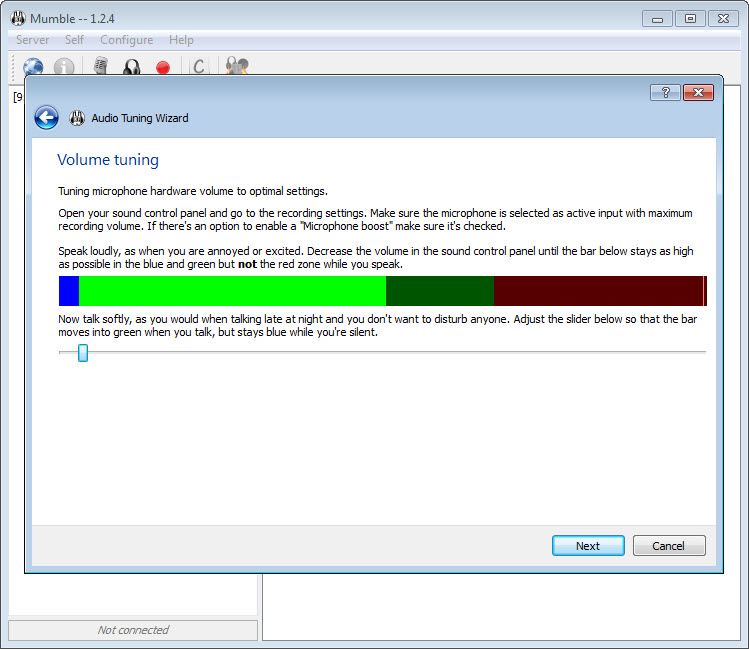
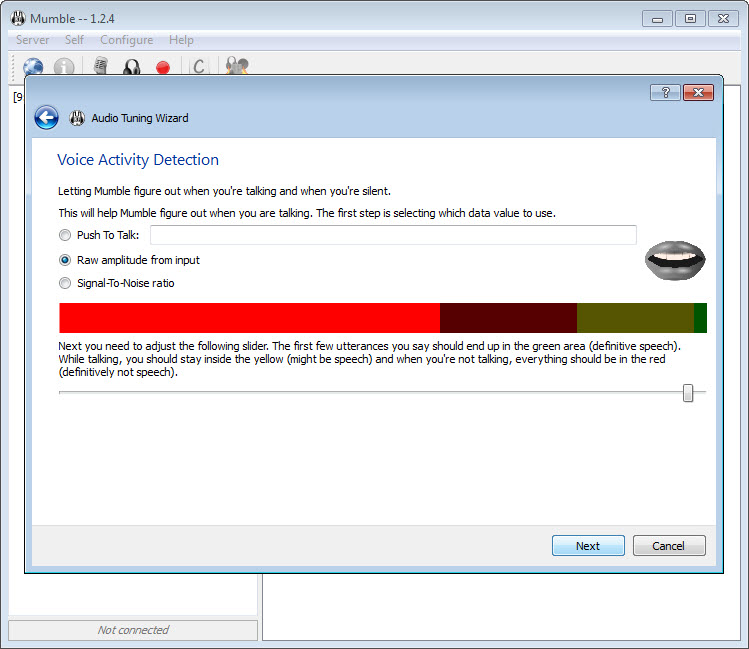
Activation modes include continuous transmission, voice activation (with adjustable threshold and an optional hold time), and push-to-talk bound to any key, mouse button, or controller input. PTT supports per-channel binding too, so the same key can target different destinations depending on what game window is active.
Audio processing is handled internally. Echo cancellation, noise suppression, automatic gain control, and a per-user volume slider all live in the mixer panel. Compared to commercial tools that hide their audio pipeline behind a couple of toggles, Mumble exposes the knobs and lets you tune things specifically. If your audio interface has a high noise floor, you can crank the suppression up without affecting the people on a clean USB headset.
For users who want to layer voice effects, an external tool like Clownfish Voice Changer routes through the same input device Mumble captures from, so the two work together without any special integration.
Overlay and text chat features
An in-game overlay shows who’s currently speaking, with configurable position and transparency. The overlay uses an injection mechanism that works in most DirectX and OpenGL games. Some titles (mainly those with aggressive anti-cheat) refuse to load the overlay, in which case you fall back to the standalone window or an external display.
Text chat exists in every channel but takes a back seat to voice. You can paste links, format messages with HTML (limited tags), and send images inline. Whisper messaging targets a single user or a specific group. The chat history isn’t persistent on the server by default, which trips up users coming from Discord where every message lives forever.
Conclusion
Mumble makes the most sense for groups that care about audio quality, latency, and privacy more than they care about social features. Gaming clans running competitive scrims, audio engineers using it for remote sessions, ham radio operators bridging analog and digital communication, and tabletop groups who want a permanent server with their own house rules all fit the profile.
If your priority is showing emojis to friends while screen-sharing a movie, you’re better off with one of the modern commercial alternatives.
The trade-off is straightforward. You take on the responsibility of running infrastructure (or paying someone else to), and in exchange you get a voice channel that nobody else owns, controls, or monetizes.
For people who’ve been pushed off enough free services over the years, that’s worth the extra setup time.
Pros & Cons
- Open source codebase audited by community developers over a long lifespan
- Self-hosted server means voice traffic and metadata stay on your hardware
- Latency under 30ms beats most hosted alternatives in side-by-side tests
- Positional audio in supported games is unmatched outside expensive commercial setups
- Permission system scales from a five-friend server to a thousand-user community
- Server footprint is small enough to run on minimal hardware indefinitely
- Certificate-based authentication is more secure than passwords
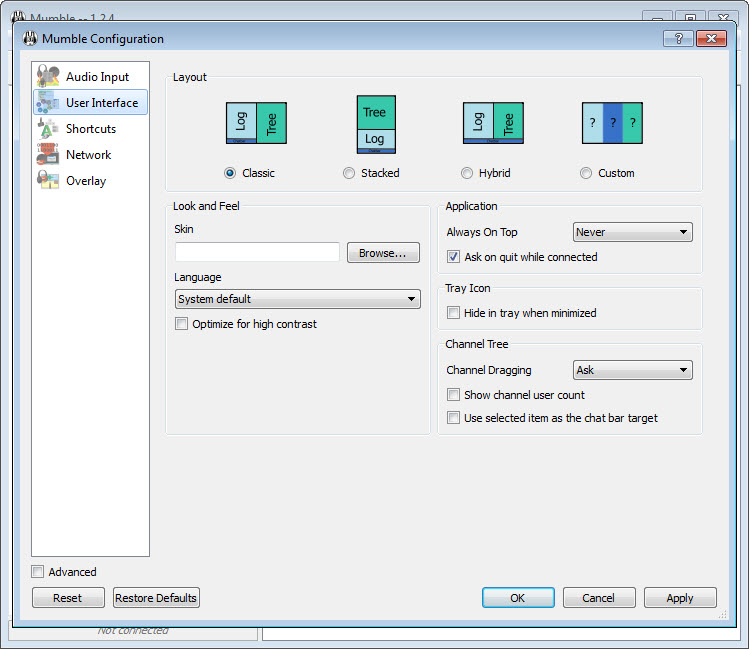
- Interface design hasn't changed substantially in years and shows its age
- Certificate management confuses new users who reinstall without backing up
- Initial server setup requires reading documentation, not just clicking through a wizard
- Plugin coverage for newer games depends on community volunteers
- No built-in video chat, screen sharing, or file storage features
- Mobile client situation is workable but lags behind the desktop experience
Frequently asked questions
Yes, the project continues to release updates with bug fixes, codec improvements, and platform compatibility changes. Releases are less frequent than commercial alternatives but consistent over time.
The server runs on minimal hardware and can be hosted at home, though you'll need to forward the appropriate UDP and TCP ports on your router. Many users instead rent a cheap virtual private server for permanent uptime.
The application supports positional audio in games that have a community-written plugin available. Voices are panned based on the relative position of each speaker within the game world.
This software offers lower latency, self-hosted privacy, and positional audio that Discord doesn't match. Discord wins on social features, persistent text history, video chat, and the convenience of not running your own server.
Yes, the whisper and shout features let users transmit voice to specific channels or groups beyond their current channel. Channel linking can also bridge audio between two channels permanently.
Current versions use Opus by default, which adapts bitrate dynamically based on network conditions. Older Speex and CELT codecs are still supported for backward compatibility with legacy clients.


