

MP3TAG
About MP3TAG
Every music collection drifts toward chaos. Track 01 by Unknown Artist, three spellings of the same band, albums split in half because one file says “Greatest Hits” and the rest say “GH Disc 1”. Players can only display what the files claim about themselves, and Mp3tag is the tool that fixes what they claim, across thousands of files in one sitting.
Ignore the name’s modesty. Alongside MP3, Mp3tag handles FLAC, M4A, AAC, OGG, Opus, WMA, WAV, and the rest of the practical audio world, writing the right tag standard for each format without asking you to know what ID3v2.4 or Vorbis Comments are.
One program, one workflow, every format in the library.
Edit a thousand files as easily as one
The window works like a spreadsheet. Load a folder (or the entire library) and every file becomes a row, with columns for artist, album, title, track number, year, genre, and whatever else you care to display. Select one file, a hundred, or all of them, type an album name once in the tag panel, and it lands on the whole selection. Fixing the three spellings of that one band takes a sort, a select, and a single edit.
Speed holds up where it matters. Tens of thousands of files load and save without drama, which anyone who has watched a bloated library manager choke on the same job will appreciate.
This focused approach is exactly why people keep a dedicated tag editor around even when their player, a MusicBee or MediaMonkey, technically has tagging built in.
Let Discogs and MusicBrainz do the typing
Manual entry is the fallback, not the plan. Select an album’s files, run a search against the Discogs or MusicBrainz databases, and import the whole package (track titles, artist, year, genre, cover art) in one confirmation dialog that lets you match tracks to titles before committing. A ripped album goes from anonymous to fully documented in under a minute.
Cover art gets its own workflow. Embed downloaded artwork into the files themselves so it travels with them to any player or device, export existing art out of files, or batch-add a folder image to an entire album. Files with embedded covers simply behave better everywhere, and this is the fastest route to getting them.
One honest limit. The lookup starts from whatever text the files already carry, so a folder of complete mysteries with garbage names gives the search nothing to grip.
Acoustic fingerprinting, identifying a track purely by its audio, is the specialty of other tools, and truly unlabeled collections may need that step first before this editor takes over for the polish.
Filenames into tags, and tags into filenames
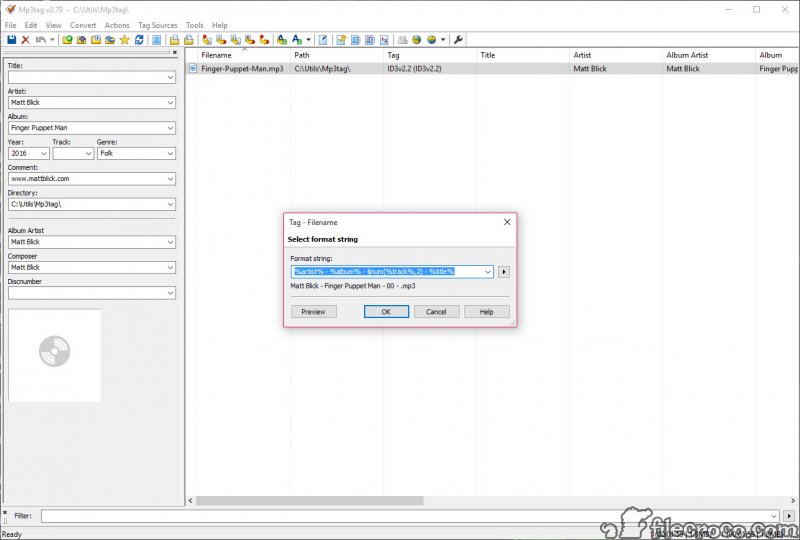
Mp3tag‘s converter functions are the quiet workhorses. Filename-to-tag reads a pattern like %artist% – %album% – %track% – %title% and populates tags from well-named files, rescuing collections where the names are good but the tags are empty.
Tag-to-filename runs the same idea in reverse, rebuilding messy file names, and entire folder structures, from clean tags. One format string can reorganize a dump of loose files into artist/album folders with consistent names throughout.
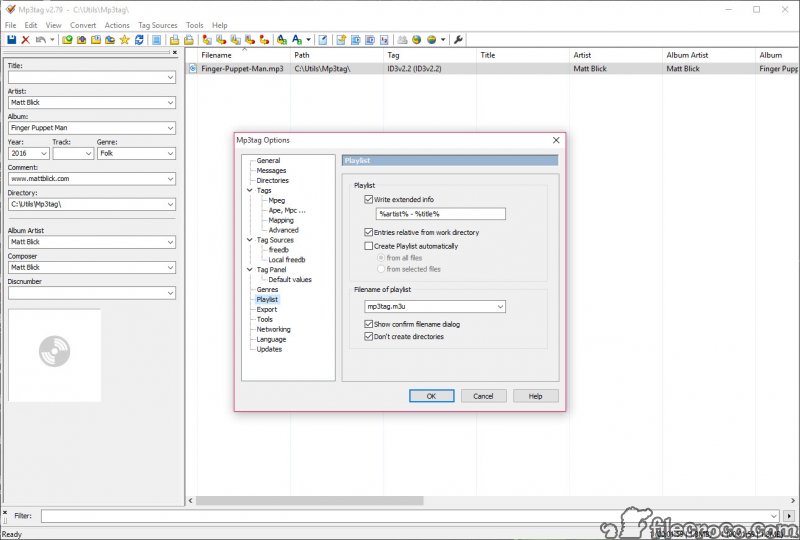
The same placeholder language drives playlist generation and text export. Building an m3u per album or dumping the whole library to a CSV inventory takes seconds, and the export side is how people produce a printable list of everything they own.
Actions, for the fixes you make every week
Recurring cleanups belong in Actions, saved sequences of operations you run with one click. Case conversion for that album tagged in all capitals, find-and-replace across any field, regular expressions for surgical edits, stripping junk comments that rippers leave behind, all of it can chain into a named group like “New Rip Cleanup” and apply to anything you select.
This layer is where the learning curve lives. Format strings and regex reward an hour with the documentation, and a careless action applied to the whole library does exactly what you told it to, everywhere. Start with a copied test folder the first time.
A simpler alternative like TagScanner covers similar territory with more buttons and less scripting, at the cost of this tool’s depth. And for verifying results, any serious player, foobar2000 included, will show you the tags exactly as written.
Conclusion
Mp3tag belongs to anyone whose music library outgrew casual fixes. Collectors ripping shelves of albums, DJs who need clean, consistent metadata, and everyone consolidating years of files from old drives will each find their reason. The batch editing, database lookups, and rename converters cover the whole cleanup pipeline in a single window.
Casual listeners with a few playlists in a streaming app have no use for it. But once you own files and care how they’re organized, this remains the sharpest tool for the job, provided you give its scripting side the short apprenticeship it asks for.
Pros & Cons
- Batch edits metadata across thousands of files in one operation
- Handles MP3, FLAC, M4A, OGG, Opus, WMA, and more with correct tag standards
- Discogs and MusicBrainz lookups import full album data and cover art
- Filename-to-tag and tag-to-filename converters rebuild names or tags from patterns
- Saved Actions automate recurring cleanups with regex support
- Fast with very large libraries, plus playlist and CSV export
- Format strings and Actions take real learning before they pay off
- No acoustic fingerprinting for identifying completely unlabeled files
- Bulk mistakes propagate as efficiently as bulk fixes
- Spreadsheet interface looks spartan next to modern library managers
Frequently asked questions
No, the name undersells it. FLAC, M4A, AAC, OGG, Opus, WMA, WAV, and other common formats are supported, each written with its correct tagging standard.
Yes. Album lookups against Discogs and MusicBrainz bring cover art along with track data, and the art can be embedded directly into the files so it displays in any player.
Yes, using format strings like %artist% - %title%, and it can build whole folder structures the same way, turning a loose pile of files into an organized artist and album hierarchy.
If the filenames contain the information, the filename-to-tag converter extracts it with a pattern. Files with neither useful names nor tags need audio fingerprinting from a different tool first.
The power cuts both ways, since a wrong batch edit applies everywhere instantly. Testing an unfamiliar action on a copied folder first is the sensible habit for big libraries.


