

Mobizen
About Mobizen
Putting a phone screen on a computer is useful for reasons that have nothing to do with novelty. Answering messages without picking anything up, showing an application to a room, controlling a device left in another part of the house. Mobizen does that, with the phone’s display appearing in a window you drive with a keyboard and mouse.
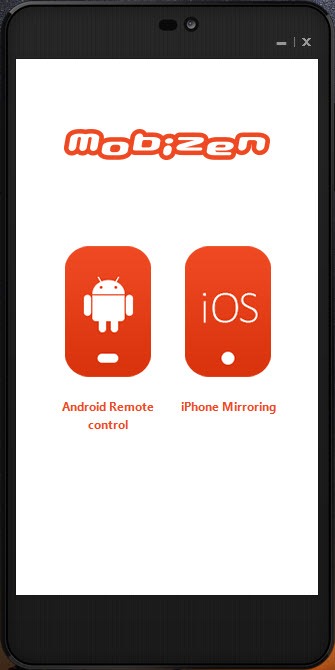
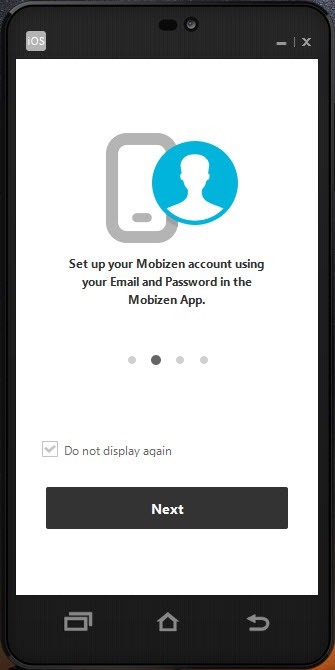
Mobizen needs a companion application on the phone and an account signing both ends in, which is what allows the two to find each other without any network configuration.
Once connected, the phone’s hardware buttons appear as controls in the window, notifications arrive on the computer, and files move between the two in either direction.
The connection method is the real decision
Here is the point that decides what you actually get, and it is easy to miss until after installing.
Connecting Mobizen by cable works without paying anything. Connecting over the wireless network, or over mobile data from somewhere else entirely, belongs to the paid tier.
That gating matters because wireless is the reason most people want this. A phone on the desk connected by cable is already within reach, and the appeal of mirroring is the phone being in a bag, in another room, or somewhere else in the building.
So the honest framing is that the unpaid version covers a phone plugged into the machine, and the arrangement people imagine when they read the description requires the upgrade. Mobizen does not hide this and it does not lead with it either.
For mirroring over a cable without an account or a subscription question, Vysor does that directly and works across manufacturers.
Recording, and the mark it leaves
Mobizen records the phone screen from the computer side, which suits anybody producing demonstrations of an application.
The free tier applies a watermark to what it records. That is the standard arrangement in this category and it means recordings intended for anybody else need the paid version, since a watermarked demonstration looks unfinished regardless of how good the content is.
Where the recording is of the computer screen rather than the phone, a screen recorder built for narrated walkthroughs handles that side, and the two cover different halves of the same job.
What arrives alongside the screen
Mobizen forwards notifications to the computer, which is the feature people end up valuing most, because they remove the reason to keep glancing at the phone.
File access covers both directions, so pulling photographs off or pushing a document across happens without a cable ceremony or a cloud service in the middle.
Remote control carries two-step verification, which is the correct arrangement for something granting full control of a phone across a network. Anybody enabling access from outside their own network should confirm that is switched on rather than assuming.
For file transfer, notifications, messaging without the full mirroring, AirDroid covers that ground over a network and asks less of both devices.
The window itself
Small touches in the mirroring window make it more usable than a plain video feed.
The display goes full screen for showing something to a room, and the transparency of the window can be adjusted on the computer side, which is how you keep an eye on the phone while working on something behind it.
Device-specific skins draw the phone’s actual body around the screen, which sounds cosmetic and helps when demonstrating, since the hardware buttons appear where the audience expects them rather than as a toolbar somewhere else.
Where it struggles
Three Mobizen limitations shape the experience, and none is a fault in the design.
Input lag makes games impractical. Every frame is captured, compressed, sent, decoded while your clicks travel the other way, and anything requiring timing feels wrong. Demonstrations and messaging are unaffected, and gameplay is not.
Resource demands are higher than the description suggests, at both ends. A modest phone or an older computer produces a mirrored screen that stutters, which is the encoding rather than the network.
And the phone is busy. It is capturing and transmitting continuously, which drains the battery on a wireless connection and warms the device, so a long session wants the phone on power regardless of how it is connected.
Conclusion
Mobizen does the phone and computer mirroring job competently, with the details that matter in daily use. Notifications on the computer, hardware buttons in the window, files moving both ways, proper verification on remote access are all sensible.
Settle the connection question before installing anything. A cable works without paying and is also the situation where mirroring helps least, while the wireless and remote connections people actually want are on the paid side. Decide which of those describes your situation, and remember that games are outside what any tool of this kind can deliver.
Pros & Cons
- Phone screen appears in a window and responds to keyboard and mouse
- Hardware buttons available as controls, so nothing needs touching the device
- Notifications forwarded to the computer, removing the reason to glance away
- Files move in both directions without a cable ceremony or a cloud service
- Screen recording from the computer, for demonstrating an application
- Two-step verification on remote control, which such access warrants
- Wireless and mobile connections belong to the paid tier, cable does not
- Free recordings carry a watermark
- Input lag rules out anything requiring timing, including games
- Demanding on both devices, so modest hardware produces a stuttering picture
- Requires a companion application and an account rather than working standalone
- The phone drains and warms while it is transmitting
Frequently asked questions
Not for a cable connection, which works without paying. Connecting over the wireless network or over mobile data from elsewhere belongs to the paid tier, and that is the arrangement most people actually want.
Yes, from the computer side, and the free tier applies a watermark to the result. Recordings intended for anybody else therefore need the upgrade, since a watermark makes a demonstration look unfinished.
No. The delay from capturing, compressing and transmitting each frame makes anything requiring timing feel wrong. Demonstrations, messaging and browsing are unaffected.
Yes, a companion application, plus an account signed in on both sides. That account is how the two find each other without any network configuration.
Usually the encoding rather than the connection. Capturing and compressing a screen continuously is demanding, and a modest phone or an older computer struggles with it regardless of how good the network is.


