

Lunascape
About Lunascape
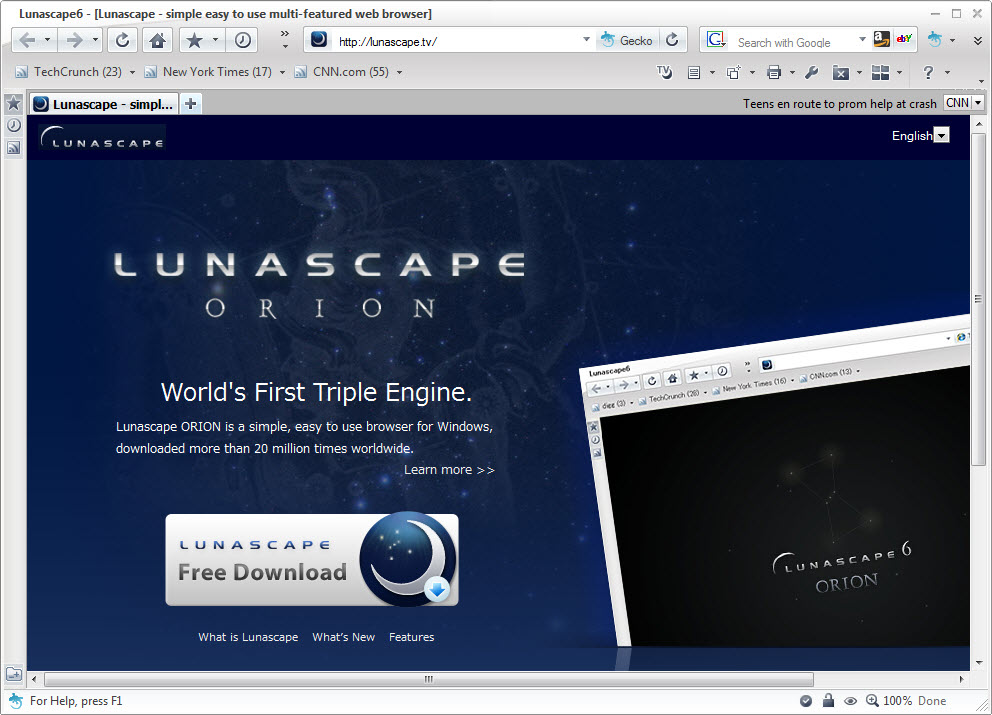
Lunascape is a unique web browser that stands apart from its competition by integrating three different rendering engines into a single application. Combining Trident from Internet Explorer, Gecko from Firefox, and WebKit from Chrome and Safari, this tool gives users the ability to view any webpage through whichever engine displays it best, switching between them with a single click.
For users who deal with websites that look or behave differently across browsers, web developers testing cross-browser compatibility, or anyone who wants the flexibility to handle pages that work in only one rendering environment, this software offers a genuinely distinctive approach that no mainstream browser replicates.
Triple-engine rendering technology
The defining feature of Lunascape is its ability to render webpages using three different engines within the same browser window.
Each rendering engine has its own strengths and quirks, and certain websites are designed or optimized for specific engines, sometimes failing to display properly outside the environment they were built for. By including all three major engines in one application, this tool eliminates the need to install and switch between separate browsers when a particular site requires a different rendering approach.
The switching itself happens instantly, letting you see the same page reload through a different engine without leaving the browser window or losing your place in your browsing session.
Tab-by-tab engine selection
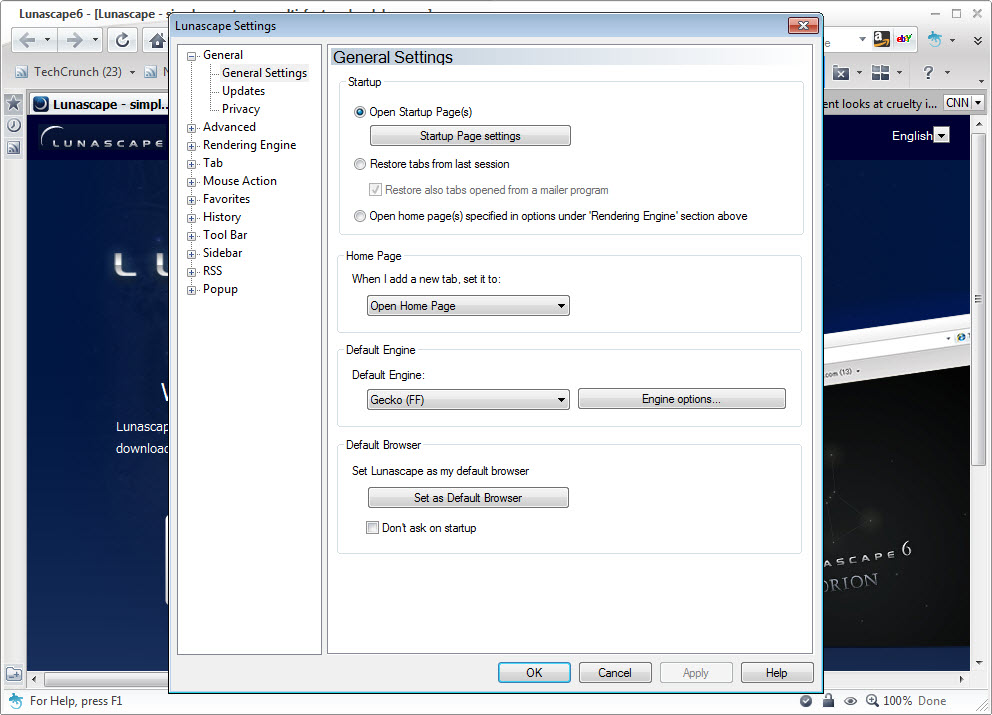
Rather than forcing a global engine choice, this software lets each tab use its own rendering engine independently.
You can have one tab open with Trident displaying a legacy corporate intranet site, another tab using Gecko for a Firefox-optimized web application, and a third running WebKit for general modern browsing, all simultaneously in the same window. This granular control means you no longer need to remember which sites need which browser or maintain multiple browser installations to handle different web environments effectively.
For users who routinely encounter sites with strict engine requirements, this flexibility transforms what would otherwise be a frustrating juggling act into a seamless single-browser experience.
Add-on and extension support
This tool supports a range of extensions and add-ons that extend functionality beyond the core browsing experience.
The extension ecosystem includes options for ad blocking, password management, productivity tools, and various customizations that let users shape the browser to fit their specific needs. While the available selection is smaller than what mainstream browsers offer, the most commonly needed extension types are well represented, and the support for multiple rendering engines means certain extensions can take advantage of different engine capabilities depending on the situation.
Customizable interface and layouts
Visual customization in Lunascape is more comprehensive than what most browsers offer out of the box. Users can adjust the toolbar layout, choose from multiple skins that change the entire visual appearance, and configure how tabs, sidebars, and other interface elements are arranged.
For users who want their browser to match a specific aesthetic preference or workflow style, this level of personalization adds genuine value beyond just visual decoration.
The skins range from minimalist designs that maximize content space to more elaborate themes with distinctive visual character, giving users meaningful choice rather than just minor color variations.
Mouse gestures and shortcuts
Advanced navigation features like mouse gestures let experienced users perform common actions through quick mouse movements rather than reaching for menus or buttons.
Configurable keyboard shortcuts further accelerate the browsing experience for users who prefer keyboard-driven workflows. Together, these features let power users move through their browsing tasks faster than they could in browsers that rely more heavily on mouse-driven menu navigation, which adds up to noticeable productivity gains during extended browsing sessions throughout the workday.
Integrated search and bookmarks
Search functionality includes support for multiple search engines that can be selected on the fly, letting you quickly run the same query through different services without retyping.
The bookmark system handles organization through folders, tags, and quick-access toolbars, with import and export options that ease migration from other browsers. For users with extensive bookmark collections built up over years of browsing, the import process preserves their carefully organized libraries rather than forcing them to start from scratch when adopting this tool.
RSS feed reader
A built-in RSS feed reader lets users subscribe to news sites, blogs, and other content sources directly within the browser.
While RSS has become less prominent in mainstream browsers, it remains valuable for users who want to follow specific sources without algorithmic filtering or social media noise. Having the reader integrated into the browsing experience rather than requiring a separate application keeps content consumption streamlined and centralized.
Sidebar with multiple panels
The sidebar feature provides quick access to bookmarks, history, downloads, RSS feeds, and other content without disrupting the main browsing view.
Multiple panels can be configured to suit individual workflows, giving users a persistent reference area alongside their main content. For research, comparison shopping, or reading multiple sources simultaneously, this layout proves more practical than constantly opening and closing separate windows or tabs to access reference information.
Tabbed browsing with advanced features
Tab management goes beyond basic functionality with features like tab groups, color coding, locked tabs, and various display options.
Tabs can be arranged to suit your preferences, restored after browser restarts, and organized in ways that match how you actually work rather than forcing you into a particular workflow. For users who routinely have many tabs open at once, these enhancements turn potential chaos into a manageable system.
Lightweight footprint
Despite packing three rendering engines into a single application, Lunascape maintains a relatively modest installation size and resource footprint.
Memory usage tends to be reasonable, particularly when only one engine is actively in use, and the application runs comfortably on systems that might struggle with multiple separate browsers running simultaneously. For users with older hardware or limited resources, getting the functionality of three browsers in one application provides practical efficiency benefits beyond just convenience.
Conclusion
Lunascape occupies a genuinely unique position in the browser landscape thanks to its triple-engine architecture, offering compatibility and flexibility that no mainstream alternative can match.
For users who deal with websites built for different engines, technical professionals testing cross-browser behavior, or anyone who values the freedom to choose how each page is rendered, this software provides capabilities that would otherwise require maintaining multiple separate browser installations. While the extension ecosystem and update cadence may not match the pace of major browsers, Lunascape continues to serve a specific and valuable niche for users whose browsing needs cross the boundaries that single-engine browsers cannot.
Features & benefits
Pros & Cons
- Triple-engine support delivers compatibility with virtually any website regardless of how it was built
- Tab-by-tab engine selection eliminates the need to switch between separate browser applications
- Comprehensive customization options let users shape the interface to match personal preferences
- Mouse gestures and keyboard shortcuts speed up common browsing tasks for power users
- Built-in RSS reader keeps content consumption integrated rather than requiring separate apps
- Sidebar with multiple panels supports research and reference workflows effectively
- Lightweight footprint makes it practical for systems where running multiple browsers would be heavy
- Smaller extension ecosystem compared to mainstream browsers limits some customization possibilities
- Update frequency for the underlying engines may lag behind their original sources
- Interface design feels less polished than current mainstream browser alternatives
- Some modern web standards may render imperfectly depending on the engine in use
- Active development has slowed compared to its peak years, raising long-term sustainability questions
Frequently asked questions
This tool lets you choose which rendering engine each tab uses, with options to switch instantly between Trident, Gecko, and WebKit. The selection can be made per tab, so you can have different engines running in different tabs simultaneously based on what each site works best with.
Some legacy corporate websites are built specifically for Internet Explorer and only work properly with the Trident engine, while certain web applications are optimized for Gecko or WebKit. This software handles all these cases without requiring you to install separate browsers for compatibility purposes.
Yes, this tool supports importing bookmarks, history, and various settings from major browsers, which makes the transition smoother. After importing, you can organize and customize the imported data within the browser's organizational tools and continue building on what you brought with you.
Modern web standards work in this software through its WebKit engine, which handles HTML5, CSS3, and contemporary JavaScript well. Users can default to WebKit for most browsing while keeping the other engines available for sites that specifically require them.
When a site does not display correctly in the current engine, you can switch to a different engine with one click and reload the page. This makes troubleshooting compatibility issues straightforward rather than requiring you to abandon one browser and try another, which can be a significant time saver for users who frequently encounter such issues.
Yes, this tool includes configurable mouse gesture support that lets you perform actions like back, forward, refresh, and tab management through mouse movements. Power users can customize gestures to match their preferred workflow rather than being limited to a fixed set of actions.
The extension ecosystem here is more limited than in mainstream browsers, so not every extension you might use elsewhere will be available. However, common functionality like ad blocking, password management, and productivity tools are typically covered by available extensions, even if the specific names differ.
This tool can serve as a primary browser for users who value its unique multi-engine capabilities and customization options. Users who depend heavily on extensions only available in mainstream browsers may find it less ideal as a sole browser, though it works well as a complement to other browsers for specific tasks.
The built-in RSS reader handles basic subscription and reading workflows competently, though dedicated RSS applications may offer more advanced organization, sync, and reading features. For casual feed following, the integrated approach keeps everything in one place without requiring additional applications to manage.
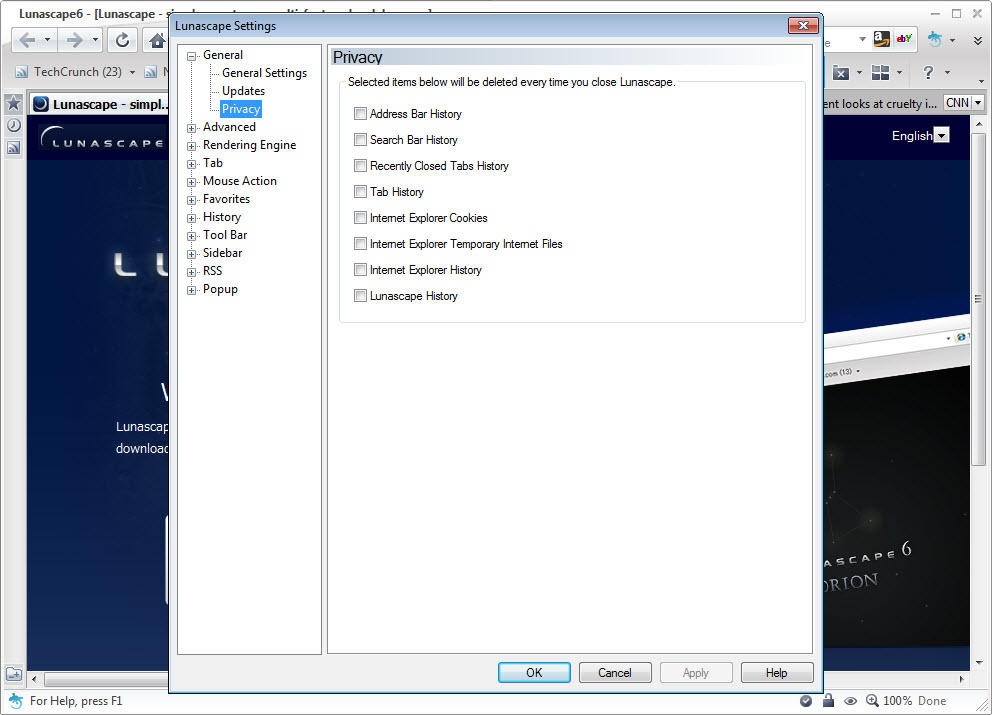
This software supports private browsing modes, cookie management, and various privacy-related settings. While not as feature-rich as some privacy-focused browsers, the available controls cover the basics of managing tracking and data exposure during typical browsing sessions for most everyday users.


