

Laragon
About Laragon
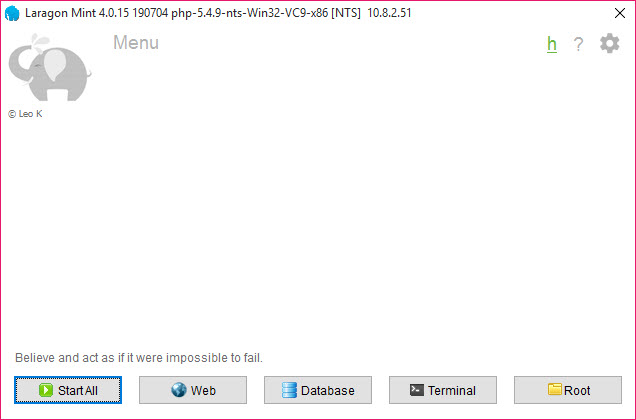
Laragon is a local web server for building sites and applications on your own machine before they go anywhere near a real host. It bundles Apache and Nginx, MySQL and MariaDB, PHP, Node.js and a handful of other runtimes into one folder and runs them from a tray icon.
Then it does the one thing its rivals never did. Drop a project folder into its www directory, press Reload, and the project is reachable at its own address, myproject.test, with a certificate already issued if you asked for one.
That automatic virtual host is why people leave XAMPP for it. The older bundles give you a server at localhost and a manual to read about hosts files and config directives. Laragon writes those for you every time you press Reload.
It swaps PHP versions from a menu, installs a fresh WordPress or Laravel from a right-click, and keeps everything inside its own folder so that deleting the folder removes every trace. It is not a container and not a virtual machine.
It is a very tidy folder of servers with a manager on top.
Pretty URLs and automatic virtual hosts
Every folder inside www becomes a site. The name of the folder becomes the hostname, the pattern is configurable, and the .test suffix keeps it off the real internet. Behind the scenes Laragon writes a virtual host file for the web server and an entry in the system’s hosts file. It rewrites both each time you reload, so a renamed folder gets a renamed address without you touching a config file.
Projects that need their own configuration keep it by dropping the auto prefix from the generated file, after which the program leaves that file alone. Enabling SSL in the menu generates a certificate for every host and updates the virtual hosts to serve it.
A site that behaves differently over HTTPS can then be tested that way locally. The template for generated hosts is a plain text file you can edit, which is how a team standardises a document root or a logging rule across every project.
Switching PHP, servers and databases
The Laragon menu lists installed versions of PHP, and choosing another one restarts the web server with it. Adding a version is a folder dropped into the bin directory or a Quick Add entry. The same applies to Apache against Nginx, MySQL against MariaDB or PostgreSQL, and to Node.js and Python. Profiles bundle a set of choices. A legacy project runs on an old PHP with Apache while a new one runs on the current release with Nginx, and switching between them is one click.
PHP extensions toggle from a submenu, which is the answer to the question every framework installer eventually asks about a missing extension. Because everything lives in the program’s folder, several versions of everything coexist without conflict.
A project that needs a specific combination gets it without disturbing the others. That is the feature the older bundles never managed, and the reason a team’s project setup time drops from an afternoon to half an hour.
Quick app, quick add and the terminal
Quick app is a Laragon right-click menu that creates a project from a template. WordPress, Laravel, Symfony, a plain blank site and others are downloaded and set up with a database and a hostname in one step.
The template list is editable, so a team’s own starter kit becomes an entry. Quick add installs more software into the environment from a list the program fetches. Additional PHP versions, database servers, search engines and tools are all on it.
A terminal is built in, based on a console emulator with tabs and a Unix-style shell, and it opens with the bundled PHP, Node and other tools already on its path. Anything declared in a Procfile, the plain text file that lists services a project needs, starts in its own terminal tab when the environment starts.
A queue worker or a search server runs alongside the web server without a separate window.
Databases and the mail catcher
MySQL and MariaDB come with the bundled database client and with phpMyAdmin, both a menu item away, and PostgreSQL and MongoDB install through Quick Add. The root password is blank by default for the local database, which is fine for a machine that is not exposed and wrong for anything else.
A menu entry resets it. For a heavier client that opens every database engine in one window, a database client for every engine connects to the bundled servers on their standard ports.
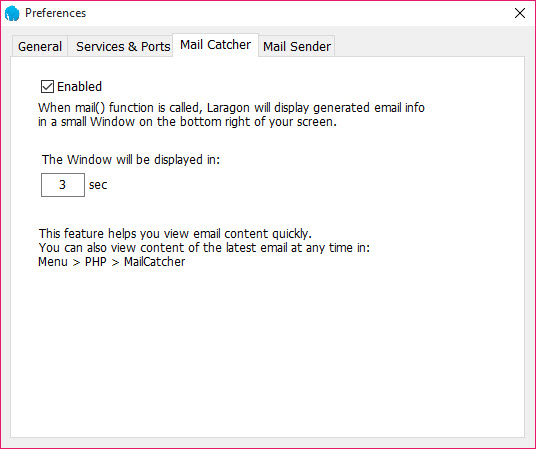
The Laragon mail catcher intercepts every message an application tries to send and saves it as a file, or shows it in a local inbox. Password reset and order confirmation emails can be inspected without a real mailbox receiving them.
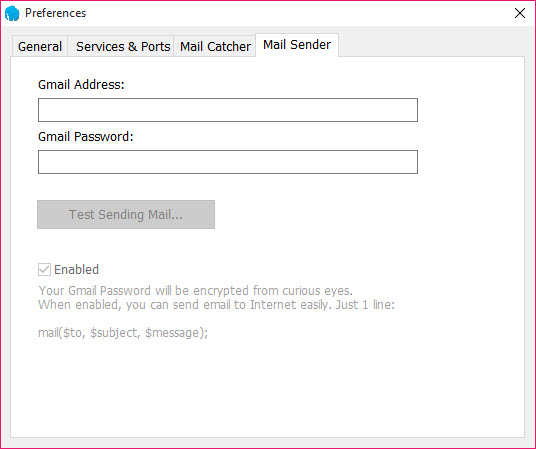
A mail sender does the opposite, relaying through a real account when you want the messages to leave the machine. Both are a preference toggle.
Sharing a local site
Share, in the Laragon menu, opens a tunnel through a bundled tunnelling client and hands you a public address that reaches your local site for as long as the tunnel is up. It is how a customer sees a work in progress without a staging server, and how a webhook from a payment service reaches your machine.
The tunnel needs an account with the tunnelling service, and it is off unless you start it.
Running from a folder or a stick
The whole Laragon environment moves as one folder. Copy it to another drive, a laptop or a USB stick, run the executable, and every site and database and setting comes along. Nothing is installed as a system service.
The program orchestrates its servers itself, which is why it starts in a second and why closing it leaves nothing running.
Where it needs care
Automatic configuration has an edge. The program rewrites the files it generates. A change made by hand to an auto-generated virtual host or php.ini can vanish on the next reload unless you remove the auto prefix or edit the template. The bundled components are updated when the program is. The terminal, the tunnelling client and phpMyAdmin move faster than that, so they fall behind unless you replace them yourself through Quick Add.
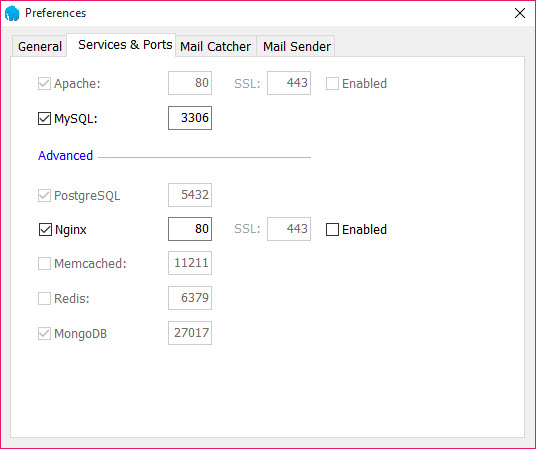
The isolation is a folder, not a sandbox. Ports are still shared with the rest of the machine, so a database or web server already running elsewhere collides with the bundled one until one of them moves.
And current releases require a licence key to run, with separate terms for business use. Know that before a team standardises on it.
Conclusion
Laragon is for web builders who want a project reachable at its own address thirty seconds after cloning it, with the right PHP version and a database ready. They would rather never see a hosts file again. Freelancers juggling client sites on different stacks and teams standardising a setup get the most from the profiles and the quick app templates.
People who need real isolation between projects, or who work inside containers already, have a different tool for the job. For a single machine and a folder of sites, this remains the fastest local server to live with, licence key and all.
Pros & Cons
- Every project folder gets its own hostname and certificate automatically
- PHP, web server and database versions switch from a menu and coexist
- Quick app installs WordPress, Laravel and others with a database in one step
- Built-in terminal with the bundled tools on its path and Procfile services in tabs
- Mail catcher traps outgoing email for inspection
- Portable folder with no system services, movable between machines
- Hand edits to generated config files are overwritten on reload
- Bundled terminal and tunnelling client lag behind their own releases
- Shares ports with the host, so existing servers collide
- Licence key now required to run
Frequently asked questions
Press Reload after adding the folder to www, since virtual hosts are written on reload. If it still fails, check that the hosts file entry was written, which needs the program to run with permission to edit it, and that the folder name contains no spaces.
Add the version to the bin folder or through Quick Add, then create a profile that pairs it with the web server, and switch profiles when you work on that project. Extensions are toggled per version from the PHP submenu.
The file is auto-generated and rewritten on reload. Rename it to drop the auto prefix and the program leaves it alone, or change the template in the usr folder so every generated host carries your change.
In a folder under the program's bin directory as HTML or text files, or in the local inbox viewer if you enabled it. Nothing is sent unless the mail sender is configured instead.
Yes. Copy the whole folder, including www and data, run the executable on the new machine and press Reload. Sites and databases come across intact, settings included.


