

Kiran's Typing Tutor


About Kiran's Typing Tutor
Kiran’s Typing Tutor teaches touch typing, the habit of finding every key without looking down. Open it and pick a module. Lessons walk a beginner through the keyboard row by row.
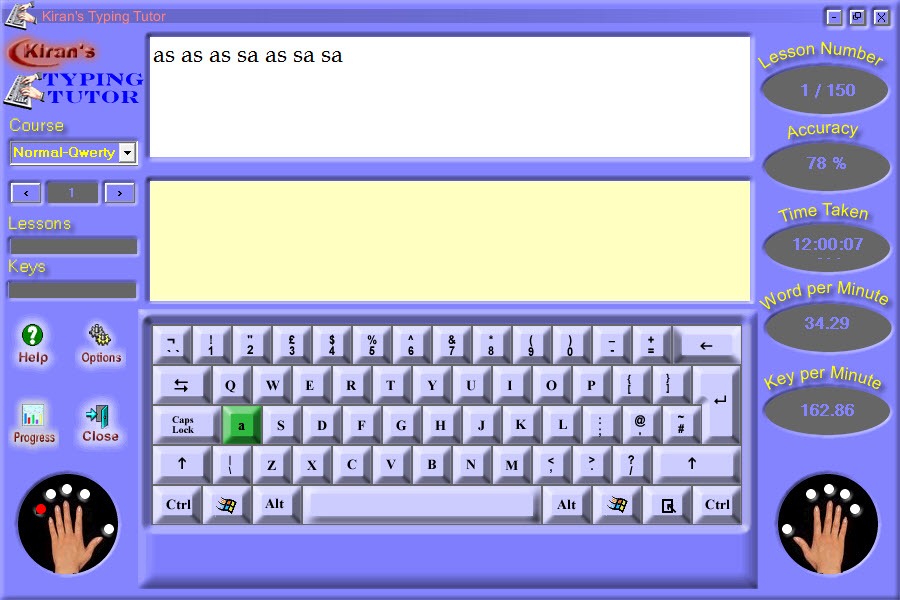
Practice drills the same keys until they stick, tests time you on real text, and a small set of games turns repetition into something closer to play. A picture of two hands sits above the keyboard and lights the finger that should press the next key. It is a plain, old-fashioned tutor, and it covers more ground than its modest size suggests.
The package has six parts. Lessons and Practice, Tests and Games, Kids Typing and Numeric Typing, with more than five hundred practice exercises and as many test passages behind them. A statistics screen charts your speed and accuracy over time, several people can keep separate profiles on one machine, and advanced users can write their own courses and keyboard layouts.
Kiran’s Typing Tutor is also honest about its level. Reviewers rate its teaching below the paid tutors, mostly for how quickly the lessons end. The sections below say where it works and where it asks for patience.
Lessons and practice
The Kiran’s Typing Tutor lessons start from the home row and add keys in small groups, with the finger guide showing which finger reaches where. You type the letters on screen, the program marks every wrong key, and a lesson ends when you have typed it cleanly enough. Practice is the same idea without the teaching. It drills the keys you are learning with words and phrases, and the exercises get longer as you move through them.
There are hundreds of both, so a beginner has material for weeks. The trouble is length. Many lessons last a minute or two and then hand you straight to the next, without the revision and the mixing of old keys with new that good tutors build in.
That keeps the pace brisk, and it can leave you forgetting the keys from three lessons ago. Repeat a lesson until it feels easy before moving on, and the method works.
Tests and the statistics
The Kiran’s Typing Tutor tests time you on passages of different kinds. Paragraphs and single sentences are the standard ones, and there are specialist sets, accounting among them, for people who type figures for a living. You get your speed in words a minute, your accuracy, and a count of the errors, with a note on which keys trip you up most.
Over time a statistics screen draws graphs of those results per profile, so a family can share the computer and each person sees their own curve. The graphs are basic, a line of speed and a line of accuracy with nothing deeper behind them.
That is enough to see whether you are improving. It will not tell you why a plateau has appeared. For fuller reporting, with fifteen measured parameters, group statistics and exports to a spreadsheet, RapidTyping goes further on the reporting side.
Kids, the keypad and the games
Kids Typing is a separate Kiran’s Typing Tutor module for ages four to eight, with five kinds of lesson that use big letters and pictures rather than long passages. It is simple and cheerful, and it gets a young child to recognise keys before any technique is asked of them. Numeric Typing teaches the number pad on its own, which suits anyone who enters figures and wants to stop looking down.
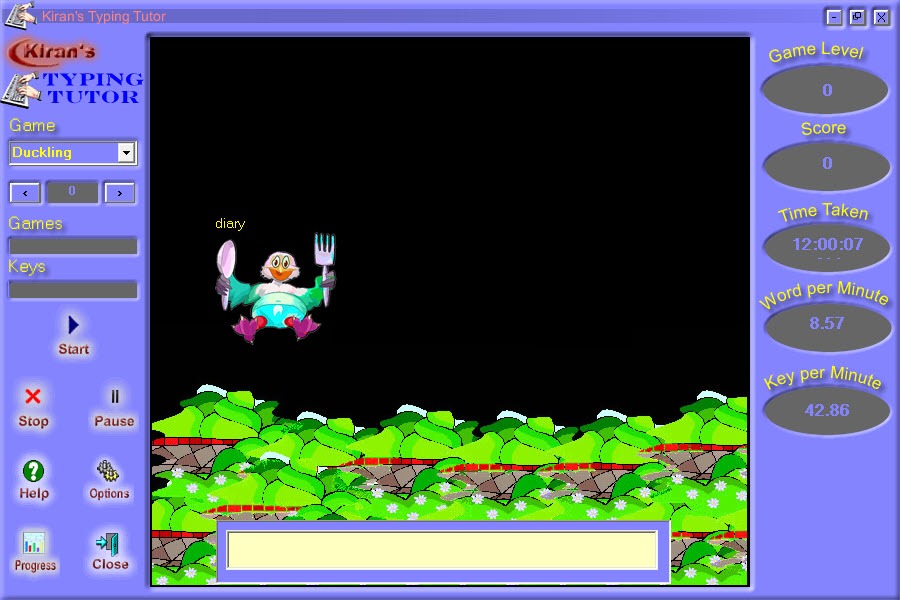
The games are four small ones that ask you to type words to move a character, catch a falling letter or clear a board. They are gentle, a little dated and fine for a break. They do not teach technique by themselves.
They add speed practice that does not feel like practice, which is what a child will actually do in the evening.
Courses and keyboard layouts of your own
Here Kiran’s Typing Tutor goes beyond a beginner’s tool. You can write a course of your own, choosing the text a lesson uses, which suits a teacher setting vocabulary or a typist preparing for the words of one trade. You can also define a keyboard, so a layout the program does not list becomes something you can learn on. Several themes change the look, and the interface and the instructions can run in different languages, with voice prompts for those who want them.
That flexibility is why schools and training centres have used it for so long. For someone learning on a Hindi layout or a mixed keyboard, a typing tutor built for English and Hindi is a more direct fit than building the course from scratch.
Where the teaching falls short
The interface looks like software from an earlier generation, with small buttons and flat windows. The lessons are short and the revision is thin. The statistics are shallow. There is no adaptive engine that notices your slow keys and builds a drill around them. Reviewers who compare it with paid tutors usually rank it lower for exactly those reasons, and some call the teaching method thin.
None of that makes it a poor choice for a first month. It installs easily, it runs on modest machines, and the finger guide plus the practice drills are enough to build the habit. Another tutor that is still developed, Tach Typing Tutor, covers speed and accuracy with a slightly more modern face, and many learners use two tutors in turn.
Conclusion
Kiran’s Typing Tutor suits beginners and children, and anyone who wants a straightforward tutor with a finger guide and plenty of practice. For teachers it adds the course and layout editor, and for families it adds separate profiles and a kids module.
It will not match a modern adaptive tutor for depth. Repeat the lessons until they feel easy, use the tests to measure progress, and switch to something more analytical once the basics are in your fingers.
Pros & Cons
- Six modules in one package, from lessons and tests to games and a numeric keypad course
- Finger guide that lights the next key and the finger to press it
- More than five hundred practice exercises and as many test passages
- Separate profiles with speed and accuracy graphs
- Course and keyboard layout editor for teachers and unusual layouts
- Kids module with lessons for ages four to eight
- Lessons are short and have little revision built in
- Statistics are basic, with no adaptive drilling of weak keys
- Dated interface
- Games add speed practice but little technique
Frequently asked questions
Yes. Advanced users can create courses with their own text and define keyboard layouts, which suits teachers and unusual layouts.
Yes, through the Kids Typing module, which has five kinds of lesson for ages four to eight with big letters and pictures.
Yes. A separate Numeric Typing module trains the number pad on its own.
Yes. Each person keeps a profile with their own speed and accuracy graphs.


