

iTunes
About iTunes
The audio business has been split into a dozen different services and apps over the years, yet iTunes is still the one place where you can sit down at a desktop, plug in an iPhone, manage a local music library, buy a track outright, and back up a device, all from the same window. That combination of functions is genuinely rare now. Most modern music apps do one of those things and route you elsewhere for the rest.
iTunes is part music library, part media store, part device manager. You can rip a CD, organize a collection of MP3 and AAC files, sync playlists to an iPhone or iPad, restore a device from a local backup, listen to a podcast subscription, and watch movies you’ve purchased, all without opening another application.
The interface shows its age in places, and the workflow assumes you actually own files rather than rent them, which puts it at odds with how most people consume music in 2026. But if you have a large local collection or you need full control over what lands on your iOS device, this is still where you end up.
A media library built around files you actually own
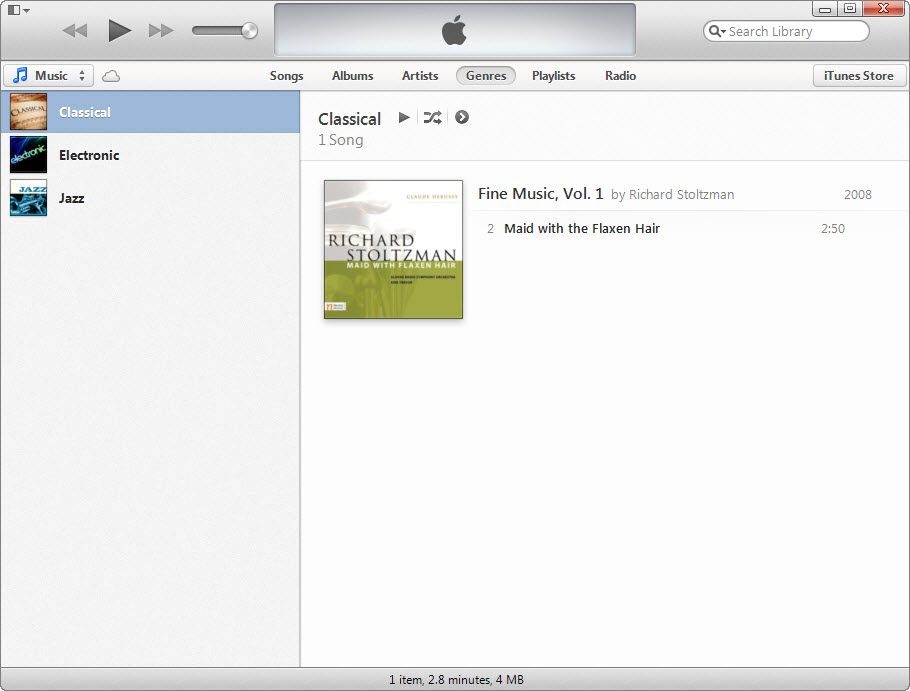
The core of iTunes is the library view, and it behaves the way music software used to behave before streaming flattened everything. You import files from a folder, the application reads ID3 tags, and tracks land in the database with album art, genre, year, and play count. From there you can sort, filter, build smart playlists with rule-based criteria (anything you’ve added in the last 30 days, anything rated four stars or higher, anything by a specific artist except live versions), and watch the library refresh as you add new files.
The metadata editor is decent, though it lacks the bulk-tagging depth of dedicated tools like MP3TAG. You can right-click any track or selection, edit fields, paste lyrics, and replace artwork by dragging an image straight onto the info panel. Album art fetching works for most commercial releases, less reliably for obscure or self-released material.
Smart playlists are still one of the better implementations of the concept. You set conditions, the playlist updates itself, and you can chain rules with “any” or “all” logic. People who came from older versions of Winamp or who use foobar2000 today will recognize the pattern.
Device sync that nothing else fully replaces
This is the function that keeps iTunes installed on machines where nobody actually plays music in it. Plug in an iPhone, iPad, or iPod, and the application gives you a summary page with storage breakdown, a sync tab for music, movies, TV shows, podcasts, books, photos, and a backup section that creates a local snapshot of the device.
The local backup is the part that matters most. Cloud backups are limited by storage tier and require an internet connection to restore. A local iTunes backup writes everything to your drive, can be encrypted with a password (which also includes saved passwords and Health data, the unencrypted version doesn’t), and restores in minutes rather than hours. People dealing with corrupted devices, recoveries on cellular connections, or migrations to a new phone keep coming back for this.
Power users who want to dig deeper than the standard interface allows often pair it with tools like iBackup Viewer to extract specific data from those backups, or 3uTools for flash-level operations the official application won’t expose.
The iTunes Store, still standing
Streaming changed how most people get music, but the iTunes Store is one of the few mainstream places left where you can buy a single track outright and own the file, DRM-free in AAC format. Same for movies and TV shows, though those still carry FairPlay DRM and are tied to your Apple account.
The Store integration inside the application is functional rather than elegant. Search works, previews play in line, and purchases drop into your library automatically. The interface for browsing feels cramped on smaller screens and the “Top Charts” sections show their age, but if you want to grab a track without committing to a monthly subscription, there are very few alternatives left at this scale.
Podcasts, audiobooks, and the rest of the kitchen sink
iTunes also handles podcast subscriptions, audiobooks, ringtones (yes, that’s still a thing), and movie rentals. The podcast section is functional and will sync episodes to a connected iPhone, though Apple has clearly shifted its attention elsewhere and the discovery experience inside iTunes lags behind dedicated podcast clients.
Audiobooks work fine for files purchased through the Store or imported as M4B. The bookmark and chapter support is solid. Audible books require their own application and a manual conversion step to land cleanly in the library.
Importing CDs and converting formats
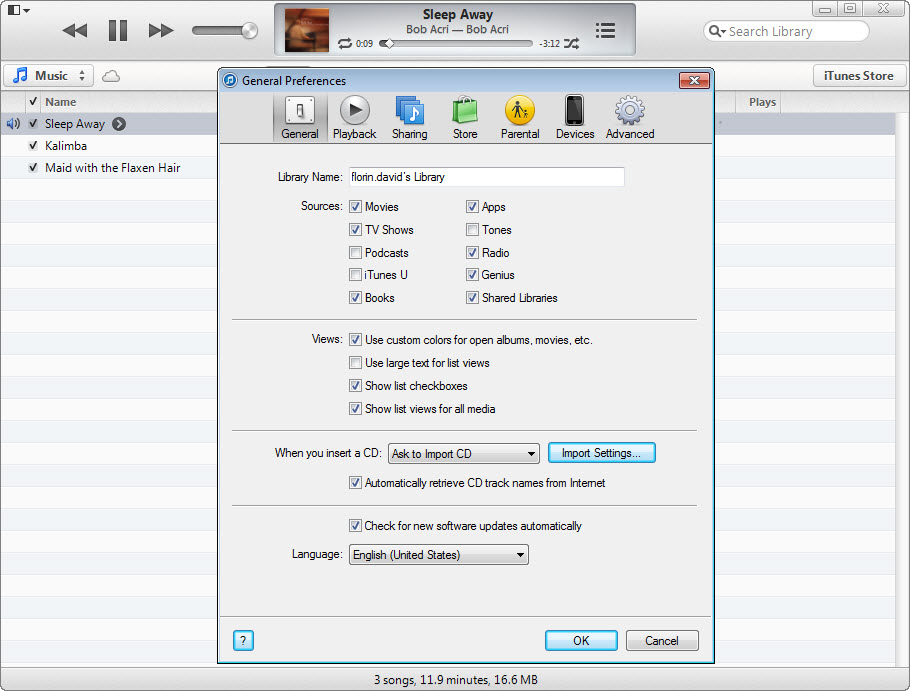
The CD ripper is one of the underrated parts of the application. Insert an audio CD and iTunes will look up track names from Gracenote, offer to import the disc, and let you choose between AAC, MP3, AIFF, WAV, or Apple Lossless. You can set bit rates manually, including variable bit rate options that most lightweight players skip. The “Import Settings” dialog also lets you decide whether to error-correct (slower, cleaner) or rip at full speed.
The same conversion engine works on files already in your library. Right-click a track, choose “Convert,” and pick a format. Useful for sending a friend a smaller MP3 version of a high-bitrate FLAC, or for forcing AAC output for a device that doesn’t like a particular codec.
Where it falls short
The application has not aged gracefully in every area. The interface mixes design eras within the same window. Some sections feel touched up, others feel untouched. Memory usage on large libraries (50,000+ tracks) can climb noticeably, and startup time on a cold launch is slower than dedicated library managers like MusicBee or MediaMonkey.
Sync conflicts are another sore spot. If you manage music on multiple computers, iTunes has opinions about which library is the “authorized” one, and switching can wipe the device’s existing music. The workflow expects one machine, one library, one phone. Anything more complex needs careful attention or a third-party utility like iSyncr for non-Apple targets.
Apple Music subscribers will find the integration uneven. The streaming layer was bolted onto an application designed for owned files, and it shows. Searches mix local and cloud results in ways that aren’t always intuitive, and a corrupted Apple Music sync can scramble metadata on your own files.
Conclusion
iTunes is the right choice for a specific kind of user: someone who keeps a real local music library, owns a current or older iOS device, and prefers a single application over a string of separate apps. The library tools and sync workflow still work well for that audience, and the encrypted backup feature alone justifies the install on any machine that handles iPhone migrations or restores.
It’s harder to recommend as a primary music player nowadays. If streaming is most of what you do, a dedicated streaming client gives you a cleaner experience. If you want a modern local library manager with deeper tagging and better performance on huge collections, other tools handle that part more elegantly.
But if you need the device-management piece, the Store, and the library all in one window, no other application brings that combination together at this scale.
Features & benefits
Pros & Cons
- Full local control over a music library, with files you actually own
- Smart playlists with rule-based logic still work well
- Encrypted device backups are faster and more complete than cloud-only options
- CD ripping with multiple codec options including Apple Lossless
- The iTunes Store is one of the last mainstream places to buy DRM-free music tracks
- Handles podcasts, audiobooks, movies, and TV in one application
- Interface shows its age, with mixed design styles in the same window
- Memory usage climbs on libraries above 50,000 tracks
- Sync model assumes one library per device, makes multi-computer setups awkward
- Apple Music streaming integration feels grafted on rather than native
- CD ripping requires an external drive, no longer standard on most machines
Frequently asked questions
On macOS, Apple split the application into separate Music, TV, Podcasts, and Devices apps. On the platform this review covers, it remains a single unified application called iTunes.
Yes. Plug in the device with a cable or connect over Wi-Fi (after enabling the option), and the sync panel lets you choose what music, video, and data to push to or pull from the device.
Yes. The application supports Apple Lossless (ALAC), AIFF, and WAV for imports, and can rip CDs directly into ALAC. Apple Music subscribers can also stream lossless audio inside the application.
Yes. The library is built around a database file and a media folder. Consolidate the library through the File menu, copy both the iTunes folder and media folder to the new machine, and the application will pick up the structure when launched.
A standard local backup covers settings, app data, messages, photos in the camera roll, and most user content. To include saved passwords, Wi-Fi settings, and Health data, you need to enable the "Encrypt backup" option and set a password.
Yes. Right-click any track or selection, choose Convert, and pick the target format. Useful for batch-converting between MP3, AAC, ALAC, AIFF, and WAV.


