

IOGraph
About IOGraph
IOGraph is a minimalist software application that tracks mouse movements and creates captivating visual representations of your activity. Initially developed as a fun experiment, it has become a creative tool for generating abstract art from your mouse’s patterns as you interact with your computer.
Whether you’re looking to analyze your usage habits or create unique, data-driven art, IOGraph turns everyday computer activity into a visually striking experience.
How It Works
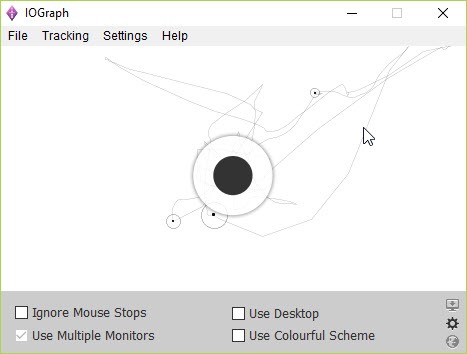
IOGraph runs quietly in the background, recording your mouse movements as you go about your regular tasks. It traces the paths your mouse travels and marks idle periods with circles, whose size corresponds to the length of inactivity.
Over time, these movements and pauses form a unique abstract image-a snapshot of how you interact with your system.
Simple and Intuitive Design
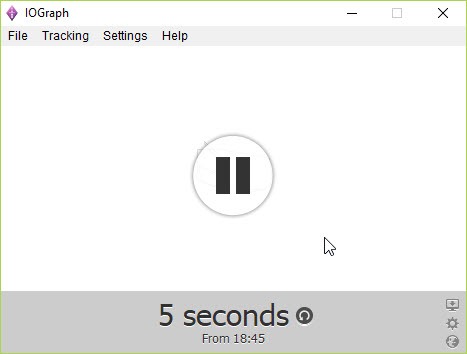
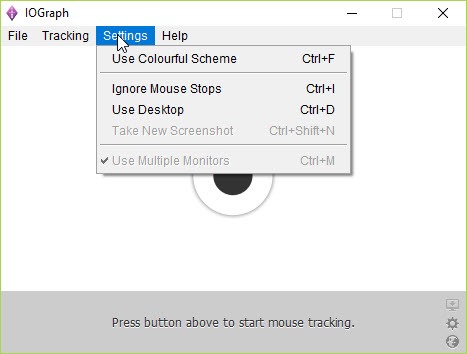
The software’s interface is incredibly straightforward, allowing users to start or stop tracking with a single click. Once you’re satisfied with the image, you can save it in various formats to share or use as desktop wallpaper.
Its simplicity makes it accessible to anyone, regardless of technical expertise.
Creative and Analytical Applications
IOGraph has a variety of applications:
- Art Creation: Turn your daily computer use into unique abstract art.
- Usage Patterns: Analyze your productivity or gaming habits by observing patterns in mouse movement.
- Personalization: Generate custom wallpapers or visual data-driven designs.
Conclusion
IOGraph is a charming and unique application that transforms ordinary mouse movements into artistic visualizations. Its simplicity and focus make it an excellent choice for anyone curious about creating abstract art or analyzing their interaction with their computer.
While it offers limited functionality beyond its primary purpose, its creative output and non-intrusive design make IOGraph a delightful tool for art and self-expression.
Whether you’re generating personal wallpapers or exploring your computer usage patterns, this software adds a touch of creativity to everyday tasks.
Pros & Cons
- Turns mouse movements into visually engaging art.
- Simple and intuitive interface.
- Non-intrusive and lightweight.
- Provides insights into computer usage habits.
- Free to use, with no hidden costs or ads.
- Limited functionality; focuses only on mouse movement.
- No customization options for altering visualization styles.
Frequently asked questions
Its primary purpose is to track mouse movements and create abstract visual art based on your activity.
No, the software tracks only mouse movements and idle periods, ensuring your privacy.
Customization is minimal. The images are generated based on predefined patterns of movement and idle time.
Yes, you can save the generated images in various formats, such as PNG or JPG.


