

Icaros
About Icaros
Icaros puts pictures on video files in the file manager. Out of the box, an MKV or a WebM sits in a folder as a generic icon, while the MP4 beside it shows a frame from the film. This shell extension fixes that for every format the FFmpeg library can decode, which is almost all of them.
It adds cover art thumbnails to music files that carry embedded artwork. And it fills in the Details pane and the columns, so duration, resolution and codec appear for formats the file manager otherwise knows nothing about.
It arrives on many machines inside a codec bundle such as the K-Lite Codec Pack Full, where it is the part responsible for the thumbnails. On its own, Icaros is a small configuration program and two extensions, one for thumbnails and one for properties.
Each is switched on or off for a list of file types you control.
Thumbnails for the formats the file manager ignores
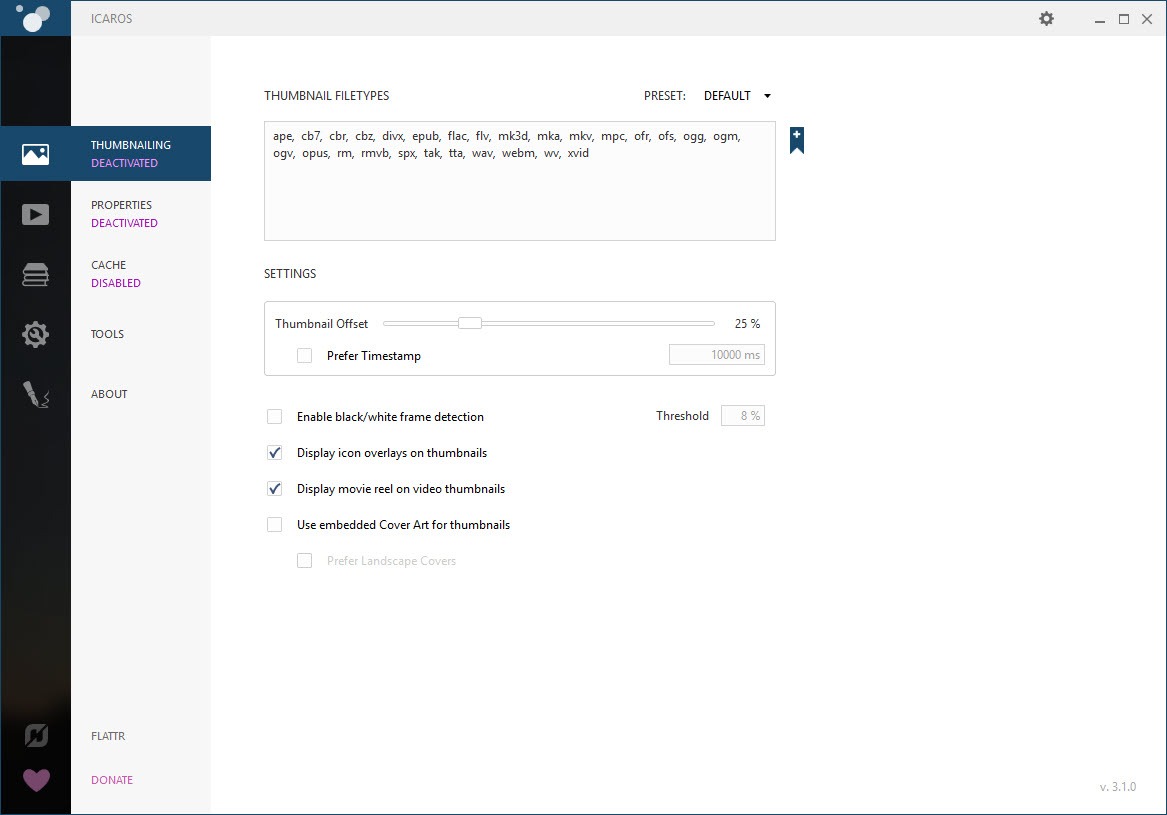
The Thumbnailing page of the configuration program lists the file types the extension will handle. The default list covers the video formats that have no native thumbnails, MKV, FLV, WebM, OGM, RMVB and the transport streams from cameras among them.
Types are added by dropping a file of that kind onto the page, which checks whether FFmpeg can open it. The list is also a plain text field for anyone who prefers typing.
Which frame becomes the picture
Where in the file Icaros grabs the frame is a setting. Either a percentage offset, with the default a little way in to skip the black frames most videos start with, or a timestamp in milliseconds. The percentage acts as a fallback for the timestamp. A blank-frame detector scans the grabbed frame and tries another when it comes back black.
Cover art for music files comes from custom parsers rather than FFmpeg, and shows the embedded picture for FLAC, APE, Musepack and a handful of others.
Properties and sortable columns
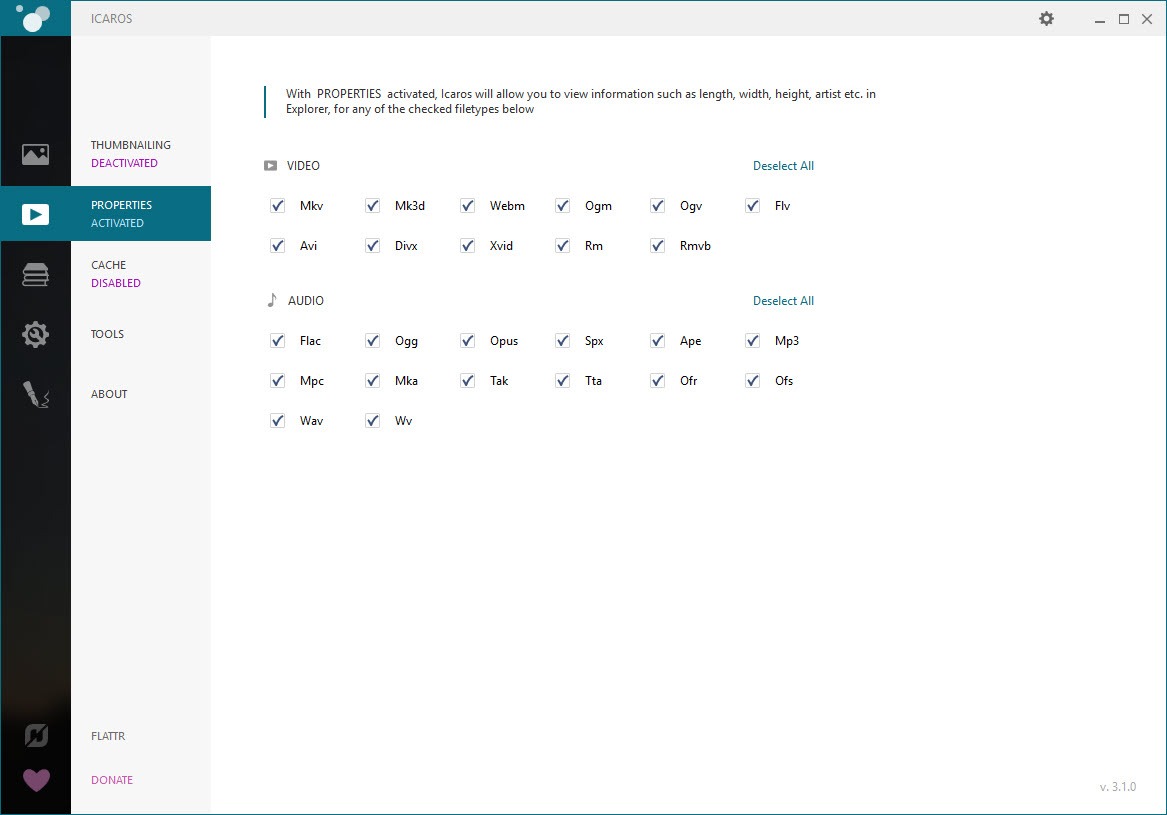
The second extension supplies the properties, the information the file manager shows in the Details pane, in the tooltip and in the columns you add to a view. For the formats it handles, MKV, MP4, WebM, OGG, FLV, FLAC, Opus, APE, WAV and more, that means duration and dimensions, frame rate, codecs, channels and bit rate. Title and artist and the rest of the tags follow where the format carries them. MKV tags are read as well, so a tagged library sorts by those columns.
That is the half of Icaros people notice second and value longer. Sorting a folder of MKV files by duration is not possible without it. A tag written by an audio tag editor into a FLAC file becomes a sortable column in the folder.
The cache and the blank icon
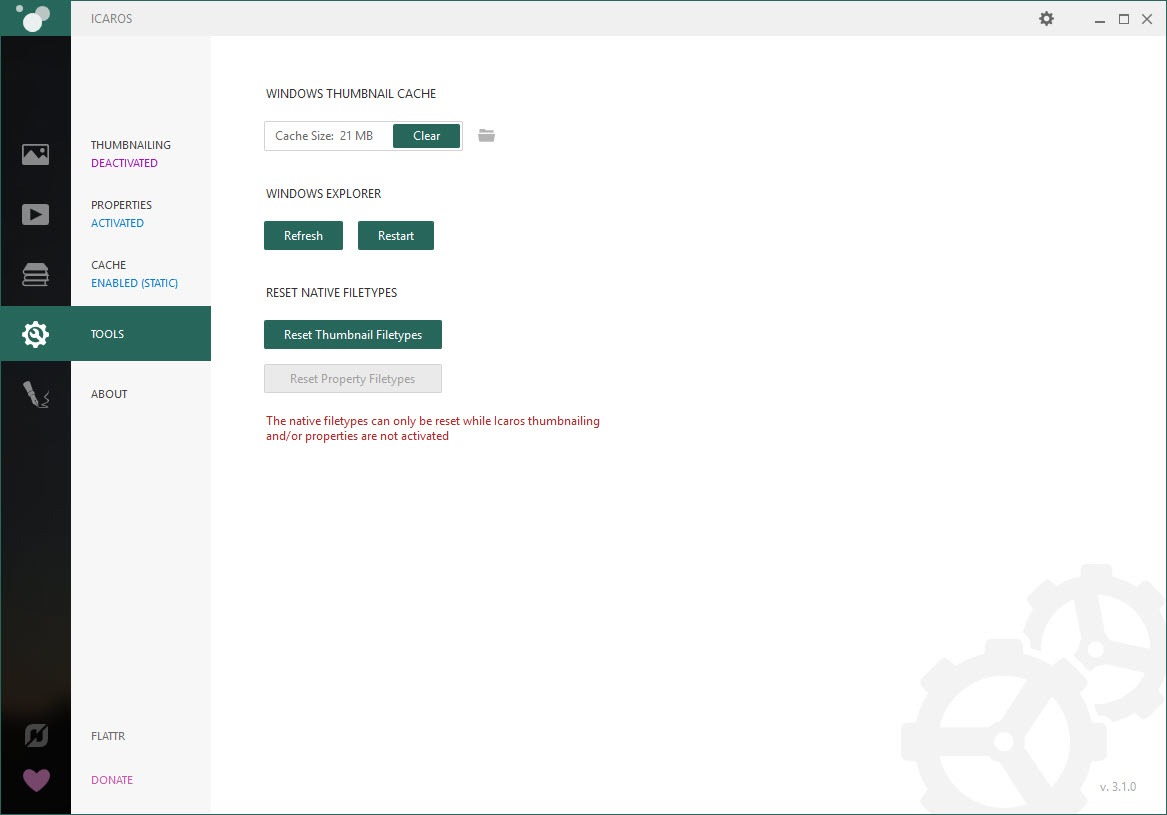
Thumbnails are stored in the file manager’s own cache and, optionally, in a cache of the extension’s own. A folder browsed once opens instantly next time and the pictures survive the system clearing its cache. The configuration program has a button to clear both and restart the file manager, which is the first fix for blank icons after installation. The second fix is checking that the type is on the list and that the component is activated, since both can sit installed but inactive.
For the exhaustive report on a single file, a media analyser that lists every stream goes deeper than any column.
Conflicts with other providers
Conflicts come from other extensions claiming the same type. When Icaros takes over a type it remembers what handled it before, and deactivating or removing the type hands it back. Media players that install their own thumbnail provider can fight over MKV, and the rule is to let one program own each type.
Conclusion
Icaros is for anyone with a folder of MKV or WebM files that show as blank icons and a music library whose album art never appears in the file manager. That is most people who keep media on a disk. The thumbnails are the reason to install it and the sortable properties are the reason to keep it.
It asks for one visit to its configuration program and a restart of the file manager. It is fussy about caches and about other extensions claiming the same types. Set the list once, let one program own each format, and the folders stay illustrated.
Pros & Cons
- Thumbnails for every video format FFmpeg decodes, plus cover art for tagged music
- Properties and sortable columns for formats the file manager otherwise ignores
- Frame offset by percentage or timestamp, with blank-frame detection
- Hands a file type back to its previous handler when deactivated
- Cache clear and file manager restart from one button
- Depends on the file manager's cache, so blank icons need a clear and a restart
- Components can be installed yet inactive, which confuses first-time users
- Other thumbnail providers can conflict over the same types
- Large libraries take a while to populate on first browse
Frequently asked questions
Open the configuration program and confirm that MKV is in the thumbnail file type list and that the thumbnailing component is activated. Then clear the cache and restart the file manager from the same window.
Yes. Set the thumbnail offset as a percentage into the file or as a timestamp in milliseconds, and turn on black-and-white frame detection so a blank frame is skipped.
Yes. With the properties component active for the format, those fields appear in the Details pane and can be added as columns and sorted like any other.


