

HTC Sync Manager
About HTC Sync Manager
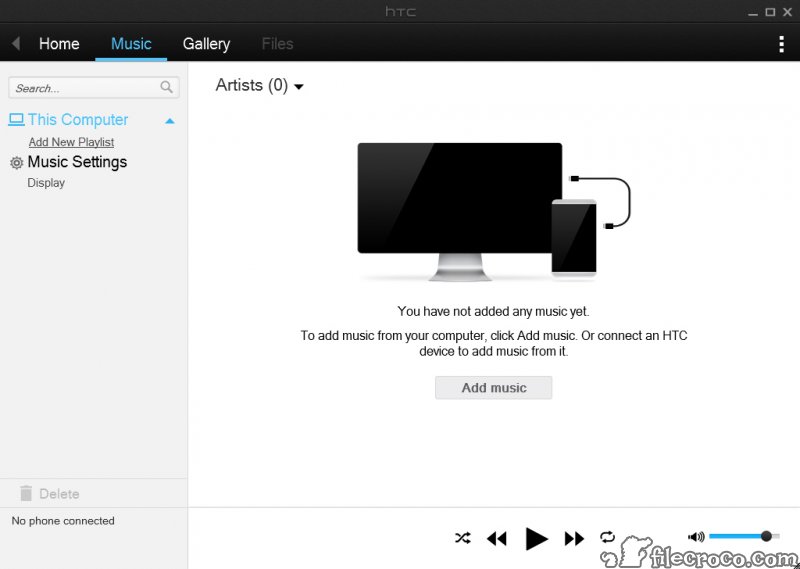
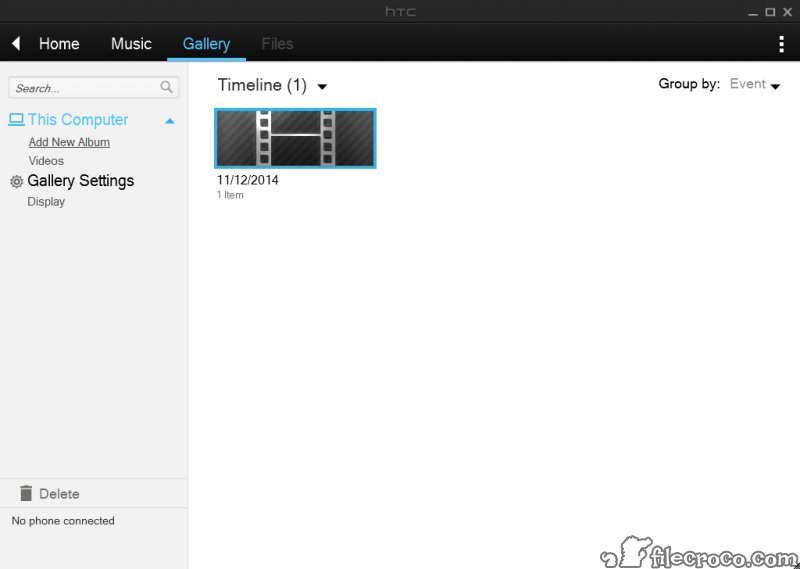
HTC Sync Manager is the desktop companion for HTC phones, and it does three jobs from one window. It manages media, gathering the computer’s photos and videos, and its music, into a library that syncs to and from the phone.
It syncs personal information, keeping contacts and calendar events matched, along with bookmarks and documents, between the phone and the computer every time they connect. And it backs the phone up, saving its data to the computer and restoring it later, with an extra trick for people arriving from an iPhone.
The one thing to know before anything else is that it has been discontinued. Support has ended, and the maker warned when it did that continuing to use it could bring sync errors or data loss. HTC Sync Manager still installs and still talks to the HTC phones it was built for, but it will never be updated, and its sync engine should be treated with caution.
The media transfer and the backups remain its most dependable parts.
The media library
On first launch HTC Sync Manager loads the music and pictures, and the videos, from the computer’s standard folders into its own library, and it can import an existing iTunes library or the system’s own media player library, along with their playlists. Photos and personal videos sort into albums, pictures can be rotated or cropped, and music plays straight from the window. Playlists built here sync back to the phone.
That makes it a reasonable way to move a music collection onto an HTC handset in one pass rather than copying folders by hand, and to pull the phone’s camera roll onto the computer. It is a manager rather than a player of note, and the library features are basic next to a dedicated music library manager.
Syncing personal information
Personal information sync matches contacts and calendar events, plus web bookmarks, between the phone and the computer, drawing on Outlook and other sources on the desktop side. Set it up once and auto sync runs each time the phone connects. Documents sync the same way, keeping a chosen folder in step on both sides.
This is the part to approach carefully now. With support gone, the sync engine is frozen against whatever desktop programs and account types existed when it stopped, and the maker’s own warning about errors and data loss applies here most of all.
Exporting your contacts and calendar to a file before letting it sync is a sensible precaution, and for most people today the phone’s own account sync does this job more safely.
Backups and the iPhone transfer
The HTC Sync Manager backup tool, under Transfer & Backup, saves the phone’s data to the computer, from contacts and messages to photos and account settings, and restores it to the same or a new HTC phone. It is the main reason to keep the program around, since a backup taken before a reset or a handover protects the data regardless of what the sync does.
The iPhone transfer works through an iTunes backup rather than the iPhone itself. Back the iPhone up to the computer with iTunes, point the program at that backup, and it moves contacts and the calendar, messages, photos and videos, and even wallpaper and bookmarks onto the HTC phone.
It is slow on a large backup but it works without the old phone even being present. For moving data between phones of different brands, a cross-brand phone manager covers far more devices.
Which phones it supports, and the alternatives
It is built for HTC phones running the maker’s Sense interface, and HTC devices with older versions of that interface needed the earlier HTC Sync instead. It does nothing for phones from other makers. Owners of other brands should use their maker’s own tool, such as the desktop suite for LG phones, or the phone’s own USB file transfer.
For most current needs, simply connecting the phone and copying files over USB, or relying on cloud sync for contacts and photos, does the job with nothing to install.
Conclusion
HTC Sync Manager suits owners of an HTC phone who want to back it up to a computer, load it with music from an existing library, or move their data across from an old iPhone backup. For those jobs, and especially the backup, it still works on the handsets it was made for.
Its discontinued status shapes everything. Take a backup before trusting it with anything, treat the contact and calendar sync warily, and lean on cloud sync or plain USB file transfer for the jobs it no longer handles safely.
Features & benefits
Pros & Cons
- Media library imports existing iTunes and media player playlists
- Syncs contacts and calendars, plus bookmarks and documents, with auto sync
- Full backup and restore of HTC phone data to the computer
- Moves iPhone data to an HTC phone from an iTunes backup
- All three jobs in one window
- Discontinued, with no support or updates
- Sync engine can cause errors or data loss now that support has ended
- Works only with HTC phones, and not older Sense versions
- iPhone transfer is slow on large backups
Frequently asked questions
No. Support has ended and the program receives no updates. It still installs, but its sync should be used with caution.
Yes. Transfer & Backup saves the phone's data, account settings included, to the computer and restores them to the same or a new HTC phone.
Yes, through an iTunes backup of the iPhone. It transfers contacts and messages along with photos and other data to the HTC phone.
No. It is built for HTC phones only. Other brands need their maker's own software or a cross-brand manager.


