

HitFilm Express
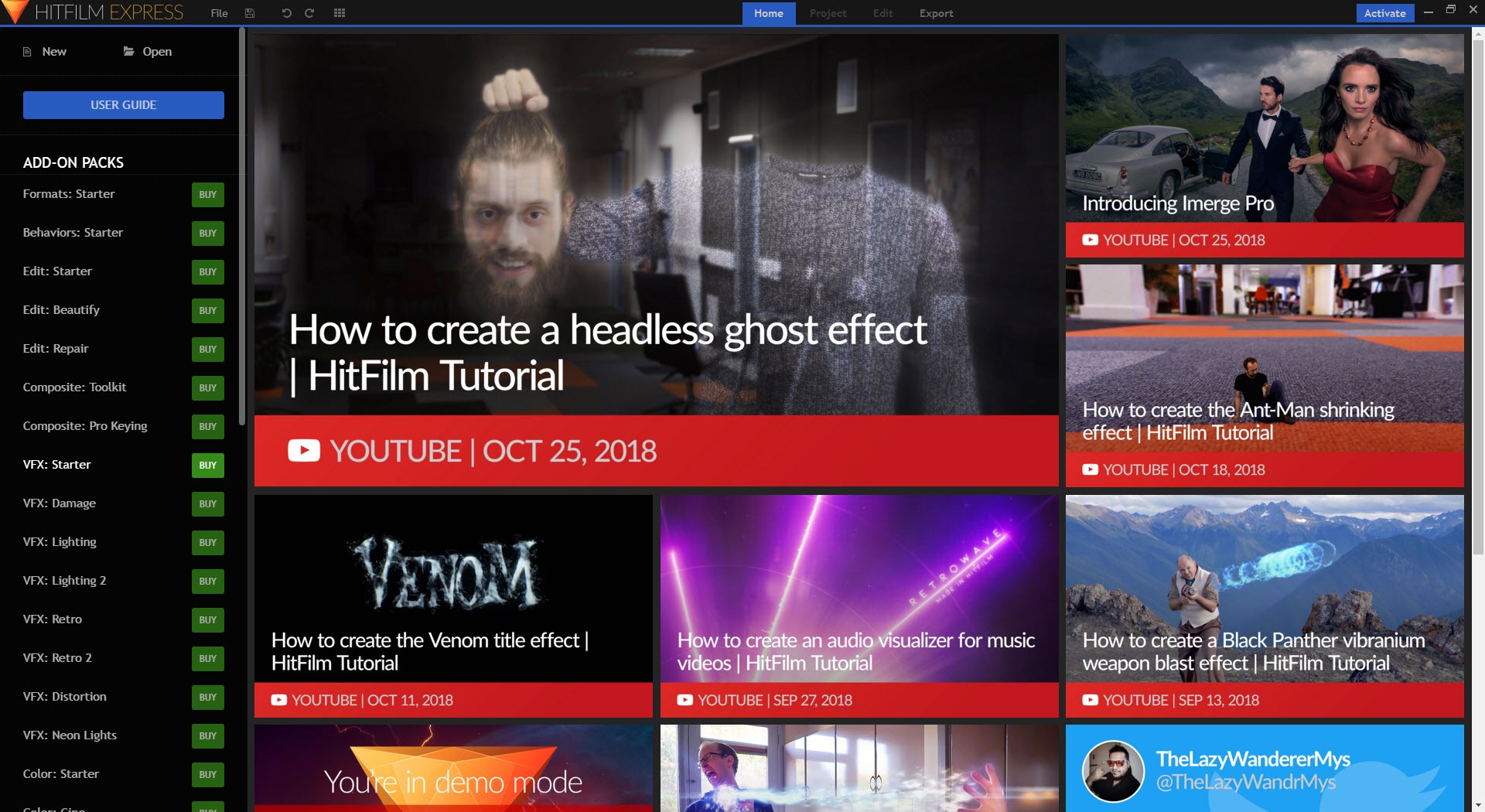
About HitFilm Express
HitFilm Express puts a video editor and a visual effects compositor in the same application and lets you move between them without exporting anything. Cut a sequence on the timeline, select a clip, turn it into a composite shot, and you are suddenly in a layer-based workspace with a 3D camera, masks and keyframed blend modes.
Finish there and the result flows straight back into the edit as a single clip. That round trip is the reason people install it. Everywhere else, that workflow means two programs and a render in between.
The HitFilm Express timeline is a conventional non-linear editor with unlimited video and audio tracks, trimming, slicing, ripple edits and frame-level precision. Most common camera formats drop straight in without conversion. The effects library runs to several hundred presets covering colour correction, blurs, distortions, glows, particle systems and the muzzle flashes and lightsabers that made the application popular with people making short films in their garden.
The shape of the product has changed, though. Capabilities once included have moved behind the paid tier, export resolution among them, and some effects now stamp a watermark unless the matching add-on pack is installed.
Composite shots, and why they matter
A composite shot is a nested project with its own timeline, its own layers and a real 3D environment. Text and images sit in that space alongside video and effect layers with position and rotation on three axes, lit by lights you place and viewed through a camera you can animate. Drop a plane into 3D space, track it to a wall in your footage, and you have a screen replacement.
The 3D space is unified rather than faked, so a layer really sits behind another in depth instead of merely being ordered in a stack. That is the part that separates this from timeline editors with an effects panel bolted on. Blender gives you far more 3D power but nothing resembling an edit timeline, and the two applications answer different halves of the same job.
Composites can be nested inside composites, which is how complex shots get built and also how projects become impossible to find your way around. Name them as you go.
Keying and tracking, then grading
Green screen work in HitFilm Express uses a chroma key with spill removal, matte cleanup and light wrap, and it handles evenly lit footage well. Badly lit footage with a wrinkled sheet behind the subject will fight you, as it does everywhere. The bundled tracker covers 2D point tracking and 3D camera solving, though the more capable planar tracker is one of the add-on packs rather than standard equipment.
Grading gets colour wheels, curves, a waveform monitor and a vectorscope, which is enough for matching shots and setting a look. It is not close to what DaVinci Resolve offers in the same area, and anyone whose priority is grading rather than effects should start there instead. LUT support exists for applying a film look, with the more advanced grading controls again sitting in a pack.
The export queue and what comes out of it
Rather than exporting one item at a time, HitFilm Express lets you add timelines and composite shots to a queue, assign a preset to each, and let the lot render while you do something else. It is a small feature that saves real time on a project with several deliverables.
Two limits shape this stage. The included export presets are narrower than the paid tier’s, and the resolution ceiling has moved, so check what your build actually offers before planning a 4K delivery. And if any effect in your project came from a pack you have not installed, the watermark appears on the finished file rather than warning you beforehand.
Look for the marker in the effects list before you commit to a shot built around it.
Performance, and what the application asks of your machine
HitFilm Express is a demanding program. Playback of a composite with several effects stacked will stutter on a laptop with integrated graphics, and rendering is where crashes are most often reported. A discrete GPU is not a suggestion here.
There is also a display quirk that catches people out. The interface expects a particular scaling setting, and at other values panels can crop or controls can sit off screen. If the layout looks wrong before you have edited anything, that is why.
Proxies and pre-rendering individual effects help with playback, and building the habit of pre-rendering a finished composite before continuing the edit is the single biggest performance win available.
Learning it, and who it fights with
The learning curve is steep, and honestly so. The editor half is straightforward if you have used any timeline before. The compositor half assumes you understand layers, masks, blend modes and keyframes, and it does not hold your hand. In-application tutorials and a large body of community material take the edge off, and the effects the application is famous for are usually the subject of a walkthrough somewhere.
Against the simpler timeline editors, which cut video faster and do not pretend to do effects, it asks more of you. Against the professional tools it gives you a compositor for nothing up front.
HitFilm Express occupies the middle, and that middle is exactly where somebody making a science fiction short in a bedroom lives.
Conclusion
HitFilm Express is for the person whose projects need effects rather than just cuts. Short film makers, YouTube creators doing muzzle flashes and screen replacements, and students learning compositing without a subscription will find more capability here than anywhere else at this level of commitment.
It is the wrong tool for a quick trim, for colour-critical work, and for a machine without a proper graphics card. And the gating has tightened, so confirm the export options in the build you install before you plan around them. Approach it as a compositor that happens to include an editor, and it makes far more sense than the other way round.
Pros & Cons
- Editor and 3D compositor in one application with no export between them
- Unified 3D space with real depth, placed lights and an animatable camera
- Several hundred effects included, including particle systems and chroma key
- Export queue renders multiple timelines and composites in one pass
- Colour wheels and curves, plus waveform and vectorscope, for shot matching
- Watermarks appear on export when an effect needs an uninstalled pack
- Export resolution and preset choices are narrower than they once were
- Crashes during rendering are a recurring complaint
- Needs a discrete GPU and a specific display scaling to behave
- Planar tracking and advanced grading sit in paid packs
Frequently asked questions
An effect in the project belongs to an add-on pack you have not installed. Find and remove that effect, or install the pack, and the watermark goes.
A nested project with its own timeline and a true 3D space holding layers, lights and an animatable camera. You build effects there and the result appears in the main edit as one clip.
Yes. The chroma key includes spill removal, matte cleanup and light wrap. Even lighting on the screen matters far more than any setting you will adjust afterwards.
Compositing is GPU heavy. Pre-render finished composites, use proxies for high-resolution footage, and expect trouble on integrated graphics.
Check your build. The resolution ceiling in the included tier has changed, and higher output now belongs to the paid version in current releases.


