

H2testw
About H2testw
H2testw answers one deceptively important question about any flash drive or memory card. Does it actually hold what it claims to? You plug in a drive sold as 256GB, run the test, and the tool writes data across the whole thing and reads it back to confirm every gigabyte is real and working. If the drive is genuine, it passes clean. If it’s a fake padded to look bigger than it is, the test catches it.
That matters more than it sounds, because counterfeit flash memory is everywhere. A common scam sells a drive advertised as a large capacity when the real storage is a fraction of that. The drive reports the fake size to your computer, formats normally, and copies your first few files without complaint.
Then you cross the invisible line where the real chips run out, and everything written past that point is silently lost or corrupted. You don’t find out until the photos or backups you trusted to it turn out to be garbage. H2testw exists to expose that trap before it costs you anything.
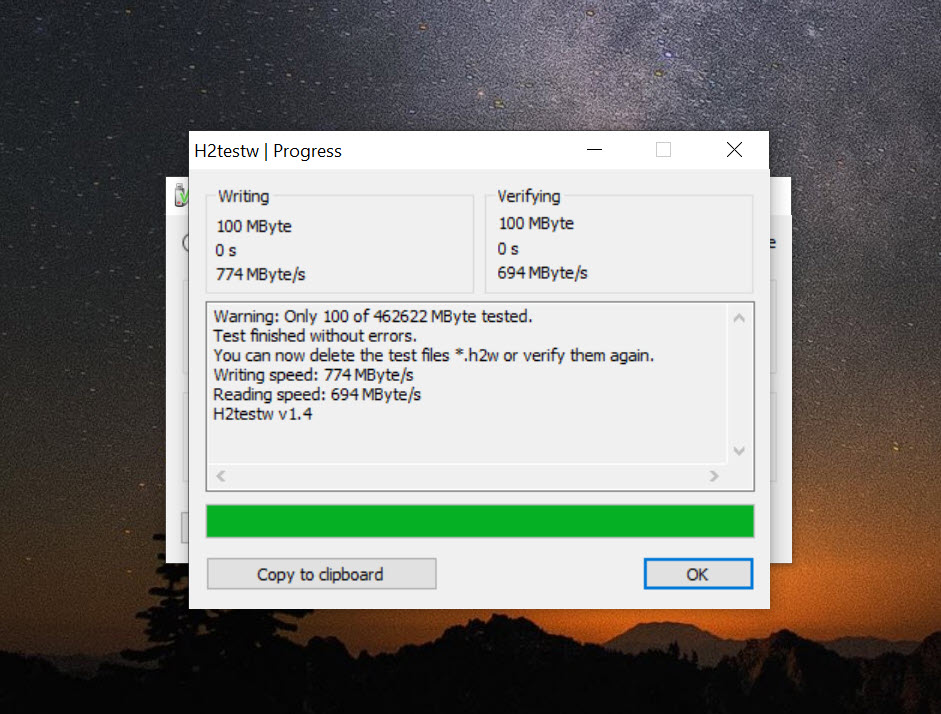
The approach is simple and honest. The tool fills the space with verifiable test data, then reads it all back and compares. Real capacity verifies perfectly. Missing or mangled data past a certain point is the fingerprint of a fake or a failing drive. No guesswork, no reading the label and hoping.
How does the write-and-verify test actually work?
When you point H2testw at a drive, it writes a known test pattern across the storage, packaged into files it can check later. Once the write pass finishes, it reads everything back and verifies each byte against what it wrote. A genuine drive returns exactly what went in. A fake returns errors the moment the read crosses past its true capacity, because there was never any real storage there to hold the data.
You get a choice about how much to test. Point it at the entire free space for a complete verification, or set a smaller amount if you just want a quick sanity check. Testing only the free space means your existing files stay untouched, which is a thoughtful detail.
It writes its test data into the empty room on the drive rather than steamrolling what’s already there. For a brand-new drive that’s empty anyway, you can verify the whole capacity in one go.
Catching fakes before they eat your data
This is the reason most people seek the tool out. Counterfeit drives and cards have flooded online marketplaces, and they’re convincing. They look right, they feel right, and they behave normally right up until you exceed the hidden real limit. By then your data is already gone. Running H2testw on anything you buy from an unfamiliar seller turns that nasty surprise into a five-minute check up front.
The verdict is unambiguous. If the test completes without errors, the drive holds its advertised capacity and you can trust it. If it throws verification errors partway through, you’re looking at either a fake with padded capacity or a drive that’s defective.
Either way, you know before you commit anything valuable to it. If a test fails, it’s worth rerunning once through a different port or card reader to rule out a bad adapter, but a second failure is your answer.
More than just a fake detector
Spotting counterfeits is the headline, but the same write-and-verify process makes it a capable stress test for drives you already trust. Even an authentic card can have weak blocks or marginal flash that only misbehave under a long, sustained write, exactly the load a card faces when it’s recording video or loop-recording in a dashcam. A card that copies a few files fine can still drop footage during hours of continuous writing.
The tool surfaces those weak spots by hammering the entire capacity rather than nibbling at the edges. That makes it useful well beyond the point of purchase. If you rely on a card for something where a silent failure would hurt, a video shoot, a dashcam, a game console’s storage, running a full pass first tells you whether it can take the punishment.
For tracking longer-term drive health and temperatures, a tool like CrystalDiskInfo complements it well, reading the drive’s own SMART data while H2testw proves the storage end to end.
Light, portable, and out of your way
There’s a refreshing lack of bloat here. The tool is tiny and portable, so there’s nothing to install. You extract it and run it, and it needs no special permissions to do its job. That makes it easy to keep on a drive of its own and pull out whenever a new card or stick needs checking.
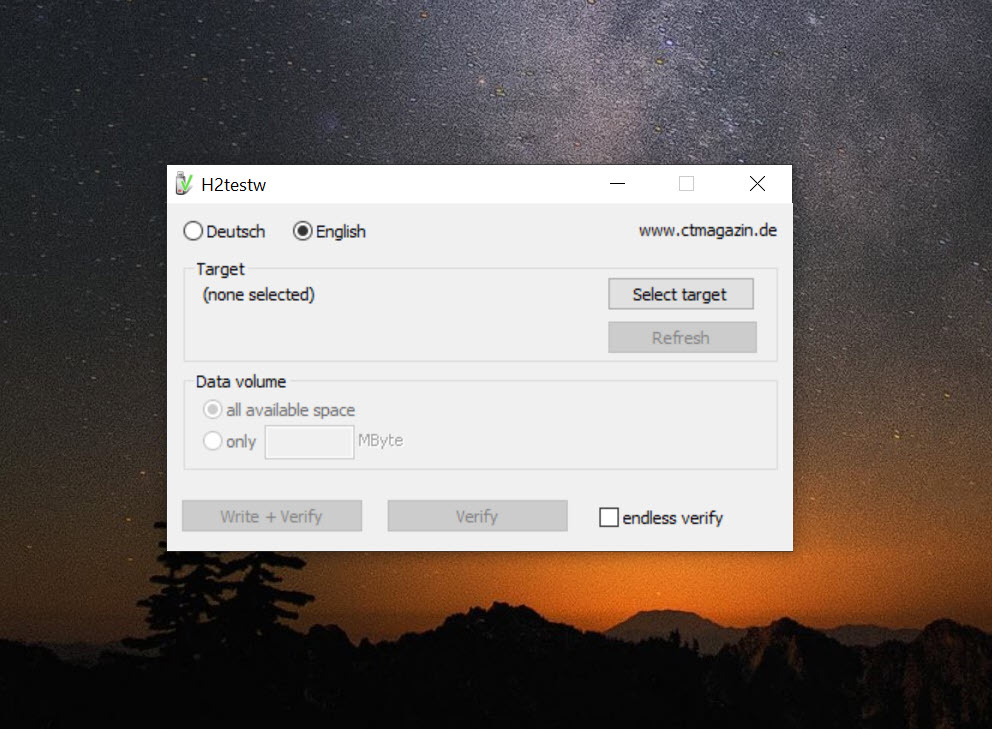
The interface is plain and to the point, with little more than a drive selector, a choice of how much to test, and a start button. It won’t win any design awards, but for a tool you run occasionally to answer a yes-or-no question, that simplicity is a virtue.
If you also need to wipe and reformat a drive that failed, or prep a fresh one, Rufus and FAT32Formatter pair naturally with it. And if you want raw speed numbers rather than capacity verification, a benchmark like ATTO Disk Benchmark covers that side.
Conclusion
H2testw does one narrow job and does it about as well as anything can. By writing and verifying data across a drive’s full capacity, it gives you a definitive answer to whether your storage is real, catching the counterfeit flash that floods online marketplaces before it quietly swallows your files. For anyone who buys drives from unfamiliar sellers, it’s a five-minute insurance policy worth running every time.
It asks for patience, since a full pass is slow, and it won’t dress up the experience with a fancy interface. But those are easy concessions for what you get in return, certainty about the storage you’re about to trust.
Keep it on hand, run it on every new card and stick before you rely on them, and you’ll never be caught out by a drive that lied about its size.
Pros & Cons
- Verifies a drive's true usable capacity by writing and reading back test data
- Reliably exposes fake flash drives and SD cards with padded, false capacity
- Doubles as a stress test that catches weak blocks on genuine cards
- Lets you test the full capacity or just a portion for a quick check
- Testing free space leaves your existing files on the drive untouched
- Tiny and portable with no installation and no admin rights required
- Works on USB sticks, SD and CF cards, and internal or external drives
- Gives a clear pass-or-fail verdict with no ambiguity to interpret
- A full write-and-verify pass is slow and can take hours on a large drive
- Verifying the entire capacity needs that space free and writes data to it
- A failed fake drive often has a damaged filesystem that needs reformatting after
- The plain interface offers no frills or extra diagnostics beyond the core test
- Repeated full-capacity writes add wear, so it's not for constant routine use
Frequently asked questions
It verifies whether a flash drive or memory card actually holds its advertised capacity. It writes test data across the device, reads it back, and confirms every part is real and working, exposing fakes and defective drives in the process.
It writes verifiable test data across the storage and reads it back. A genuine drive returns the data intact, while a fake throws errors once the read passes its true capacity, since there was never real storage there to hold what was written.
It writes test data into the free space you choose to test, so existing files stay untouched if you test only the free area. On a new or empty drive you can verify the whole capacity at once. Backing up first is always wise.
A full write-and-verify pass across the entire capacity is thorough but slow, often taking hours on a large drive. You can shorten it by testing only a portion when you just want a quick check rather than complete verification.
Yes. Although it's best known for USB flash drives, it also works on SD and CF memory cards and on internal or external hard drives, making it a flexible way to check the real capacity of almost any storage device.
First rerun the test using a different port or card reader to rule out a bad adapter. If it fails again, the drive is either a fake or defective. A fake's filesystem is often damaged after testing, so you'll need to reformat it before reuse.


