

Guitar Rig
About Guitar Rig
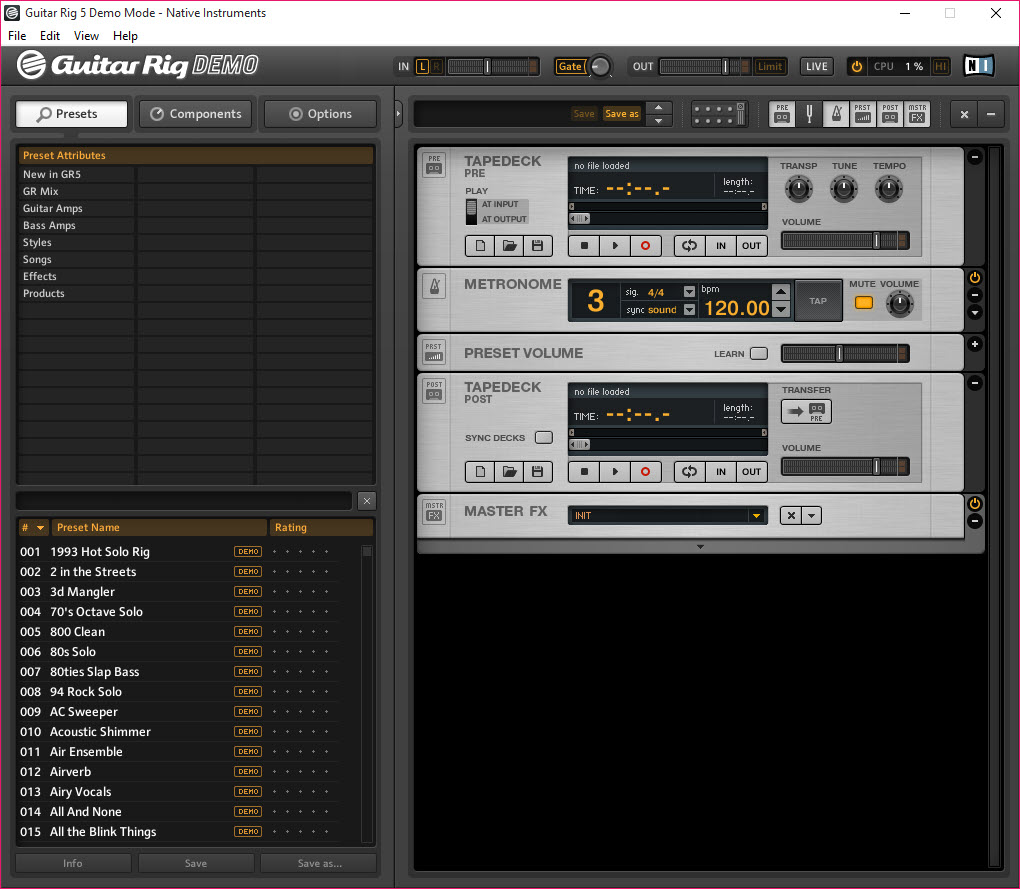
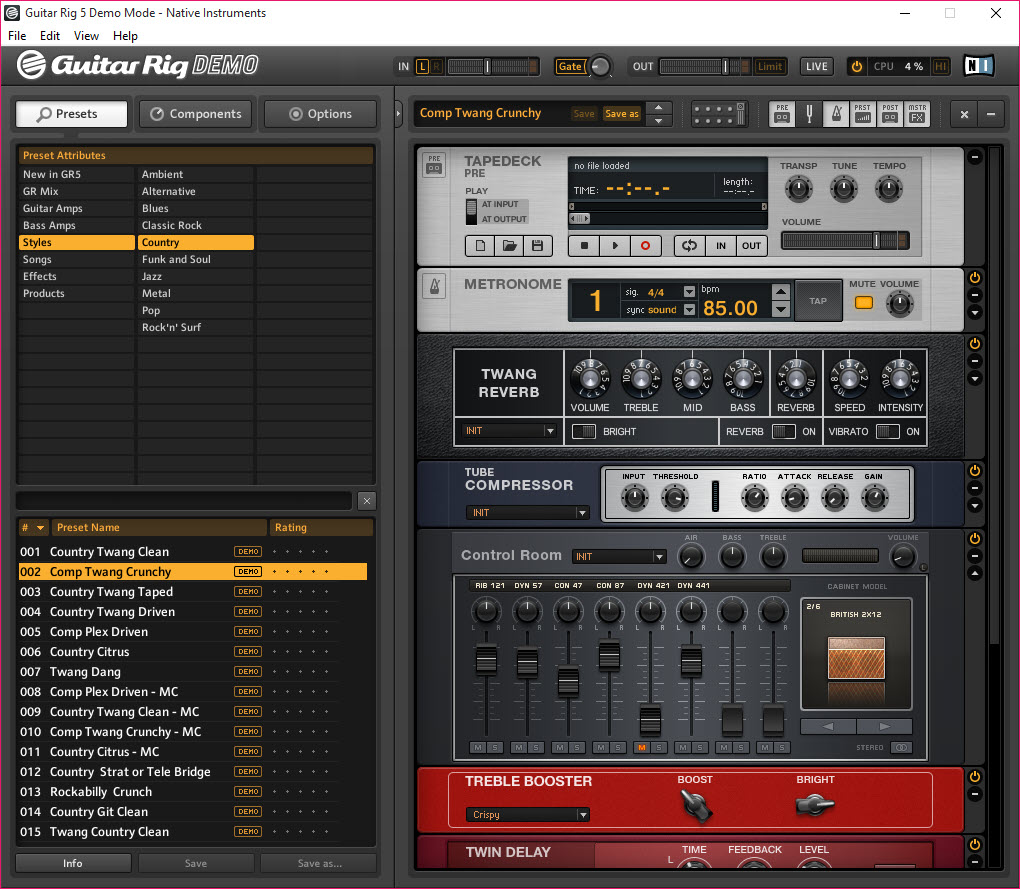
Guitar Rig is the amp and effects modeling software that recreates the sound of guitar rigs entirely in software. Plug your guitar into an audio interface, route it through the application, and the signal flows through whatever combination of virtual amplifiers, cabinets, microphones, and effects pedals you’ve configured.
It includes 26 amplifier models recreating specific real-world amps from various manufacturers, alongside cabinet impulse responses, microphone simulations, and over 100 effects covering distortion, modulation, delay, reverb, EQ, dynamics, and various utility processors. Run it as a standalone application for direct guitar input monitoring, or load it as a VST, AU, or AAX plugin inside any digital audio workstation that hosts plugins.
Amp modeling and what the 26 models cover
The amplifier models recreate specific amps that have defined guitar tone across decades. Marshall-style British high-gain amps for rock and metal. Fender-style American clean and crunch tones for blues, country, and indie. Mesa-style high-gain modern voicings for progressive metal. Vox-style chimey character for British invasion sounds. Various boutique amplifier voicings for users wanting tones that sit outside the major manufacturer categories.
Each model captures the specific harmonic character, gain structure, and frequency response that distinguishes the original hardware, with the modeling accurate enough that experienced players can identify which amp inspired which model from the sound alone.
The modeling approach uses component-level circuit simulation rather than the impulse response sampling that simpler amp simulations rely on. Component simulation captures dynamic interactions between guitar input level, gain stages, tone stack settings, and output volume that produce the responsiveness real tube amps have when you change picking dynamics or guitar volume. The trade-off is computational cost (component modeling uses more CPU than impulse response approaches), with modern systems handling the load without issues but older systems potentially struggling when stacking multiple amp instances.
For users coming from physical amplifiers, the modeling is close enough to the originals that the playing feel translates reasonably well. The picking response, the way notes bloom into sustain, the character changes across dynamics, all reproduced through the modeling rather than relying on the player’s imagination to fill gaps. For users without physical amp experience, the models provide reference tones that match what professional recordings sound like, with the connection between specific amps and specific musical genres being learnable through using the models.
Intelligent Cabinets and impulse response loading
The Intelligent Cabinets feature in version 7 represents a substantial technical addition. Traditional cabinet simulation uses impulse responses (IRs), which are short audio recordings that capture the frequency response of a specific speaker cabinet with a specific microphone in a specific position. IRs work well but produce static results that don’t change based on signal level or frequency content the way real speaker cabinets do.
Intelligent Cabinets uses machine learning to model speaker behavior more dynamically, capturing the nonlinear interactions that real cones produce when driven hard versus soft, the way different frequencies excite the cabinet differently, and various other behaviors that static IRs miss. The result sounds closer to a real cabinet being moved by real air than to a flat IR convolution would produce.
The application also supports loading external IR files for users who own commercial IR libraries or want to experiment with third-party cabinet recordings. The flexibility means you can use the built-in Intelligent Cabinets for the modern dynamic approach, fall back to traditional IRs when working with specific commercial libraries, or combine both approaches for layered cabinet simulation that mixes the strengths of each.
For recording workflows where cabinet choice substantially affects the final tone, this dual approach handles both the user wanting plug-and-play results from the built-in models and the user wanting deep customization through external IR libraries.
The effects library and signal chain construction
Beyond the amplifiers themselves, the effects library covers what guitarists typically run before, after, or alongside their amps. Distortion and overdrive pedals for adding gain or coloring tone. Compressors for evening out dynamics. EQs for surgical frequency adjustments. Delays for rhythmic repeats and ambient washes. Reverbs for spatial depth. Modulation effects (chorus, flanger, phaser, tremolo) for movement and texture. Various utility processors including noise gates, tuners, and loopers.
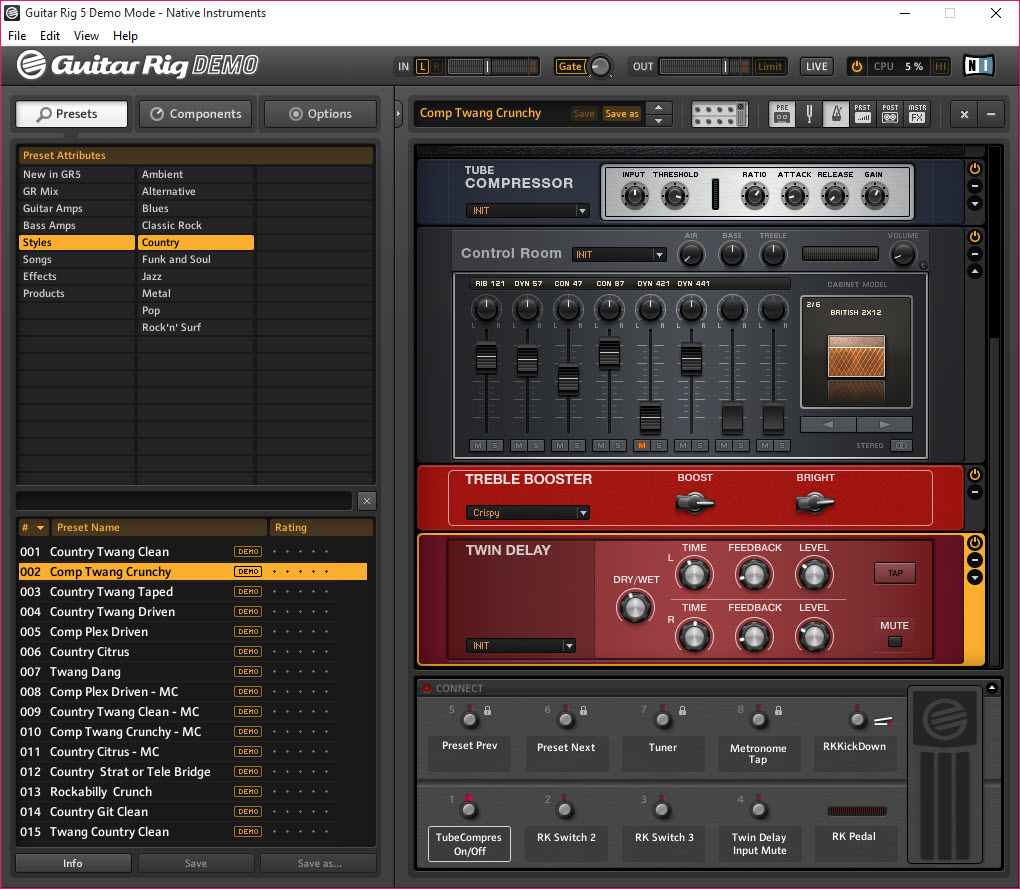
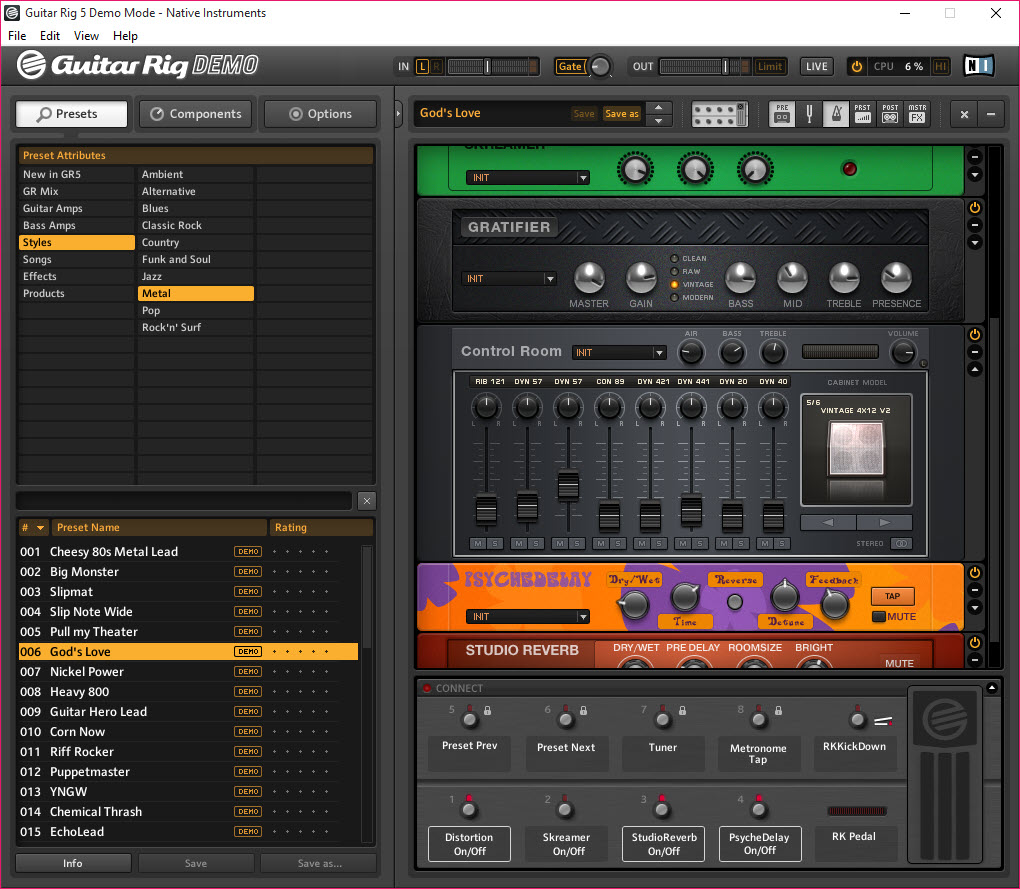
The signal chain construction is drag-and-drop, with effects units arranged in series in whatever order produces the tone you want. Move a wah pedal before the amp for traditional wah behavior, or after for unusual filter sweeps. Stack multiple distortion pedals for complex saturation that no single pedal produces.
Add modulation effects in different positions to hear how each placement changes the sound. The flexibility matches what physical pedalboards allow but without the cabling complexity or the cost of buying actual pedals.
For users wanting parallel processing rather than just series chains, the application supports parallel routing through dedicated split modules. Send your signal to two amps simultaneously and blend them at the output. Run distortion and clean signals in parallel for more complex tones than either alone produces. The routing options match what professional studio setups allow rather than restricting to simple linear chains.
Recording workflow and DAW integration
Most serious users run the application as a plugin inside their DAW rather than as a standalone application. Inside the DAW, the plugin receives the recorded guitar signal and applies amp and effects processing before the signal reaches the DAW’s mixer. Multiple instances on different tracks let you process different guitars with different setups, and the plugin state saves with the project so reopening sessions later restores everything exactly.
The latency characteristics matter for live monitoring during recording. With appropriate audio interface drivers and reasonable buffer sizes, the round-trip latency stays below the threshold where playing feels delayed. Users with USB audio interfaces typically rely on low-latency audio drivers to bypass the higher-latency standard system audio paths, which produces the responsiveness that professional recording requires.
For users without sophisticated DAW setups, the standalone application provides direct guitar input monitoring with the same processing the plugin offers. Connect your audio interface, launch the application, and play through whatever amp and effects configuration you’ve set up. The standalone mode includes a tape recorder for capturing performances directly without needing a DAW at all, useful for quick demo recordings and practice sessions where full DAW workflow would be overkill.
For users wanting to record directly into their DAW without the application, the recorded raw guitar signal can be processed later through plugin instances, with the option to try different amp configurations after the fact rather than committing to specific tones during recording.
This re-amping workflow matches what physical re-amping setups achieve but without the additional hardware that traditional re-amping requires.
Presets and the rig sharing ecosystem
The application includes substantial preset libraries covering specific musical genres, specific player styles, and specific tonal targets. Heavy metal presets with high-gain amp configurations and aggressive EQ. Clean jazz tones with subtle compression and warm reverb. Funk rhythm guitar with envelope filters and tight gating. Ambient soundscape presets with extensive delay and reverb chains for atmospheric playing. The factory presets serve as starting points that users typically customize rather than as final destinations.
The preset format is portable enough that users share custom rigs with each other through community channels. Find a preset that matches a specific song’s guitar tone, download it, and your application produces something close to that tone immediately. The community has built substantial libraries of recreations of specific songs and specific artist tones, with the quality varying based on who created each preset but the breadth of coverage being substantial.
The Pro version’s expanded preset library includes professionally-designed setups from working musicians and producers who use the application in their actual work. These professional presets often produce better results than amateur creations because they reflect actual studio experience rather than just being someone’s home setup. For users who want to play immediately rather than spending time on tone design, starting with professional presets and adjusting from there matches the workflow that most serious users actually follow.
Native Instruments ecosystem integration
The application integrates with the broader Native Instruments software ecosystem when users have other NI products installed. The Komplete Kontrol keyboards and Maschine controllers map to Guitar Rig parameters automatically, providing hardware control that supplements the on-screen interface. The NKS (Native Kontrol Standard) format that NI uses for all their plugins applies here too, which means users with extensive NI investments get consistent workflow across their tools rather than each plugin requiring separate hardware mapping.
For users who already own other NI products like the Kontakt sampler or various NI synthesizers, the consistent ecosystem produces meaningful workflow benefits that wouldn’t exist with mixed-vendor setups. The shared installer (Native Access) handles updates across all NI products through one mechanism. The shared license server handles authorization across products without requiring separate activation procedures for each tool.
For users without existing NI investments, the ecosystem benefits don’t apply but the standalone capability remains substantial. The application works well as a standalone purchase for users who only need guitar processing, with the ecosystem benefits being relevant if your tool collection grows over time rather than being required for productive use.
Live performance considerations
Beyond studio recording, the application sees substantial use in live performance setups. Guitarists running laptops on stage use it as their entire amp rig replacement, with the laptop and audio interface taking the place of physical amplifiers and pedalboards. The advantage is portability (carrying a laptop and small interface is dramatically easier than transporting amps and pedalboards) and consistency (the same tones are available every gig regardless of what venue equipment is provided).
The trade-offs for live use include the practical reality that laptop-based rigs depend on stable software and hardware. Crashes that would be inconvenient during recording become disasters during live performance. Users running this kind of setup typically maintain backup configurations, lock down their systems against unnecessary background processes, and accept that the technology is more fragile than physical amplifiers that can take a beating without functional impact.
For users wanting hybrid setups, the application can complement physical amps rather than replacing them. Use the application’s effects in front of a physical amp for additional pedalboard capability.
Use the application’s amp and cabinet simulation while sending output to a physical power amp and cabinet for stage volume. The flexibility supports various physical-and-digital combinations rather than forcing users into pure-digital setups.
Considerations and limitations
The Pro version pricing is substantial compared to free amp simulators and even compared to some commercial alternatives. Users evaluating whether to purchase should consider what specific features beyond the free Player they actually need, with the gap being substantial enough that Player works for some users while others need Pro for serious production work.
CPU consumption can become significant when stacking multiple instances with complex processing chains. Modern systems handle reasonable usage without issues, but users running extensive processing on older hardware may hit performance walls that limit what’s practical. For studio recording where mixing might involve a dozen instances of the application across different tracks, hardware capability matters more than for users running just one instance for live monitoring.
Some specific tones don’t fully match what alternatives produce. The amp models capture their target characters reasonably well, but specific niche amps that other simulators have modeled in detail aren’t always represented here. Users with very specific tonal targets (a particular vintage amp that the application doesn’t model directly) may find alternatives like Bias FX or Neural DSP plugins covering those specific gaps better.
The interface design has improved across versions but still feels less intuitive than some competitors. The signal chain visualization is clear once you understand it, but new users sometimes struggle to discover features beyond the obvious main controls. The substantial preset library helps bridge this learning curve by providing functional starting points, but mastering the application’s full capability requires time investment that not every user wants to make.
The competitive landscape for amp simulators has gotten more crowded across recent years. Bias FX from Positive Grid, AmpliTube from IK Multimedia, Helix Native from Line 6, and various Neural DSP plugins all compete in roughly the same space with different strengths.
Guitar Rig holds its position through the depth of its effects library, the integration with the broader NI ecosystem, and the polish that comes from two decades of continuous development, but the choice between alternatives often comes down to specific tonal preferences rather than fundamental capability differences.
Conclusion
For guitarists who want professional amplifier and effects modeling without the cost, weight, or complexity of physical amp rigs, Guitar Rig delivers serious capability through its 26 amp models, Intelligent Cabinets feature, comprehensive effects library, and integration with the broader Native Instruments ecosystem.
The combination of component-level amp modeling, machine learning-based cabinet simulation, and over 100 effects covers what serious guitar processing actually requires, with the standalone and plugin formats fitting both DAW-based recording workflows and standalone practice or live performance scenarios. Native Instruments’ two decades of development on the application produces the polish and stability that professional users actually need for daily work.
The reasons to consider alternatives are mostly about specific priorities. Users wanting the broadest catalog of officially-licensed gear recreations find AmpliTube fitting their interests better despite the per-pack purchase model. Users wanting maximum amp customization through user-level parameter tweaking find Bias FX matching that workflow more directly. Users specifically wanting Neural DSP’s targeted artist-specific plugins or Line 6’s Helix Native ecosystem may prefer those alternatives for their respective strengths.
Users wanting completely free amp simulation that handles basic needs find options like the free Player version of this software, DarkWave Studio for hosting various free amp plugins, or Audacity for basic audio recording without elaborate processing. But for users wanting comprehensive professional amp modeling within a single application backed by a substantial development organization, this software remains one of the strongest options available, with the reputation and ecosystem that two decades of continuous development produces.
Pros & Cons
- 26 amplifier models in Pro covering major manufacturer categories and boutique voicings
- Component-level circuit simulation produces dynamic playing response
- Intelligent Cabinets feature uses machine learning for more accurate speaker modeling
- Over 100 effects covering distortion, modulation, delay, reverb, EQ, and dynamics
- Drag-and-drop signal chain construction with parallel routing options
- VST, AU, and AAX plugin formats integrate with all major DAWs
- Standalone mode includes built-in tape recorder for direct performance capture
- Free Player version covers basic use cases for evaluation
- Active development with regular updates and feature expansions
- Native Instruments ecosystem integration for users with Kontrol or Maschine hardware
- Pro version pricing is substantial compared to some alternatives
- CPU consumption increases substantially when stacking multiple instances
- Specific niche amp characters not always represented as deeply as competitors
- Interface complexity has a learning curve beyond the obvious main controls
- Free Player version's reduced library limits its usefulness for serious work
Frequently asked questions
This software is a guitar amplifier and effects modeling application from Native Instruments that recreates physical guitar rigs entirely in software. The Pro version includes 26 amplifier models, cabinet simulations including the Intelligent Cabinets machine learning models, and over 100 effects covering all major effect categories. The application runs as a standalone application or as a VST, AU, or AAX plugin inside any DAW, with the free Player version providing a smaller subset of the full library for evaluation purposes.
The application processes guitar signal through virtual amplifiers, cabinets, and effects to produce specific guitar tones without requiring physical amps or pedalboards. Plug your guitar into an audio interface, route the signal through the application, and the configured amp and effects chain processes the signal in real time. The output produces tones suitable for studio recording, live performance, or practice through headphones or studio monitors.
The application uses component-level circuit simulation to recreate amplifier behavior, modeling individual circuit elements rather than just the overall frequency response. Cabinet simulation uses either machine learning models (Intelligent Cabinets) or impulse response convolution. Effects use dedicated processing algorithms specific to each effect type. The signal flows through the configured chain in series or parallel as you specify, with the final output going to your audio interface or DAW for monitoring or recording.
Both target similar use cases as guitar amp and effects simulators with substantial capability overlap. AmpliTube has a broader catalog of officially-licensed gear models including specific recreations of branded equipment, with sales of additional gear packs being central to their business model. Guitar Rig focuses on a curated set of high-quality models covering the major tonal categories, with the Pro version including everything rather than requiring additional purchases. For users who want specific licensed gear recreations, AmpliTube's broader catalog often matches their interests. For users wanting comprehensive coverage without per-pack purchases, this software fits better.
Bias FX from Positive Grid emphasizes user-customizable amp building, with their Bias Amp companion software letting users tweak amp parameters at a deep level. Guitar Rig provides expert-tuned amp models without the same level of user-level customization, with the trade-off being that you get high-quality results immediately rather than needing to design your own amps. For users who want maximum control over amp parameters, Bias FX fits better. For users wanting professional-quality results without amp design work, this software covers the use case more directly.
The free Player version provides a small subset of the Pro library, including one amplifier model, several effects, and basic functionality for evaluation purposes. The free version handles basic guitar processing but lacks the comprehensive amp and effects collection that makes the Pro version genuinely useful for serious work. Most users either upgrade to Pro after evaluation or choose alternatives if the application doesn't fit their workflow during evaluation.
Install the application through Native Instruments' Native Access installer, which handles both the application installation and the plugin installation in their respective formats (VST, AU, AAX). In your DAW, load Guitar Rig on a track that receives your guitar input or contains a recorded guitar track. The plugin appears with its standard interface, with all the same amps, cabinets, and effects available as in standalone mode. Configure the chain, and the plugin processes the signal as part of your DAW's audio routing.
The application works with any audio interface that provides guitar-level or instrument-level inputs and reasonable driver support. Specific interfaces from major manufacturers (Focusrite, PreSonus, Universal Audio, Native Instruments themselves) work well because of their established driver development. Generic USB audio interfaces work too, though latency characteristics depend on each interface's specific driver implementation. For users wanting low-latency monitoring, interfaces with dedicated low-latency drivers produce better results than basic USB audio class compliance alone.
Latency comes from multiple sources including audio interface buffer settings, audio driver processing, and the application's internal processing. To reduce latency, decrease the audio interface buffer size to the smallest value that still produces glitch-free playback, use audio drivers designed for low-latency operation rather than generic system drivers, and verify that no other applications or background processes are competing for audio resources. Most users get acceptable latency with appropriate configuration, but very low latencies require capable hardware and proper setup.
For recording, use the application as a plugin inside a DAW or use the standalone application's built-in tape recorder. In a DAW, create an audio track that receives your guitar input, load Guitar Rig on the track, and arm the track for recording. Play, and the DAW captures the processed audio. The standalone tape recorder works similarly but without the DAW infrastructure, useful for quick demo recordings without requiring full DAW setup. For users wanting to apply different amp processing later, recording the dry guitar signal and applying the plugin during mixing produces re-ampable results.


