
GDevelop
About GDevelop
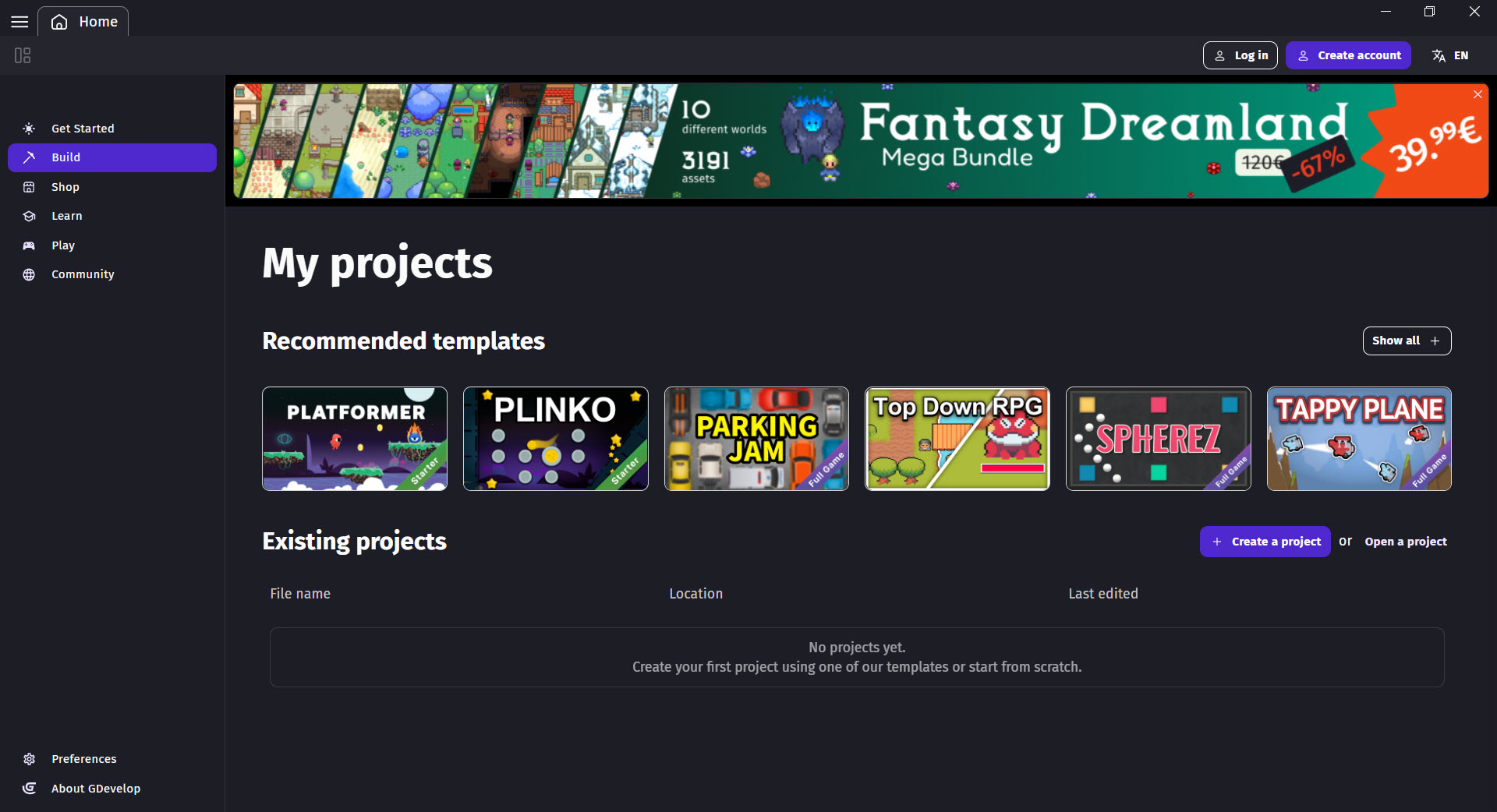
GDevelop is a no-code game engine where you build games by combining conditions and actions in a visual event system rather than writing programming code. Drop a player object on a scene, add the Platformer Character behavior to it, and you have a working platformer character that responds to keyboard input, handles gravity, jumps when the spacebar is pressed, and detects collisions with platforms.
All of that happens through visual configuration rather than scripting, with the underlying logic readable in plain language: “When the player collides with a coin, increment Score by 1 and delete the coin”. The event reads close to how you’d describe the game to another person, which is exactly the design intent.
The engine handles both 2D games (the original focus) and 3D games (added in May 2023), with one-click export to HTML5, Android, iOS, Windows, macOS, and Linux. The current 5.6 series includes an AI assistant that generates events from natural-language prompts (“make the enemy follow the player”), a built-in pixel art editor (Piskel), a sound effect generator (JFXR), an extension marketplace where community-built behaviors and effects can be added with a few clicks, and the gd.games platform where exported games get permanent URLs without needing separate hosting.
The event system as the central interaction model
Events form the core of every game built with GDevelop. Each event has two parts: conditions (what triggers the event to fire) and actions (what happens when the conditions are met). “When the Up arrow key is pressed and the player is on the floor, simulate a jump on the player.” That single event, expressed entirely through visual selection in the editor, handles platformer jumping with floor detection.
The event sheet for a complete game ends up being a list of these conditions-and-actions pairs, organized into groups for readability. Movement events handle player input. Collision events handle interactions between objects. Timer events handle delayed actions. Variable events handle scoring, health, ammunition, and other game state. Read top to bottom, the event sheet describes exactly what happens during gameplay, with no hidden behavior buried in code that someone unfamiliar with the project would need to read separately.
For developers used to writing code, the visual approach can feel constraining at first. The trade-off is that what you gain in code precision, you lose in onboarding speed and accessibility for non-programmers.
GDevelop explicitly targets the second trade-off, with the event system designed so that a 12-year-old who has never written code can produce a working game in their first hour with the engine. Educational programs in primary schools through universities have adopted the engine specifically because of this accessibility, with more than 10,000 students using it in classroom contexts as of 2025.
Behaviors and the pre-built logic library
Behaviors extend the event system by packaging common game logic into ready-to-use components. Add the Physics Engine 2.0 behavior to an object, and that object now obeys realistic physics: gravity, collisions, momentum, friction. Add the Pathfinding behavior, and the object can navigate around obstacles toward a target. Add the Platformer Character behavior, and you get the standard platformer movement (run, jump, fall, climb, gravity) with configurable parameters for speed, jump height, and other physics values.
The standard behavior library covers most game genres directly. Top-down movement for adventure games and RPGs. Platformer character and platformer object for side-scrollers. Physics-based movement for puzzle games and physics simulators.
Pathfinding for strategy games and AI enemies. Smooth camera for following the player or other objects. Anchor for UI elements that need to stay positioned relative to screen edges. Tween for animated transitions and effects.
Multiple behaviors can stack on the same object, with the engine handling interactions between them. A platformer character with a smooth camera attached, plus a tween behavior for animations, plus a pathfinding behavior for AI-controlled variants, all work together without conflicts.
For game designers thinking in terms of capabilities (“the enemy should chase the player and shoot when in range”) rather than implementations (“the enemy needs an A-star pathfinder with a state machine”), this composition model fits how design decisions actually get made.
The AI assistant and “Build for me” mode
Recent versions added an AI assistant that generates events from natural language prompts. Type “make the enemy bounce off walls” and the assistant produces the events that detect wall collisions and reverse the enemy’s movement direction. Type “add a score that increases by 10 when the player collects a star” and the assistant creates the variable, the collision event, and the visual score display.
The “Build for me” mode goes further, accepting higher-level prompts and generating substantial portions of game logic. Describe what you want a level to do, what behaviors a character should have, or what gameplay mechanic you’re trying to implement, and the assistant produces events, behaviors, and object configurations toward that goal. The output isn’t always perfect (independent reviews note that results can vary and require iterative refinement), but as a starting point or as an explanation of how to approach a problem, the assistant accelerates development substantially.
For users new to game development, the AI integration also serves a teaching role. Generated events can be read, understood, and modified, which means the assistant doubles as a tutorial mechanism showing how specific game behaviors get implemented in the event system.
Beginners often learn faster by examining AI-generated solutions to their problems than by reading documentation describing the same approaches in the abstract.
3D support and what it can and can’t do
3D support arrived in May 2023, expanding the engine beyond its original 2D focus. The 3D system uses Three.js as the underlying renderer, with primitive shapes (boxes, spheres, planes), 3D model imports (GLB and GLTF formats), 3D physics, and a perspective camera with adjustable position and rotation. First-person and third-person camera setups are possible with reasonable configuration, with sample projects demonstrating both.
The honest assessment requires acknowledging the limitations. GDevelop‘s 3D capabilities are aimed at simple 3D games rather than competing with Unity or Unreal Engine for visually demanding 3D projects. Lighting is basic. Shaders are limited to layer-level effects rather than per-material custom shaders. Performance with complex 3D scenes is constrained by the browser-based architecture (the engine ultimately renders through WebGL via Three.js). For ambitious 3D games (open-world environments, photorealistic rendering, complex character animation systems), purpose-built 3D engines remain the appropriate choice.
For simple 3D games (first-person walking simulators, low-poly adventure games, 3D arcade-style titles, prototypes that explore 3D mechanics without needing AAA visual quality), the integrated 3D works well.
The same event system that handles 2D games handles 3D games, with 3D-specific actions and conditions added to the existing toolkit. Developers comfortable with the engine’s 2D workflow can transition to 3D without learning fundamentally new concepts.
Extensions and the community marketplace
The extensions system lets the community build new behaviors, objects, and events that anyone can add to their projects. Open the extensions panel, browse what’s available, click to add an extension, and the new capabilities appear in your event editor immediately. Hundreds of extensions exist, ranging from quality-of-life additions (better random number generation, advanced timers, math utilities) to substantial gameplay capabilities (dialogue systems, inventory management, save/load systems, multiplayer networking).
Notable extensions include the BBText support for rich text formatting, the Yarn dialogue system integration for narrative-heavy games, the Konami code detection for adding the classic cheat input, gamepad support extensions for non-keyboard input handling, and various integrations with external services. For game development needs that aren’t covered by the base engine, extensions usually provide the missing pieces without requiring you to build from scratch.
Users can create their own extensions from existing events in their projects, packaging working logic into reusable modules. This community-creation model has produced an ecosystem where solutions to common game development problems get shared and refined across many users, with successful extensions eventually being incorporated into the engine’s standard library when they prove broadly useful.
Built-in editors for art and sound
Piskel, the integrated pixel art editor, handles sprite creation directly within the engine. Frame-by-frame animation, layer support, color palette management, and the standard pixel art toolset (pencil, eraser, fill, line, rectangle, ellipse, color picker) work without needing external software. For game projects with pixel art aesthetics, the integration eliminates the file-shuffling that comes with using separate art tools.
JFXR, the integrated sound effect generator, produces 8-bit-style sound effects through procedural generation. Pick a category (jump, laser, explosion, hit, pickup, blip), adjust parameters until you like the result, and the sound effect imports directly into your project.
The output isn’t suitable for every game style (modern AAA games need more sophisticated audio), but for retro-styled games, prototypes, or any project where placeholder sound effects are needed quickly, JFXR produces usable output in seconds.
For art and audio needs beyond what these built-in editors handle, standard external tools (Aseprite, Photoshop, Audacity, etc.) work fine, with the engine accepting the standard image and audio formats. The built-in tools serve as conveniences for projects where their capabilities suffice, not as constraints on what kinds of assets the engine can use.
One-click export and the gd.games platform
The one-click export system handles the complexity of building games for different platforms. Click Export, choose your target (HTML5, Android APK, iOS, desktop), and the engine produces the appropriate output. For HTML5 games, the export includes everything needed for web hosting: the game files, the HTML wrapper, the necessary JavaScript libraries. For mobile platforms, the export includes the platform-specific build files that get submitted to app stores.
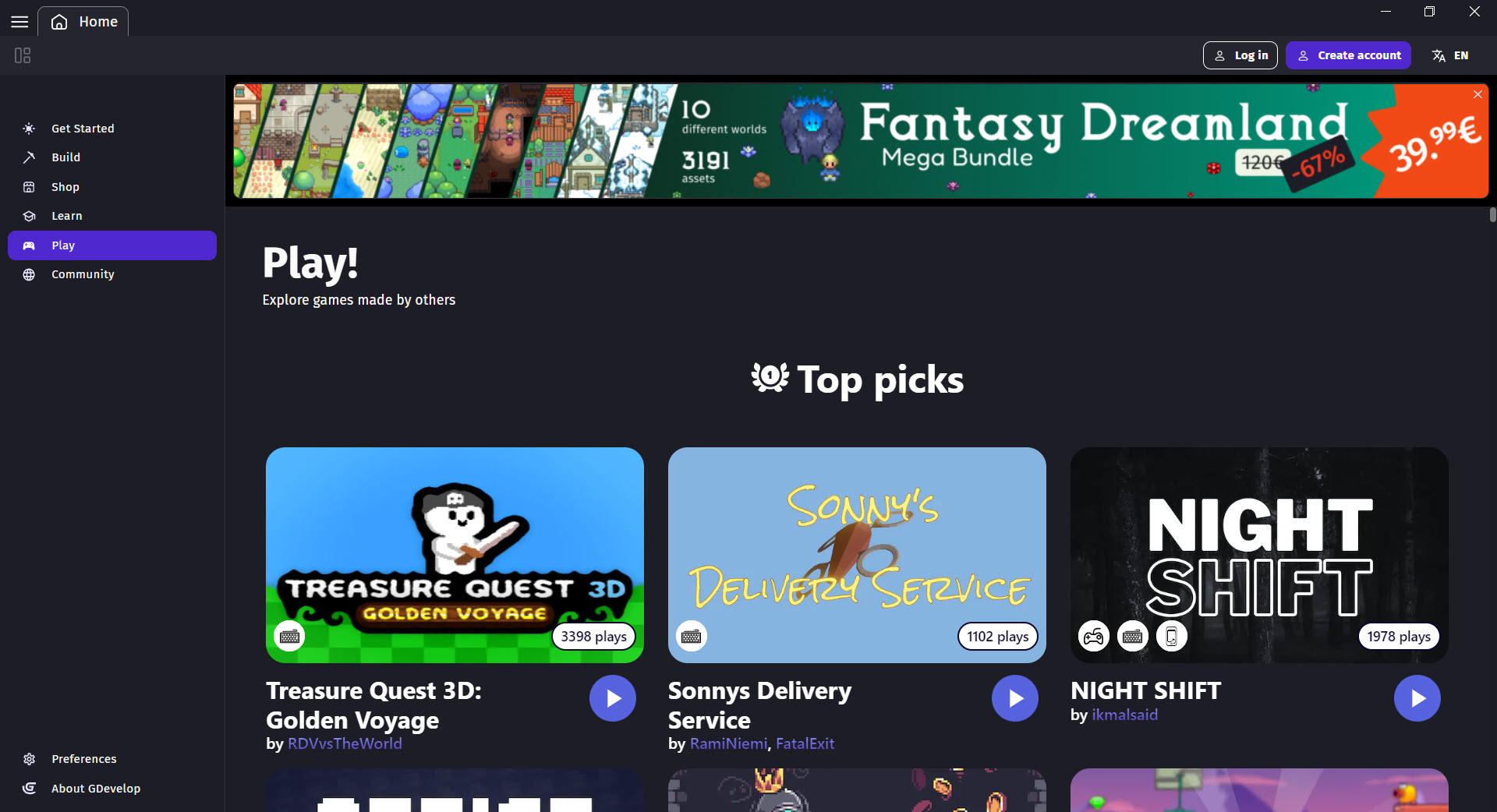
The gd.games platform provides a hosted destination for HTML5 game exports without needing separate web hosting. Click “publish to gd.games” instead of downloading the export, and the game gets a permanent URL on the platform with built-in player analytics, creator profiles, and discoverability through the platform’s game directory. Free accounts can publish unlimited games to the platform, which removes a significant barrier for developers who don’t have or want their own hosting infrastructure.
For native desktop and mobile builds, additional configuration is sometimes needed (signing keys for app store submissions, icon files, splash screens), but the export system handles the build process itself. Developers who want to publish to Steam can use the Steamworks extension for SDK integration, with the actual store submission happening through the standard Steamworks publisher workflow.
JavaScript blocks for advanced users
Despite the event system being the primary interaction model, GDevelop includes JavaScript code blocks that can replace any event for users who want code-level control. Need a custom algorithm that doesn’t fit the event system? Drop in a JavaScript block. Want to call browser APIs directly? Use a JavaScript block. Need to manipulate the engine’s internal state in ways events don’t expose? JavaScript provides that escape hatch.
This dual approach matters for projects that grow beyond what visual events handle elegantly. Simple game logic stays in events for readability and accessibility. Complex algorithms or specialized integrations move into JavaScript when the visual approach becomes more limiting than helpful. For developers who started with the event system and discovered they need more, the gradual addition of JavaScript code is a smoother transition than switching to a different engine entirely.
The JavaScript runtime exposes the engine’s internal API, including object manipulation, event firing, scene management, and various other operations. For ambitious games that mix visual events with code-driven systems, this hybrid approach produces results neither pure-visual nor pure-code engines can match for accessibility-plus-flexibility.
Monetization and game distribution integrations
Built-in integrations exist for the major monetization platforms relevant to indie game developers. AdMob handles mobile advertising with banner, interstitial, and rewarded video ads. Facebook Audience Network provides another mobile ad option. For HTML5 games, integrations with CrazyGames, Poki, and similar web game platforms simplify publishing to those distribution channels. Steamworks integration handles Steam-specific features like achievements, cloud saves, and player stats.
These integrations matter because monetization is often the practical concern that pushes hobbyist game developers toward professional-grade engines. Knowing that the engine includes the integrations needed for actual game distribution (rather than just the engine being free for development) reduces the friction of going from prototype to released product.
Independent game developers who use GDevelop don’t have to integrate ad SDKs manually or write custom code for store-specific features.
Premium tiers add capabilities relevant to commercial game development: expanded cloud storage for project files, increased AI assistant usage for users hitting the free tier limits, online game export capabilities, and various other features. The pricing is positioned for indie developers and serious hobbyists rather than enterprise customers, with the free tier remaining genuinely usable for building and releasing complete games.
Comparison with the alternatives
GameMaker (now from Opera) targets 2D game development with more depth and a stronger track record (Hotline Miami, Undertale, Hyper Light Drifter all built on GameMaker), but with its own scripting language (GML) that requires programming skills, and a paid subscription for commercial use. GDevelop is more accessible to non-coders; GameMaker provides more capability for users willing to learn its language.
Godot is open source and free with substantially more capability than GDevelop for ambitious projects, but requires learning either GDScript (a Python-like language) or C# for serious development.
The visual scripting that Godot once offered has been removed, leaving it firmly in the code-required category. GDevelop is more accessible for non-programmers. Godot is more capable for programmers willing to invest in learning it.
Scratch and similar block-based educational tools are more limited in scope but easier still for very young learners. GDevelop sits between Scratch’s learning-focused simplicity and the depth of professional engines, offering enough capability for real games while remaining accessible enough for beginners.
For ambitious 3D games requiring AAA visuals, neither GDevelop nor any of these no-code alternatives compete with Unity or Unreal Engine. The capability gap is substantial enough that 3D-focused projects with serious visual ambitions should evaluate purpose-built 3D engines rather than no-code tools.
Considerations and limitations
The visual event system, while powerful, has scaling limits. Games with hundreds of complex events become difficult to navigate, debug, and maintain compared to well-organized code. Larger projects benefit from custom extensions (which package events into reusable modules) and external tools (version control, project management), but the inherent complexity of large-scale game logic doesn’t fully disappear just because the implementation is visual.
3D capabilities, while functional, don’t match what 3D-focused engines offer. Lighting systems, post-processing pipelines, advanced materials, and various other 3D features that Unity and Unreal include as standard are limited or absent. Projects with serious 3D ambitions need to evaluate whether GDevelop‘s capabilities cover their requirements before committing to the engine.
Performance scales with what the engine renders, with substantial 2D scenes (hundreds of objects with complex behaviors) or any meaningful 3D scenes consuming more resources than an equivalent native-engine implementation would. The browser-based architecture (even when running as a desktop application via Electron) introduces overhead that pure native engines don’t have. For most indie game projects this overhead doesn’t matter; for performance-critical games it might.
The premium tier model means that some specific capabilities (more cloud storage, more AI assistant usage, certain export options) require paying. The free tier covers complete game development without pushing users toward premium aggressively, but users who want maximum capability across the board need to evaluate the pricing.
Documentation quality varies across topics. Core concepts are well-documented with extensive tutorials. More advanced or niche topics sometimes have thinner coverage, with community forums filling the gaps for users who run into edge cases not covered in official documentation.
Conclusion
For aspiring game developers without programming backgrounds, GDevelop removes the substantial barrier that code requirements impose on most game engines. The combination of the visual event system, ready-made behaviors, AI assistant, and one-click export to multiple platforms produces a development environment where complete games are achievable in hours rather than the weeks of learning that traditional engines demand. The open-source licensing means the tool stays available without subscription concerns, and the active development means features keep arriving.
The honest limits are real but bounded. Ambitious 3D games need purpose-built 3D engines. Very large projects with hundreds of complex events benefit from the structure that code provides. Performance-critical games may hit the overhead ceiling that browser-based architecture imposes.
But for the substantial space between Scratch-level learning tools and professional-grade engines, this software covers ground that few alternatives match, with a track record of educational adoption and indie game shipping that demonstrates the approach works in practice.
Pros & Cons
- No-code event system makes game development accessible to non-programmers
- Cross-platform export to HTML5, Android, iOS, Windows, macOS, Linux through one-click builds
- Open source under MIT License with active development and community contributions
- Built-in AI assistant generates events from natural language prompts
- Behaviors system provides ready-made logic for physics, pathfinding, platformers, and more
- Extensions marketplace lets community contribute custom behaviors and capabilities
- Built-in editors for pixel art (Piskel) and sound effects (JFXR)
- 3D support added in 2023 alongside the original 2D capabilities
- JavaScript escape hatch lets advanced users extend the engine with code
- gd.games hosting platform provides free permanent URLs for HTML5 exports
- Used in education with adoption in primary schools through universities
- 3D capabilities don't match purpose-built 3D engines for visually ambitious projects
- Visual event systems scale less elegantly than code for very large projects
- Performance overhead from browser-based architecture in resource-intensive scenes
- Premium tiers required for some specific capabilities like expanded cloud storage
- Documentation quality varies across topics, with some advanced areas thinner than core concepts
Frequently asked questions
This software is an open-source 2D and 3D game engine built around a visual event system that lets users create games without writing programming code. The engine includes one-click export to HTML5, Android, iOS, and desktop platforms, an AI assistant for generating events from natural language, ready-made behaviors for common game logic, a built-in pixel art editor, and an extensions marketplace for community-contributed capabilities.
No, the primary workflow uses visual events and conditions instead of code. Most games can be built entirely through the event system, behaviors, and built-in capabilities without writing any programming code. JavaScript code blocks are available as an optional escape hatch for users who want to extend the engine, but they're not required for typical game development.
Yes, 3D support was added in May 2023. The engine handles 3D models in GLB and GLTF formats, primitive 3D shapes, 3D physics, and perspective cameras with first-person and third-person configurations. The 3D capabilities target simple to moderate 3D games rather than competing with Unity or Unreal for visually demanding projects.
Yes, through the Steamworks extension that integrates the Steam SDK. Games exported as desktop applications can include Steam-specific features (achievements, cloud saves, player stats) through the extension. The actual Steam store submission happens through the standard Steamworks publisher process, with the engine producing the build files needed for that submission.
Multiplayer development uses extensions for networking. The engine includes built-in support for online services through extensions, with options for both lobby-based multiplayer and real-time networking. Multiplayer adds substantial complexity compared to single-player games, with synchronization, latency handling, and server architecture all becoming relevant. The engine provides the building blocks; the design decisions remain with the developer.
Add the Smooth Camera behavior to a camera object, then configure the behavior to follow your player object. Alternatively, use a dedicated event that runs on every frame: "Center the camera on Player" as the action with no specific condition (so it executes continuously). The behavior approach is simpler and includes smoothing for less jarring camera movement; the event approach gives more control over how the camera tracks.
Create a new sprite object using your background image, then place it in your scene at the appropriate position and size. For backgrounds that scroll with the player, set the background's Z-order below your other objects. For backgrounds that stay fixed regardless of camera position, use the Anchor behavior or place the background on a separate UI layer that doesn't move with the camera.
Both engines occupy the same no-code-game-engine space with similar visual event systems. Construct has stronger commercial polish, better web-based performance, and a more refined interface, but uses subscription pricing rather than free open-source licensing. GDevelop is free and open source under the MIT License, with active community development and extensions ecosystem. The choice often comes down to whether you prefer Construct's commercial polish or this software's open-source flexibility and free pricing.
The two engines target fundamentally different audiences. Unity is a professional game engine with massive capability for ambitious 2D and 3D games, but requires learning C# programming and substantial time investment to become productive. GDevelop is a no-code engine targeting accessibility, with capabilities sufficient for most indie 2D games and simple 3D games but not competing with Unity's depth for ambitious projects. For non-programmers or developers wanting fast prototyping, this software fits better. For serious commercial 3D game development, Unity remains the appropriate choice.

(22 votes, average: 4.50 out of 5)