

GameLoop
About GameLoop
GameLoop runs Android games on a desktop with a keyboard and a mouse. It is an emulator built by the publisher of several of the largest mobile shooters, tuned for those games first and everything else second. It shows in both directions.
PUBG Mobile and Call of Duty Mobile install from its own game centre with controls already mapped, graphics presets already chosen and frame rates a phone cannot reach. A random app from elsewhere installs as an APK and runs, usually, with a control layout you build yourself.
That focus separates it from BlueStacks and LDPlayer, which try to be a whole phone on the desktop. GameLoop is a games console that happens to run Android underneath, and its strengths and irritations both follow from that.
The strengths are speed and ready-made control schemes for the titles it cares about. The irritations are a launcher that promotes games at you and a matchmaking reality that every emulator player learns in the first week.
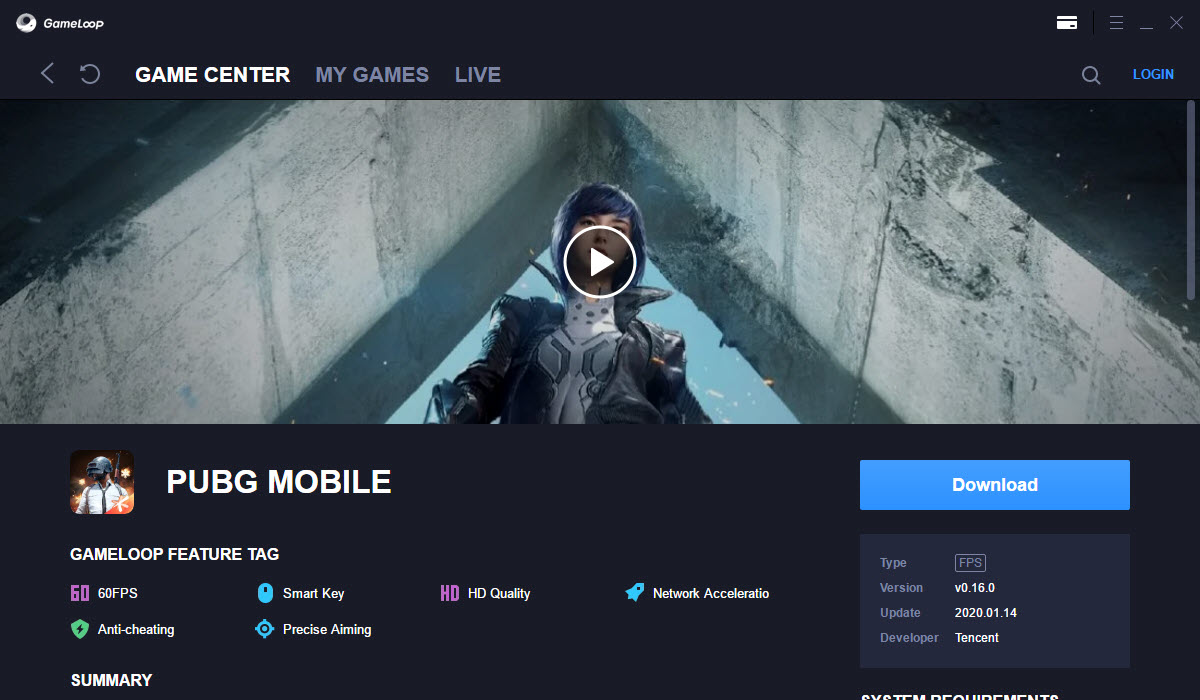
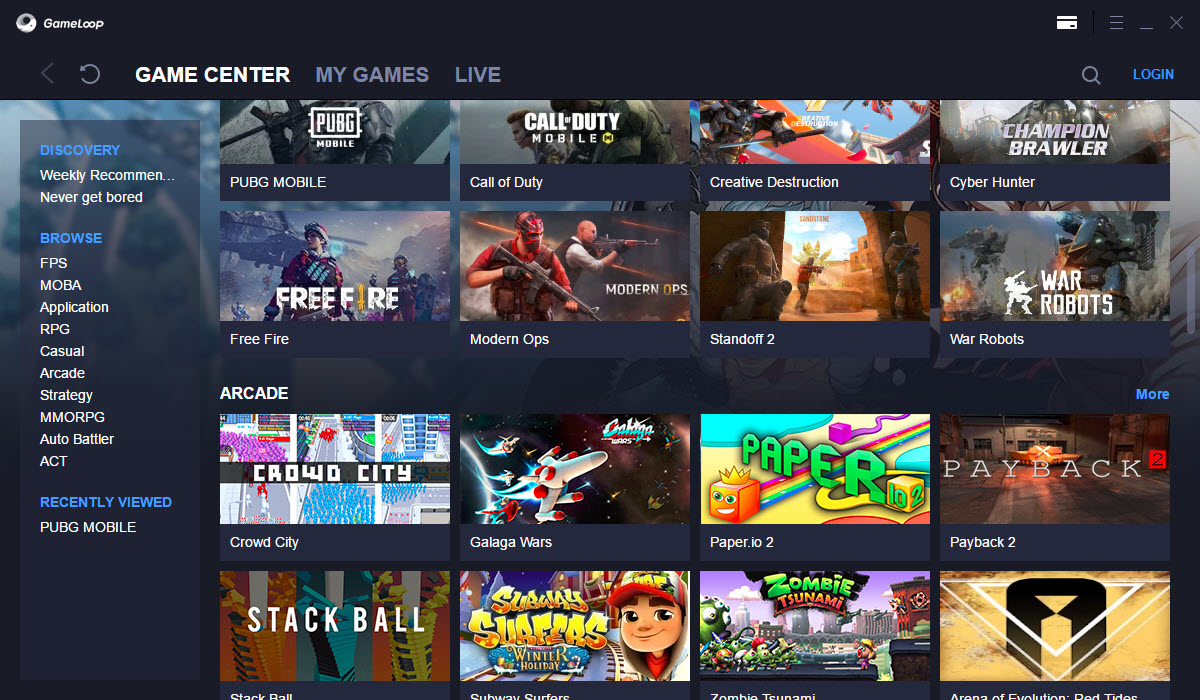
The game centre and the first install
The launcher opens on a store-like front page of games. Click one, and the emulator downloads its Android engine if this is the first game, then the game itself, then launches it with a control overlay in place. The engine is a large download, several gigabytes with the game.
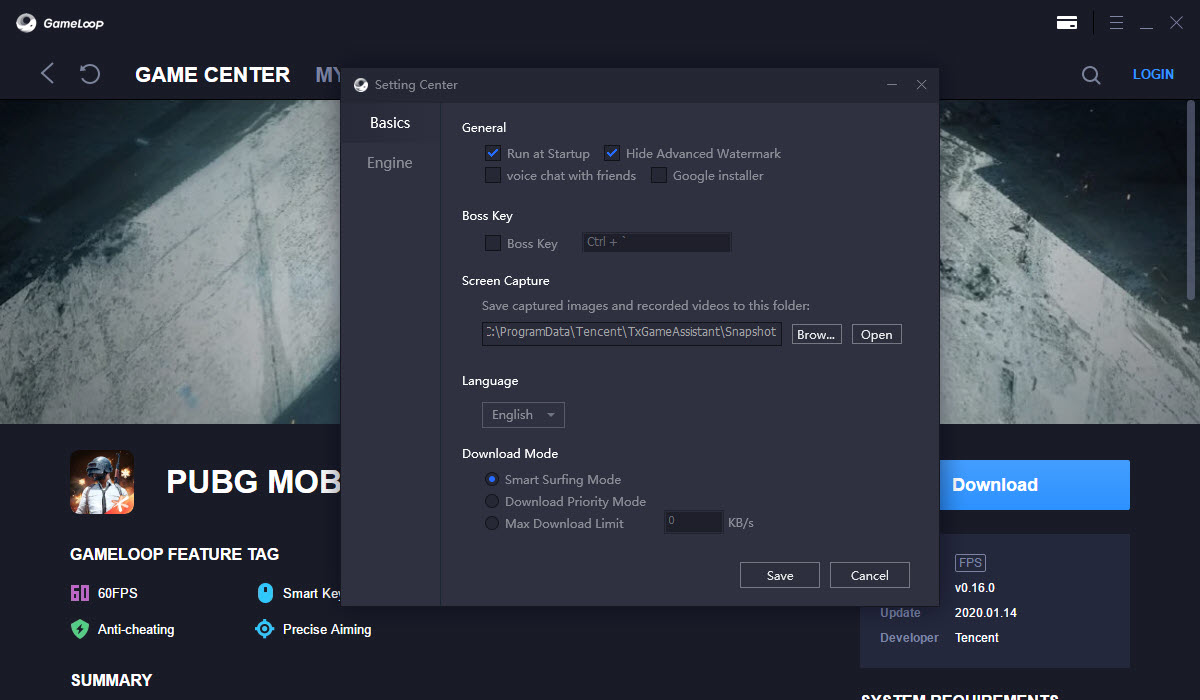
The first thing many people hit is a disk space error part way through, since the whole thing lands on the system drive unless the path is changed in settings first.
Games in the centre have been tested against the emulator, so they run without tinkering. The biggest ones come with graphics presets and key layouts made by the people who make the games. Titles from other publishers appear too, and a search box finds more. Anything not listed installs from an APK file dragged onto the window.
Those run with whatever compatibility the underlying engine has, which is good for most games and patchy for apps that expect a phone’s sensors or its own marketplace.
Controls and the mapping editor
Every game has a control layer. For the supported shooters it is already set. Movement on the letter keys, aim with the mouse, fire and scope on its buttons, and the rest of the touch interface mapped to keys that appear as small labels over the game.
Press the settings key and the mapping editor opens over the game. Any touch target can be dragged, assigned a key, turned into a held or toggled action or given a sensitivity of its own for the aim.
Profiles save several layouts per game and switch on a key, so a driving layout and an on-foot layout coexist. A macro recorder captures a sequence of presses and plays it back on one key. Gamepads are recognised and map the same way.
The editor is the part of GameLoop that rewards an hour of attention. The default layouts are competent, and the tuned ones are how emulator players end up with an advantage the phone crowd complains about.
Graphics settings and the rendering engine
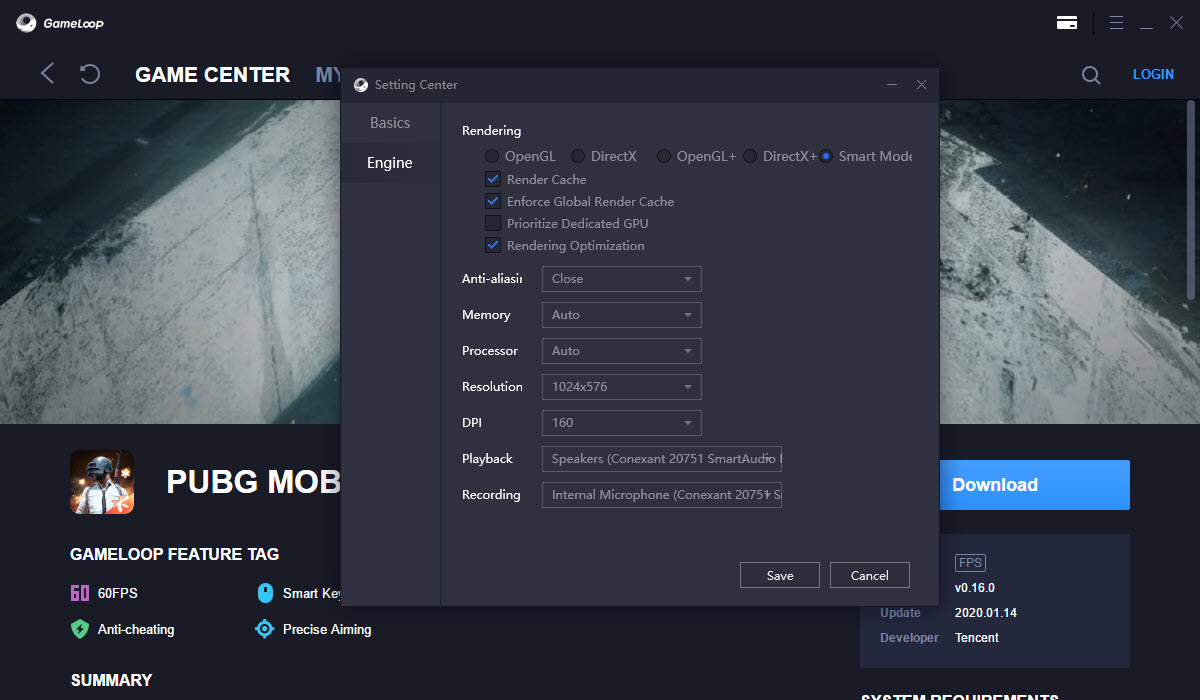
The GameLoop settings sidebar controls resolution, display quality, DPI, anti-aliasing and the frame rate cap. The cap runs from a phone-like 60 up through high and extreme settings that a good graphics card sustains.
A separate rendering choice offers Smart mode, which picks for you, and explicit modes that lean on either of the two graphics interfaces, one of which suits older cards and one newer.
Memory allocation is a slider, and the manual’s own advice for a stuttering machine is half the system’s memory, a lower resolution, anti-aliasing off and Smart mode on.
Rendering cache and a network optimisation option round out the panel. On a mid-range machine the supported shooters run at a steady high frame rate at 1080p, which is better than any phone manages. That gap is the entire reason the emulator exists. On a laptop with integrated graphics the same games run, at the lowest settings, and look like it.
Multi-instance and recording
The GameLoop multi-instance manager launches several copies of the emulator, each with its own game and account, arranged in a grid or on separate monitors. It is how people farm resources in idle games and how streamers run a second account.
Each instance takes a full share of memory, so four at once wants a serious machine. Screen recording and screenshots are built in, with a streaming option to the usual platforms, and a small performance overlay shows frame rate and load.
Two builds for two regions
Chinese and global builds of GameLoop exist as separate programs with different game libraries and different engine versions. Installing the wrong one for your region produces a store full of games you cannot log into. The global build is the one for most people reading this.
Matchmaking, anti-cheat and the emulator lobby
Here is the part to know before the first match. The large shooters detect that you are playing on an emulator and put you in lobbies with other emulator players. The keyboard and mouse advantage is real, and the games answer it by matching you against people who share it. Anyone expecting to farm phone players from a desktop will find the lobbies full of other desktops.
The anti-cheat built into those games runs inside the emulator as well. Unofficial builds, modified APKs, third-party mapping tools and anything that touches the game’s memory are grounds for a ban. The ban lands on the account, not the emulator, and there is no appeal that works. Play the supported games through the supported centre with the built-in controls and the anti-cheat leaves you alone.
Everything outside that is a gamble with an account.
The launcher and what it pushes
The GameLoop front page is a store, and it behaves like one. Recommended games, promotional banners and the occasional pop-up on launch are part of the experience, and a setting reduces them without removing them. The emulator also runs a background service for updates and, in some releases, an unrelated helper that people find in their startup list and remove. Neither harms anything.
Both come with an emulator that asks no money to use. Both are also why some players keep a leaner emulator with fewer promotions for everything except the shooters that run best here.
Resource use is the other thing. The emulator idles at a couple of gigabytes of memory before a game loads. Closing the game window does not always close the engine behind it, so a check in the task list after a session is a good habit.
Conclusion
GameLoop is for the player who wants the big mobile shooters on a monitor with a keyboard and mouse, at frame rates a phone will never manage. They accept that the opponents will be other players doing the same thing. For those games it is the best-tuned emulator there is, because the people tuning it also make the games.
Anyone who wants a general Android machine on the desktop, or who resents a launcher that sells to them, should look at the broader emulators. This one is a gaming appliance with a store attached, and it makes no attempt to be anything else.
Pros & Cons
- Ready-made controls and graphics presets for the biggest mobile shooters
- Mapping editor with profiles, hold or toggle actions and per-target sensitivity
- Frame rates and resolutions far beyond any phone on capable hardware
- Multi-instance with per-copy accounts and layouts
- APK drag-and-drop for games outside the centre
- Built-in recording and screenshots, plus streaming
- Emulator players are matched against each other in the big shooters
- Launcher promotes games and runs background services
- Large engine download that lands on the system drive by default
- Heavy memory use even when idle
- Apps outside gaming run with patchy compatibility
Frequently asked questions
The Android engine and the first game download to the system drive and need several gigabytes. Free the space or change the installation path in the launcher's settings before installing.
Yes. Drag an APK file onto the emulator window and it installs. Compatibility depends on the game, and the phone platform's marketplace is not present inside the emulator by default.
No. The game detects the emulator and matches you with other emulator players, who share the same keyboard and mouse advantage.
Set the resolution to 1280 by 720, choose Smart mode for rendering, disable anti-aliasing and set the memory slider to half the system's memory. Close other programs and check that the dedicated graphics card is in use.
Not for the emulator itself in supported games, which detect it and match accordingly. Modified game files, third-party tools and macros that touch the game are what trigger bans, and those land on the account.


