

FortiClient
About FortiClient
Most VPN clients people install are either consumer products meant to mask IP addresses for privacy and streaming, or open-source utilities like OpenVPN meant to connect to a server the user controls. FortiClient is neither of those. It is the endpoint software that connects a personal or work computer to a corporate network protected by a FortiGate firewall, which is the situation many remote workers find themselves in when their IT department sends an email saying “install this client to access internal resources from home.”
The application has two faces, and confusion between them is the single biggest source of misunderstandings about what it actually is. The free downloadable client most users encounter is a VPN-only tool, it connects to the corporate gateway and tunnels your network traffic to the corporate side, with nothing else attached.
The other face is the full endpoint security suite, which is what businesses license and deploy through their IT department, with central management, antimalware, web filtering, vulnerability scanning, and Zero Trust controls layered on top of the VPN.
The two share a name and a codebase but serve completely different purposes, and which one you have depends entirely on whether you installed it yourself or your employer pushed it to your machine.
The VPN-only free client and what it actually does
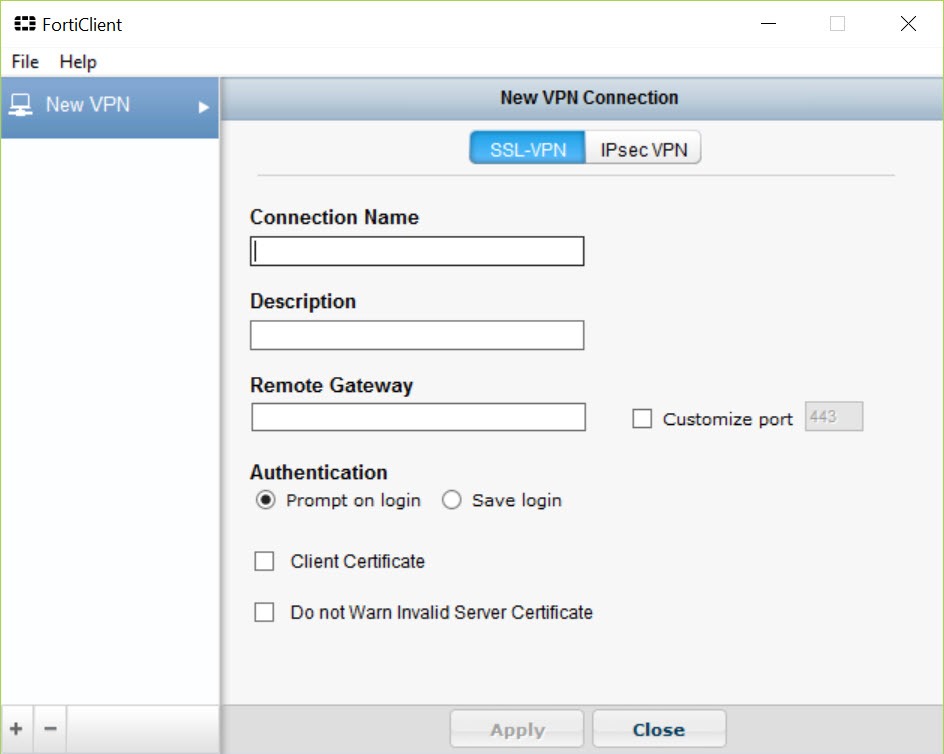
The free client supports two VPN protocols. SSL VPN runs over TLS on port 443, which is the same port web browsers use, making it pass through almost any firewall without configuration. IPsec VPN uses IKEv1 or IKEv2, the traditional corporate VPN standard that has been carrying enterprise traffic for many years. Both protocols connect the same way from the user side, you enter a remote gateway address provided by your IT department, your credentials, and any additional authentication factors required, and the client establishes the tunnel.
Once connected, the routing depends entirely on what the gateway tells the client to do. Full tunnel routes all traffic through the corporate network, including your normal internet browsing, which the corporate firewall then handles or blocks per its policy. Split tunnel routes only specific subnets (the corporate ones) through the VPN while letting general internet traffic go directly out your local connection. Which mode you experience is decided by the gateway configuration, not by anything you set on the client side, which is why split tunnel either works or it does not depending on your employer.
Two-factor authentication is supported through several mechanisms. Token-based (TOTP or proprietary), push notifications to a mobile authenticator app, SMS codes, or client certificates installed on the machine. The client surfaces whichever method the gateway requires, and the configuration is again push-down from the corporate side rather than user-configurable.
For users coming from a consumer VPN background where the experience is “subscribe to a service, install their app, click connect,” the corporate VPN model feels considerably more rigid. NordVPN and similar services let you pick servers, change protocols, and adjust kill switches at will. FortiClient in corporate mode lets you connect or disconnect, and not much else.
The full endpoint suite that lives behind central management
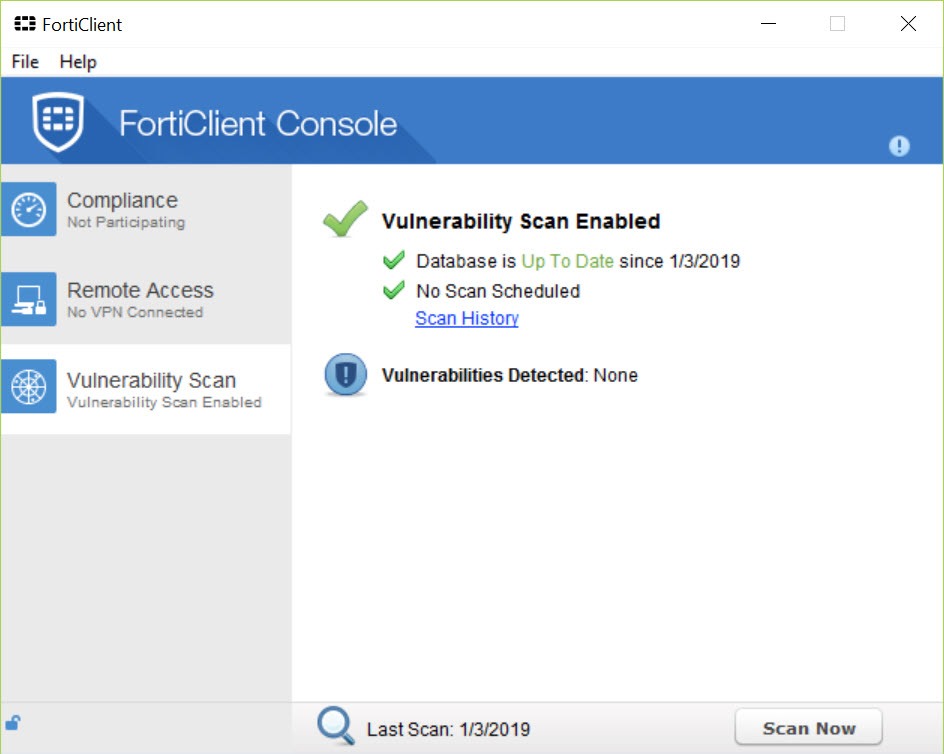
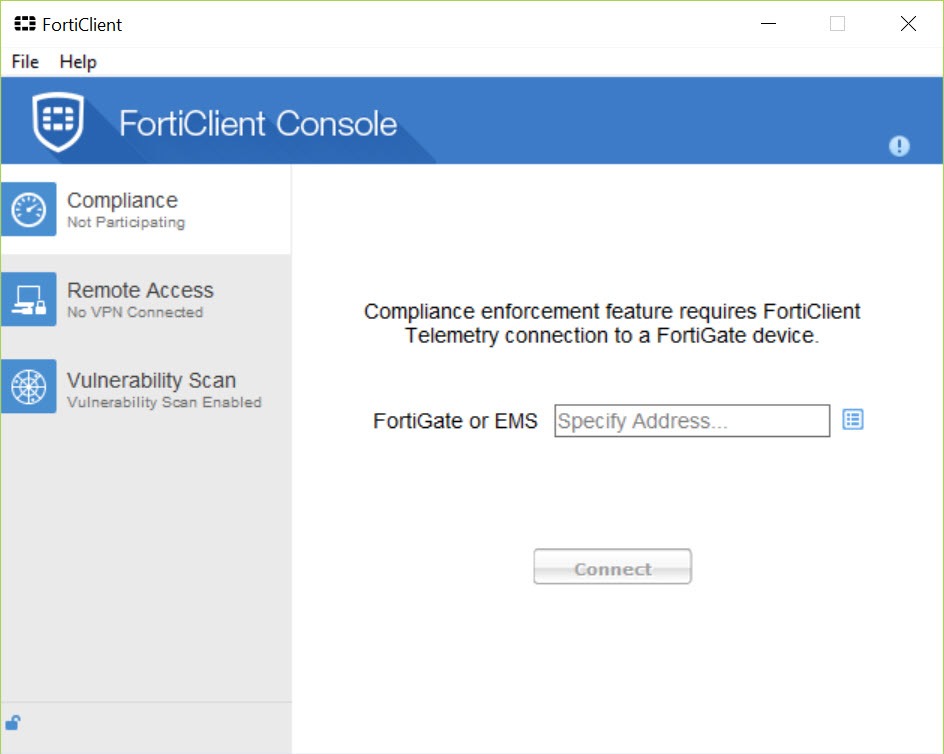
The free client is the visible tip of the larger product. The endpoint suite that businesses license includes the same VPN capability plus several additional layers, all of which are managed centrally through a system called FortiClient EMS (Endpoint Management Server) or its cloud variant.
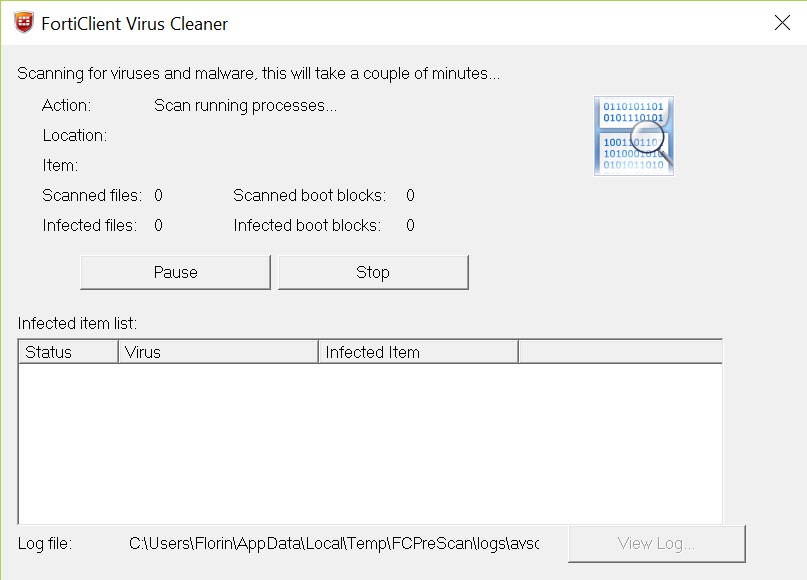
The antimalware component scans files and processes on the endpoint, with definitions and reputation lookups handled by the corporate security fabric rather than by independent decisions on the endpoint itself. The web filter blocks access to URLs by category according to corporate policy, hits to forbidden categories are logged and either blocked outright or warned against depending on configuration.
The application firewall controls which applications can use the network. The vulnerability scanner checks for missing operating system patches, outdated software with known CVEs, and weak password configurations.
The piece that has become the centerpiece in recent corporate deployments is ZTNA, Zero Trust Network Access. Instead of giving connected users access to whole network segments the way a traditional VPN does, ZTNA brokers access to specific applications on a per-request basis. The client proves the endpoint posture to the gateway (patches current, antimalware running, no policy violations), the gateway grants access to one application, and the next request is evaluated independently. The user does not see a VPN connection in the traditional sense, the client behaves more like an application-level proxy.
For users on the managed side, almost nothing is configurable locally. The administrator decides which protections run, which servers are reachable, which sites can be visited, and which applications can connect to the network. The client’s settings interface shows the current policy but typically does not let the user change it.
This is the design, the endpoint is part of a centrally managed security perimeter, not a tool the user tunes for personal preferences.
How it differs from a consumer VPN
This distinction matters because users sometimes install FortiClient thinking it will function like the VPN services they have seen advertised, and the experience does not match. Consumer VPNs are services you subscribe to, run by the VPN provider, with servers in many countries, marketed for privacy from your ISP and access to geographically restricted content. The provider runs the servers, you connect to whichever you like, and your traffic exits to the internet from that server’s location.
A corporate VPN is the opposite end of the architecture. The “server” is your employer’s network. You connect to their gateway, your traffic enters their network, and your access to the broader internet runs through whatever policy the employer applies.
There is no choice of exit countries, no streaming-friendly servers, no privacy-from-employer angle (your employer sees what you do during the connection). The product is a corporate access tool, not a consumer privacy tool, and the comparison ProtonVPN or similar consumer services makes little sense even though both technically use the same VPN protocols.
For users who want both, the typical setup is to connect to the corporate network through FortiClient when work requires it, and use a separate consumer VPN for personal browsing, with the two not running simultaneously because nested VPN connections rarely behave well.
The install experience and what it changes on your system
The installer is large compared to consumer VPN clients, several hundred megabytes for the full endpoint version, less for the VPN-only client. The install requires administrator privileges and adds a virtual network adapter (the TAP-like driver that routes traffic through the tunnel), several system services, and a number of registry entries that survive uninstall if not removed cleanly.
This is the source of a recurring complaint, removing the application after it is no longer needed can be more difficult than installing it. The standard uninstaller works but sometimes leaves behind the network adapter, residual services, and registry entries that confuse subsequent installations or other VPN clients. Users who have run into this typically end up using a manual cleanup procedure documented by the corporate support team or the community.
On the managed side, an additional consideration is that the client reports endpoint state to the management server. Health metrics, software inventory, missing patches, security events, all of it flows back to corporate IT.
This is the point of the managed endpoint model, but users should know that the application is doing it. It is not malware, but it is not invisible either, and the privacy expectations of a personal device should account for what an installed corporate endpoint reports back.
Reliability and the troubleshooting reality
The VPN-only client is one of the most-deployed corporate VPN clients in business use, which means it works most of the time across most network configurations. It also means there is a long history of edge cases, network configurations, antivirus interactions, and firmware combinations that produce specific failure modes.
Common ones include connection drops after sleep/resume cycles, DNS resolution failures inside the tunnel that depend on the gateway’s split-DNS configuration, conflicts with other VPN clients installed on the same machine (the classic case is having both this and a Cisco VPN Client Fix related setup on the same system, the network stacks fight for the same adapter), and the occasional update breaking compatibility with specific gateway versions until a matching client update arrives.
For users hitting these issues, the practical answer is usually a clean reinstall after thorough removal, or in some cases switching to a different VPN protocol (SSL vs IPsec) if the gateway supports both and one route is misbehaving for that particular network. The corporate support team is the right escalation path because they have access to gateway logs that the client does not surface.
For users who have the option to choose their corporate VPN client, alternatives exist. SoftEther VPN offers multi-protocol support including its own protocol that can pass through restrictive firewalls. OpenVPN is the open-source workhorse that many smaller deployments still prefer. But for users connecting to a FortiGate-protected network, this is the client the gateway expects, and using anything else usually means missing features or no connection at all.
Where the antivirus piece fits
The endpoint suite includes its own antimalware engine, which raises the question of whether it replaces a standalone antivirus or runs alongside one. On managed deployments, the corporate decision usually drives this, some organizations standardize on the integrated antimalware, others prefer a dedicated solution like Kaspersky Antivirus and use the endpoint client only for VPN and policy enforcement.
The two-AV problem is real. Two antimalware engines running simultaneously usually conflict, scanning each other’s quarantine, fighting for file handles, and producing performance degradation. The right setup is one antimalware engine active at a time, with the rest of the endpoint stack (firewall, VPN, web filter) running normally. For personal use of the free VPN-only client, this is not a concern because the antimalware component is not present in that tier.
Conclusion
FortiClient is the right tool for one specific situation, you need to connect to a corporate network protected by a FortiGate gateway, either through the free VPN-only client for personal use cases or through the full endpoint suite when your employer manages the deployment. For that situation, the application is the standard answer and using alternatives often means missing the integrated features the gateway expects.
It is not the right tool for users looking for consumer VPN services, privacy from their ISP, streaming access to geographically restricted content, or anything else outside the corporate access use case. The architecture is built around the gateway-and-managed-endpoint model, the user-facing controls reflect that, and trying to use it as a consumer VPN produces confusion about why the experience does not match what consumer VPN advertisements promise.
Knowing which side of the line you are on (corporate user with IT support, personal user connecting to a work gateway, or someone who wants something completely different) is most of the decision about whether this application belongs on your machine.
Pros & Cons
- Industry-standard corporate VPN client for FortiGate-protected networks, broad organizational support
- Free VPN-only tier covers personal use cases without licensing complexity
- Supports both SSL VPN over port 443 and IPsec VPN with IKEv1/IKEv2
- Full endpoint suite consolidates VPN, antimalware, web filter, vulnerability scanning, and ZTNA into a single agent
- Two-factor authentication support across multiple mechanisms
- ZTNA capability provides application-level access control beyond traditional network VPN
- Designed for corporate use, not a consumer privacy or streaming VPN
- Managed deployments expose limited local configuration, users cannot tune the client to their preferences
- Uninstall sometimes leaves residual drivers, services, and registry entries
- Conflicts with other VPN clients on the same machine are common, two corporate VPN clients rarely coexist well
- The full endpoint suite reports endpoint state to corporate IT, with privacy implications for users on personal hardware
- Installation is large and requires administrator privileges, the application embeds itself deeply in the system
Frequently asked questions
Consumer VPNs are services run by the VPN provider, with servers in many countries, intended for privacy from your ISP and access to geographically restricted content. This application is a corporate access tool that connects you to your employer's network through their gateway, with no choice of exit countries and no privacy from your employer during the connection. The two solve completely different problems even though both use VPN protocols.
No. The free download is a VPN-only client that handles SSL VPN and IPsec connections to a FortiGate gateway. The paid version is a full endpoint security suite that includes the VPN plus antimalware, web filtering, vulnerability scanning, application firewall, and ZTNA, all managed centrally through corporate IT. The free tier is for individual VPN use, the paid tier is for managed business deployments.
Because the corporate network is reachable only through the FortiGate gateway, and the gateway expects this specific client to negotiate the tunnel. Many organizations standardize on the application to ensure that endpoint posture (patch status, security configuration) can be verified before granting access, which is more than a generic VPN protocol provides. Other clients can technically connect with the right configuration, but the integrated features only work end-to-end with this one.
Zero Trust Network Access changes the model from "user is on the corporate network, can reach anything" to "user is granted access to specific applications based on continuous policy evaluation." Each request is evaluated independently, the endpoint must prove its security posture for each access, and access to one application does not imply access to others. This limits damage if a connected endpoint is compromised, because the attacker does not get the whole network just because they got one machine.
The application installs a virtual network adapter, several system services, kernel-level components, and registry entries that the standard uninstaller does not always clean up completely. Manual cleanup procedures exist for users who need a fully clean removal, and the corporate support team usually has documentation for the supported uninstall path for their specific deployment.
Usually not without problems. Two VPN clients competing for the network stack produce inconsistent behavior, dropped connections, and DNS resolution issues. The recommended setup is one VPN client active at a time. If you need access to two different corporate networks, the practical approach is connecting to one at a time rather than both simultaneously.
No, not when used outside a managed deployment. The free VPN-only client connects to the gateway you specify, tunnels your traffic, and that is it. The reporting and telemetry features are part of the managed endpoint suite, which is a separate licensed deployment. The free client does not phone home to any corporate management infrastructure unless you explicitly point it at one.


