

Fort Firewall
About Fort Firewall
The built-in Windows Defender Firewall is competent at the job most people care about, blocking inbound connections to ports that should not be open. What it does not do, at least not without significant manual work in the legacy rule editor, is give you granular control over which applications can talk to the network and under what conditions.
For a user who wants to see exactly what is connecting out, decide app by app whether each gets internet access, and impose rules like “this program can connect to my LAN but not the wider internet,” the standard firewall is awkward to use even though the underlying capability is there.
Fort Firewall is an open-source firewall manager that builds on top of the same Windows Filtering Platform the system firewall uses, but exposes the full range of WFP capabilities through a user interface designed for outbound application control.
It does not replace the kernel filtering, it replaces the configuration layer above it, and the result is a much more flexible toolset for users who want the granularity that the underlying platform supports but that the standard UI does not surface.
What it actually is and how it relates to the system firewall
The Windows Filtering Platform is the kernel-level API that all modern Windows firewalls use to inspect and filter network traffic. Windows Defender Firewall, simplewall, TinyWall, and Fort Firewall all hook into the same platform, each one is essentially a different management application that programs WFP rules in its own way.
This matters because it explains what these tools can and cannot do. They cannot do anything the platform itself does not support, which is why all of them have similar fundamental limitations. They can each expose different subsets of the platform’s capabilities and present them through different interfaces, which is where the meaningful differences between them appear.
Fort Firewall sits on the more feature-rich end of the open-source spectrum, exposing zones, schedules, bandwidth limits, and detailed logging that minimalist tools like simplewall deliberately leave out.
The application installs a small kernel driver alongside the user-mode service and UI. The driver registers WFP callouts that intercept connection attempts and stream traffic, the service applies the rule database, and the UI is what you interact with. None of this is unusual for a Windows firewall, but it is worth understanding because the driver is what allows the application to block traffic in real time rather than after the fact.
The application group model that makes rule management actually usable
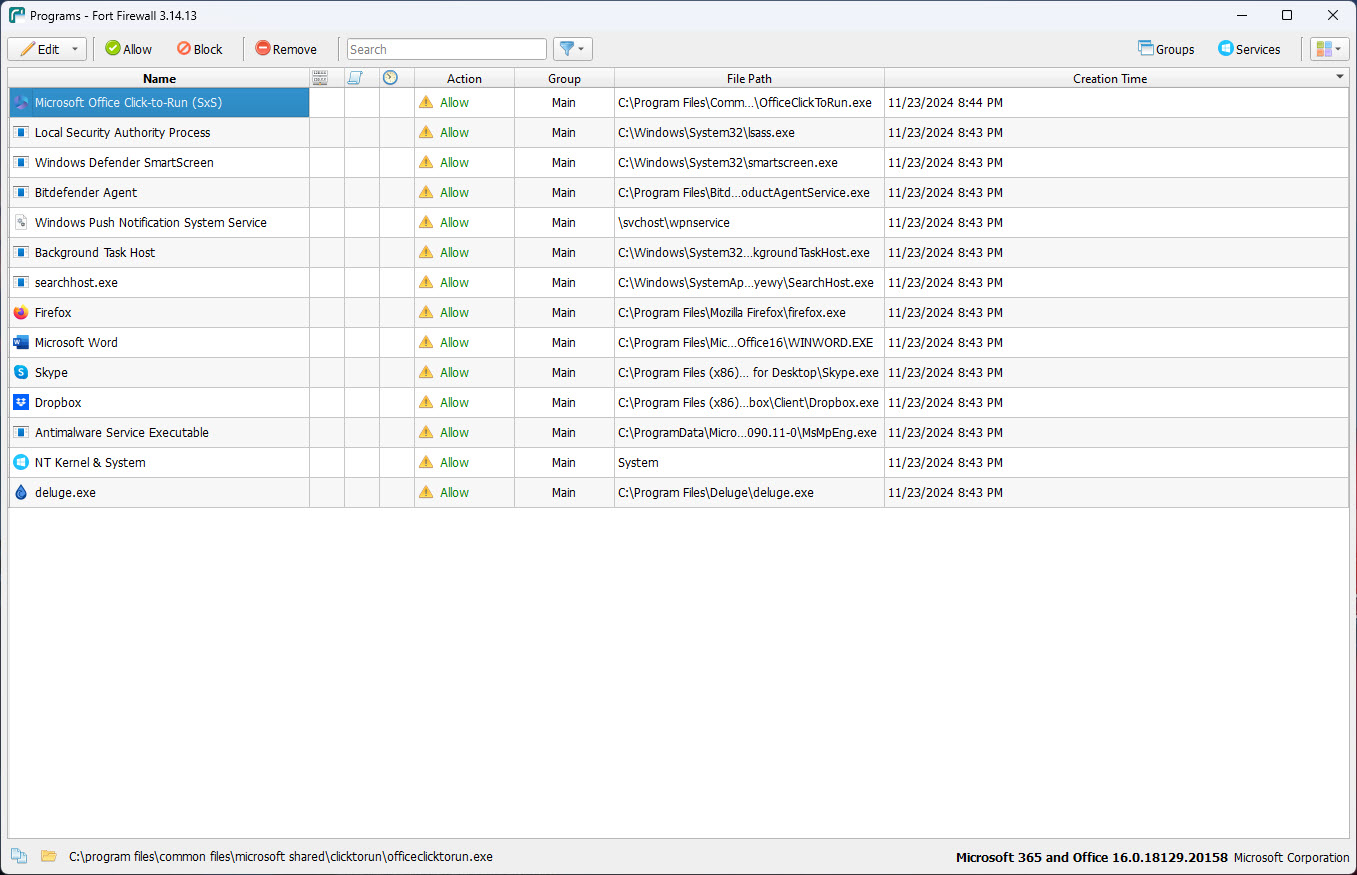
The central organizing concept is application groups. Instead of writing a rule for every executable individually, you create groups (Browsers, Mail, Messaging, Games, System, whatever categories suit your use), assign applications to groups, and then write rules at the group level. A new browser you install just goes into the Browsers group and inherits whatever rules already apply there.
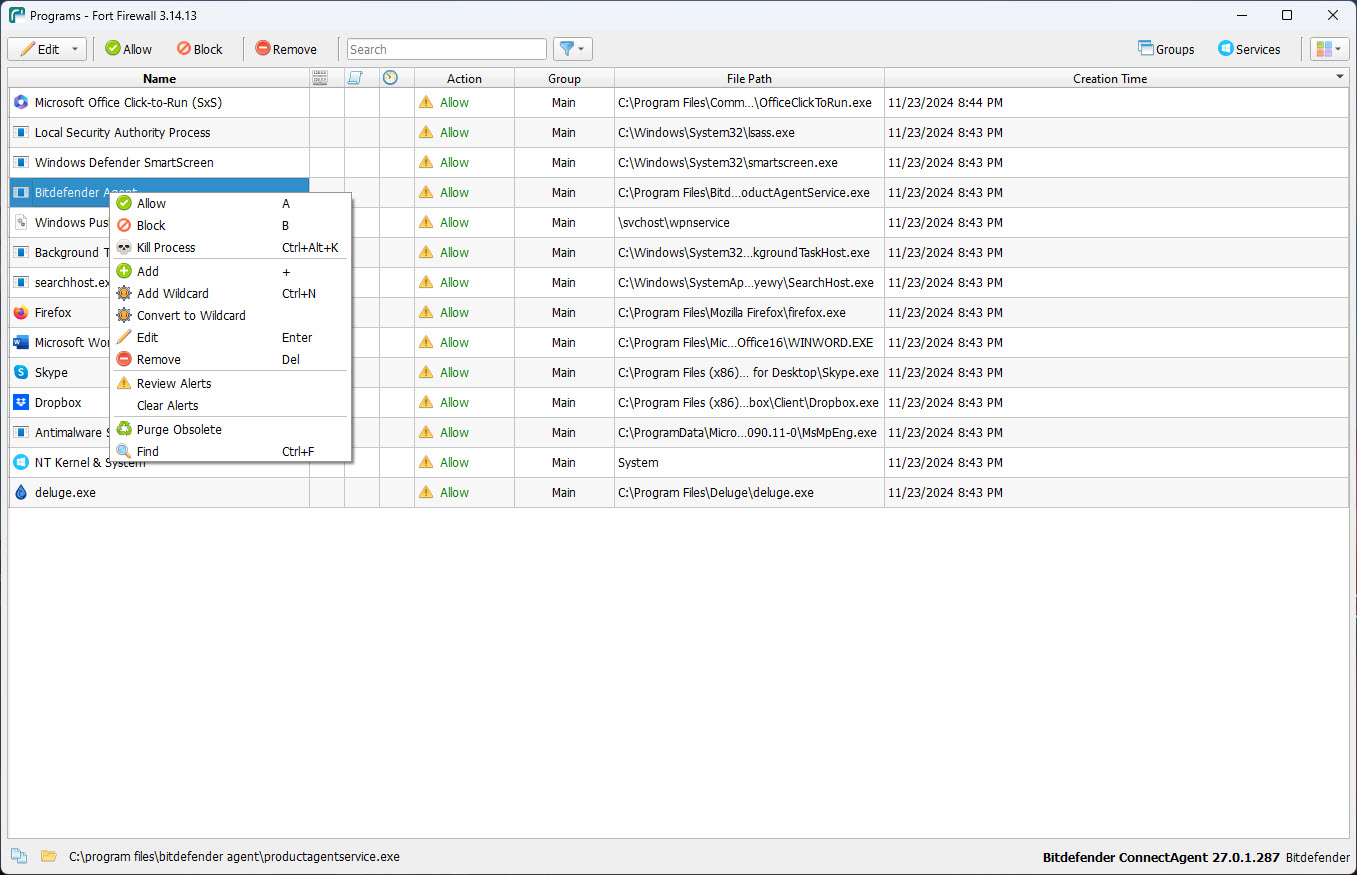
The default install ships with several pre-configured groups that cover common application categories, and the rules attached to each group are sensible defaults you can tweak. Adding a new application is either manual (browse to the executable) or driven by the new-program alert popup that fires when an unknown executable tries to make a network connection. The popup offers the standard allow/block choice along with the ability to drop the application into a specific group.
This is a meaningful improvement over per-executable rule lists because it scales. A system with two hundred applications becomes manageable when those applications fall into a dozen groups.
Without grouping, the rule list grows into something nobody actually maintains, and the practical effect is that users either default to “allow all” out of laziness or default to “block everything” and turn the firewall off out of frustration. The group model is what keeps a serious outbound firewall sustainable on a real system.
Zones, the feature that goes beyond simple block-or-allow
Most firewalls treat the network as binary, the application can connect or it cannot. Fort Firewall adds zones, named groups of IP addresses, domains, or CIDR ranges that rules can reference. You can define a zone for your local network, a zone for a VPN provider, a zone for a specific country, a zone for known ad networks, and so on.
Rules can then condition on zone membership. A browser might be allowed to connect to anything, a backup application allowed only to connect to a specific cloud provider zone, a gaming application allowed to reach the publisher’s game servers zone and blocked from everything else. This is where the application becomes a tool for actual network policy rather than just yes-or-no filtering, and it is the kind of capability that commercial firewalls bury inside business-tier products.
Zones can be populated from imported lists, manually maintained, or pulled from external sources for things like ad-domain blocklists. For users who want to inspect what specific applications are actually contacting before they write a rule, Wireshark captures the packet-level detail that the firewall’s logging summarizes, and the two tools together cover both the “what is happening” question and the “should I let it happen” question.
Schedules, bandwidth limits, and the rules most firewalls do not have
Beyond pure allow-deny, the application supports time-based rules and per-application bandwidth limits. A scheduled rule might allow a certain class of applications only during work hours, or block streaming services during specific times of day, or restrict a child user’s gaming traffic to certain windows. The schedule is a property of the rule rather than a separate layer, so any rule can be conditioned on time.
Bandwidth limits work similarly, you set a maximum upload and download speed for an application or group, and the firewall enforces it through WFP traffic shaping. The use case here is less about saving bandwidth and more about preventing background applications from saturating the connection during foreground work, an update service consuming bandwidth during a video call is the classic example, and capping that service to a small percentage of available bandwidth solves the problem cleanly.
For users whose primary interest is visualization of network traffic rather than active filtering, GlassWire takes a different approach with detailed traffic graphs and a less rule-heavy interface.
The two tools sit at different points on the same spectrum, Fort Firewall focuses on enforcement, GlassWire focuses on observability, and combining both is reasonable if you want maximum visibility alongside strict policy.
Logging and the event view that makes the rules feel real
Every blocked or allowed connection (depending on your logging configuration) gets recorded in an event log that the application surfaces in a scrollable, filterable view. You can see which application tried to connect, where to, on which port, whether it was allowed or blocked, and which rule made the decision. For learning what your system actually does on the network, this view is more educational than any abstract description, watching the log for an hour reveals connections you did not know were happening.
The traffic statistics view aggregates this data into per-application and per-group usage over time. For users curious about which background services are most active, the answer is in the chart, often with surprises. The application that you think uses the most bandwidth is rarely the application that actually does.
Compared to a minimalist tool like Firewall App Blocker that exists primarily to add or remove individual block rules without the analytical layer, Fort Firewall delivers a complete monitoring and enforcement environment, which is either exactly what you want or significantly more than you need depending on your goals.
The core isolation question and resource footprint
Two questions come up repeatedly when users evaluate this application. The first is compatibility with HVCI (Hypervisor-Protected Code Integrity) and core isolation, which are Windows security features that restrict which drivers can load. The application’s kernel driver works with these features in most configurations, but specific combinations of Windows updates and driver versions have occasionally produced compatibility issues that required either updating the firewall or temporarily adjusting core isolation settings. Checking the project’s discussion forums for the current state of compatibility is sensible before installing on a system where core isolation is a hard requirement.
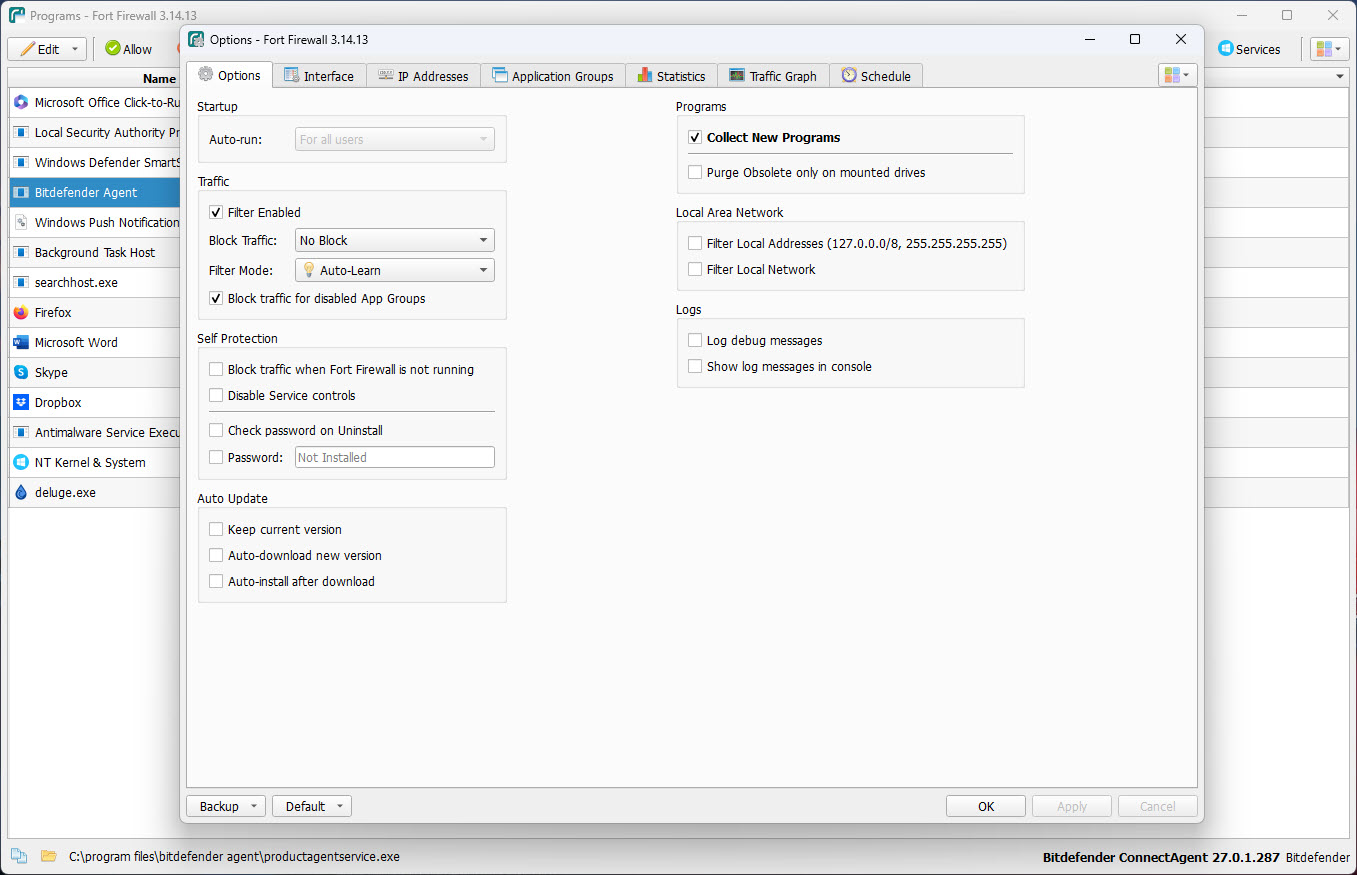
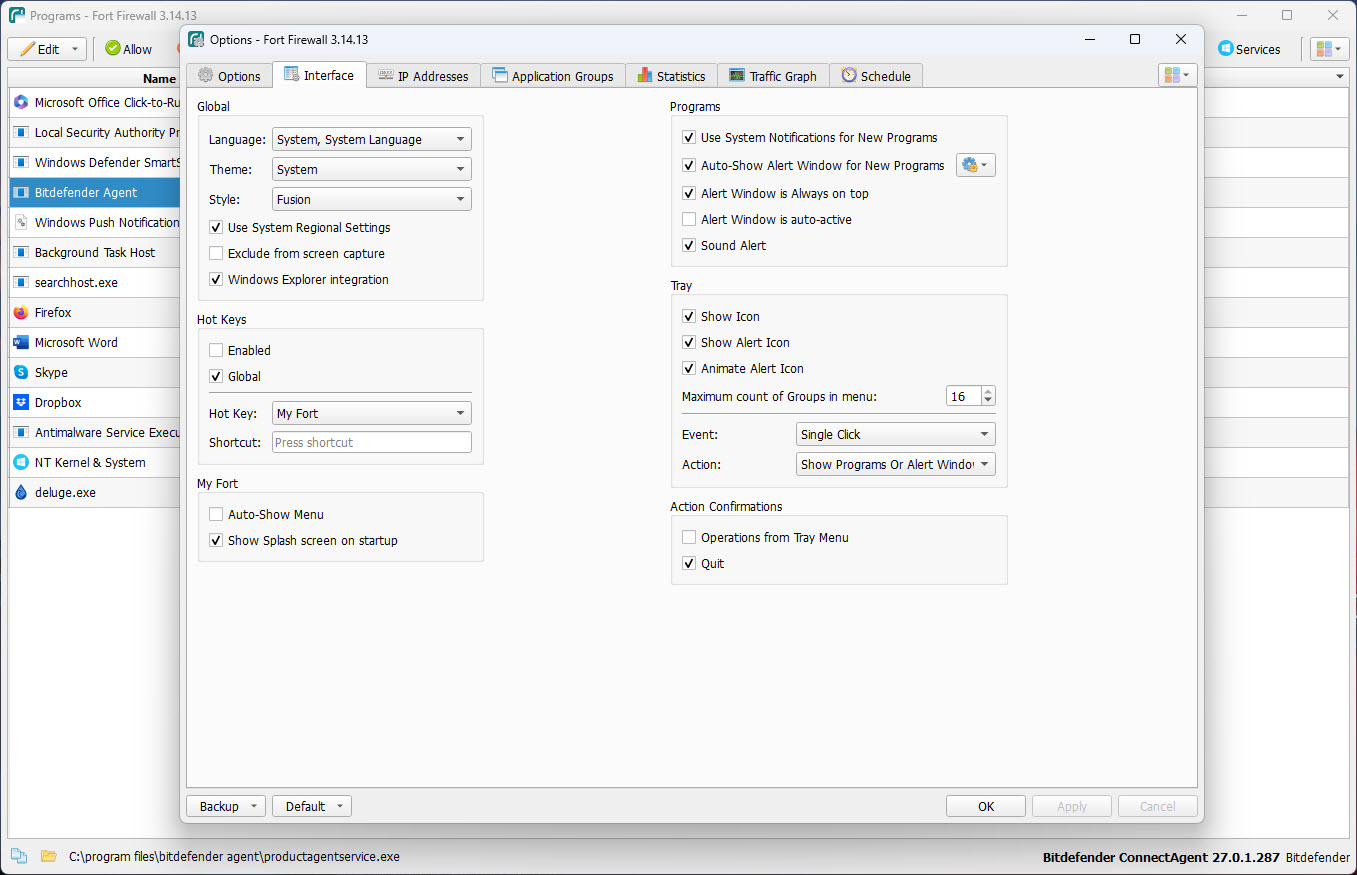
The second question is resource footprint. The user-mode service typically consumes well under a hundred megabytes of memory, the kernel driver adds a small amount of kernel memory for its WFP callouts, and CPU use is essentially zero when the rule set is stable. The popup alert system can be intrusive on a freshly installed system as new applications make first-contact connections, but settles down once the rules are in place.
For users coming from the heavier installs of commercial security suites like Comodo Internet Security, the footprint feels almost too light, and that lightness is part of why open-source WFP firewalls have become a category in the first place.
The interface and the learning curve
The UI is dense, organized into a sidebar of categories and a main panel that changes based on what is selected. Programs, groups, zones, rules, statistics, events, options, each gets its own panel with its own controls. The visual style is functional rather than polished, and the layout assumes the user knows enough about network basics to recognize terms like “outbound TCP connect” and “service container” without explanation.
For users coming in cold, the learning curve is real. The application is more capable than simplewall and more complicated to use. The trade-off is genuine, the minimalist approach hides features that Fort Firewall exposes, but it also makes basic operation more approachable. Users who want simple “block this app, allow that one” interactions sometimes find the configurable depth here more than they need.
Users who want to actually understand and shape what their system does on the network tend to settle in once the initial concepts make sense.
Conclusion
Fort Firewall is the right tool for users who actually want to configure their outbound network policy rather than just allowing everything by default and hoping for the best. The Windows Filtering Platform underneath is more capable than the standard firewall UI suggests, and the application’s job is to expose that capability through a workable interface, with application groups, zones, schedules, and detailed logging that together turn a passive firewall into an active network policy tool.
It is not the right tool for users who want to install something, click a few buttons, and never think about it again. The depth that makes the application useful for serious outbound filtering is the same depth that makes it more involved than a minimalist tool. For someone who genuinely wants control over what their system does on the network, the configuration time pays off in a system that does what you told it to and only that.
For everyone else, a simpler tool will serve better, and the choice between them is not really about which firewall is better but about which one matches what the user is actually willing to invest in firewall configuration in the first place.
Pros & Cons
- Built on the Windows Filtering Platform, no parallel filtering stack to interfere with the system firewall
- Application group model scales to large rule sets without becoming unmaintainable
- Zones allow rules to condition on destination IP ranges, domains, or geographic regions
- Schedule and bandwidth-limit rules cover use cases most firewalls do not support
- Detailed event log and traffic statistics turn the firewall into a network awareness tool
- Open source with no telemetry, no advertising, no premium tier
- Resource footprint is small for the capability set delivered
- Interface is dense, the learning curve is real compared to minimalist alternatives
- Core isolation compatibility has had specific configuration edge cases worth checking before install
- The popup alert flood on a freshly installed system can feel overwhelming until the initial rules settle
- Time-based and bandwidth rules are powerful but require thought to set up correctly
- No commercial support, the project relies on its open-source maintainer and community contributors
- The default rule-set is conservative, configuring it for permissive use takes some initial work
Frequently asked questions
Both are open-source firewalls built on the Windows Filtering Platform, but the design philosophies diverge. simplewall is intentionally minimalist, presenting a flat list of applications and a basic allow-block decision per application. Fort Firewall exposes the full WFP feature set including application groups, zones, schedule-based rules, bandwidth limits, and detailed traffic statistics. The right choice depends on whether you want simplicity or capability.
In most current configurations, yes. Specific combinations of Windows updates and driver versions have produced compatibility issues in the past, and the project's discussion forums track the current state. For systems where core isolation cannot be disabled even temporarily, checking compatibility before install is sensible.
The user-mode service typically uses less than a hundred megabytes of memory. The kernel driver adds a small amount of kernel memory for its WFP callouts. CPU use is near zero when the rule set is stable. The application is far lighter than commercial security suites and broadly comparable to other open-source WFP-based firewalls.
A zone is a named group of IP addresses, CIDR ranges, or domains that rules can reference. Instead of writing a rule that says "block traffic to these specific addresses," you create a zone containing those addresses and write a rule that says "block traffic to zone X." Zones make rules more readable, easier to update centrally, and allow geographic or service-specific filtering that would otherwise require dozens of individual rules.
Yes. Rules can be conditioned on time of day, day of week, or both. Bandwidth limits can be set per application or per group, capping upload and download speeds independently. These features are not unique to this firewall but are uncommon in the open-source category, where most tools focus on pure allow-deny without temporal or quantitative dimensions.
The default behavior is configurable. The application can prompt for a decision on each new program (the popup alert model), automatically block new programs (allowlist mode), automatically allow new programs (blocklist mode), or assign new programs to a default group with pre-set rules. The choice depends on how restrictive you want the firewall to be by default.
The configuration and rules are stored in a local database file. The application includes import/export functionality so the entire rule set can be backed up, moved to another machine, or restored after a reinstall. This is useful for maintaining consistent rules across multiple systems or as a safety net during major Windows updates.


