

FAT32Formatter
About FAT32Formatter
The built-in formatter refuses to create a FAT32 volume larger than thirty-two gigabytes, and it refuses for no technical reason. The file system itself handles far larger volumes perfectly well, and the system will happily use one once it exists. It simply will not make one. FAT32Formatter does.
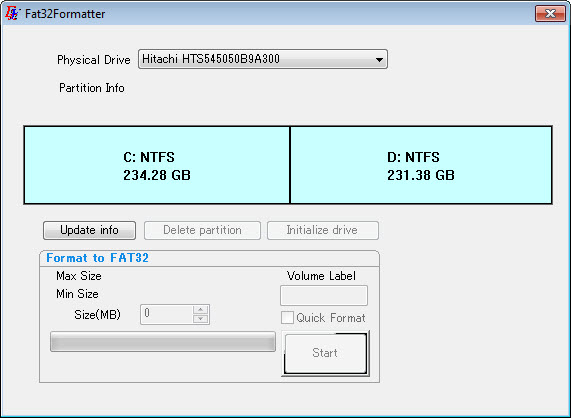
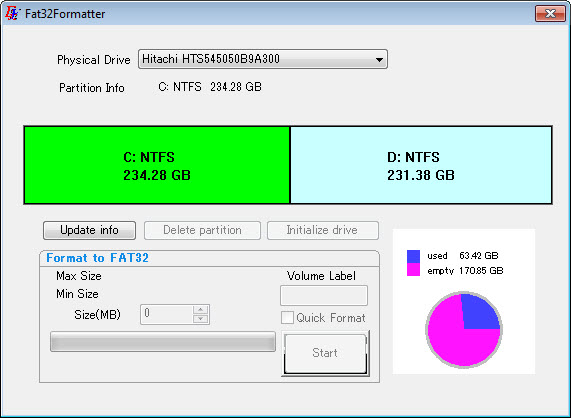
FAT32Formatter asks for the drive and a cluster size, then formats. The result is a large FAT32 volume the system reads without complaint, because the restriction was only ever in the tool that creates them.
Why anybody wants FAT32 at all
The reason anybody reaches for FAT32Formatter is compatibility, and it is the only reason.
FAT32 is the file system that virtually everything reads. Car stereos, televisions, cameras, older game consoles, set-top boxes, printers, industrial equipment and medical devices all understand it, frequently because it is the only thing they understand.
Newer file systems handle large drives better in every respect and are not universally supported. A device made before that support arrived will look at a drive it cannot read and report an error, or simply do nothing, and no amount of correctness in your choice of file system helps.
So the situation FAT32Formatter serves is specific. You have a large drive and a device that only speaks the old language.
The four gigabyte wall
Here is the limitation that catches almost everybody, and it belongs before the formatting rather than after the copying.
FAT32 cannot store a single file larger than four gigabytes. Not because of a setting, a cluster size or a tool, but because the format records file sizes in a field that cannot express a larger number.
The consequence is the thing people meet with a car stereo or a television. A one hundred and twenty eight gigabyte drive formatted this way holds plenty of room and refuses a five gigabyte film, and the error message rarely explains why.
Two responses work. Check whether the device accepts a newer file system first, since anything made in the last decade or so frequently does and that removes the problem entirely. Or split the large file, and 7-Zip creates multi-part archives that each stay under the limit, though the device then has to be able to handle the pieces.
Cluster size, and why it matters here
The FAT32Formatter option most people leave alone deserves a moment, because on a large volume it decides how much space you waste.
A cluster is the smallest unit the file system allocates. A file smaller than one cluster still occupies a whole cluster, so a large cluster size on a drive holding thousands of small files loses a considerable amount to rounding.
Large clusters suit a drive holding films and music. Smaller clusters suit a drive holding documents and photographs. On a very large FAT32 volume the tool needs a bigger cluster size to address the whole drive, which is one more reason the format is a poor fit for large drives generally.
Formatting destroys what is there
Stating the obvious about FAT32Formatter once, because it is the mistake with the worst consequences.
Formatting a drive discards everything on it. There is no partial operation and no undo, and a drive selected by mistake is a drive emptied by mistake.
Confirm the drive letter and the size against what you expect before proceeding. A drive whose health is already questionable deserves attention first, and CrystalDiskInfo reports its condition in seconds.
Conclusion
FAT32Formatter removes an arbitrary restriction, and doing so is properly useful when a device gives you no choice about the file system. The format works fine at large sizes and the only thing standing in the way was a tool that declined to create it.
Check the device before you format anything. If it reads a newer file system, use that and avoid the four gigabyte wall entirely. If it does not, this gets you a working drive, and the wall is then something to plan around rather than discover halfway through copying a film.
Pros & Cons
- Creates FAT32 volumes larger than the built-in formatter permits
- Removes a restriction that was never a limitation of the file system
- Cluster size selectable rather than assumed
- Produces a drive that devices with no other file system support will read
- Portable and tiny, with nothing installed
- FAT32 cannot hold any single file larger than four gigabytes
- Large volumes require large clusters, which wastes space on small files
- Newer file systems handle large drives better wherever they are supported
- Formatting destroys everything on the drive with no way back
- Useful only when a specific device leaves you no alternative
Frequently asked questions
Because the tool declines to, not because the file system cannot. Larger FAT32 volumes work correctly and are read normally once created, which is precisely what this exists to do.
No. The format records file sizes in a field that cannot express anything above four gigabytes, so the limit is architectural. Splitting the file or using a newer file system are the only routes.
Something newer, wherever the device supports it. Check the device first, because FAT32 is worth choosing only when nothing else will be read.
Larger for drives holding big files like video, smaller for many small files. On a very large volume the choice is constrained upwards, which wastes space on small files either way.


