

easyHDR Pro
About easyHDR Pro
easyHDR Pro merges a bracket of differently exposed photos into one image that keeps the sky and the shadows at the same time. It then tone maps the result into a file a screen or a printer can show. That is the classic HDR job, and the program does it in three numbered steps.
Load and align, tone map, then finish with sharpening and colour. It also does the same tone mapping to a single RAW or JPEG, which is the mode most people end up using more than the merge.
It sits in a small field. Photomatix Pro has the name and the larger preset library. RAW converters do a version of the job with recovery sliders. easyHDR Pro is the one that gives you manual control of the alignment and the ghost mask.
It also gives you layers to tone map different parts of the frame differently, where the others hand you a single global slider and hope.
Loading, lens correction and alignment
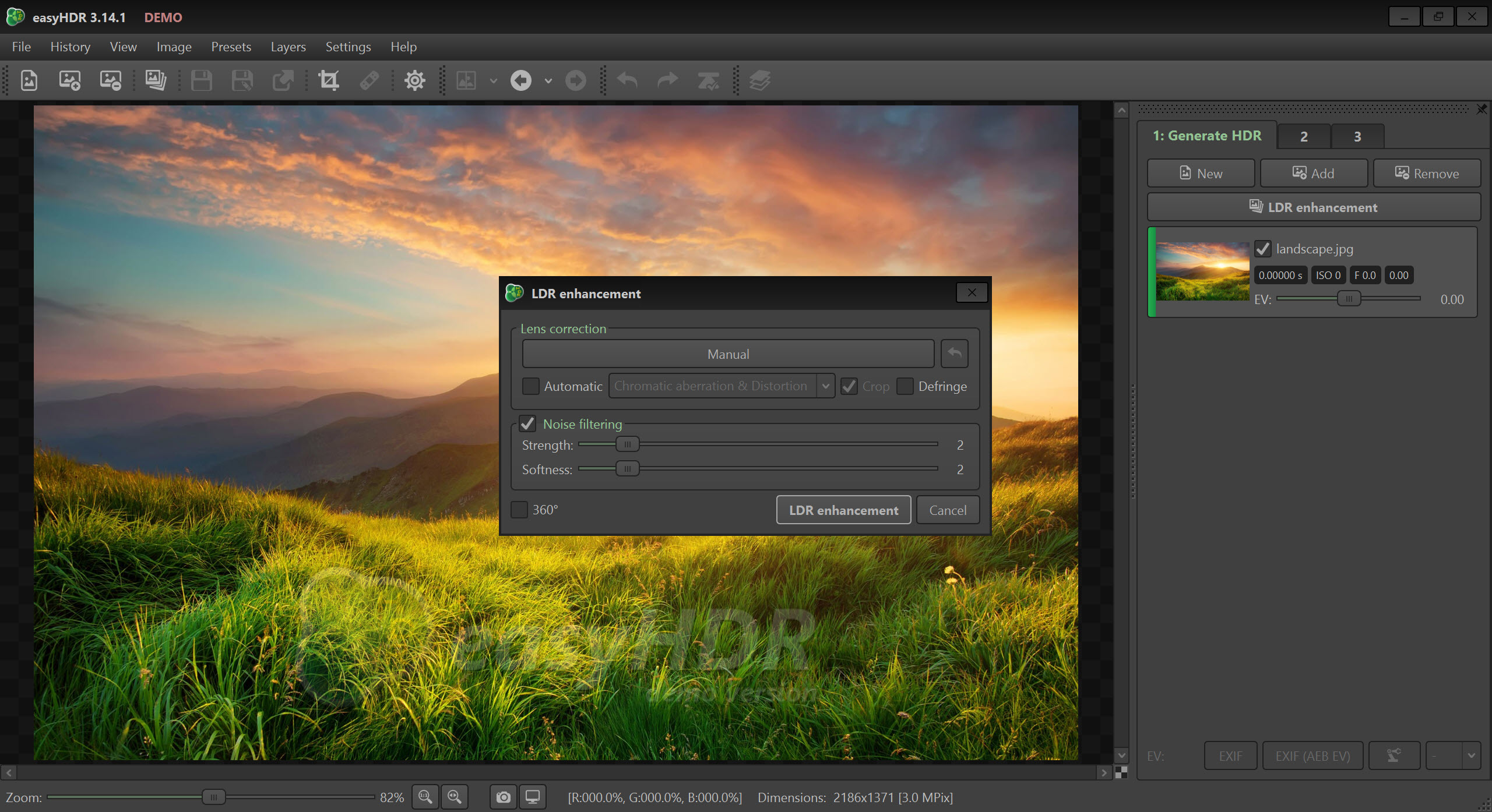
Drop in JPEG, TIFF, PNG, HEIC, AVIF, FITS or RAW files from almost any camera, and the program reads the exposure data to order them. RAW files are developed on import with white balance you can set, and lens distortion and chromatic aberration are corrected from a lens database before anything is merged. That last step matters more in HDR than elsewhere, because colour fringes from three frames add up.
Alignment is automatic, correcting shift and rotation as well as scale and perspective, which is enough for a handheld bracket in most cases. When it is not, the manual alignment tool lets you place matching points on two frames and drag them into register.
That manual option is the reason this program survives on the machines of people who shoot brackets without a tripod. Every other tool at this level either aligns automatically or gives up.
Ghost removal, automatic or painted
In easyHDR Pro, anything that moved between frames, a person, a branch, a car, appears twice in a merged HDR as a translucent ghost. easyHDR Pro has an automatic pass that detects moving regions and takes them from a single frame, and a manual mode where you paint over the ghost and choose which exposure fills the area. The manual brush is the one to reach for on a busy street, since the automatic pass makes sensible choices on clouds and odd ones on crowds.
The merge itself is quick and happens in the background while you look at the aligned frames. A before and after split view with a draggable divider compares the result against any input at full resolution, which is how you find the ghost you missed.
Tone mapping with presets and layers
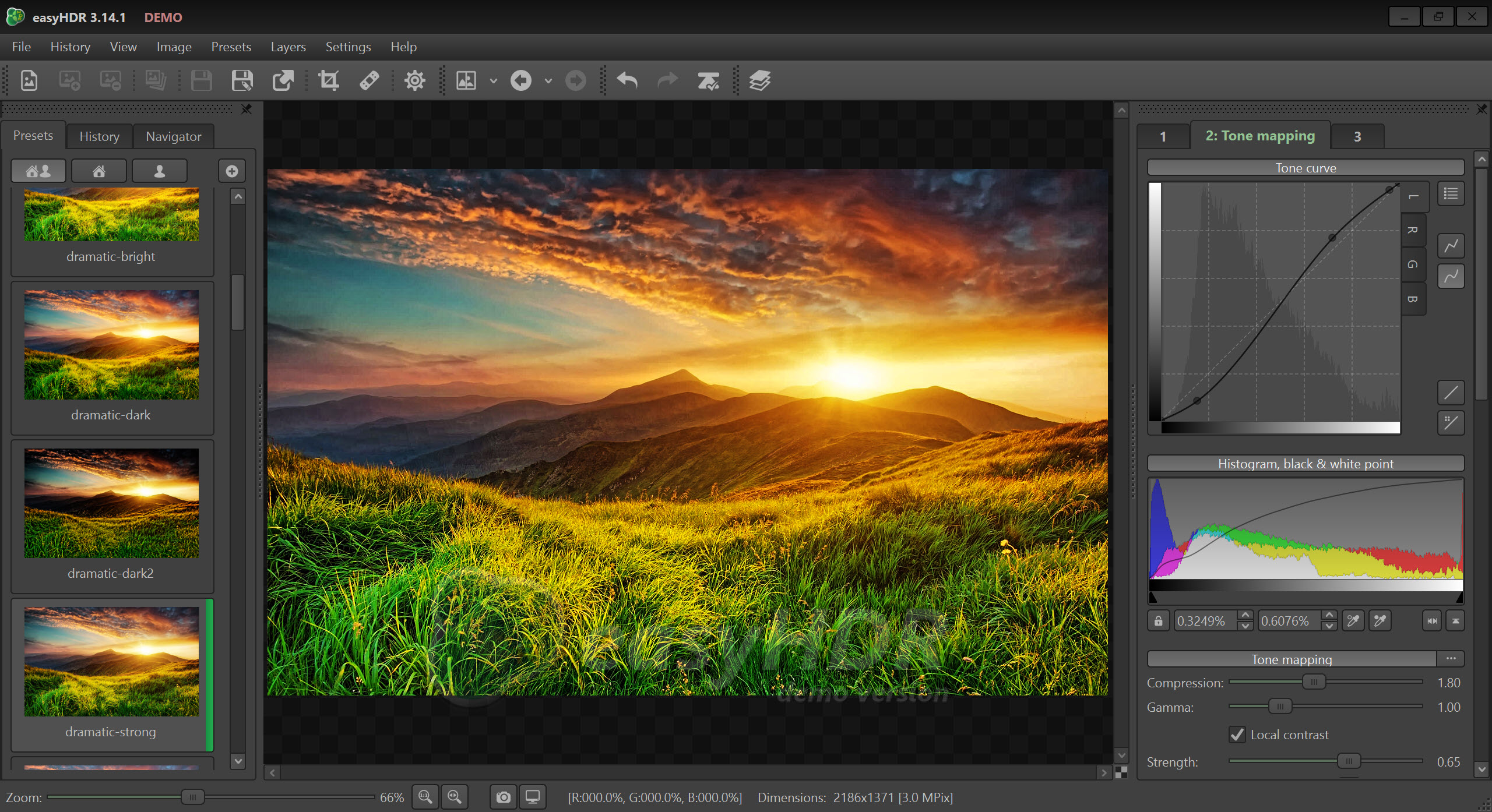
The second easyHDR Pro step is the one with the sliders. A strip of thumbnail presets, from natural through to the crunchy look people either love or despise, gives a starting point. Each preset is a set of values for the operators that you can then pull around. Local contrast, compression, gamma, saturation, the black and white points and a shadows and highlights pair cover most of it, and the preview updates live at full resolution.
Layers are what set this apart. Add a layer, paint a mask with a brush or lay down a gradient, and that region gets its own tone mapping values. A sky is compressed hard while the foreground stays natural, without the halo that a single global setting leaves along the horizon.
A 3D LUT can be applied for colour grading, and a 360-degree option handles the seam of a panorama so the left and right edges tone map identically. It is a thorough set, and it does not pretend the natural look is easy.
Getting a merge to look like a photograph rather than a poster takes an hour of pulling the local contrast down.
Finishing touches and what the project keeps
The third step adds sharpening, blur, noise reduction and colour adjustments after tone mapping, and noise reduction can also run on the inputs before the merge, which is often the better place for it. This step has a single undo, and going back to the tone mapping tab discards it, which catches people out. Export writes JPEG or 8 and 16-bit TIFF with colour management, and the 16-bit file is the one to keep if the photo is going into another editor.
A project file stores the aligned inputs, the merge settings, the ghost mask, the layers and the tone mapping values, so a bracket can be revisited. It does not store the third-step adjustments. Save the finished image before closing.
For a full RAW toolset on the single-frame side, a dedicated RAW processor still does more, but the tone mapping here on one RAW is a legitimate reason to open it.
Batch processing and the Lightroom plug-in
Point the easyHDR Pro batch tool at a folder and it groups the exposures into brackets by their timestamps and exposure values, then applies a chosen preset and output setting to every group. A wedding’s worth of interior brackets becomes a folder of merged files overnight. The grouping is good and occasionally wrong at the boundary between two brackets, so a glance down the list before pressing Start is wise.
A plug-in for Lightroom comes with the program. Select the frames in the catalogue, send them across, and the merged result returns to the catalogue beside the originals. For anyone who already lives in that catalogue, it turns the merge into one more export step.
Everyone else uses the standalone window and never notices the plug-in exists.
Conclusion
easyHDR Pro is for the photographer who shoots brackets, often handheld, and wants control over the two things automatic HDR tools get wrong, the alignment and the ghosts. The layers that keep a sky from wrecking a foreground seal it. Real estate and travel shooters with folders of interiors will use the batch mode every week.
People who want a dramatic look in one click, or who never shoot more than one frame, will find the depth unnecessary and the interface plain. For the rest it is the more careful tool in a category that mostly rewards patience.
Pros & Cons
- Manual alignment with matching points for handheld brackets that automatic alignment misses
- Automatic and painted ghost removal with per-region exposure choice
- Layers with brush and gradient masks give each area its own tone mapping
- Single RAW or JPEG enhancement without a bracket
- Batch processing groups brackets automatically
- Lightroom plug-in returns results to the catalogue
- Natural-looking results take patience with the local contrast
- Post-processing step has one undo and is not saved in the project
- Preset library is smaller than the main rival's
- Interface is functional and dated
Frequently asked questions
Yes. Load one RAW or JPEG and the tone mapping applies to it directly, which recovers shadows and highlights from a single frame. RAW files give noticeably better results than JPEGs here.
Ghost removal is off or the automatic pass missed them. Enable it, or switch to manual mode, paint over the doubled area and pick the exposure to fill it from.
No. The project keeps alignment and ghost mask, plus layers and tone mapping. The third-step adjustments are lost when the project is reopened, so export the finished image before closing.
It groups files by their capture times and exposure differences. Check the groups it proposes before starting, since two brackets shot close together can be merged into one.


