

DVD Decrypter
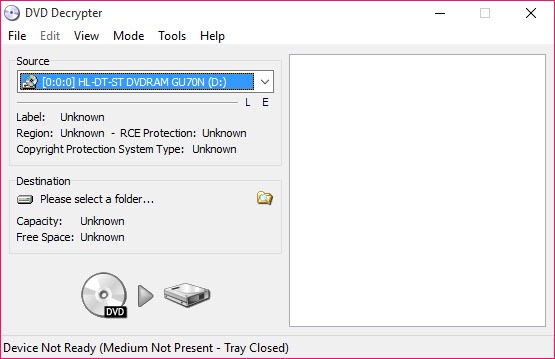
About DVD Decrypter
DVD Decrypter copies a video DVD to a hard drive with its copy protection stripped. It reads the disc sector by sector, removes the CSS scrambling and clears the region code and the flags that stop you skipping the trailers. The result is written either as the original folder of VOB and IFO files or as a single ISO image. It also burns images back to blank discs, which is why it was a fixture on every media PC for years.
The word “was” matters. The program has not been updated in a very long time and the disc makers moved on. Against a disc that carries only CSS and a region code, DVD Decrypter still works exactly as it did.
Against the structural protections found on most later commercial releases, with fake titles and deliberately unreadable sectors, it stalls or produces a broken copy. Knowing which kind of disc you hold decides whether it is the right tool or a waste of an hour.
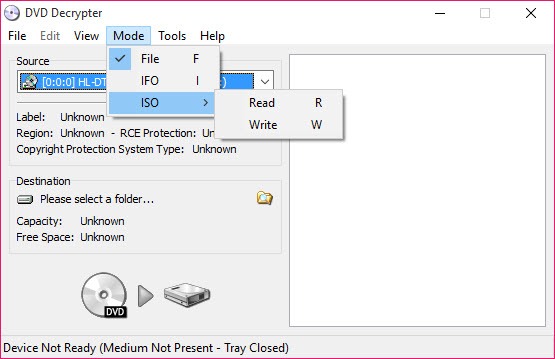
Four modes and what each produces
Mode is chosen from the menu and changes what the main window does. File mode copies every file on the disc into a folder, decrypted, which is what you want to feed an authoring tool or a player that opens a VIDEO_TS folder. IFO mode is smarter. It parses the disc structure and lets you pick a single title set, a program chain and an angle, so the main film comes across without the menus and the trailers.
ISO Read builds one image of the whole disc, with an MDS descriptor beside it, and ISO Write burns an image, including images from other tools, to a blank disc. The image route is the one for anyone who wants a copy that plays exactly like the original in a software player.
The File and IFO routes are for people who want to do something to the content afterwards.
Stream processing, the reason to use IFO mode
Inside IFO mode sits the feature that set DVD Decrypter apart from a plain copier. Enable stream processing and every audio, subtitle and video stream in the selected title is listed with a checkbox. Untick the four languages you will never use and the commentary track, and the copy shrinks by a third with nothing you wanted removed.
Switch a stream from direct copy to demux and it comes out as a separate file, M2V for video, AC3 or DTS for audio, with a chapter list written alongside for authoring tools.
That is a real editing capability in a ripper, and it is still the fastest way to pull a raw AC3 track off a disc. What it does not do is re-encode or shrink video. If a dual-layer film has to fit a single-layer blank, a tool that recompresses a DVD to fit a smaller disc takes the output of this one and does that job.
Protections it removes, and the ones it cannot
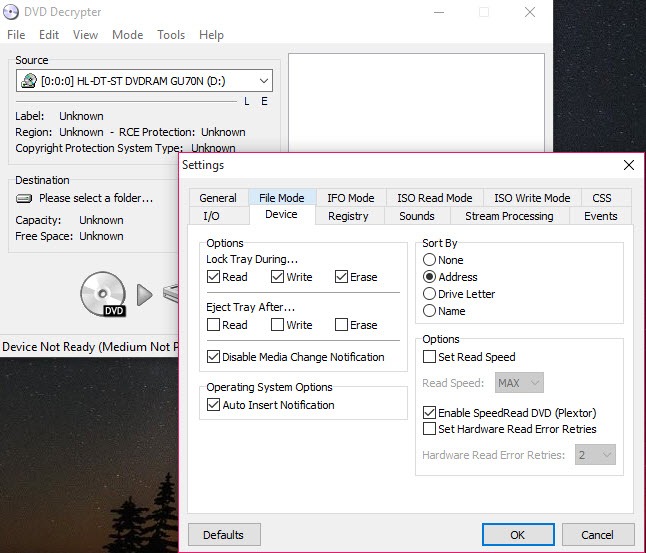
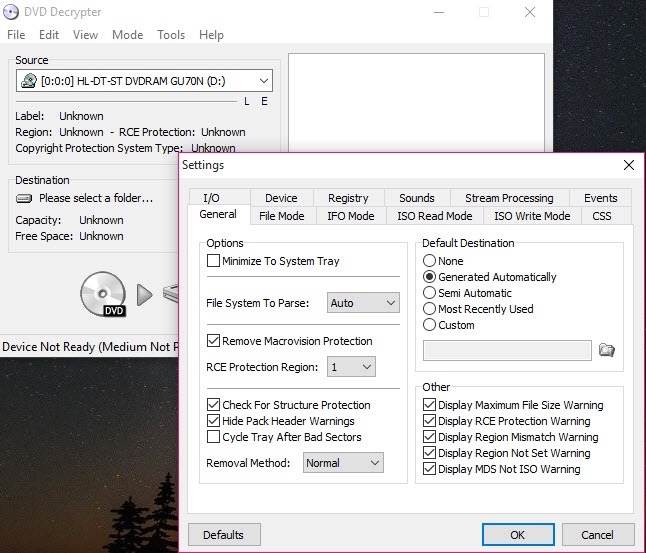
The settings dialog lists them plainly. CSS decryption is always on. Region code removal and RCE removal patch the IFO files so the copy plays in any region. The Macrovision flag that degrades analogue output is cleared, and prohibited user operations, the locks that stop you skipping warnings or changing audio during playback, can be removed too. Structure protection removal handles a few of the early tricks.
Then the wall. Later discs hide the real film among dozens of fake titles, add sectors designed to be unreadable, and use playlist structures the parser does not understand. DVD Decrypter has read error retries and an option to ignore errors, which sometimes gets through with a few skipped frames, and often produces a copy that freezes at the same point every time.
For a disc from a big studio released in the last fifteen or so years, expect to need something newer. For the boxed television sets, independent films and home-made discs that only carry CSS, it remains quick and exact.
Burning back to disc
ISO Write burns single and dual-layer DVDs and reads MDS, ISO, IMG, BIN and a few other image formats. Burn speed is selectable, the drive’s region setting and capabilities are shown on the right of the window, and a verify pass can follow the write.
As a plain burner it has been superseded by ImgBurn, which grew from the same design and handles far more formats. For burning back an image this program just made, it is adequate and already open.
Command line, logging and file splitting
Everything in DVD Decrypter can be driven from a command line, so a batch file can rip a disc to a folder the moment it is inserted. A file-splitting option cuts output at 4 GB for drives still formatted as FAT32. The ripped folder is also the natural input for a converter that turns discs into MP4 or MKV when the goal is a file for a phone rather than a disc.
The window itself is compact and dense, with a log pane that tells you exactly which sector failed, which is more than most of its successors offer.
Conclusion
DVD Decrypter is for the person with a shelf of older discs, television box sets and home recordings who wants exact copies on a drive with the padding trimmed out, and for anyone who needs a raw AC3 or M2V stream without a re-encode. On those discs it is fast and precise, and transparent about what it is doing.
It is not the tool for a recent blockbuster, and buying it a fight with modern protections wastes an evening. Check the disc first, and keep a current ripper alongside for the ones this one cannot read. One more note. Circumventing disc encryption is restricted by law in some countries even for personal copies, so know where you stand before you start.
Pros & Cons
- Strips CSS, region codes, RCE and user operation locks in one pass
- IFO mode copies a single title and drops unwanted audio and subtitle streams
- Demuxes raw M2V and AC3 streams for authoring
- ISO read and write with MDS descriptors in the same program
- Command line control and a detailed sector log
- Defeated by the structural protections on most later commercial discs
- No re-encoding, so dual-layer content cannot be shrunk here
- No output to MP4 or MKV, only disc-native files and images
- Long unmaintained, with no support for newer drives' quirks
Frequently asked questions
The disc uses protections newer than the program understands, usually deliberate bad sectors or fake title sets. Ignoring read errors may finish the copy with glitches. A current ripper is the realistic answer for that disc.
No. It produces VOB files or an ISO image. Feed that folder or image to a disc-to-MP4 converter for a file that plays on a phone or a television.
Switch to IFO mode, pick the longest title in the list, enable stream processing and untick the audio and subtitle streams you do not need. The copy then contains just that title.
Yes. Remove RC Protection and Remove RCE Protection in the settings patch the copied IFO files so the result plays on any region's hardware or software player.


