

Dukto
About Dukto
Moving a file from one machine to another in the same room is a problem people solve absurdly. They email it to themselves, upload it to a cloud service and download it again, or copy it to a stick and walk across the room. Dukto removes all of that by sending the file directly between the two machines.
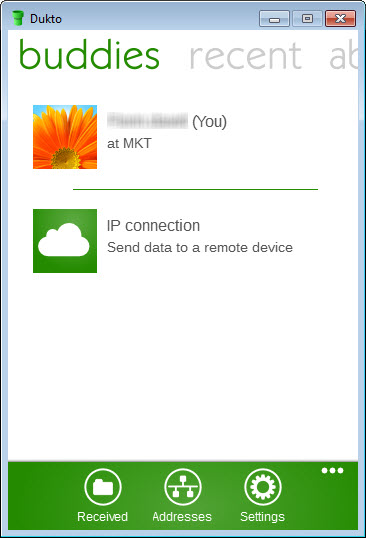
There is nothing to configure. No account, no pairing, no server address to type and no folder to share. Machines running it announce themselves on the local network, appear in each other’s window, and receive whatever you drag onto them.
The transfer never leaves the network. That means no size limit imposed by anybody, no upload waiting for your connection’s slower direction, and no third party holding a copy.
Sending, and what it accepts
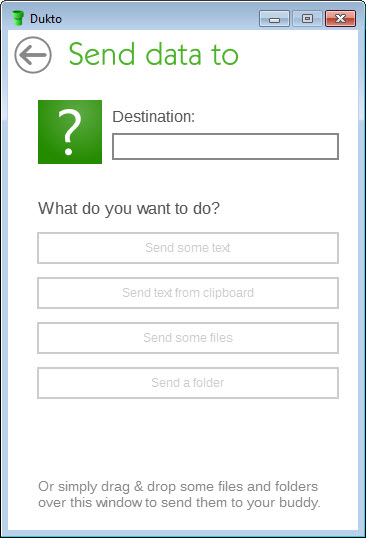
Dukto sends files, whole folders and plain text the same way, which is by dragging onto the recipient or choosing them from a button.
The text option deserves a mention because it is the one people find unexpectedly useful. A block of text sent directly appears on the receiving machine ready to copy, which handles the everyday problem of getting a long address or a paragraph of notes from one keyboard to another without emailing yourself.
Transfers are immediate rather than queued, and the receiving machine gets a notification with the option to accept.
No configuration is the whole point
Anybody who has set up a shared folder knows what Dukto avoids. Permissions, credentials, workgroup names, firewall exceptions and the particular ritual each platform requires before two machines will talk.
Dukto does none of that. Discovery happens by broadcasting on the local network, so both machines simply see each other and no arrangement is needed beyond both being connected to the same network.
Where the requirement is keeping two folders matched over time rather than sending something once, FreeFileSync is built for that with rules and a preview of what it intends to do.
The security position, stated plainly
Dukto does not encrypt transfers. Data moves across the local network in the clear, which is a design consequence of a tool built for simplicity rather than an oversight to be fixed.
That matters differently depending on the network. On a home network with your own equipment and known devices, it is unremarkable, and anybody who can see the traffic is already inside your network. On an office network, a shared building connection or anything with people you do not know on it, sending something confidential this way is a poor idea.
The practical rule is to treat it as suitable for the things you would not mind a colleague seeing, and to use something else for anything sensitive. An encrypted archive sent through any route handles that case without needing a different tool.
Development has stopped
Dukto has not been maintained for a considerable time, and for a tool depending on network behaviour and platform integration that has consequences.
It continues to work on many setups and it may not run at all on newer platform versions, and nothing about either situation is going to change. Whether it works for you is established by trying rather than by reading.
Where a maintained equivalent matters more than this particular one, AirDroid covers transfers between a computer and a phone over a network with rather more around it.
And where machines are not appearing in each other’s window, Advanced IP Scanner confirms what is actually present on the network before you go looking for a fault in the software.
Conclusion
Dukto does one thing with an elegance that most software in this space never manages. Two machines on the same network see each other with no configuration whatsoever, and a file, a folder or a paragraph of text crosses between them by being dragged onto a name.
Two things frame where it belongs. The transfers are unencrypted, so this is for a network you trust rather than a shared one, and development stopped some time ago, so whether it runs on your particular setup is a question you answer by installing it. Within a home network of machines you own, it remains the shortest distance between two computers.
Features & benefits
Pros & Cons
- No accounts, pairing, credentials or shared folders to configure
- Machines discover each other automatically on the local network
- Files never leave the network, so there is no size limit and no third party
- Folders and plain text sent as readily as individual files
- Text sending solves getting a long address between two keyboards
- Immediate transfers with an accept prompt on the receiving machine
- Transfers are not encrypted, so the network has to be one you trust
- No longer maintained, and newer platform versions may not run it
- Both machines must be on the same network, with no remote option
- Nothing here synchronises, so it sends rather than keeps things matched
Frequently asked questions
No. Machines announce themselves on the local network and appear in each other's window, with no accounts, no pairing and no shared folders. Both simply need to be on the same network.
No. Data crosses the local network in the clear, which is fine on a home network with equipment you control and unsuitable on a shared or office network for anything confidential.
Yes, and it is one of the more useful features. A block of text arrives on the other machine ready to copy, which solves moving a long address or a set of notes between two keyboards.
No. It works on many setups and may not run on newer platform versions, and neither situation will be addressed. Trying it is the only way to establish which applies to yours.


